Adobe XD 59.0.12 — download for Mac
Mac Apps Updated
Maps out the flow of a website or mobile app from wireframes to clickable demos.
Screenshots
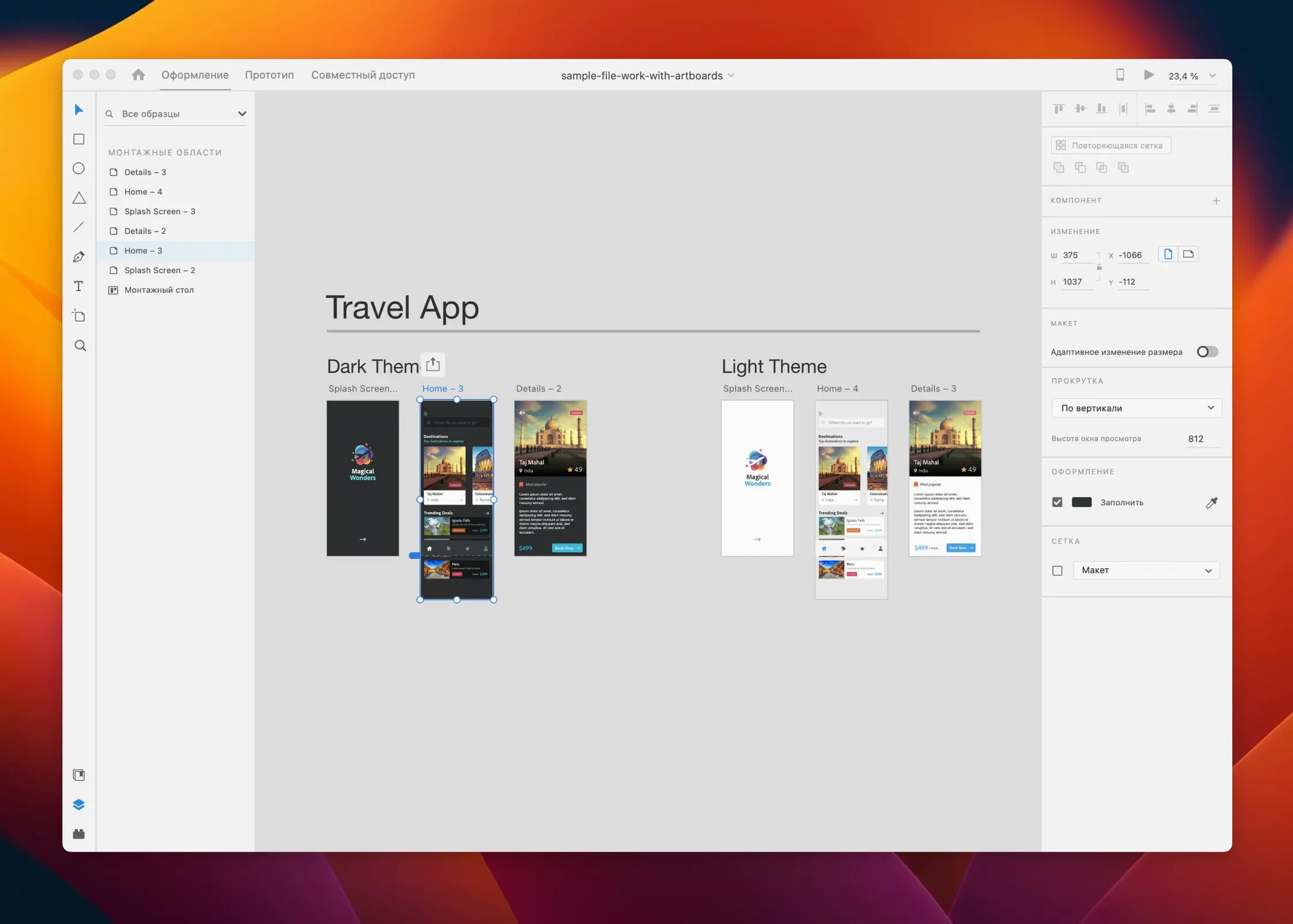
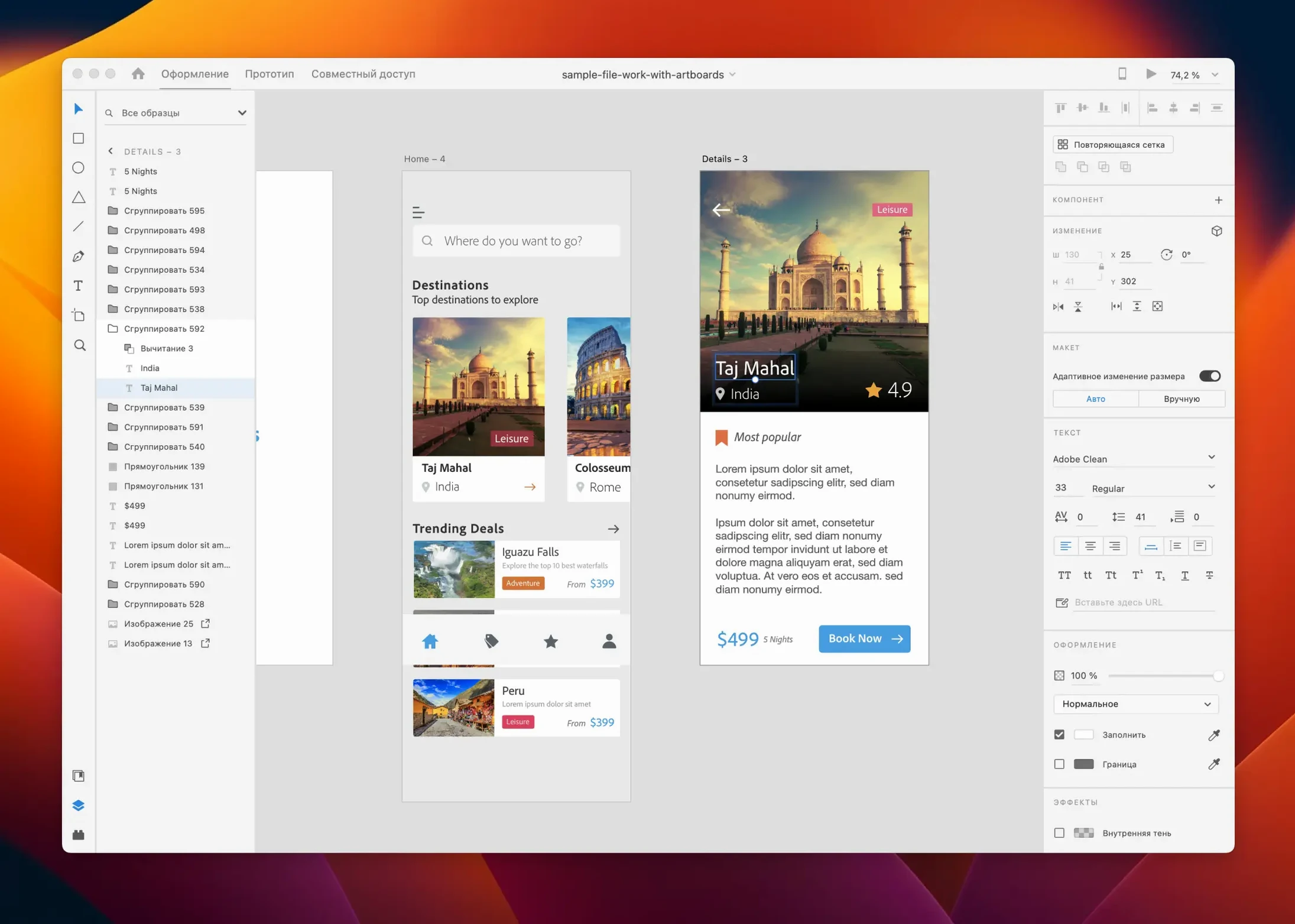
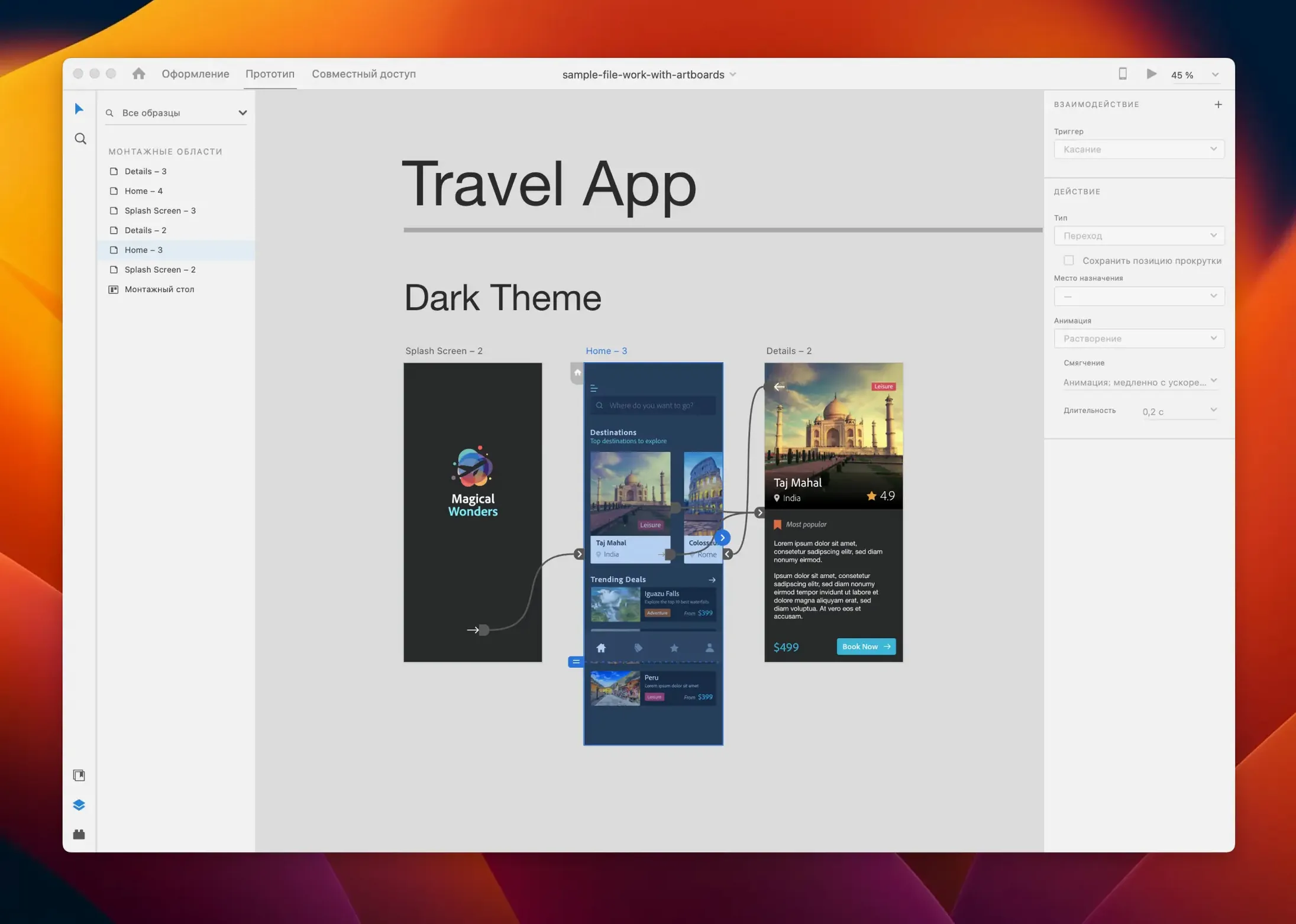
Product designers and UX teams use Adobe XD to map out the flow of a website or mobile app before a single line of code gets written. It handles the full cycle from wireframes to clickable demos.
Runs natively on Intel and Apple Silicon
Before anything else, confirm your Mac runs macOS 10.15 or later. The app works natively on both Intel and Apple Silicon hardware, so there is no Rosetta overhead to think about.
Build a prototype
Wire up artboards with transitions and micro-interactions to simulate how a user moves through an app. Stakeholders click through a working model, not static screens.
Share for feedback
Auto-resolve duplicate assets before starting
Open Preferences (⌘,) and make these three adjustments before you start your first project. First, under General, enable Auto-resolve duplicate assets — it prevents the asset panel from stacking identical colors and character styles when you import from another file. Second, switch on Snap to geometry if it isn't already; it fixes alignment drift when you move grouped objects. Third, in the Prototype tab settings, set the default viewport to a device frame you use most (say, iPhone 13 or desktop 1440). That saves one click every time you preview.
Three overlapping tools for macOS design work
Three tools overlap with Adobe XD on macOS. The differences are worth knowing when you are deciding which one to open for a given job.
Sketch
Sketch has been around longer and runs natively on Apple Silicon. Its plugin ecosystem is larger, and many UI kits ship as Sketch files first. Where XD wins is the built-in prototyping and auto-animate — Sketch needs a plugin or a separate handoff tool for interactive previews. If your team already uses Sketch and relies on third-party prototyping, switching may not be worth it. If you want one app for design and prototype, XD keeps the loop shorter.
Figma
Figma is browser-based with a desktop companion app. Its real-time multiplayer collaboration is stronger than what XD offers, and the component library system is more mature. XD's advantage is local-first performance — no lag when dragging elements around, no WiFi dependency. Figma also stores everything on its servers, whereas XD files live on your drive unless you publish them. For solo work or sensitive client projects that stay offline, XD is the steadier choice.
Axure RP
Axure RP is aimed at complex, data-driven prototypes with conditional logic and variables. XD is lighter and faster for the typical UI/UX workflow. For most screen-to-screen navigation and micro-interactions, XD gets the job done with less setup.
Redesigning a SaaS dashboard's onboarding screens
Monday morning, a brief lands: redesign the onboarding screens for a SaaS dashboard. I open XD and start a new document.
First, I set up artboards for the four main steps — email entry, password setup, workspace creation, and confirmation. Content-aware layout keeps the buttons aligned even after I change the call-to-action copy.
Then I wire the artboards together. I select the "Get started" button, drag the arrow to the next screen, and set the transition to fade. On the password screen I add a tap-triggered overlay for the requirements tip. Auto-animate makes the progress bar slide between steps without extra keyframes.
Before lunch, I publish a link and share it with the product manager. She clicks through on her phone, leaves a note on the workspace step about the input label alignment, and I fix it from the same file. No exports, no PDF round trips.
Afternoon, I hand off specs to the front-end developer. He opens the inspect panel from the shared link, copies the margin values and asset sizes, and starts coding. I close the file without exporting a single PNG.
Fixing asset panel duplicates and other snags
Artboard contents shift when resizing
If elements scatter when you resize an artboard, check the Responsive Resize toggle in the Properties panel. When it is off, XD scales the artboard without moving children. Turn it on when you want elements to reflow relative to the new dimensions.
Prototype links break after reorganizing artboards
Renaming or moving artboards can orphan prototype connections. Use the Prototype tab's wire view to trace all links visually before you rearrange. If links turn gray, re-drag them. A habit worth adopting: name artboards before wiring, not after.
Assets panel shows duplicates after pasting
Pasting elements from other files often floods the assets panel with identical colors and text styles. The Auto-resolve duplicate assets setting mentioned earlier prevents this. If the mess is already there, right-click the asset list and choose Clean Up to merge duplicates.
Shared link shows outdated version
Reviewers sometimes see an older prototype because the link auto-updates only when you publish again. After making changes, hit Update in the share dialog. The URL stays the same, but the content refreshes. If comments reference elements you have deleted, archive the old version in the cloud before removing them.
Plugins do not appear after install
Restart XD after installing a new plugin. If it still does not show, go to Plugins > Manage Plugins and check the enabled status. Some plugins require an internet connection on first launch to download additional dependencies.
Publish a link that lets reviewers comment directly on designs. Developers can inspect specs without opening the source file, which keeps the handoff tidy.
- Bug fixes and minor workflow improvements in the July 2025 release.
| macOS | macOS 10.15 or later |
|---|---|
| Processor | Apple Silicon, Intel 64-bit |
| Download | 2.6 GB |
- macOS 10.15 or later
- Intel and Apple Silicon Macs
Questions about Adobe XD
Is Adobe XD still receiving new features?
No. Adobe XD is currently in maintenance mode, so the current release focuses on bug fixes and minor workflow improvements rather than new capabilities.
Can I use Adobe XD offline?
Yes, you can design and prototype alone on your Mac without an internet connection; online features are needed only for co-editing and sharing review links.
Does Adobe XD work on both Mac and Windows?
It does. The file format is cross-platform, so a team with a mix of macOS and Windows machines can collaborate on the same project.
How to install, in order
- Open the disk image and run the installer.
- Follow the on-screen steps—the included notes cover activation once the app is in place.
- For older versions, a quick search on YouTube turns up recorded walkthroughs.
Comments and corrections 0
Sign in or open a free account to leave a comment.
No comments or corrections yet.