Affinity Designer 2.6.5 — download for Mac
Mac Apps Updated
Creates precise vector illustrations and packaging layouts with professional color controls.
Screenshots
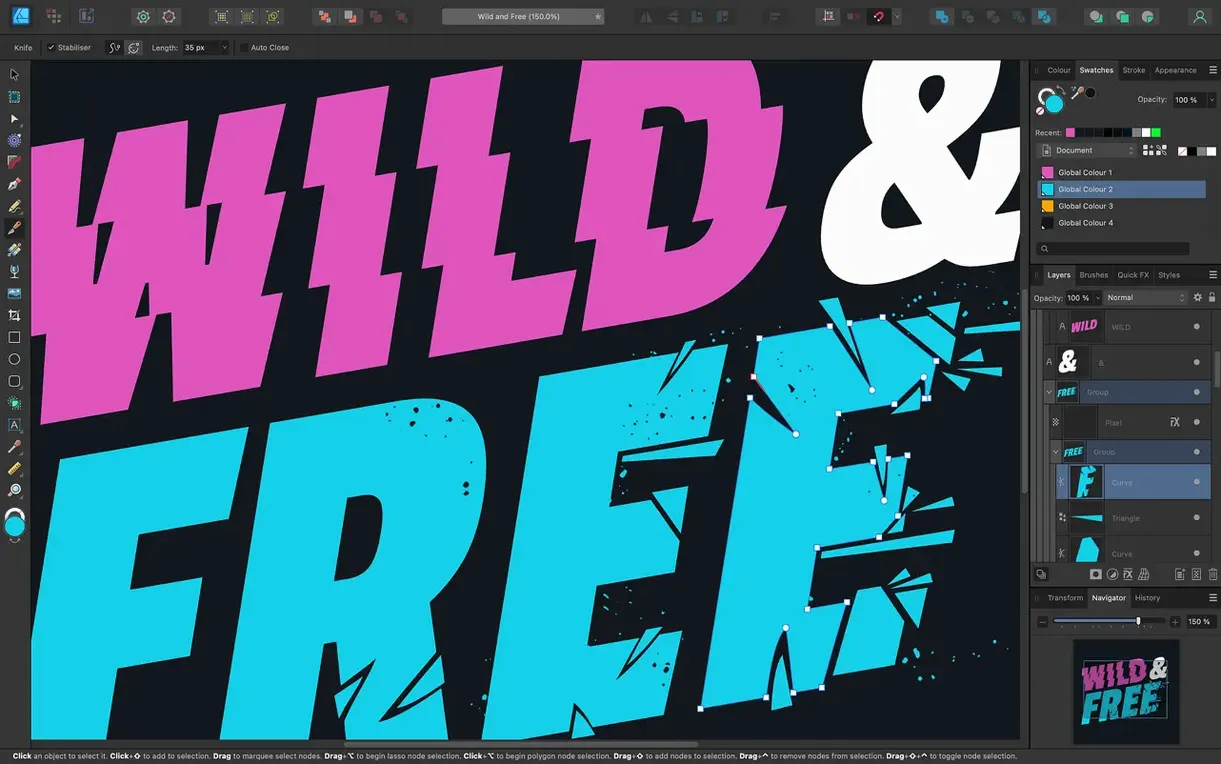
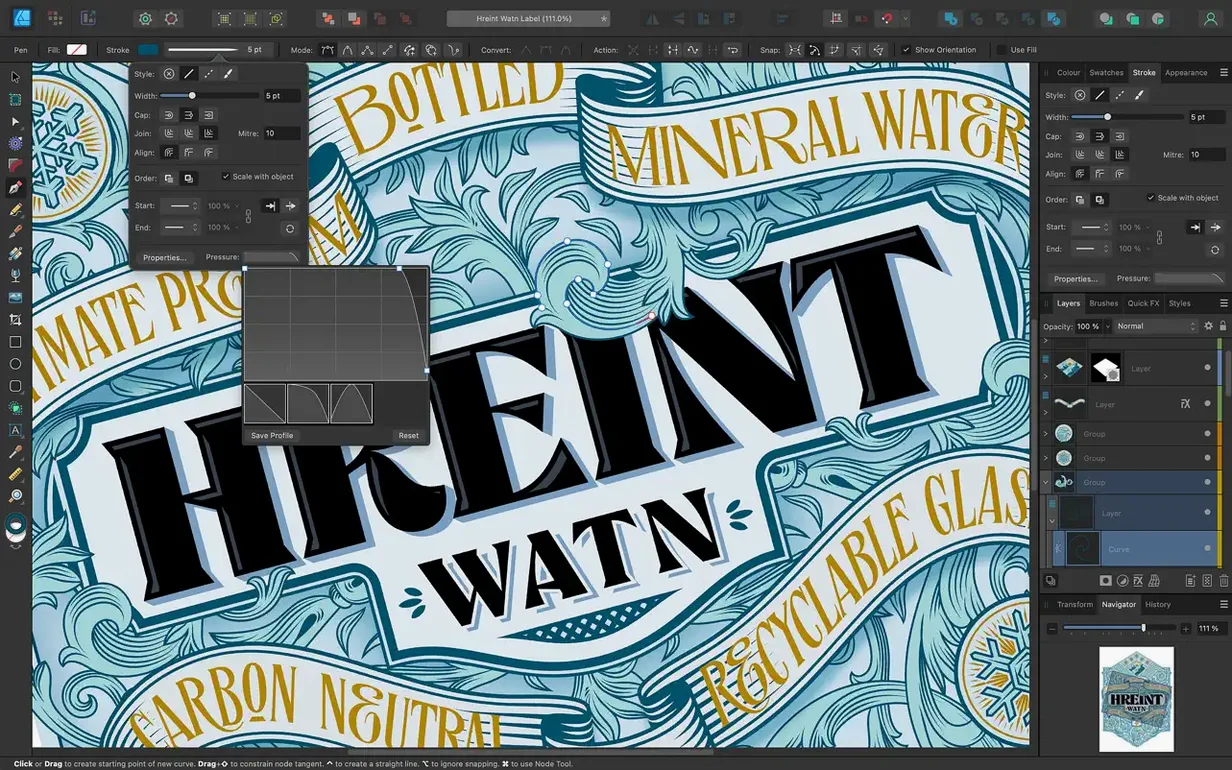
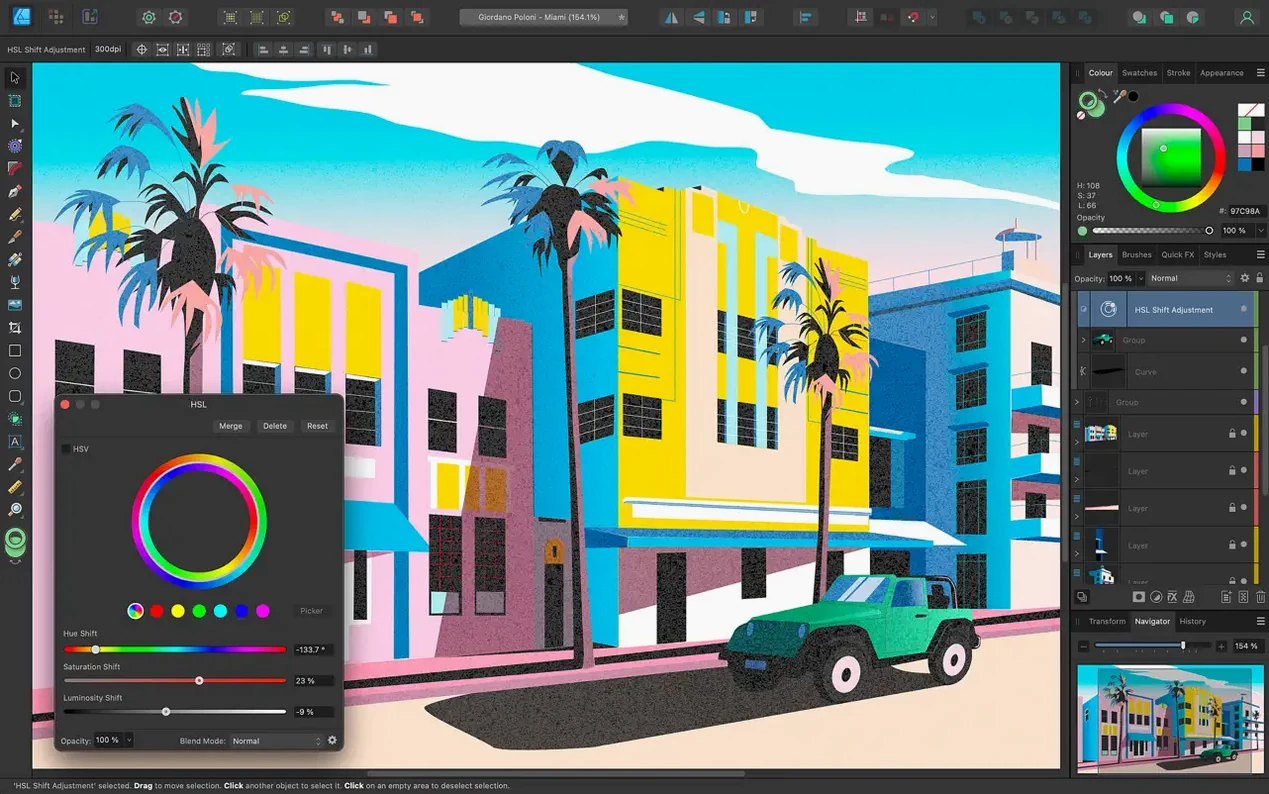
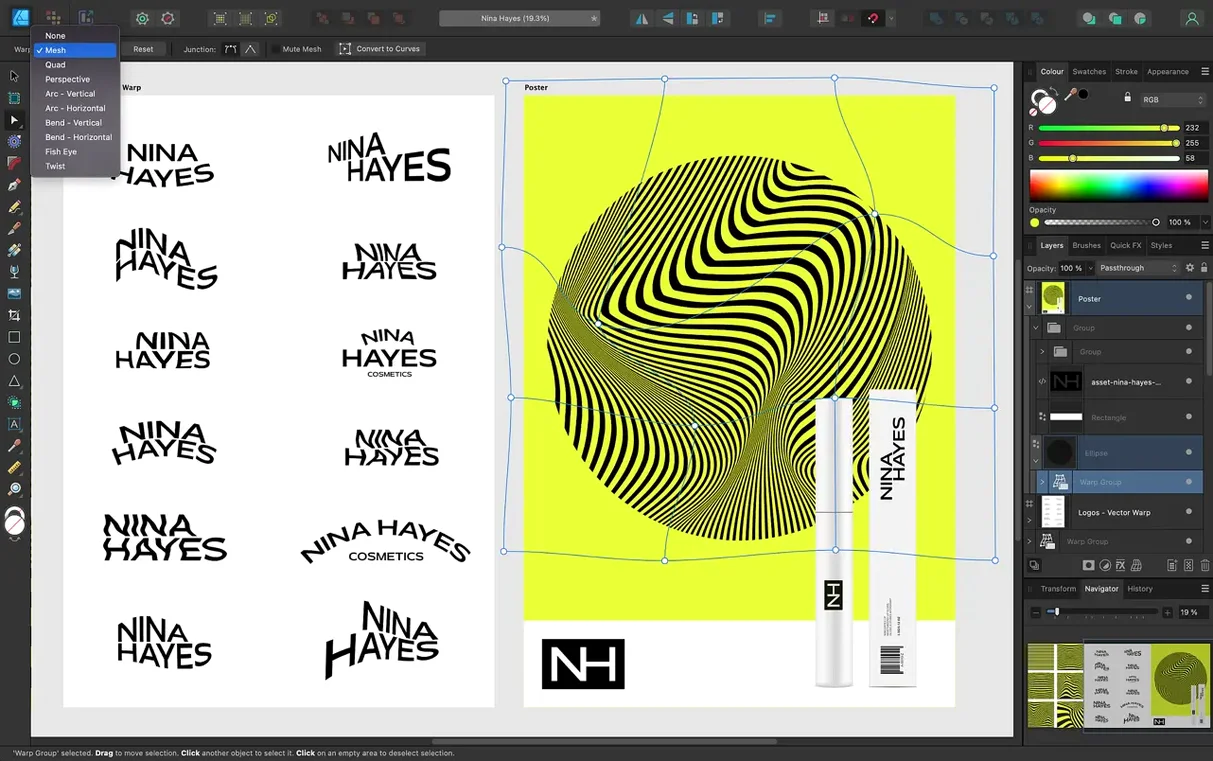
A designer opens a product label file, switches to the CMYK color space, and adjusts a curve with the Node Tool. An artboard to the right holds a dozen packaging variations; a text frame on the left uses an OpenType alternate glyph. The work stays precise because Affinity Designer runs on Metal and Core Graphics, keeping zooms and pans smooth even with hundreds of vectors on screen.
Affinity Designer is Serif’s vector app for macOS 10.15 and later, built native for both Intel and Apple Silicon. It reads and writes PSD, AI, PDF, SVG, and EPS files, so it slots into a studio pipeline without converting archives. The tool set covers the essentials: Pen, Node, Pencil with stabilization for freehand curves, shape tools, and the Stroke Width Tool with profiling controls added in version 2.6.
Color work runs at 16 bits per channel across RGB, CMYK, LAB, and grayscale. Unlimited artboards let a team keep a full campaign—social posts, flyers, signage—inside one document. Text handling includes artistic text, linked frames, and OpenType feature controls, covering the typography needs of layout-heavy jobs.
This release belongs to the Affinity suite alongside Photo 2 and Publisher 2, sharing the same engine and file format. For a project manager coordinating branding assets or a production artist preparing print-ready separations, it removes the friction of switching between three different apps for vectors, rasters, and page layouts.
Pencil Tool Responsiveness for Stylus Sketching
Version 2.6 brought three functional updates that affect how you draw and select. The Pencil tool improvements make freehand sketching more responsive when you are roughing out logo variations or organic shapes. If you draw with a stylus, the revised stroke engine registers input changes faster, so you get fewer jagged segments on slow curves.
The Stroke Width Tool now includes profiling improvements plus a Reset Profile option. When you set variable line widths along a path—useful for calligraphic lettering or tapered lines in a branding mark—you can reset back to a uniform profile with one action instead of manually adjusting nodes. The toggle for marquee select intersection behaviour means you can hold Command or Ctrl while dragging a selection rectangle and switch between intersect and replace modes on the fly. This cuts out one extra click in the toolbar when you are isolating specific nodes inside a dense illustration.
The 2.6.5 build is a maintenance release: bug fixes and stability improvements. Nothing changes in the interface or workflow, but running it reduces the chance of crashes when handling complex documents that mix several artboards and linked embedded files.
Fixing Blurred Links in Resource Manager
Most problems come from file exchanges or workspace confusion. Here are three that happen regularly and their straightforward fixes.
- Linked raster images appear blurred or missing. Check the Resource Manager under the Document menu. If the link shows "Modified" or "Missing," relink the original file. Affinity Designer stores relative paths by default, so moving the project folder after linking will break the connection.
- Text formatting looks different after opening an AI or PDF file. The app honours OpenType features, but some proprietary font hints from Adobe software do not transfer. Open the Text panel, reapply the character style, and set OpenType alternatives manually. For production text, convert to curves before export to avoid font substitution at the printer.
- Pen tool lags or snaps unexpectedly. Turn on Snap options in the View menu and check that Snap to Grid or Snap to Guides is toggled off when drawing free curves. If you are using a Touch Bar or trackpad with Force Touch, reduce the sensitivity in System Settings if the pointer fights your movement.
Real-World Scenario: A Print Shop Owner
Rui runs a small print and sign shop in Braga. He receives client artwork in dozens of formats: logos as SVG from web designers, packaging mock-ups as PSD from in-house artists, and final print files as PDF from agencies. Before Affinity Designer, he kept Illustrator, Photoshop, and a PDF editor installed. Now he opens everything in one app.
His daily workflow starts with a PSD file for a wine label. He switches to CMYK at 16-bit depth, adjusts the curves with the Node Tool, and uses the Stroke Width Tool to thin a decorative border. The Pencil tool improvements in 2.6 let him sketch a new illustration for a seasonal label right inside the same document. When the client sends changes as an AI file, he opens it, checks the colour profile, and exports a clean PDF/X-1a for the RIP software. The unlimited artboards let him keep one document per customer with all reprint sizes—bottle, box, shelf talker—in a single place.
He does not need Photo 2 or Publisher 2 for this job type, but knowing they share the same core means he can hand a file to a partner who runs the suite.
Vector to Photo to Publisher Workflow
Affinity Designer lives in a workflow alongside Affinity Photo 2 and Affinity Publisher 2. A typical project might start with a vector logo in Designer, move to Photo for texture and colour grading, then get laid out in Publisher for a brochure. The native file format holds layers, adjustments, and colour settings across all three apps, so you never flatten or export intermediate files unless you want to.
On macOS itself, the app uses Grand Central Dispatch and Core Graphics to distribute drawing tasks across CPU cores and the GPU. This affects zooming and panning on large artboards more than export speed. If you run a document with 50 artboards and a hundred linked files, the interface stays responsive because Metal handles the drawing queue. The Touch Bar and Force Touch support mean you can adjust the Stroke Width Tool or rotate a curve with gestures on a MacBook Pro trackpad rather than reaching for a mouse.
For file exchange, the app reads and writes standard formats that other design tools and RIP software accept: PDF, EPS, SVG, TIFF, and JPG. A production artist can export vector-only pages as PDF, place them into a QuarkXPress or InDesign layout, and the printer will see clean vectors with no transparency issues. If you work with asset management tools, you can link Designer files directly into Publisher or Photo without converting to an intermediate format.
Affinity Designer crack mac is a vector graphics tool for professional illustrators and designers on macOS. It runs on the same versions of macOS and Apple Silicon hardware as the release builds, with no difference in functionality or interface.
- Pencil tool and Stroke Width Tool profiling improvements, plus a Reset Profile option.
- Command or Ctrl toggle added for marquee select intersection behavior.
- Bug fixes and stability improvements across the app.
| macOS | macOS 10.15 or later |
|---|---|
| Processor | Apple Silicon, Intel 64-bit |
| Download | 779 MB |
- macOS 10.15 or later
- Intel or Apple Silicon Mac
How to install, in order
- Mount the disk image and run the Open Gatekeeper friendly file.
- When Terminal appears, press Enter to bypass Gatekeeper.
- Drag the app icon into the Applications folder.
- Launch Affinity Designer from the Applications folder.
Comments and corrections 0
Sign in or open a free account to leave a comment.
No comments or corrections yet.