Cubase 16.0.5 — download for Mac
Mac Apps Updated
Records, edits, and mixes multi-track audio into a finished musical production.
Screenshots
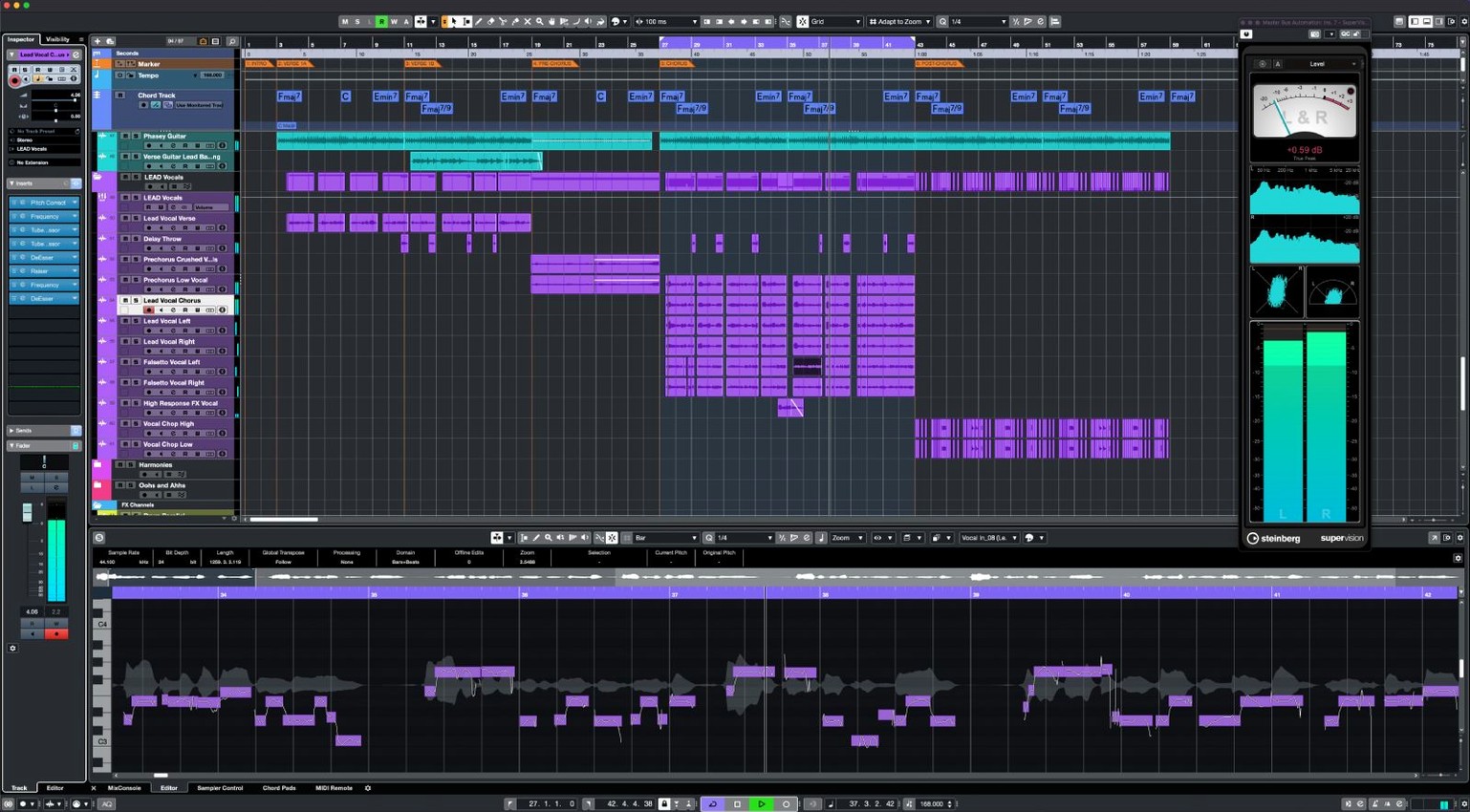
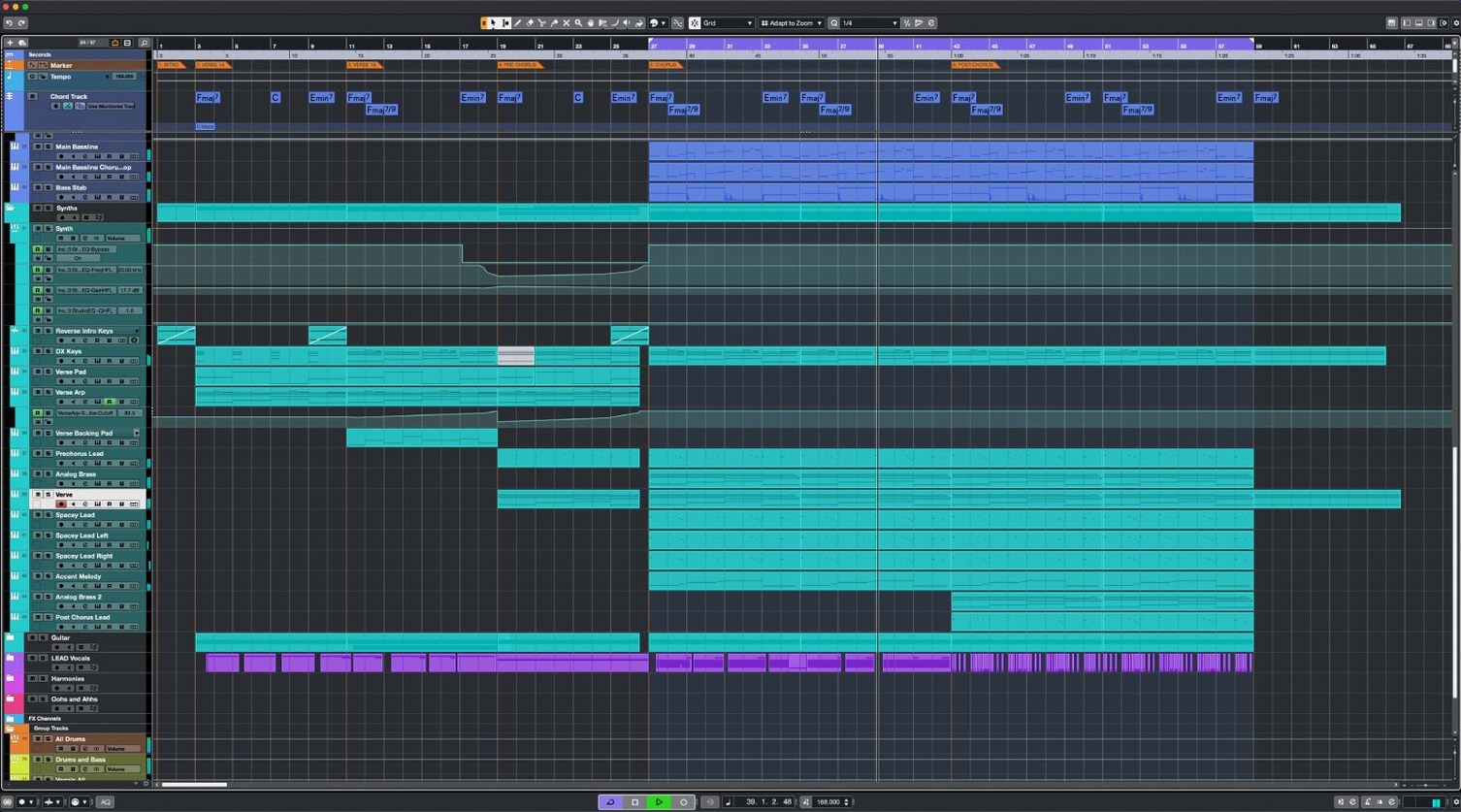
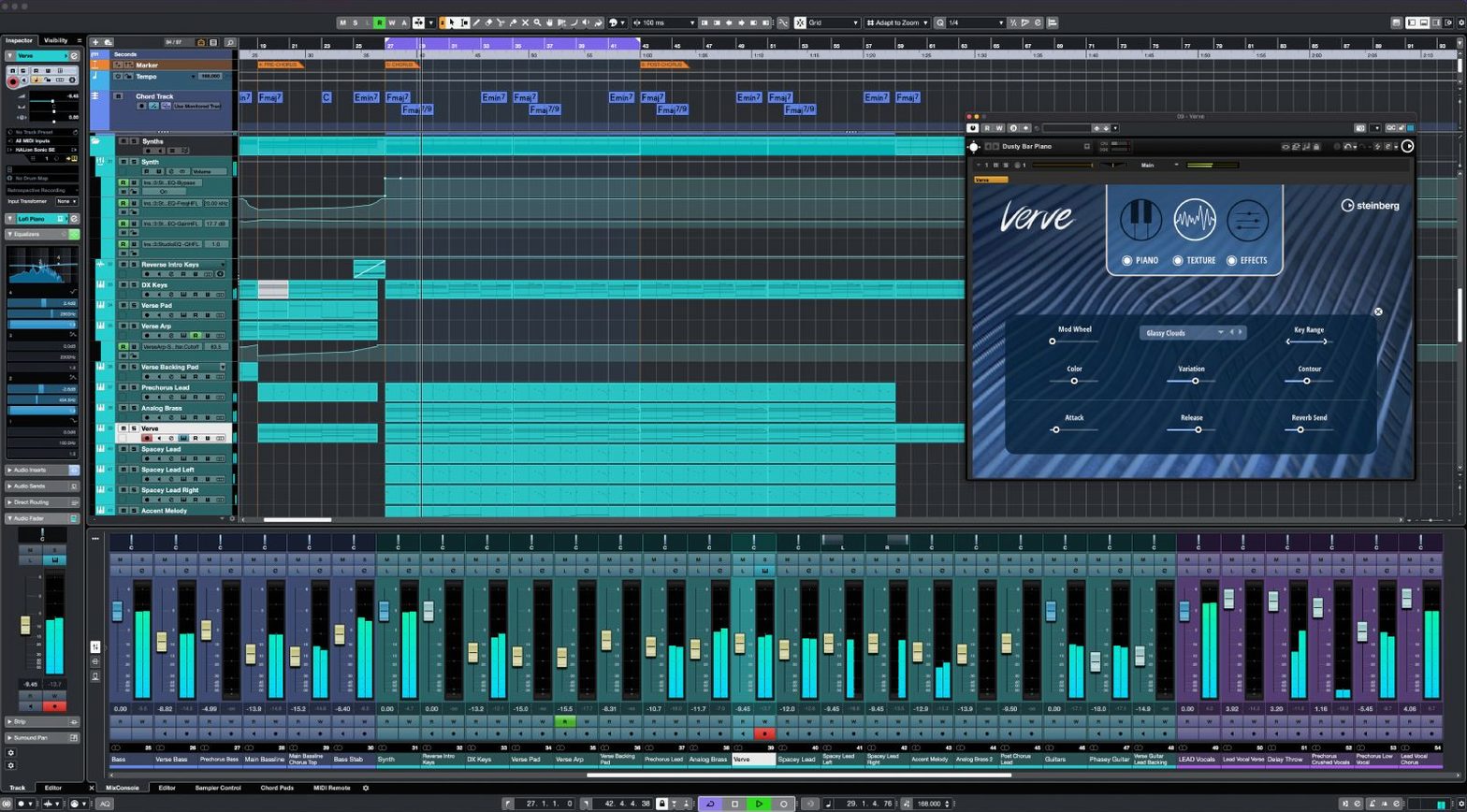
Cubase 15.0.30 runs on Macs with macOS 13 Ventura or later, and works on both Intel and Apple Silicon processors. The installer is under 1.3 GB and the interface language is English.
What does Cubase do?
It is a full digital audio workstation for composing, recording, editing, mixing, and mastering music and audio. The sound engine uses 64-bit processing and supports sample rates up to 192 kHz with 256 group channels.
Who is it made for?
Steinberg builds Cubase for professional producers, composers, and sound engineers. Features like Dolby Atmos tools, Audio to MIDI chords, the Raiser compressor, FX Modulator, and Scale Assistant are geared toward advanced work in music production and post-production.
What are the key workflow tools?
It includes a customizable keyboard shortcut system. The Scale Assistant provides preset scales, and the FX Modulator can generate complex textures. The MIDI Remote API 1.3 and support for Novation Launch Control Series 3 expand hardware control.
Ignoring Cubase's Keyboard Shortcut System
A new DAW always has a learning curve, and Cubase is no exception. A few patterns show up regularly with people starting out.
- Ignoring the keyboard shortcut system. Cubase has a full shortcut system, but many new users click through menus for weeks before learning them. It is worth opening the shortcut list early and memorizing the half-dozen commands you use most often. It saves time on every session.
- Overloading the mixer too fast. With unlimited audio channels and 256 group channels available, it is easy to create a maze of tracks on day one. A cleaner approach is to start small and use group channels only when you need submixes. The channel count will not disappear.
- Skipping the 64-bit processing setup. The sound engine runs at 64-bit, but some beginners forget to check their project sample rate and bit depth before recording. Setting these at the start avoids having to convert audio later.
- Treating VariAudio as a one-click fix. VariAudio can correct pitch, but it works best when you use it selectively. Applying it to every note in a vocal track often produces unnatural results. A light touch with VariAudio sounds more like the original performance.
- Not using AudioWarp for tempo alignment. AudioWarp can snap audio to the project grid, which is useful when you import loops or recordings that are slightly off tempo. Beginners sometimes try to re-record or edit by hand instead of letting AudioWarp do the alignment.
What Changed in Cubase 15.0.30
The latest update is version 15.0.30, released on June 3, 2026. It is a maintenance update, so the changes are refinements rather than new headline features.
- Novation Launch Control Series 3 support. If you use Novation hardware, Cubase now recognizes the Launch Control Series 3 controllers. This means you can map knobs, faders, and pads directly without extra configuration.
- MIDI Remote API 1.3. The MIDI Remote integration now runs on API version 1.3. This affects how MIDI controllers communicate with Cubase and how custom mappings are stored. Users who have built complex MIDI Remote setups may notice smoother behavior when switching between projects.
- General fixes and enhancements. The release notes cover fixes across multiple areas. For day-to-day use, this typically means fewer crashes in the mixer, more predictable behavior when loading large projects, and better response from the transport controls.
Because Cubase 15 uses one installer for all versions, updating to 15.0.30 is straightforward. The license you own determines which features are available after the update.
How Cubase Compares with Similar Mac DAWs
Cubase sits in a crowded field of professional DAWs. Here is how it compares with three alternatives on macOS.
Cubase vs. Logic Pro
Logic Pro is Apple's own DAW and is widely used in studios that work entirely in macOS. Cubase has broader Windows support, which matters if you collaborate with people on PCs. Cubase also includes Dolby Atmos tools, while Logic Pro has its own Atmos implementation with a different workflow. The Scale Assistant and Audio to MIDI chords in Cubase give it an edge for composers who work with harmony and transcription.
Cubase vs. Ableton Live
Ableton Live is built around clip-based sequencing and live performance. Cubase is more traditional in its linear arrangement timeline. If you need a DAW for tracking live instruments, recording vocals, or mixing film scores, Cubase's unlimited audio channels and 256 group channels make it more suited to large sessions. Ableton Live excels in electronic music production and on-stage use.
Cubase vs. Pro Tools
Pro Tools is the standard in many professional recording studios, especially for post-production and film. Cubase offers deeper MIDI capabilities and a better built-in virtual instrument collection. Pro Tools has a stronger track record in multi-user studio environments. For a composer working alone or in a small project studio, Cubase provides a more complete package without needing additional plugins.
Runs Natively on Apple Silicon Without Rosetta
Cubase 15.0.30 requires macOS 13 Ventura or later and supports both Intel (x86) and Apple Silicon (ARM) processors. The installer file is under 1.3 GB. Because it runs natively on both architectures, you do not need Rosetta or any compatibility layer on an M-series Mac.
With support for 256 physical inputs and outputs and 64 VST instrument slots, Cubase can handle large orchestral templates or dense electronic productions. The 64-bit processing engine and 192 kHz sample rate support mean it works with high-resolution audio without downsampling.
The activation is handled by a keyed installer labeled for iamdumb. Use the included installation and activation instructions to get Cubase running on your machine.
FX Modulator Replaces a Chain of Modulation Plugins
- FX Modulator for quick texture creation. The FX Modulator can generate complex textures from simple audio. It is a single effect that can replace a chain of modulation plugins for certain sounds.
- Raiser compressor. Raiser increases loudness without affecting transients or transparency. It is useful for mastering or for adding perceived volume to a bus without changing the mix balance.
- Audio to MIDI chords. You can feed an audio file into Cubase and let it detect the harmony and convert it to MIDI notes. This is handy when you have a recorded chord progression and want to extract the voicing for editing or transcription.
- Scale Assistant with preset scales. The Scale Assistant includes preset scales that help you stay in key while writing MIDI parts. It is especially useful when you are working in an unfamiliar mode or harmonic system.
- Send and return channels. Cubase supports 8 send channels and 64 return channels. While many users focus on inserts, the send-return setup is efficient for reverb, delay, and parallel compression across multiple tracks.
- Fixes and enhancements across several areas of the application.
- Support added for Novation Launch Control Series 3.
- MIDI Remote API updated to version 1.3.
| macOS | macOS 13 or later |
|---|---|
| Processor | Apple Silicon, Intel 64-bit |
| Download | 978 MB |
- macOS 13 or later
- Intel or Apple Silicon
How to install, in order
- Open the included installation instructions and follow them exactly.
- Complete the activation process as described in the activation instructions.
Comments and corrections 0
Sign in or open a free account to leave a comment.
No comments or corrections yet.