Adobe Substance 3D Painter 12.1.5 — download for Mac
CAD & 3D Updated
Paints detailed materials directly onto a 3D asset's surface with a non-destructive layer stack.
Screenshots


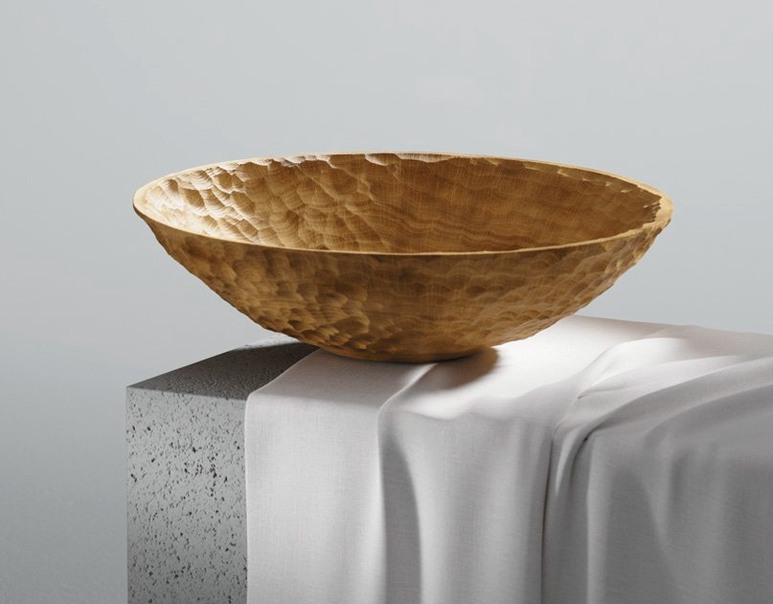

Adobe Substance 3D Painter is a texturing application that lets you paint detailed materials directly onto a 3D asset's surface.
Non-destructive layer stack records every stroke
Version 12.0.3 continues to pair a non-destructive layer stack with a real-time viewport. Every stroke and action is recorded, so you can change a project resolution later without degrading quality. The brush engine reads Photoshop brush sets and offers dynamic, parametric controls alongside projection tools and particle brushes. Smart materials adapt to the mesh curvature as you paint, and the integrated path tracer lets you preview results under physically accurate lighting without leaving the viewport.
Painter applies materials authored in Designer
The core workflow remains split between Painter and Substance 3D Designer. Designer handles material authoring, while Painter is where those materials get applied and layered onto models. The Apple Silicon build runs on macOS Monterey with a 16 GB RAM floor, and the interface is available in English, German, French, Japanese, and Simplified Chinese. Support for non-destructive editing, smart materials, and the real-time preview keeps the daily rhythm predictable for artists who need to texture assets without rebuilding work.
A start-to-finish texturing run
Imagine you are prepping a character model for a game cutscene. The mesh arrives from the modeling team as a generic FBX export. You import it into Substance 3D Painter and inspect the surface in the real-time viewport. The first pass is a base coat: you pick a smart material from the library — weathered leather — and drag it onto the model. The material conforms to the curvature of the jacket geometry automatically. You see the shadows shift as you rotate the viewport. So far, no strokes have been committed to the layer stack.
Next come the scuffs and stitching. You switch to a parametric brush loaded with a Photoshop brush set for texture variation. Each stroke is recorded as a separate layer. If the stitch line looks too heavy, you back up to that layer, adjust the opacity, and repaint without touching the base material. For the belt buckle, you project a gold material onto the mesh using the projection tool. The path tracer previews how light catches the buckle edge — the reflections change as you tilt the model — and you tweak the gloss value inside the smart material properties. The whole run, from import to final export, stays non-destructive. You set the output resolution at 4K, then export as a layered PSD for the rendering team.
How a costume designer uses it
A friend of mine works in a small studio that builds outfits for real-time animated shorts. She gets character meshes from the modeling department and needs to simulate woven fabrics, zippers, and worn denim. Her typical request: make the denim look like it has been through a season of shoots. She loads a generic denim smart material, then paints in frayed edges with a particle brush set to scatter along the cuffs. The mask style conforms to the pant leg shape automatically — she never has to paint a mask by hand. Once the material is on the model, she saves it as a custom preset. Next time a jeans mesh comes in, she loads that preset and adjusts the wear pattern in minutes. She does not touch Substance 3D Designer unless she needs to build a completely new weave from scratch.
Hour before review: texturing armor with brush panel
Morning session, an hour before the team review. Open the project file from the previous day. The viewport shows the character where you left off — half the armor is textured, the helmet is bare. You open the brush panel, pick a steel smart material, and paint the helmet surface. The brush feels natural because you are using a Photoshop brush set you imported weeks ago. You paint a few strokes, then change the lighting preset in the viewport to catch reflections. The path tracer shows how the steel interacts with the environment.
You zoom in on a shoulder pad. The stroke you painted yesterday is still there, but you decide it needs a different roughness. You find that stroke layer in the non-destructive stack, adjust the brush profile, and repaint over the same area. The original stroke is gone, but the base material underneath is untouched. Fifteen minutes before the meeting, you export a 1080p preview for the art director. The file opens cleanly in Photoshop on their machine. The session ends with the project saved as a layered file, ready for the next round.
Existing Photoshop brushes load directly into Painter
Can I use my existing Photoshop brushes?
Yes. The brush engine reads standard Photoshop brush sets. If you have a library of custom brush presets from years of 2D work, you can load them directly into Painter and use them on 3D surfaces.
Do I need Substance 3D Designer to use Painter?
You can paint and texture assets without Designer. Designer is for authoring new materials from scratch. If you work with the smart materials Painter ships with, or with imported presets, you never need to open Designer. Some teams keep both installed for the full round trip.
What if I need to change the resolution after I have already painted?
You can change project resolution at any point. Because every stroke is recorded as a non-destructive action, the software recomputes the texture at the new resolution without losing detail or introducing artifacts. This is useful when a client requests a higher output late in production.
Is this only for games and film?
No. The software is used in architecture, clothing design, and industrial design — any field where a 3D mesh needs a painted surface. The parametric brushes and smart materials adapt to the geometry, so the same toolset works for a fabric simulation or a building facade.
How does the software handle layers compared to Photoshop?
The layer stack is non-destructive, similar to Photoshop’s smart objects but tailored for 3D. Each stroke lives on its own layer, and you can reorder, hide, or remove layers without damaging the mesh underneath. Masking is adaptive: the mask style follows the shape you are painting, so you rarely need to paint masks manually.
No release notes filed for 12.1.5. They are added here when a build changes how the program behaves.
| macOS | macOS 12 or later |
|---|---|
| Processor | Apple Silicon |
| Download | 3 GB |
- macOS 12 Monterey
- Apple Silicon
- 16 GB RAM
- SSD with 30 GB available space
Questions about Adobe Substance 3D Painter
Can I change the texture resolution after I start painting?
Yes, project resolution can be changed later without reducing quality because the application records actions and strokes non-destructively.
How to install, in order
- Open the downloaded disk image and run the installer.
- Follow the activation instructions included in the package to complete setup.
Comments and corrections 0
Sign in or open a free account to leave a comment.
No comments or corrections yet.