Mp3tag 1.15.1 — download for Mac
Utilities Intel processors only Updated
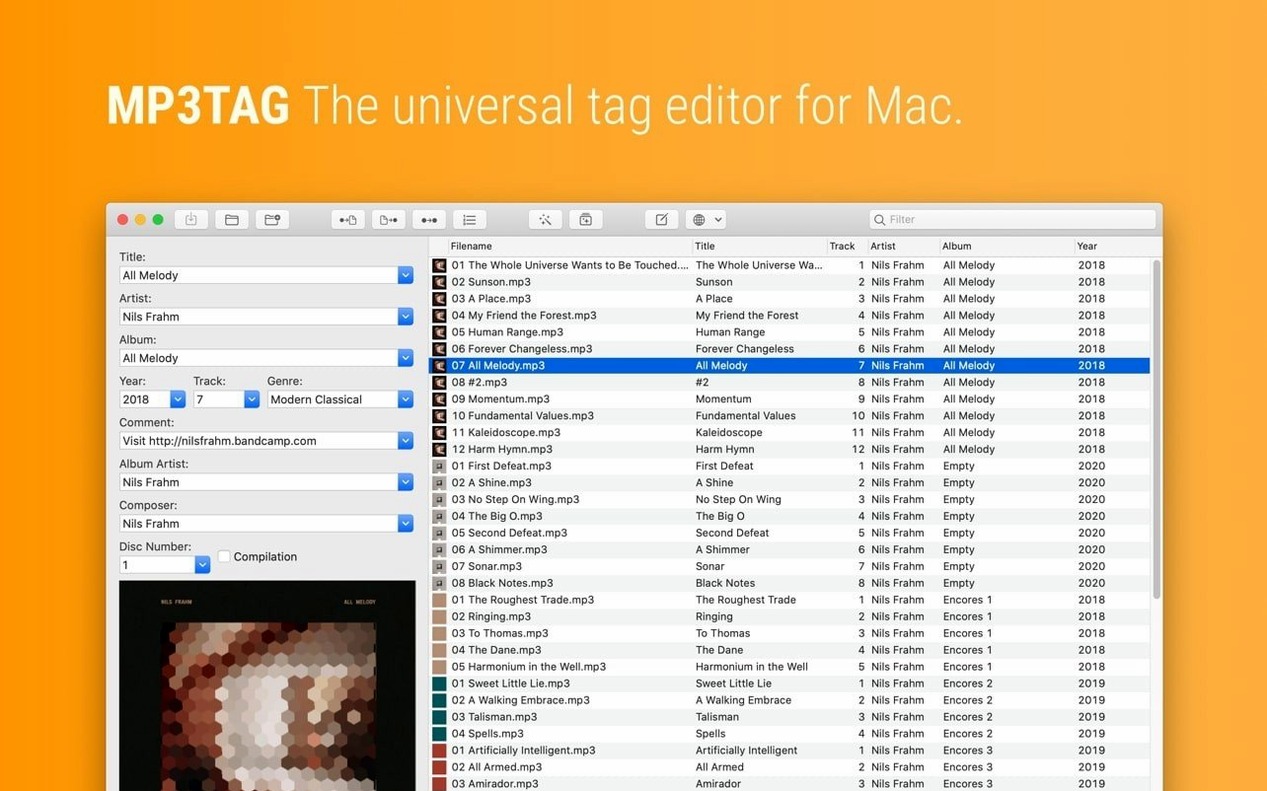
Edits metadata like artist and album for MP3, FLAC, and other audio files.
Screenshots
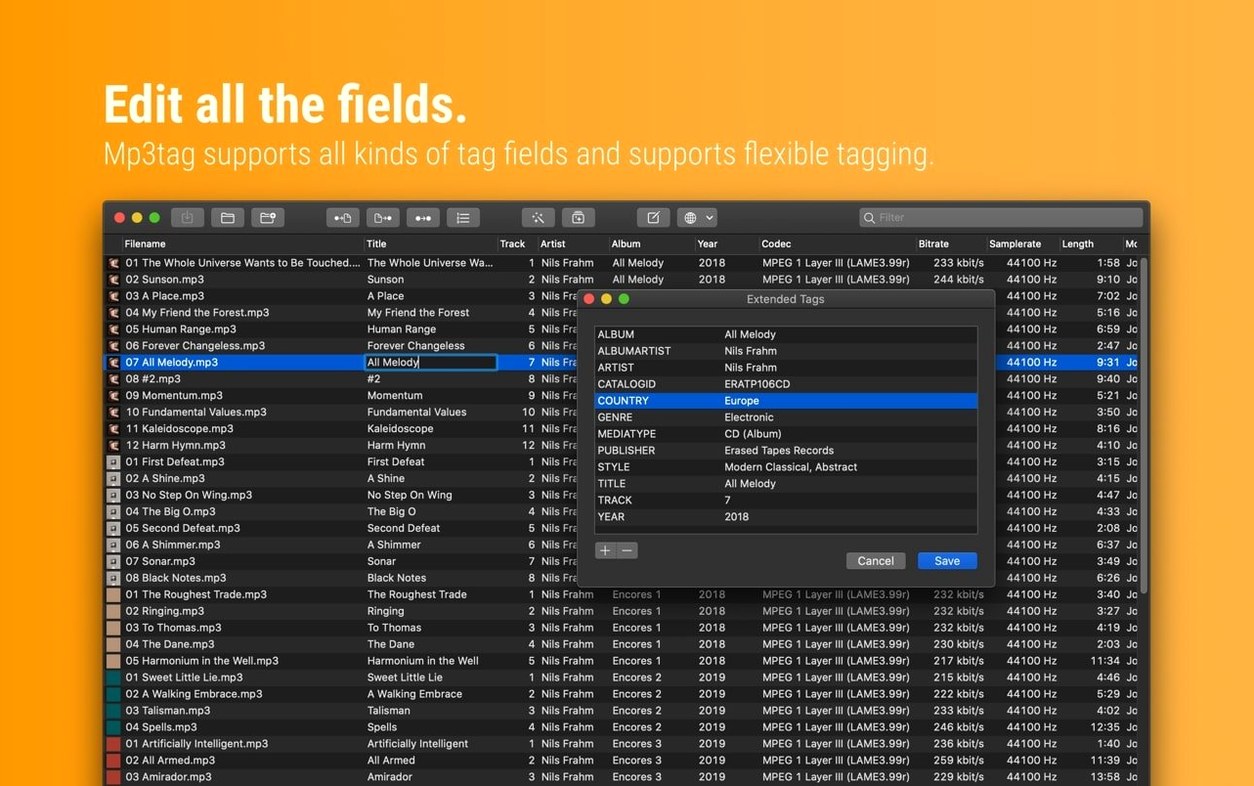
Mac Crash Fix for Large Batches
The three bug fixes in version 1.14.1 solve specific frustrations that appear when you work through a large batch. The crash on macOS 27 when adding action groups is the kind of bug that stops a workflow cold — you build a multi-step action, hit add, and the app goes away. Fixed now.
The cover art issue is subtler but more common. If you edited tags in the Tag Panel, then opened Extended Tags before saving, the app discarded your cover changes. You'd close the file, come back later, and wonder why the album art reverted. That's gone.
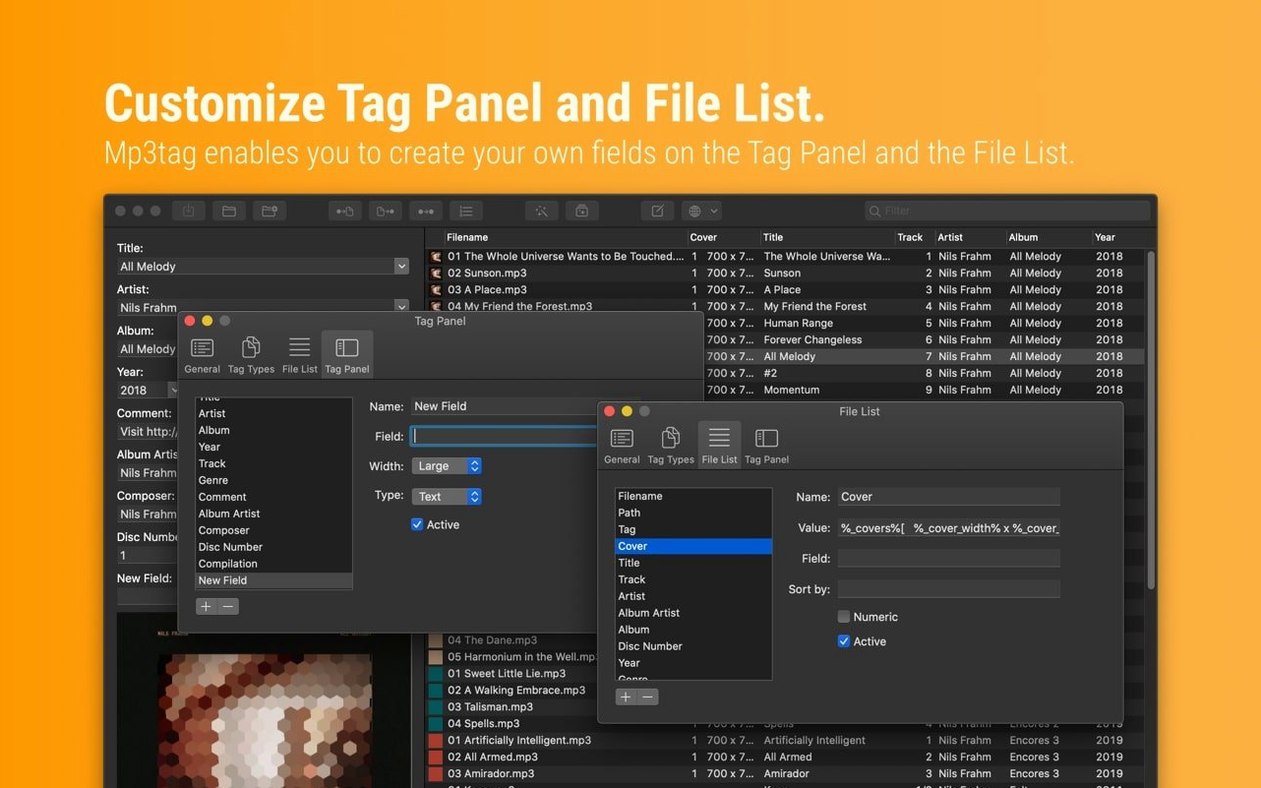
The third fix — unsaved Tag Panel changes being ignored when using Cover Search, Tag Sources, Converters, Auto-Numbering, or Actions — catches people who work fast. You adjust a tag, jump to a tool, come back, and the edit is missing. Now the app keeps your pending changes present while you use those functions.
Decimal BPM values in MP4 files used to get truncated to whole numbers. For anyone tagging electronic music or DJ libraries where beat precision matters, that fix restores accuracy you assumed was there.
Drag, Tag, Save: No macOS Hassle
Mp3tag lives alongside the macOS file system without requiring special setup. You drag folders into the app, work on tags, and save back to the same location. The renamed files option lets macOS Finder see clean filenames immediately — no refresh needed.
For iTunes or Apple Music users: Mp3tag writes standard ID3 tags that macOS reads correctly. After a batch edit, the Music app picks up new artist, album, and genre data on next launch. Cover art embedded at the correct resolution shows in album views without distortion.
If you use Rekordbox, Serato, or Traktor, Mp3tag's BPM field editing and comment tag handling means your DJ software sees the same metadata you set. No extra conversion step.
The app exports clean file structures that play well with Plex, Emby, or Jellyfin media servers. Consistent album tags and track numbers mean no "Unknown Artist" folders.
Action groups you save as files can be shared between machines or kept as backups. Standard macOS file operations apply — copy them to Dropbox, attach to an email, store on a NAS.
Backup Before Batch Renaming
- Editing files without a backup. Mp3tag writes directly to the file. If you batch-rename and the pattern is wrong, there's no undo. Keep a copy of your library folder before running actions on more than a handful of files.
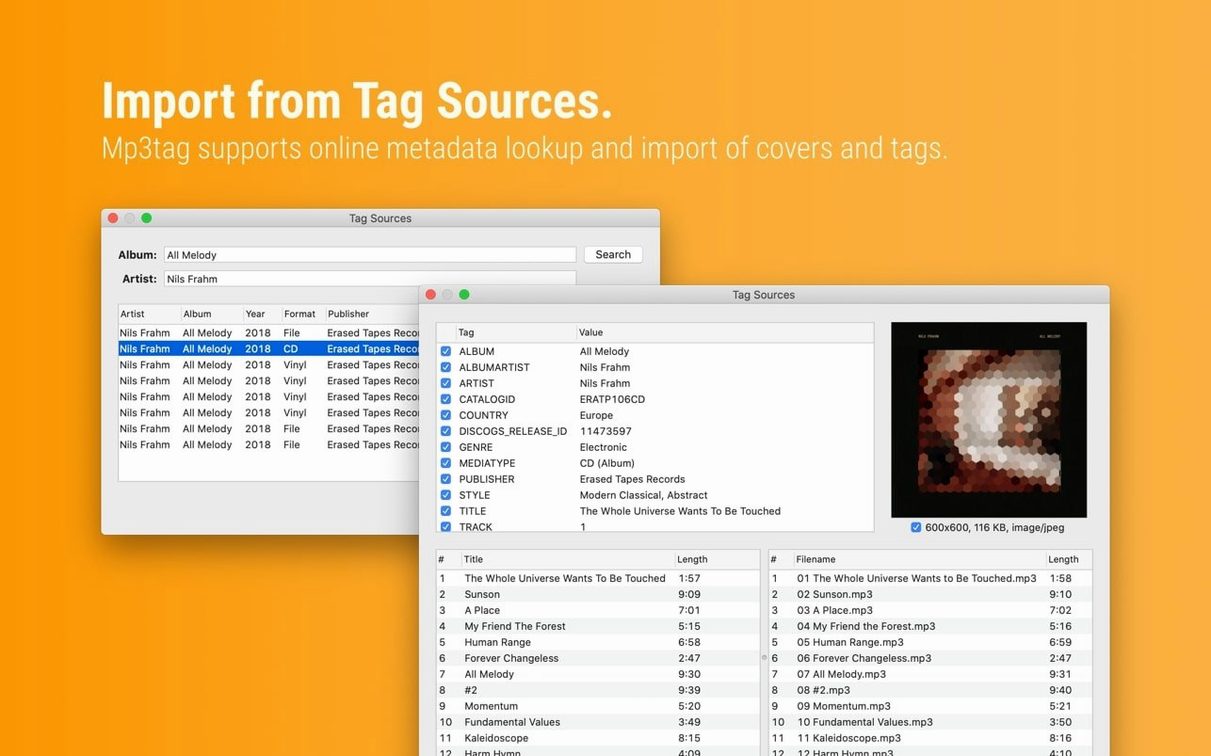
- Using Tag Sources without reviewing results. Discogs and MusicBrainz return good data most of the time, but not always. A misidentified album writes wrong artist names across 15 tracks. Preview the results before applying to the whole selection.
- Overwriting existing tags. If you run a tag source that fills every field, it replaces manual edits you made. Set the source to only fill empty fields or check the fields you want overwritten.
- Ignoring the cover art size setting. The app can resize embedded artwork. If you leave it at default, large covers bloat file size. If you set it too small, album art looks pixelated in your music player. Adjust once and save the setting.
- Not verifying character replacements. The replace function works on characters or words in tags and filenames. A too-broad pattern can rename files into something unreadable. Test on three files first.
Podcast Folder Mess to Clean Tags in One Pass
Jana produces a weekly interview podcast. After 52 episodes, her folder is a mess: some files named "EP23-final.mp3", others "interview-john-doe-v3.mp3", and the ID3 tags have inconsistent episode numbers, missing descriptions, and varying genres.
She opens Mp3tag, drags the whole year's folder into the window. Using the batch rename function, she builds a pattern that reads episode number from the tag and constructs a clean filename like "2024-04-15-Interview-John-Doe.mp3". The preview shows her the result before renaming.
Next, she uses the Tag Sources panel to pull show-level data from MusicBrainz — artist, album, genre — and applies it to all 52 files at once. For individual episode descriptions, she imports tag information from a spreadsheet she kept during production, matching by filename.
Finally, she runs an action group that removes old comment tags, standardizes the genre field, and resizes embedded cover art to 600x600 pixels. Total time: about 20 minutes for work that would have taken an hour of manual file-by-file editing in Finder and a separate tag app.
Jana is not a power user. She learned Mp3tag for this one task and now uses it for every new episode before upload.
Build 1.15.1 arrives as a stability update with no new feature flags or user-facing fixes noted on the change log.
| macOS | macOS 10.14 or later |
|---|---|
| Processor | Intel 64-bit |
| Download | 13 MB |
- macOS 10.14 or later
- Intel 64-bit processor
Questions about Mp3tag
What audio formats does Mp3tag support?
It supports MP3, MP4, M4V, FLAC, OGG, OPUS, AIF, DSF, MPC, and WAV files.
Can I edit tags for multiple files at once?
Yes, batch editing is a core feature. You can change tags, rename, or import data for hundreds of files in one go.
How to install, in order
1. Mount the disk image and launch Open Gatekeeper friendly. 2. Press Enter in Terminal to bypass Gatekeeper. 3. Drag the app to the Applications folder. 4. The app is ready to use.Comments and corrections 0
Sign in or open a free account to leave a comment.
No comments or corrections yet.