VocalNet 1.0.4 — download for Mac
VST Plugins Updated
Analyzes a voice clip and builds a new timbre for real-time vocal processing.
Screenshot
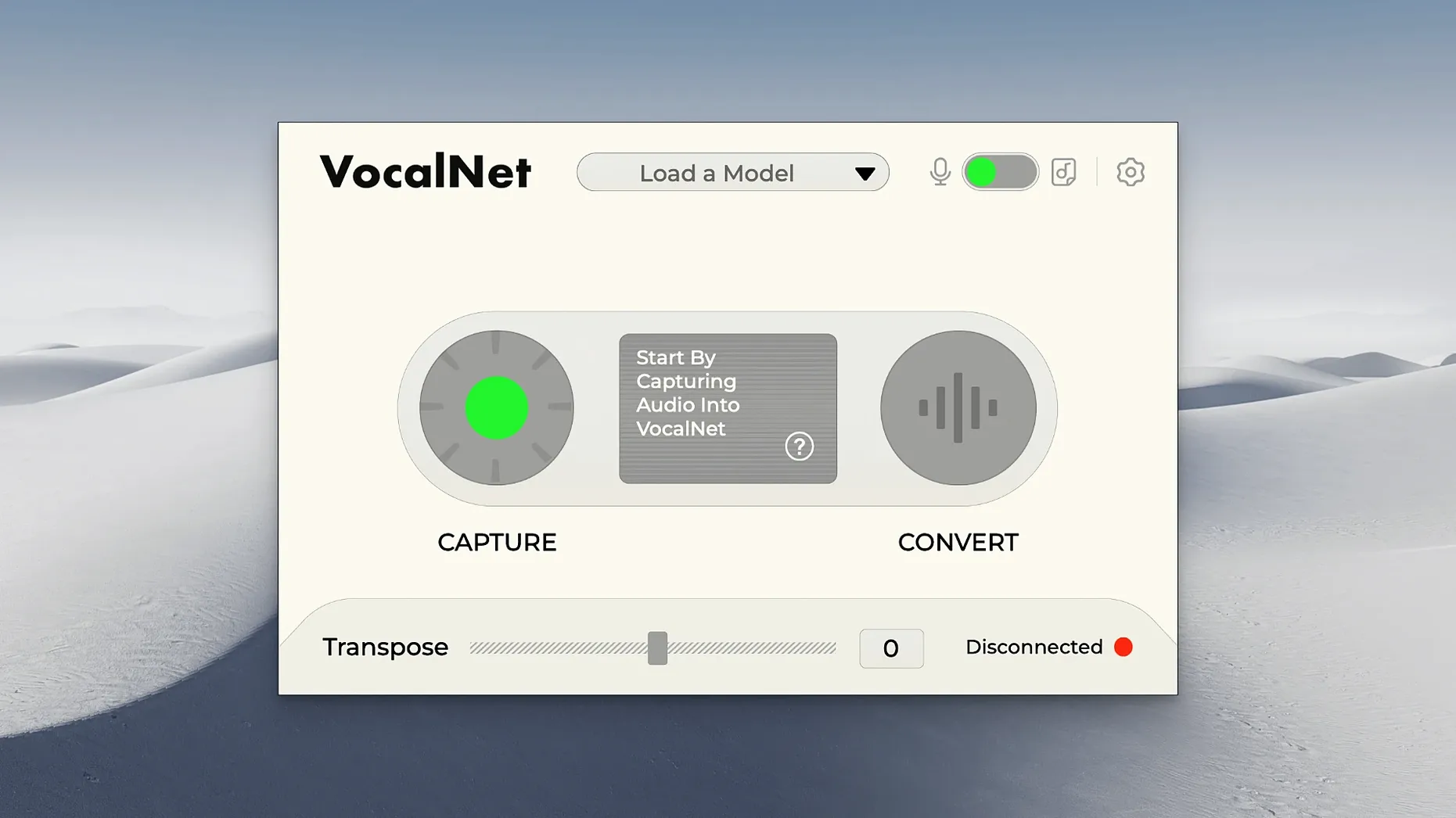
Match an existing vocal sample
VocalNet analyzes an uploaded voice clip and builds a new timbre from it. You can blend several samples to get a hybrid character, then apply it in real time while singing or speaking. The result keeps your original phrasing but changes the voice itself.
Raise or lower pitch
Shift a voice up or down without losing clarity. The processing runs locally on your Mac — recordings never leave the machine. Useful for demo vocals or quick arrangement ideas where you need a different register.
Plug into any host
VocalNet works as a VST plugin on macOS 10.15 and later, both Apple Silicon and Intel 64-bit. Load it into your DAW or live processing chain. The format makes it easy to slot into an existing vocal track and hear results immediately.
Set pitch shift range to match track key
Before you start processing, open VocalNet's plugin window and check a few defaults.
The pitch shift range defaults to a moderate interval. I set this to match the key of my track before loading any samples. A small offset, two or three semitones, is enough to change character without sounding unnatural. For dramatic results, go wider, but start conservative and increase from there.
The blend function for multiple voice samples lets you drag a slider between two uploaded clips. I leave the crossfade at the center first, then nudge it toward whichever sample gives more presence. This avoids spending time tweaking later when the vocal is already recorded.
Workflow: build a new vocal character from scratch
Here is one way to use VocalNet from start to finish in a typical session. This assumes you have a lead vocal recorded and a DAW project open.
- Prepare source samples. Export two or three short audio clips of voices you want to imitate or combine. Each clip should be two to four seconds of sustained tone — a held note, not a full phrase. Shorter clips work better for timbre extraction. Drag them into VocalNet's sample slots.
- Set your mix and pitch. Turn the plugin to full wet so you hear only the transformed signal. Dial in a pitch shift of two semitones up if the vocal needs brightness, or four down for a heavier tone. Leave the crossfade slider between two samples for now.
- Record a test pass. Arm a track with VocalNet inserted and sing or speak a short phrase. Listen back. The timbre will combine the qualities of your uploaded samples with your original articulation.
- Tweak the blend. Move the crossfade slider toward the sample that gives the texture you want. If the result sounds too thin, add a third sample with more low-mid content. If it sounds muddy, shift pitch up by another semitone.
- Record the final take. Once the character works, record the full vocal pass. VocalNet processes in real time, so you hear the transformed voice as you perform. No post-processing needed.
- Check the dry signal. Rely on the plugin's dry/wet control — I keep a copy of the original track muted in the DAW in case I need to re-blend later. VocalNet keeps all audio local, so your raw recording stays private.
Loads as VST3 or AU plugin in any DAW
VocalNet loads as a standard VST3 or AU plugin, which means any DAW that supports those formats can host it. I insert it directly on a vocal track in Logic Pro, but it works the same way in Ableton Live, Cubase, or Reaper. The AU format is convenient for users on macOS who prefer native plugin handling without a bridge.
For live performance setups, VocalNet can run inside a host like MainStage or Gig Performer on the same Mac. The real-time processing keeps latency low enough to use while singing. I route a microphone into an audio interface, arm the track with VocalNet, and the transformed voice comes through the monitors immediately.
On macOS, use the Audio MIDI Setup utility to route audio between apps. You could send the output of a voice chat app into VocalNet via a virtual audio cable for experimentation — though that is a more advanced configuration. The key point is that VocalNet behaves like any other plugin in the system, so existing tools for routing and patching apply.
vocalnet vst crack searches often lead to discussions about the plugin's format compatibility. The official VST3 and AU versions work without extra wrappers, so integration is straightforward. VocalNet integrates neatly into your DAW, offering AI-powered vocal processing for music producers and sound designers.
Session loops vocalnet is the developer name to note when searching for updates or additional sample packs. The plugin itself covers the transformation part — you bring your own voice and your own DAW.
No release notes filed for 1.0.4. They are added here when a build changes how the program behaves.
| macOS | macOS 10.15 or later |
|---|---|
| Processor | Apple Silicon, Intel 64-bit |
| Download | 669 MB |
- macOS 10.15 or later
- Apple Silicon or Intel 64-bit
Questions about VocalNet
Does VocalNet require an internet connection to process voice samples?
No. All analysis and transformation happen locally on your computer, so recordings stay private.
How to install, in order
- Open the downloaded disk image.
- Run the standard installation process.
Comments and corrections 0
Sign in or open a free account to leave a comment.
No comments or corrections yet.