Exposure X7 7.3.2 — download for Mac
Mac Apps Updated
Processes RAW images and applies local adjustments without leaving your editing host.
Screenshots
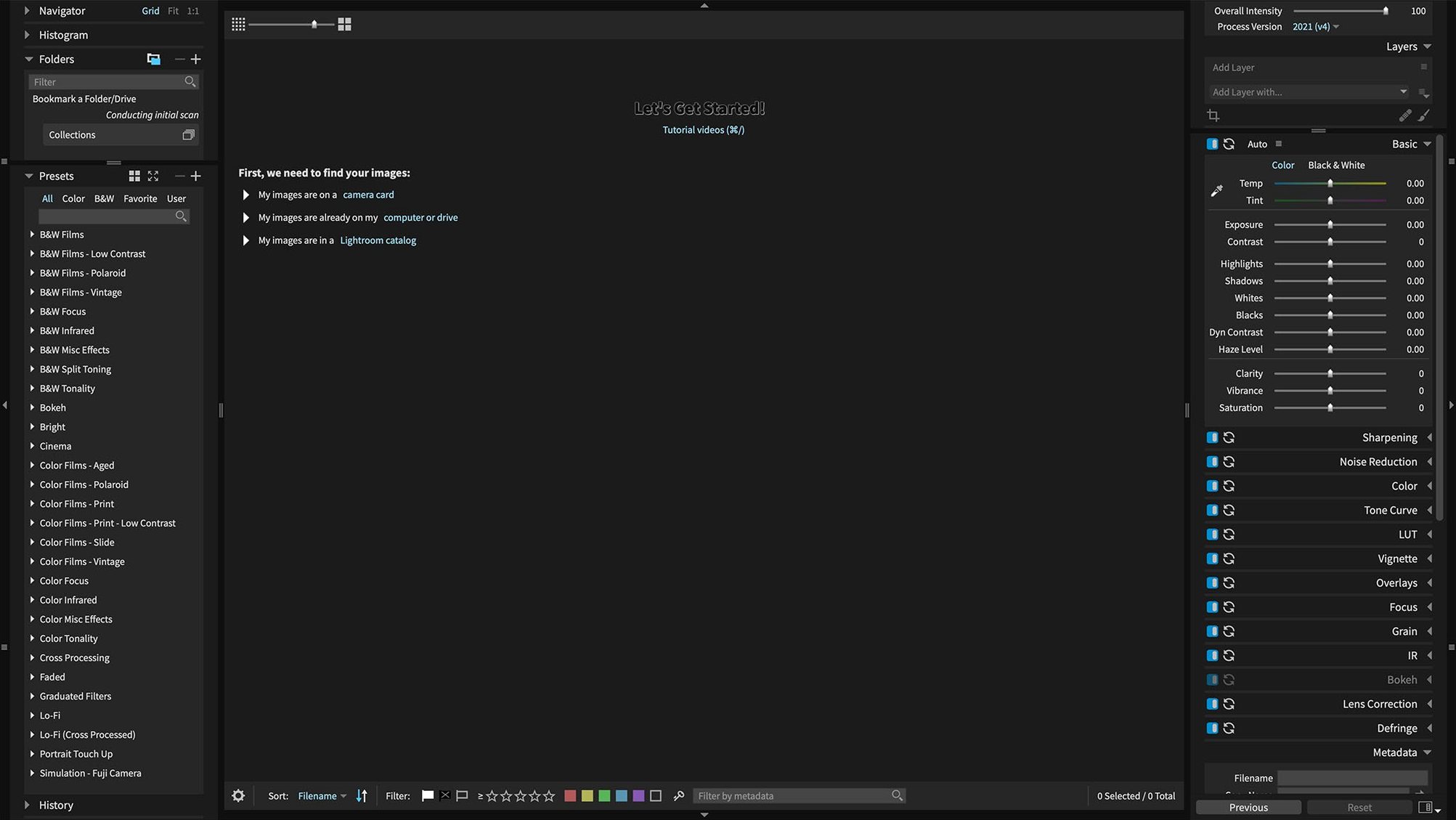
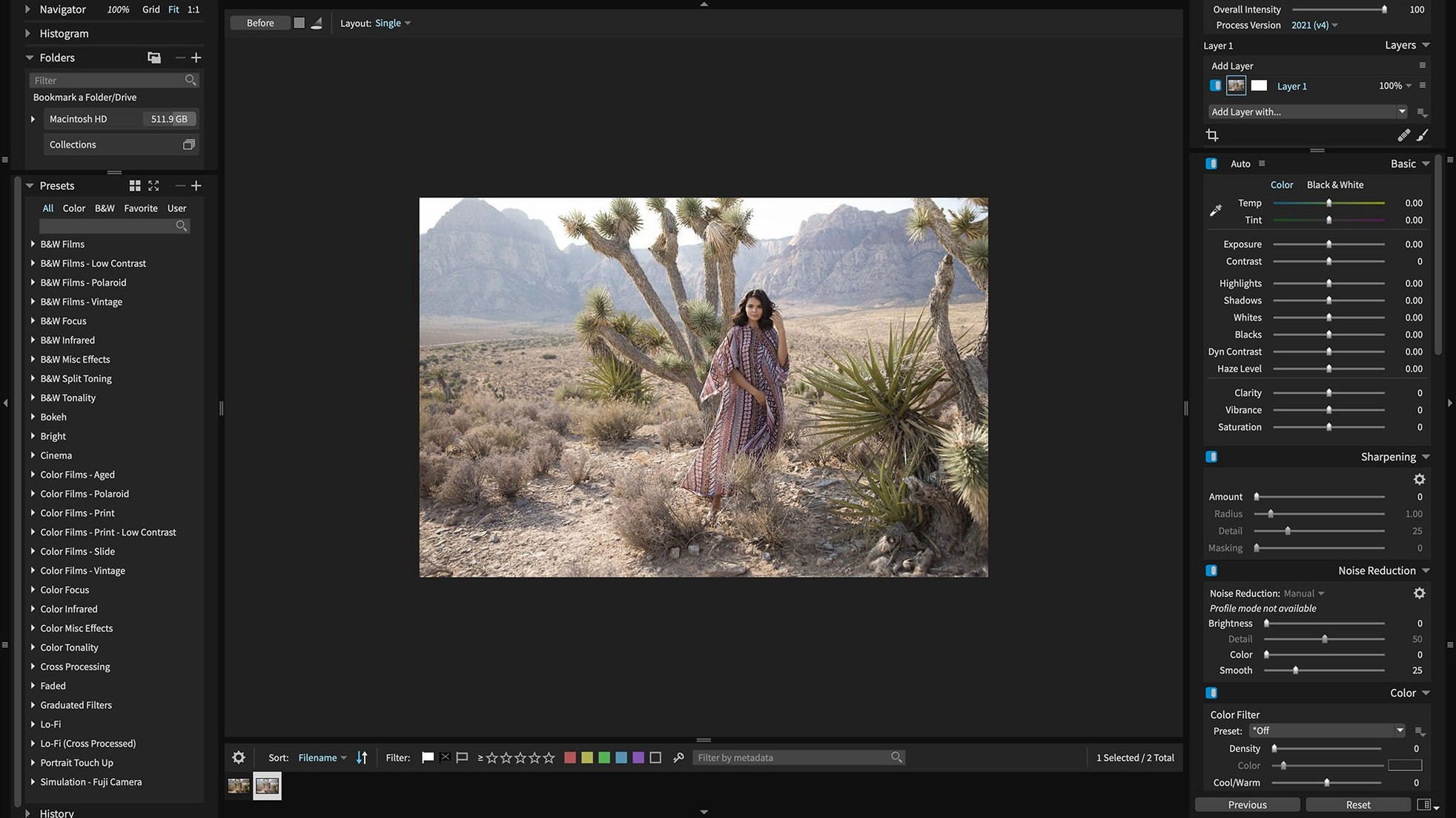
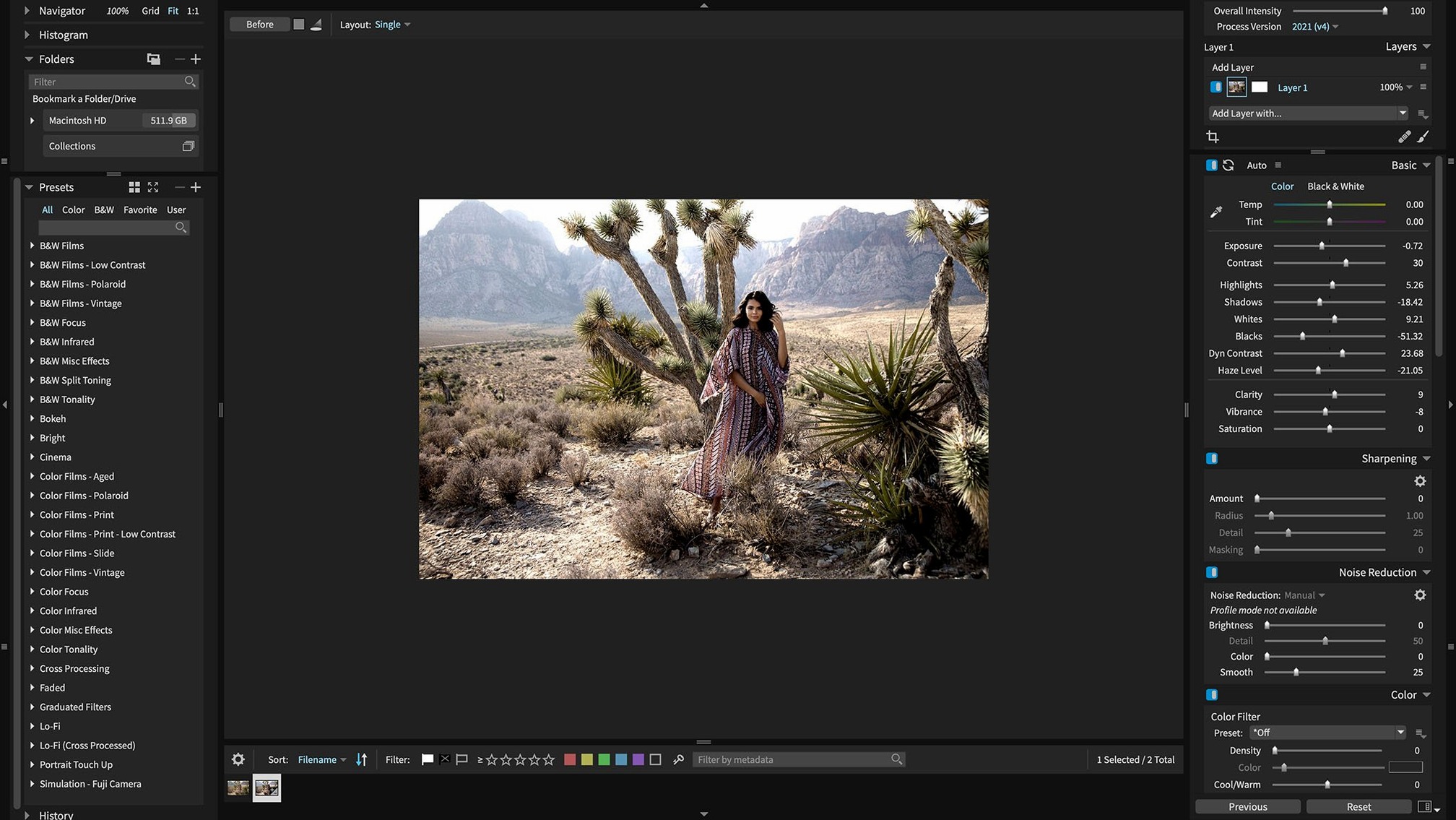
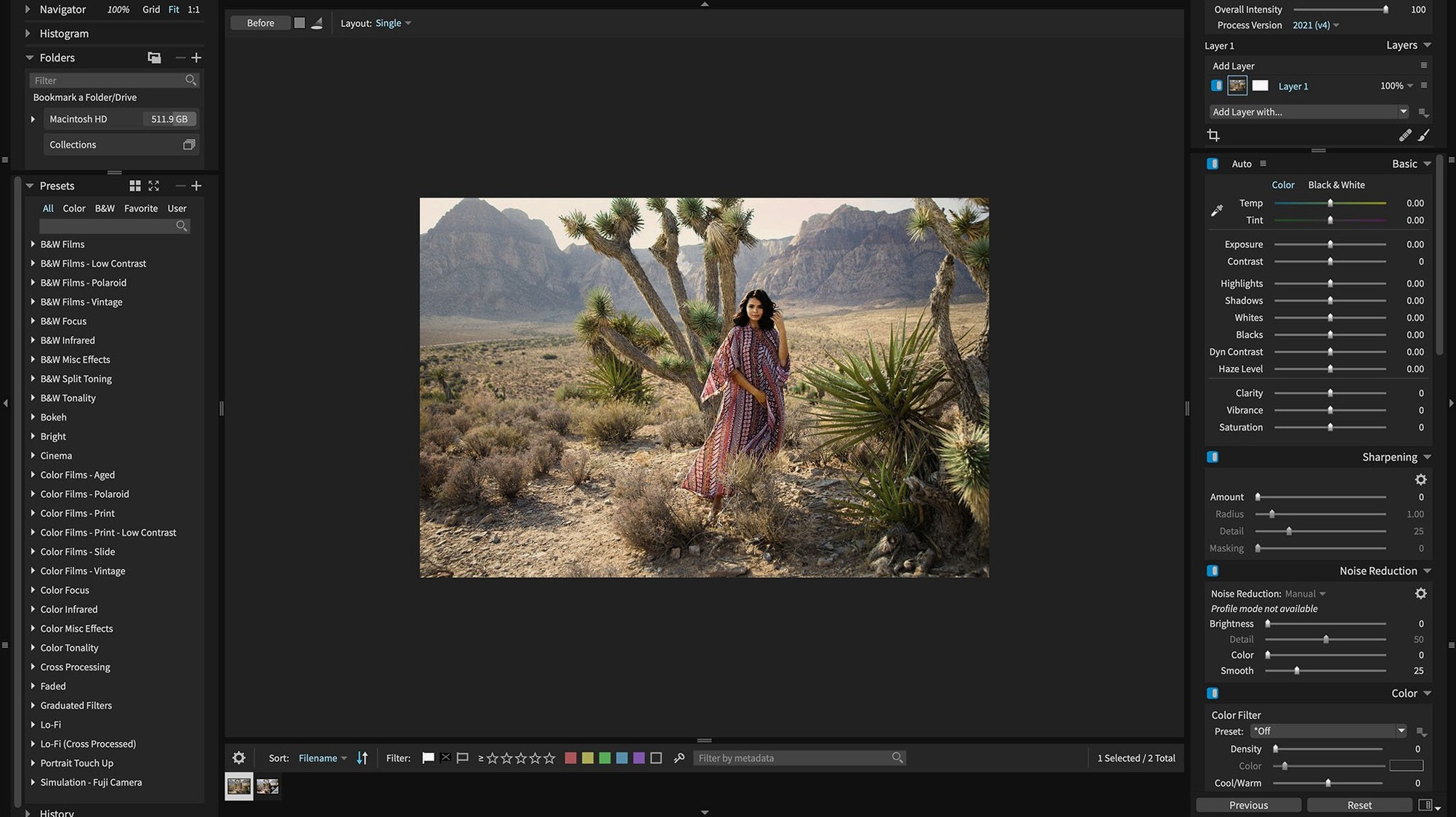
Photographers and retouchers who work in Lightroom and Photoshop often need a dedicated tool for RAW processing and local adjustments without leaving their host app. Exposure X7 fills that gap as both a standalone editor and a plugin, so you can send images back and forth without re-exporting.
Launches from Lightroom with GPU-Accelerated Masks
- Starts as a Lightroom plugin (supports Lightroom 6 or Lightroom Classic CC) for sending selected RAWs directly.
- Non-destructive layers and advanced masking handle local exposure, color, and portrait retouching inside the plugin window.
- GPU optimization keeps brush and gradient previews responsive on Apple Silicon and Intel 64-bit Macs.
- Once edits are done, you return to the host app with a layered TIFF or PSD, or export from Exposure as a standalone file.
What Version 7.3.0 Fixes
Version 7.3.0 addresses several stability issues that slow down real work. Sony A7 IV lossless compressed raw files no longer render with artifacts, and applying black and white film presets no longer causes a crash. The Quick Export menu works reliably after reordering presets, and camera support now covers Panasonic Lumix G95D, S5 IIX, and the Sony Cyber-shot DSC-RX100M7. HEIC photos from current iPhones open without conversion.
Three Preference Tweaks Before Your First Edit
Out of the box, Exposure X7 works, but a few adjustments make it fit your routine better. Open the preferences panel and look at these three items before you start a real project:
- Set the default file format for round-tripping to Photoshop. If you work with layers, choose PSD over TIFF — it keeps layer masks and adjustment layers intact without inflating file size.
- Adjust the cache location. Exposure stores preview and thumbnail data on the system drive by default. If your internal SSD is tight, point the cache folder to an external drive or a secondary internal volume. The app will still run well as long as the drive is fast.
- Turn on GPU acceleration if it is not already enabled. Apple Silicon machines can offload some processing to the GPU, and Intel 64-bit Macs with a dedicated graphics card will see smoother brush strokes and faster preview rendering.
Plugin or Standalone Editor for Lightroom Users
Does Exposure X7 replace Lightroom or Photoshop?
Not exactly. Exposure X7 works alongside both. You use it as a plugin for Lightroom when you need better masking and portrait retouching than Lightroom's built-in tools offer. As a standalone editor, it can replace Lightroom for catalog-free RAW editing if you do not need Lightroom's library features. Photoshop users keep Photoshop for pixel-level work and compositing but send files to Exposure for the initial RAW conversion and local color adjustments.
Will it slow down my Mac?
Exposure X7 is a 64-bit application that uses GPU resources when available. On macOS 10.13 and later, it runs as a background process while open but does not index files constantly unless you are building collections or smart collections. The install is clean — no background services that stay active when the app is closed.
Can I use it without any Adobe software?
Yes. The standalone mode lets you browse folders, apply presets, edit layers, and export to JPEG, TIFF, or PSD. The 500 plus presets are fully customizable, so you can build a library of looks without ever opening Lightroom or Photoshop.
Do my existing Lightroom presets carry over?
Exposure X7 reads its own preset format. Lightroom presets do not import directly, but you can recreate them quickly using the one-click automatic adjustment as a starting point and then fine-tune with the masking tools.
Scenario: A Wedding Photographer's Second Pass
After a weekend wedding, a photographer imports 1,200 RAWs into Lightroom and does a first pass with basic exposure and white balance. Instead of spending hours on individual face retouching in Photoshop for every portrait, they select the key ceremony and family shots — maybe 80 images — and send them to Exposure X7 as a plugin. In Exposure, the 3D color masking lets them adjust skin tones without affecting white dresses or green foliage. The portrait retouching tools handle blemishes and soften skin on a separate layer. Each image takes two to three minutes instead of the ten or more it would require in Photoshop with frequency separation. Back in Lightroom, the layered TIFFs sit alongside the unedited RAWs, so the photographer can deliver finished portraits without abandoning their existing catalog workflow.
Lightroom Users Needing 3D Color Masking
- Lightroom users who need better masking. Lightroom's brush and gradient tools are capable but limited to global adjustments. Exposure's 3D color masking and layer-based approach handle selective color and exposure changes that Lightroom cannot do on its own.
- Photographers who shoot Sony A7 IV, Panasonic Lumix, or current iPhones. Version 7.3.0 specifically fixes corrupt rendering on the A7 IV and adds HEIC support for iPhone images. If these are your daily cameras, the app will open files that sometimes cause trouble in other editors.
- Retouchers who want a non-destructive layer workflow without Photoshop's complexity. Exposure keeps each edit on a separate layer, so you can go back and modify a mask or an adjustment weeks later. The interface is simpler than Photoshop's full layer panel, which makes it a good middle ground between Lightroom's simplicity and Photoshop's depth.
- Mac users on Apple Silicon. The application is native to both ARM and Intel 64-bit Macs, and the GPU optimization takes advantage of the M-series architecture for faster previews and exports.
- Expanded camera support for Panasonic Lumix G95D, Panasonic Lumix S5 IIX, and Sony Cyber-shot DSC-RX100M7.
- Added support for opening HEIC photos from current iPhone models.
- Refreshed Chinese, German, French, and Japanese translations.
- Fixed corrupt rendering of Sony A7 IV lossless compressed raw files.
- Fixed a crash when applying black and white film presets.
- Fixed a crash when opening the Quick Export menu after reordering export presets.
| macOS | macOS 10.13 or later |
|---|---|
| Processor | Apple Silicon, Intel 64-bit |
| Download | 551 MB |
- macOS 10.13 or later
- 64-bit Intel or Apple Silicon processor
Questions about Exposure X7
Does Exposure X7 work with Apple Silicon Macs?
Yes, version 7.3.0 supports both Apple Silicon and Intel 64-bit Macs running macOS 10.13 or later.
Can I use it as a plugin for Lightroom or Photoshop?
Yes, it includes plugin support for Adobe Photoshop and Adobe Lightroom (version 6 or Lightroom Classic CC).
What languages are available in the interface?
The interface is available in English, German, and French.
How to install, in order
- Mount the disk image and run the Gatekeeper-friendly opener.
- Press Enter in Terminal to bypass Gatekeeper.
- Run the installer and complete the standard installation.
- The app is ready to use.
Comments and corrections 0
Sign in or open a free account to leave a comment.
No comments or corrections yet.