FL Studio 26.1.6 — download for Mac
Mac Apps Updated
Records, arranges, edits, and mixes music with a full digital audio workstation.
Screenshots
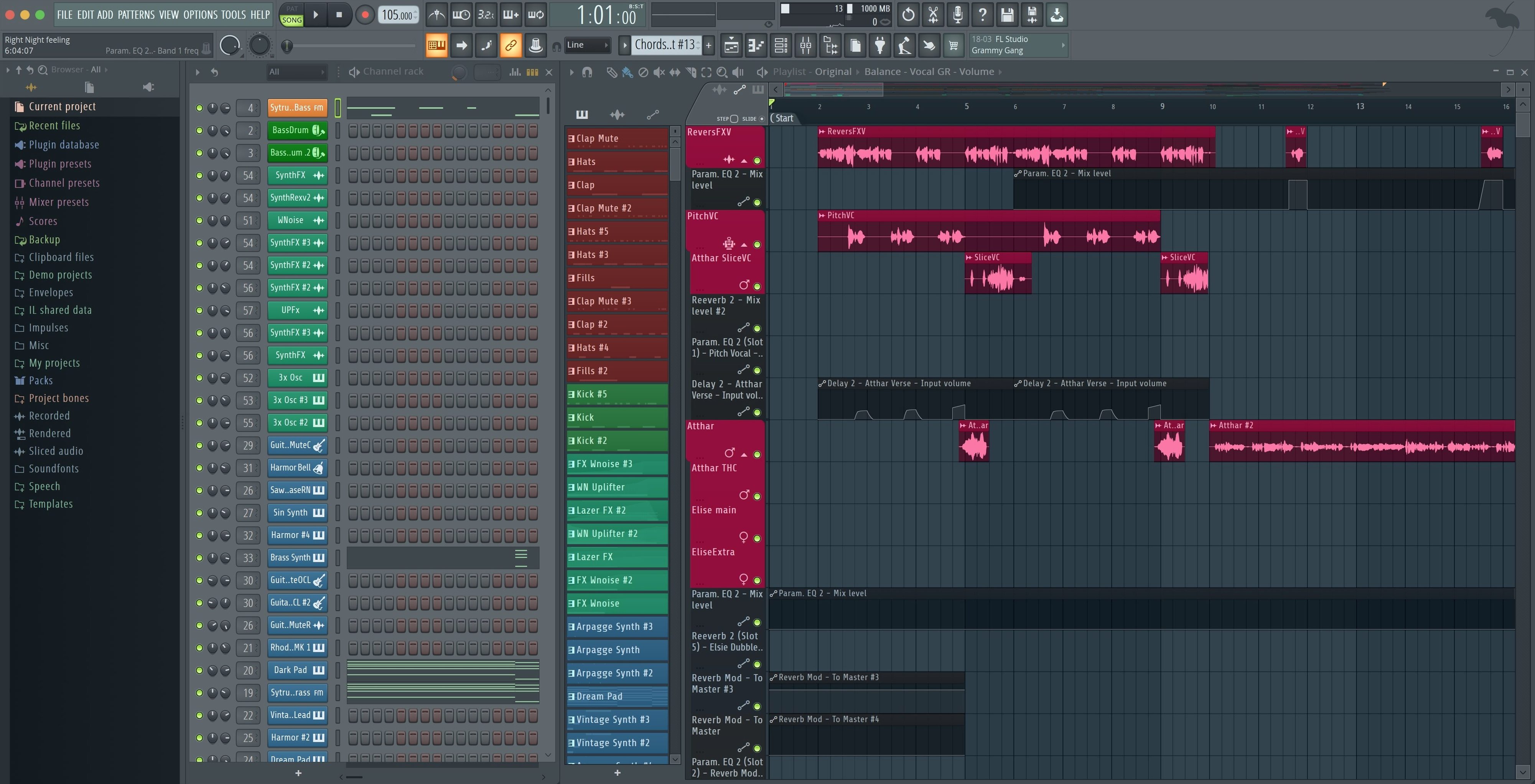
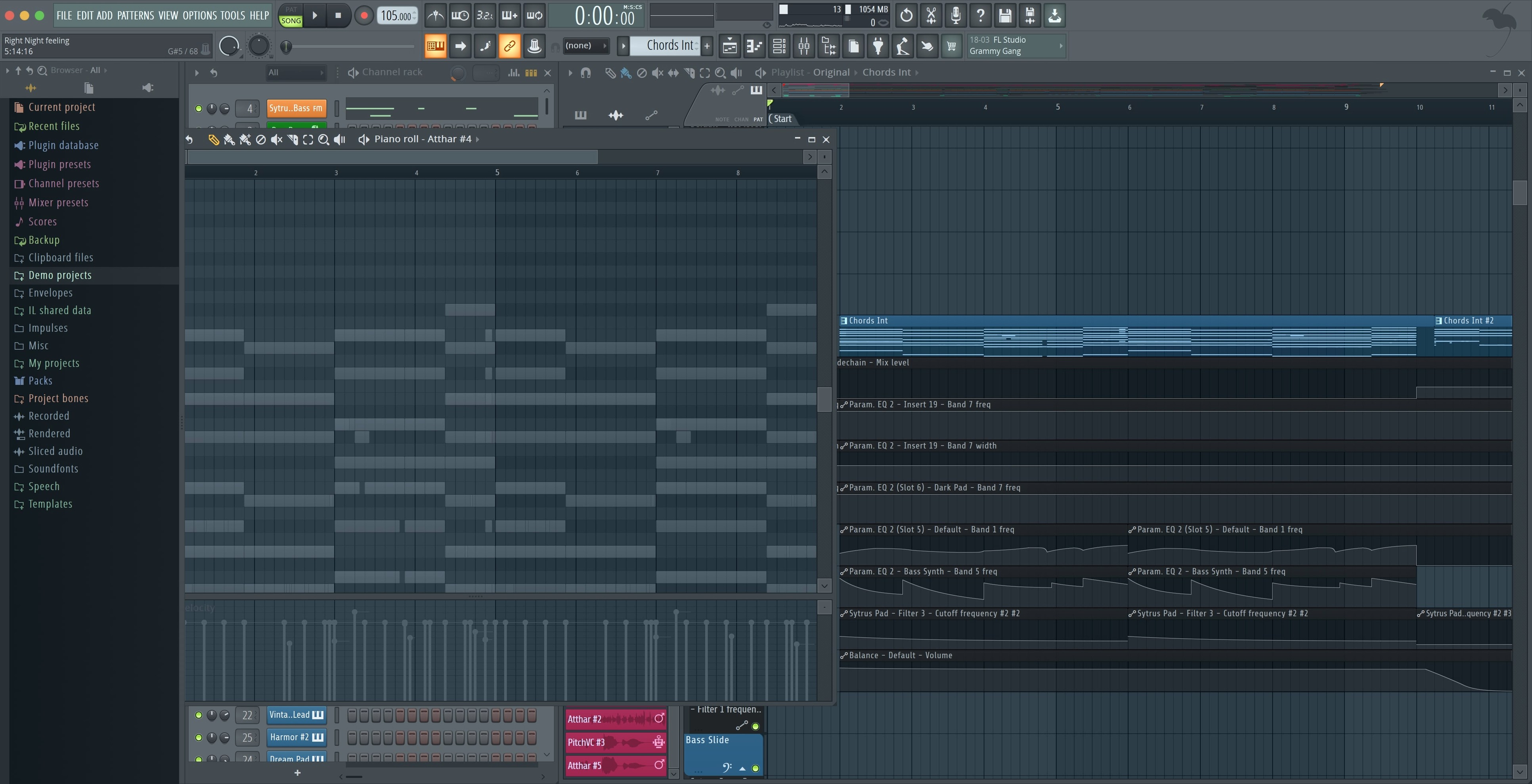
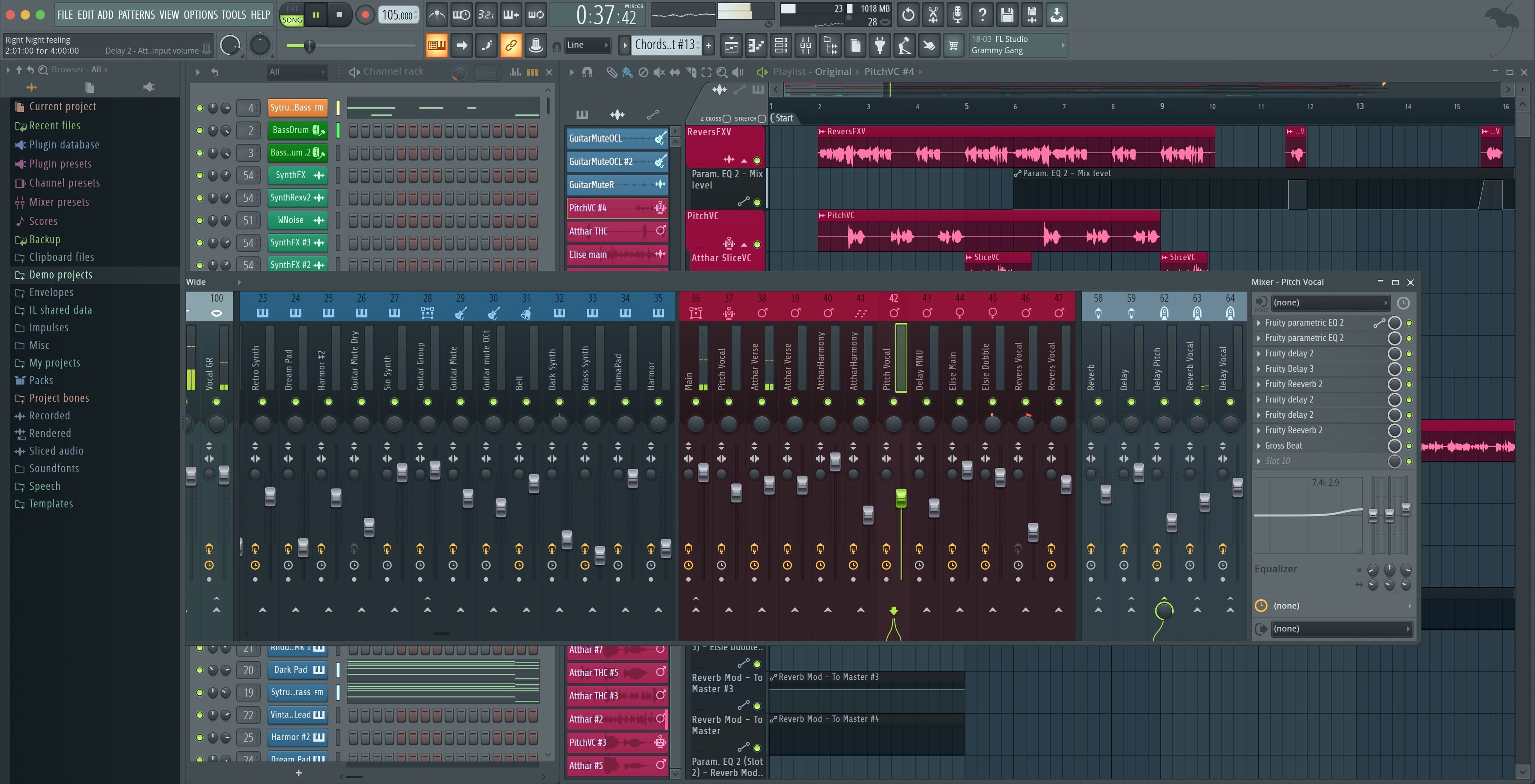
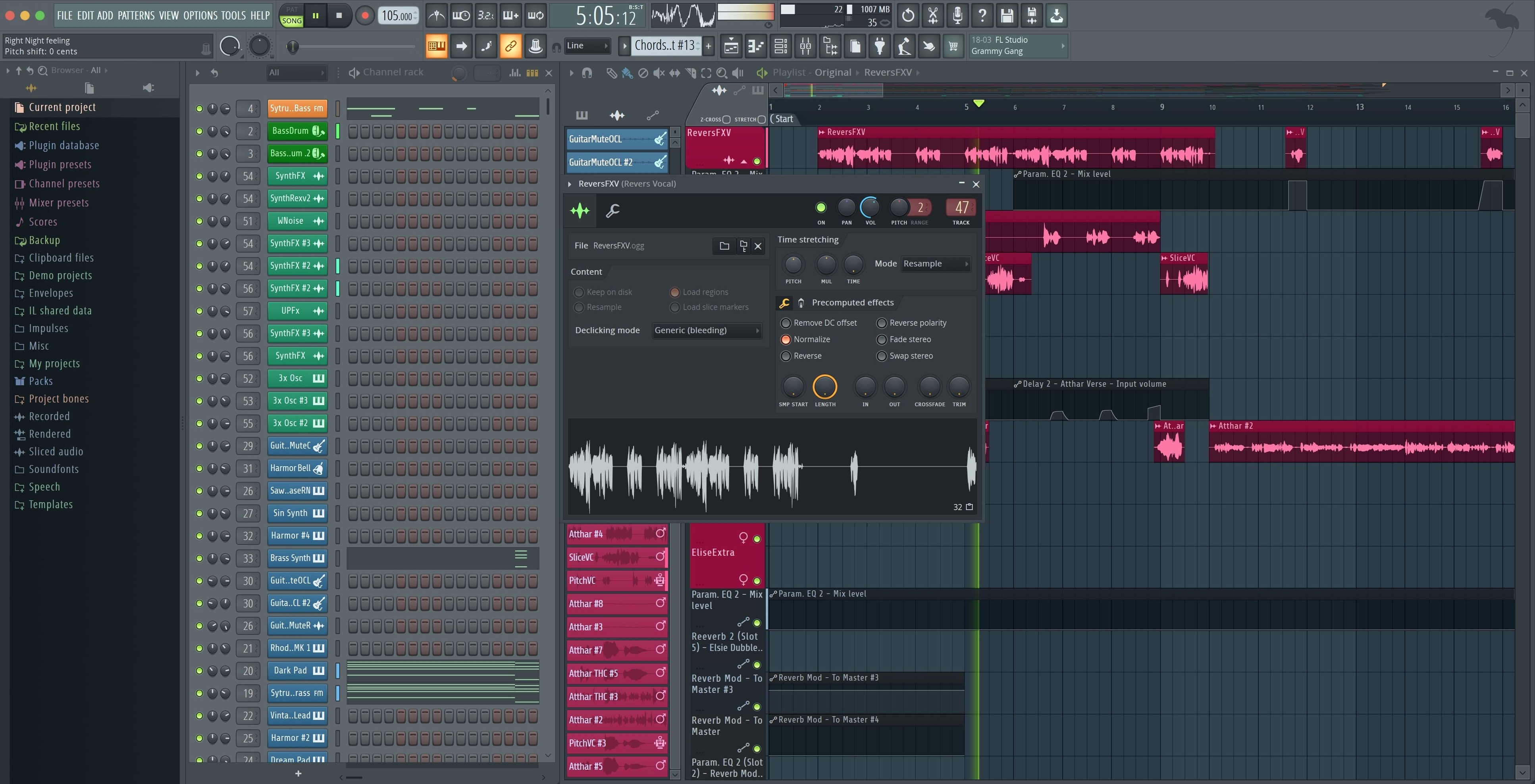
FL Studio is a full digital audio workstation for recording, arranging, editing, and mixing music on Mac. Version 2026 v26.1.6.5406 brings maintenance refinements while keeping the core workflow that producers rely on every session.
- New export checkboxes let you render the Master track and the Current track individually when splitting mixer tracks — no more manual routing for quick stems.
- Plugin Performance Monitor now shows fractional percentage values, giving finer insight into CPU load per plugin.
- MIDI controller handling is clearer: a notification appears when a new controller is detected, with an option to enable it immediately.
- Built-in synthesizers, samplers, and instruments remain on board, alongside full VST plugin support.
- Multitrack audio and MIDI recording are supported, with automation, editing, and arranging in a single environment.
- A full mixer with effects is included, and the app runs natively on both Intel and Apple Silicon Macs without requiring Rosetta.
The 2026 version also added FLEX sound search, cloud project backup, and Gopher assistance earlier in its cycle. This maintenance update focuses on polish — the export dialog improvements alone save time when bouncing stems for a mix.
Plugin Scan Fixes for Mac
FL Studio on Mac has a few recurring issues that catch new users off guard. Knowing them beforehand saves frustration in the middle of a session.
- Plugins not showing up. FL Studio scans VST folders on launch. If a plugin doesn’t appear, check that it’s a 64-bit VST3 or VST2 file. 32-bit plugins won’t load on modern macOS. After installing a new plugin, restart the app or use the Plugin Manager’s refresh option. The Plugin Performance Monitor can also help isolate which plugin is misbehaving — fractional percentage readings make it easier to spot outliers.
- Audio crackling or dropouts. This is usually a buffer size issue. Increase the buffer in audio settings. If you’re running many virtual instruments, consider freezing tracks or bouncing them to audio. The improved performance monitor shows exact CPU usage per plugin, so you can find the heaviest ones.
- MIDI controller not responding. The 2026.1.6 update added a notification when a new MIDI controller is connected. If you don’t see it, check your USB cable and that the controller is powered on. In the MIDI settings, verify the device is listed and enabled. The Akai Fire controller, for instance, now uses its dedicated script by default, but other controllers may need manual mapping.
- Export renders sounding different from the project. The new checkboxes for rendering Master and Current tracks help here. Make sure you’re not accidentally applying master bus effects twice. Also check that any sidechain routing is still active after export.
- Project backups missing. Cloud project backup requires an active internet connection and a valid account. If backups aren’t appearing, confirm your login and that the project folder is correctly linked. Local backups are still saved to the standard backup directory as a fallback.
Master Track Export Checkbox
Version 26.1.6.5406 has a few refinements that don’t get shouted about but matter in daily use.
- Export dialog checkboxes. When splitting mixer tracks, you can now check a box to render the Master track alone, or the Current track alone, without digging into routing. This is useful when you need a quick stem of just the master bus processing or a single track’s output.
- Plugin Performance Monitor precision. The percentage values now show one decimal place. That extra digit helps when you’re balancing CPU load across a project with many instances.
- MIDI controller notification. A small on-screen notification appears when a new controller is connected. Clicking it offers an option to enable the controller right there, sparing a trip to the settings menu.
- Tuner readability. The Tuner interface was adjusted for better visibility at a distance. This matters if you’re tuning a guitar or other instrument while standing away from the screen.
- FLEX sound search. Introduced earlier in the 2026 cycle, FLEX lets you search your sound library by text or tags. It’s integrated into the browser, so you can find samples or presets across folders without manually browsing the file tree.
Drag-and-Drop from Finder
FL Studio works alongside common macOS tools without friction. You can drag audio files from Finder directly into the playlist or channel rack. If you use Loopback or similar virtual audio devices for internal routing, FL Studio recognizes them as standard audio interfaces.
The app supports VST plugins, which means you can load third-party instruments and effects from developers like Native Instruments, ValhallaDSP, or iZotope. It also handles Audio Units (AU) and ReWire on systems that support them, though VST remains the most common format.
On Apple Silicon Macs, FL Studio runs natively — no Rosetta translation layer needed. That means full performance from the ARM processor without a performance penalty. The same project files can be opened on Windows or Intel Macs, making collaboration across hardware straightforward.
Cloud project backup syncs your work to Image Line’s servers, but it also respects your local folder structure. You can use macOS Time Machine or third-party backup tools to duplicate your FL Studio projects folder for extra safety. The app doesn’t interfere with system audio settings for other applications, so you can still hear system sounds or use other media apps while FL Studio is open.
FL Studio vs. Three macOS DAWs
Several other DAWs are commonly used on Mac. Here’s how FL Studio stacks up against three of them.
Ableton Live
Ableton Live is strong for live performance and loop-based production. Its Session View is geared toward improvisation and clip launching. FL Studio’s pattern-based workflow is different — you build patterns in the step sequencer and arrange them on the playlist. Both support VST plugins, but FL Studio doesn’t have an equivalent to Live’s Session View. If you work primarily in linear arrangement and beat programming, FL Studio’s approach may feel more natural.
Apple Logic Pro
Logic Pro is exclusive to macOS and includes a large library of built-in instruments and effects. Its workflow is linear and track-based, similar to FL Studio’s playlist. However, FL Studio’s step sequencer and unique channel rack layout are not replicated in Logic. Logic uses a traditional mixer with inserts and sends, while FL Studio uses its own mixer channel architecture. Logic offers better integration with Apple’s ecosystem — for instance, it integrates with iCloud and uses macOS-native file dialogs — but FL Studio’s FLEX search and Gopher assistance aim to solve similar navigation problems in a different way.
Steinberg Cubase
Cubase is a full-featured DAW favored for scoring and traditional recording. Its MediaBay and Expression Maps are powerful for orchestral work. FL Studio is more focused on electronic music production and beatmaking, with its pattern sequencer and step-based input. Cubase handles complex score editing better, but FL Studio’s pattern and automation workflows are faster for loop-based and electronic genres. Both run natively on Apple Silicon.
Why Plugins Don't Appear Immediately
- Skipping the Plugin Manager. New users often install plugins and expect them to work immediately. You need to let FL Studio scan them once, usually after a restart. The Plugin Manager also lets you disable or re-scan individual plugins — useful if one consistently causes a crash.
- Forgetting to save after exporting. The export dialog processes what’s in the project at that moment. If you change a plugin setting or automation after playback stops, those changes aren’t reflected in the export unless you save the project first. Get into the habit of saving before bouncing.
- Using automation clips without naming them. When you create an automation clip, FL Studio labels it generically. Over a project with many automation lanes, unnamed clips become impossible to track. Rename them immediately after creation.
- Overloading the master bus with effects. The master track runs everything through its FX chain. Beginners sometimes add compression, limiting, and EQ to the master bus, then export and wonder why the mix sounds squashed. Use the master bus for subtle processing; heavier work belongs on groups or individual channels.
- Misunderstanding the Channel Rack. The channel rack can hold samples, synthesizers, and automation. It’s not just a mixer view — it’s the central hub for assigning sounds to mixer tracks. Beginners who ignore the channel rack and try to route everything from the playlist often end up with orphaned notes or missing sounds.
- Not using the notification for new MIDI controllers. The 2026.1.6 update made it easy to enable a controller with one click. Beginners who dismiss the notification may spend time troubleshooting why a controller isn’t mapped, when the fix is just a click away.
For a free download of FL Studio on Mac, searching specifically for “fl studio for mac torrent” or “fl studio 12 torrent” can help locate the right release. FL Studio is a full-featured music production suite, and a fl studio free download mac search often points to outdated versions.
- Export dialog: added checkboxes to render Master and Current when splitting mixer tracks.
- Plugin Performance Monitor: percentage values now show fractional precision.
- MIDI controllers: shows a notification when a new controller is connected, with an option to enable it.
| macOS | macOS 10.15 or later |
|---|---|
| Processor | Apple Silicon, Intel 64-bit |
| Download | 1.1 GB |
- macOS 10.15 Catalina or later
- Intel or Apple Silicon processor
- Apple Silicon Macs do not require Rosetta
- Interface language: English
How to install, in order
- Use the included instructions to install and activate the app.
- Follow the bundled installation and activation steps inside the package.
Comments and corrections 0
Sign in or open a free account to leave a comment.
No comments or corrections yet.