iReal Pro 2026.3.2 — download for Mac
Mac Apps Updated
Plays back chord charts with realistic piano, bass, and drums.
Screenshots
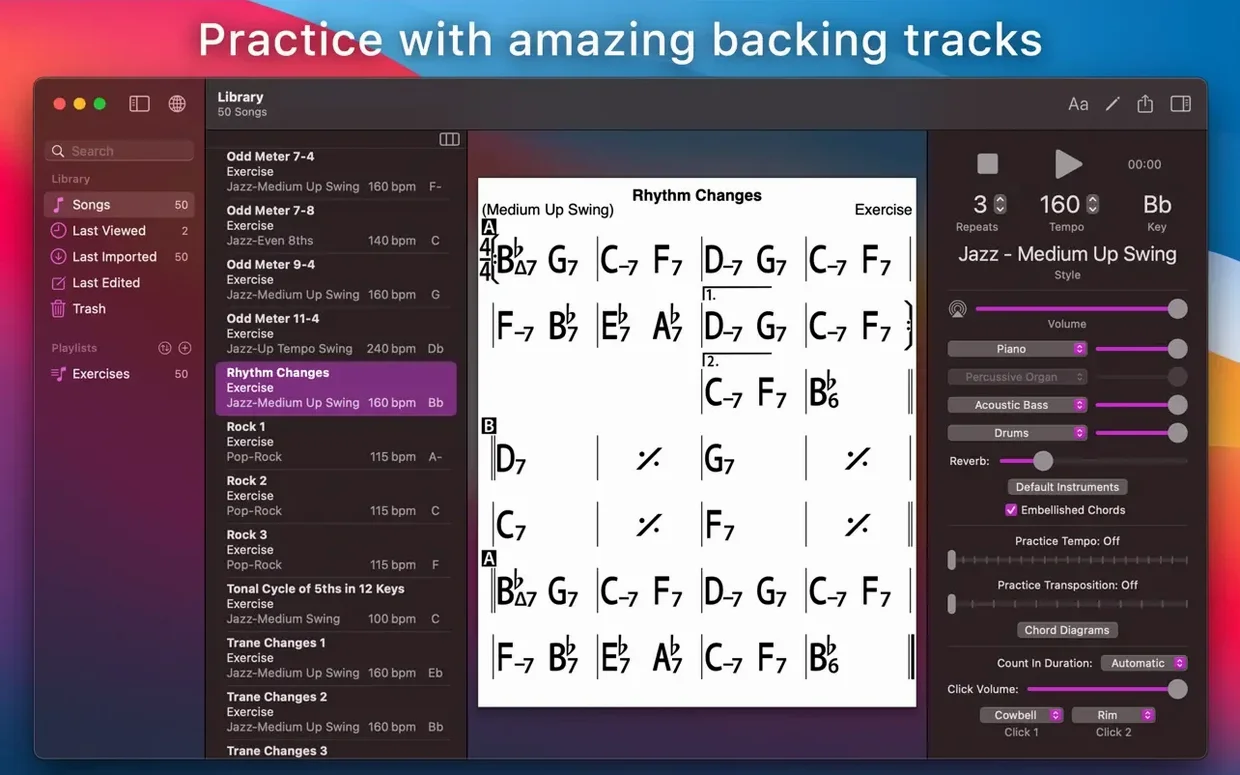
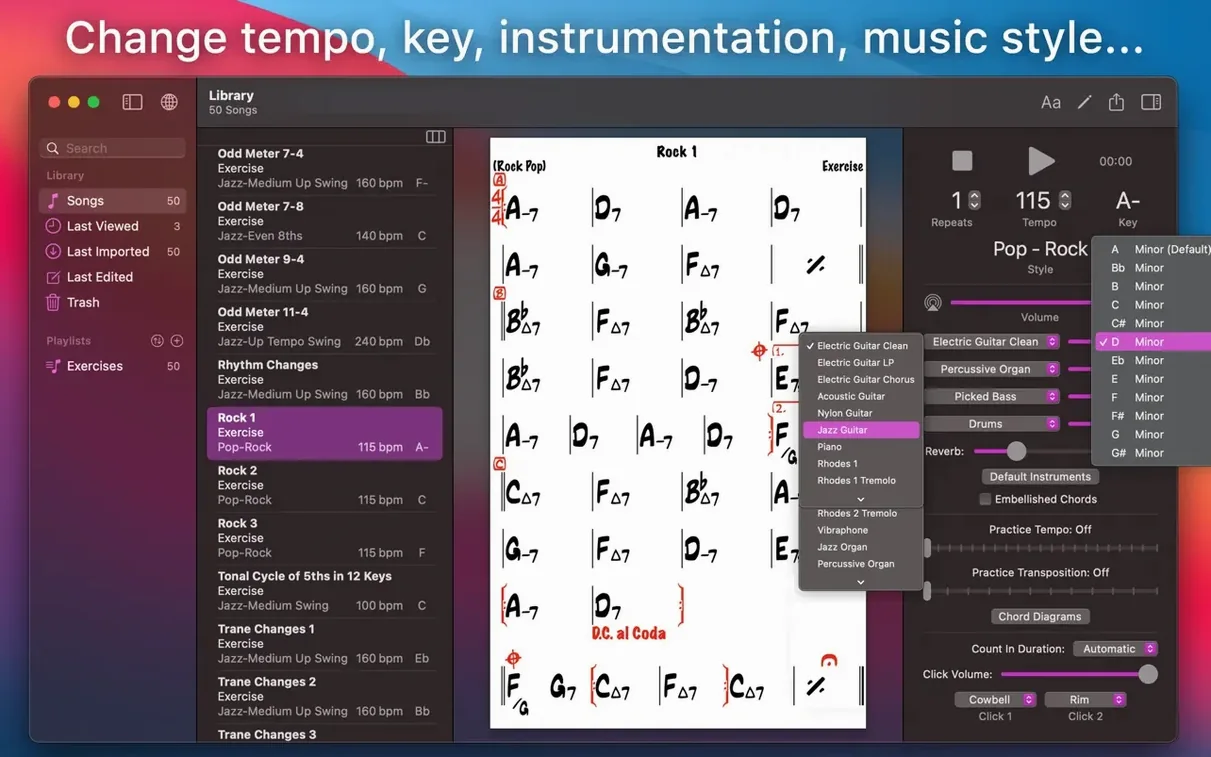
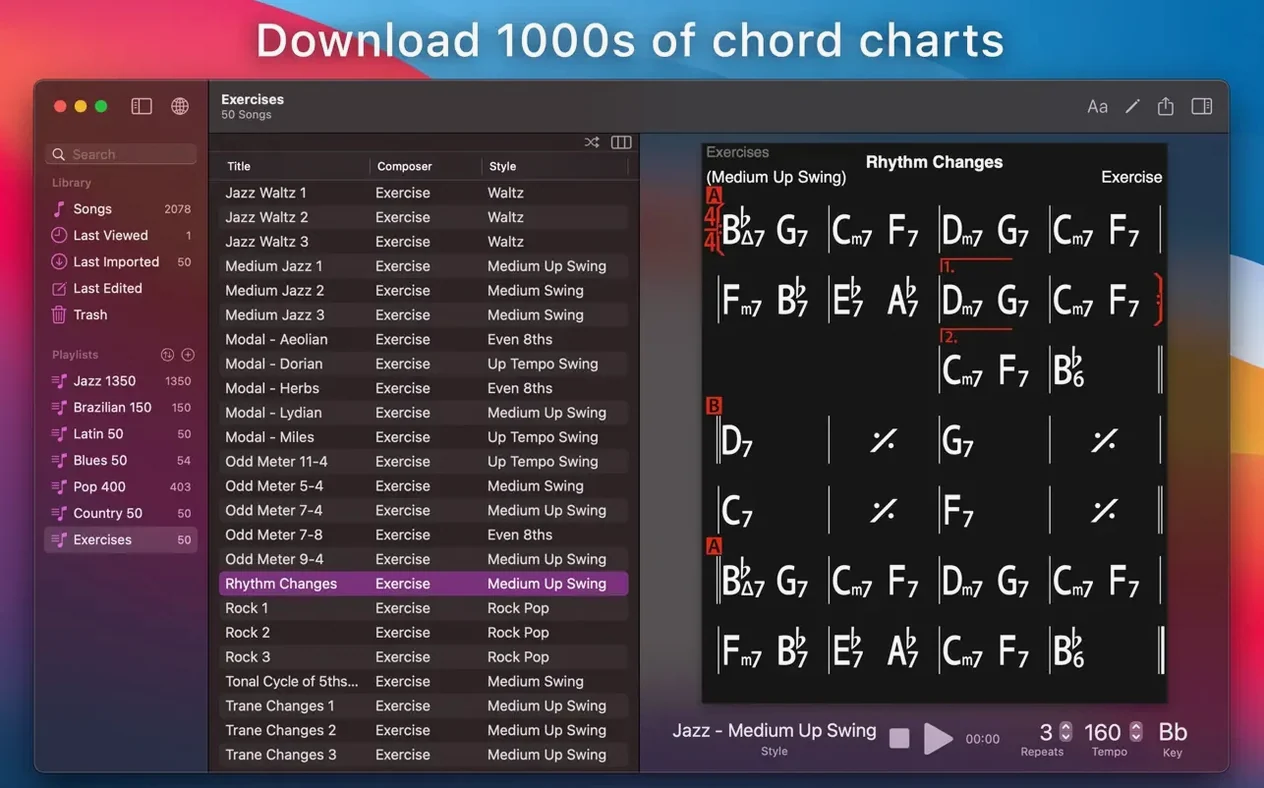
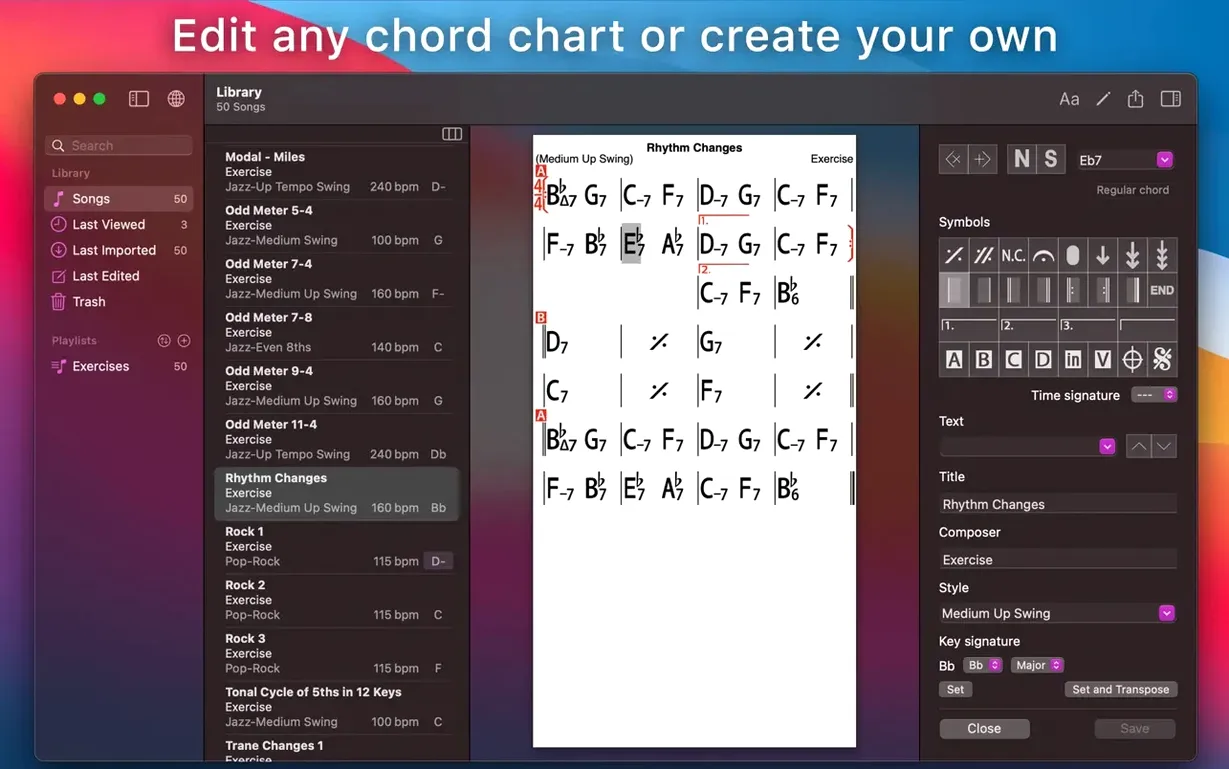
If you have ever used a notation tool like Guitar Pro, iReal Pro will feel familiar but with a different purpose: it replaces the backing band, not the score. The app reads chord charts and plays them back with piano or guitar, bass, and drums that sound like real musicians. For a newcomer, the smartest first move is to load one of the built-in styles—Bossa Nova, Swing, or Ballad—and press Play. You hear the arrangement immediately.
Build Your First Chart and Use the Scale Suggestions
Tap the plus icon to create a new song. Type the title and key, then enter chords in standard notation (C, Am7, Dm7, G7). The app fills in the rhythm automatically. What surprises most people is the scale suggestion: tap any chord, and the app shows which scales fit that chord in context. You can also view guitar tab, ukulele tab, or piano fingerings for each chord. This turns a simple practice tool into a theory reference.
Record and Sync
Once the chart sounds right, hit Record and play or sing along. The recording saves with the chart. If you work across devices, enable iCloud sync—your playlist travels to iPhone or iPad.
Learn a Jazz Standard in 15 Minutes
Say it is Wednesday night and you have a jazz standard to learn before Friday rehearsal. You open iReal Pro and start with the library. Instead of building a chart from scratch, you search the free collection—thousands of user-contributed charts are already there. Type the song title. If it appears, tap it and listen. The band plays the head, and you hear the arrangement in whatever style you last used.
If the chart is close but not exact, you edit it. Change a passing chord, adjust the tempo, or swap the style from Swing to Latin. The band updates immediately. You hit Record, play your horn over the speakers, and save the take. Later, you create a playlist called “Friday Set” and drop in three more charts from the library. The whole setup takes about as long as tuning your instrument.
For a song that is not in the library, you tap New Song. Enter the title, pick a key, and type the changes. Each chord gets a beat count. The app guesses the rhythm, but you can fine-tune it by tapping the chord area and adjusting the duration. Add a bass pattern or a drum fill by changing the accompaniment style per section. The app does not force you to write every note—just the harmony. The band fills in the rest.
When the chart is finished, you tap Play. The piano or guitar plays the chords, the bass walks or hits roots, and the drums keep time. You can loop a section for focused practice. The scale suggestions are open on the side, so you check which mode works over a tricky altered chord. That is the session: search or write, adjust, play along, record, and move on.
Works Offline, Syncs When Online
People often ask whether iReal Pro works offline. It does. Once the app is installed, you do not need internet to play or edit charts. Internet access is only required for syncing with iCloud or downloading new charts from the library.
Another frequent question is whether the app supports standard guitar tuning. It does—chord diagrams show fingerings for standard tuning, drop D, and open tunings. Ukulele players are also covered with a separate tab view. If you use alternate tunings often, you can set a default in the preferences.
Some musicians wonder if they can export their charts to hand out to bandmates. Yes. Export as PDF for a clean printout or as MusicXML for import into notation software. Audio exports as WAV or AAC for sharing recordings, and MIDI export works if you want to bring the arrangement into a DAW.
Finally, people ask about the twelve blues styles. The base app ships with fifty-one styles, which covers jazz, Latin, rock, pop, funk, ballads, and more. Most players never feel the need to buy extras.
How iReal Pro Compares with Similar Mac Apps
Band-in-a-Box
Band-in-a-Box is the heavyweight. It generates full arrangements with melody, solos, and hundreds of styles. The learning curve is steep, and the interface feels like a piece of 1990s Windows software. iReal Pro is lighter, faster, and easier to open and play. You trade complexity for speed. If you need a quick backing track for a rehearsal, iReal Pro wins. If you need a full production arrangement, Band-in-a-Box does more but takes longer.
Guitar Pro
Guitar Pro focuses on notation and tablature. You write every note and hear it played back with instrument sounds. iReal Pro does not compete on notation—it competes on immediacy. In Guitar Pro, you spend time entering notes. In iReal Pro, you enter chords and the band follows. Guitar Pro is better for composing parts. iReal Pro is better for practicing changes and improvising.
MuseScore
MuseScore is a full scorewriter with playback. It is free, open source, and powerful for engraving. But the playback is basic compared to iReal Pro’s band simulation. MuseScore plays notes on a piano sound. iReal Pro gives you a bassist who walks, a drummer who swings, and a pianist who comps. For a musician who wants to hear a realistic rhythm section, iReal Pro is the better choice.
Fix Silent Playback in 30 Seconds
Audio Interface Not Selected
Check the volume slider in the app and your system volume. Sometimes the app mutes when a new device connects. Restart the app. If the problem persists, check that your audio interface is selected in macOS Sound settings. iReal Pro respects the system default output.
The chart sounds wrong or skips chords
Look at the chord editor. Each chord must have a beat value assigned. If you typed a fast progression without adjusting lengths, the app may skip chords. Tap the chord and set its duration to half note or whole note. Also verify that the time signature matches the song.
iCloud sync does not work
Ensure you are signed into the same iCloud account on all devices. Open the settings in iReal Pro and confirm that sync is turned on. If charts still do not appear, force a sync by tapping the sync button in the app. Wait a few seconds—sync is not instant.
The app asks for a license or activation
This usually happens after an update. If you installed directly from the developer, re-enter your license key. For those using the TNT release, the app is pre-activated. If the dialog appears anyway, re-apply the crack file or re-install following the included instructions.
Charts load slowly from the library
The library is large and the app indexes it on first launch. Subsequent loads are faster. If it stays slow, clear the app cache by deleting the iReal Pro folder in ~/Library/Caches/ and restarting. The app rebuilds the index.
No release notes filed for 2026.3.2. They are added here when a build changes how the program behaves.
| macOS | macOS 12.4 or later |
|---|---|
| Processor | Apple Silicon, Intel 64-bit |
| Download | 145 MB |
- macOS 12.4 or later
- Intel or Apple Silicon
Questions about iReal Pro
Can iReal Pro show guitar fingerings for chords?
Yes. Tap any chord symbol in a chart to see guitar tab, ukulele tab, or piano fingerings for that chord.
How to install, in order
- Mount the disk image and run the Open Gatekeeper friendly option.
- Press Enter in Terminal to bypass Gatekeeper.
- Drag the app to the Applications folder.
- Disable SIP if the app requires it.
Comments and corrections 0
Sign in or open a free account to leave a comment.
No comments or corrections yet.