Kontakt 8.14.1 — download for Mac
Mac Apps Updated
Plays and manipulates sampled instruments with creative MIDI tools.
Screenshots
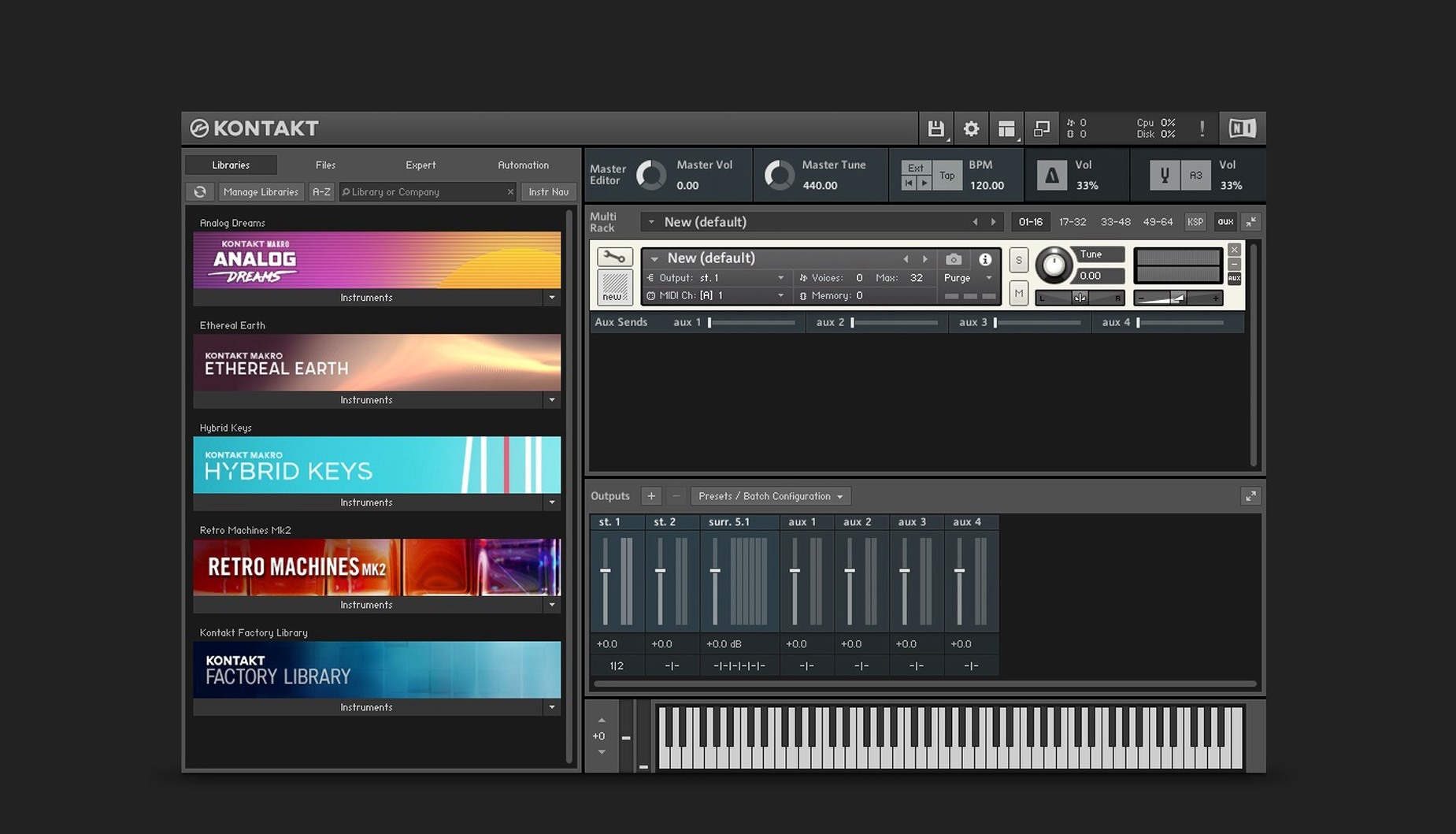
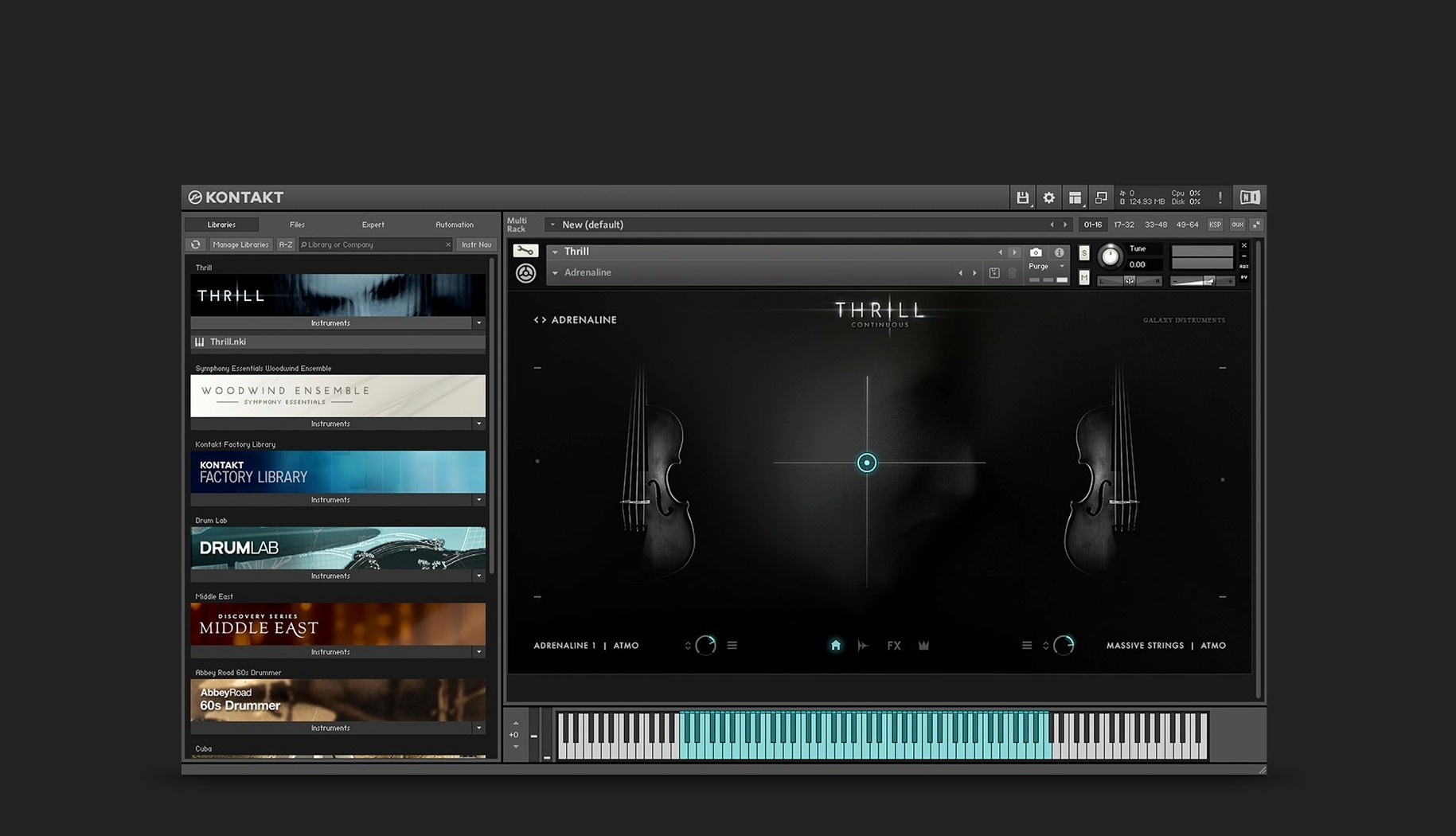
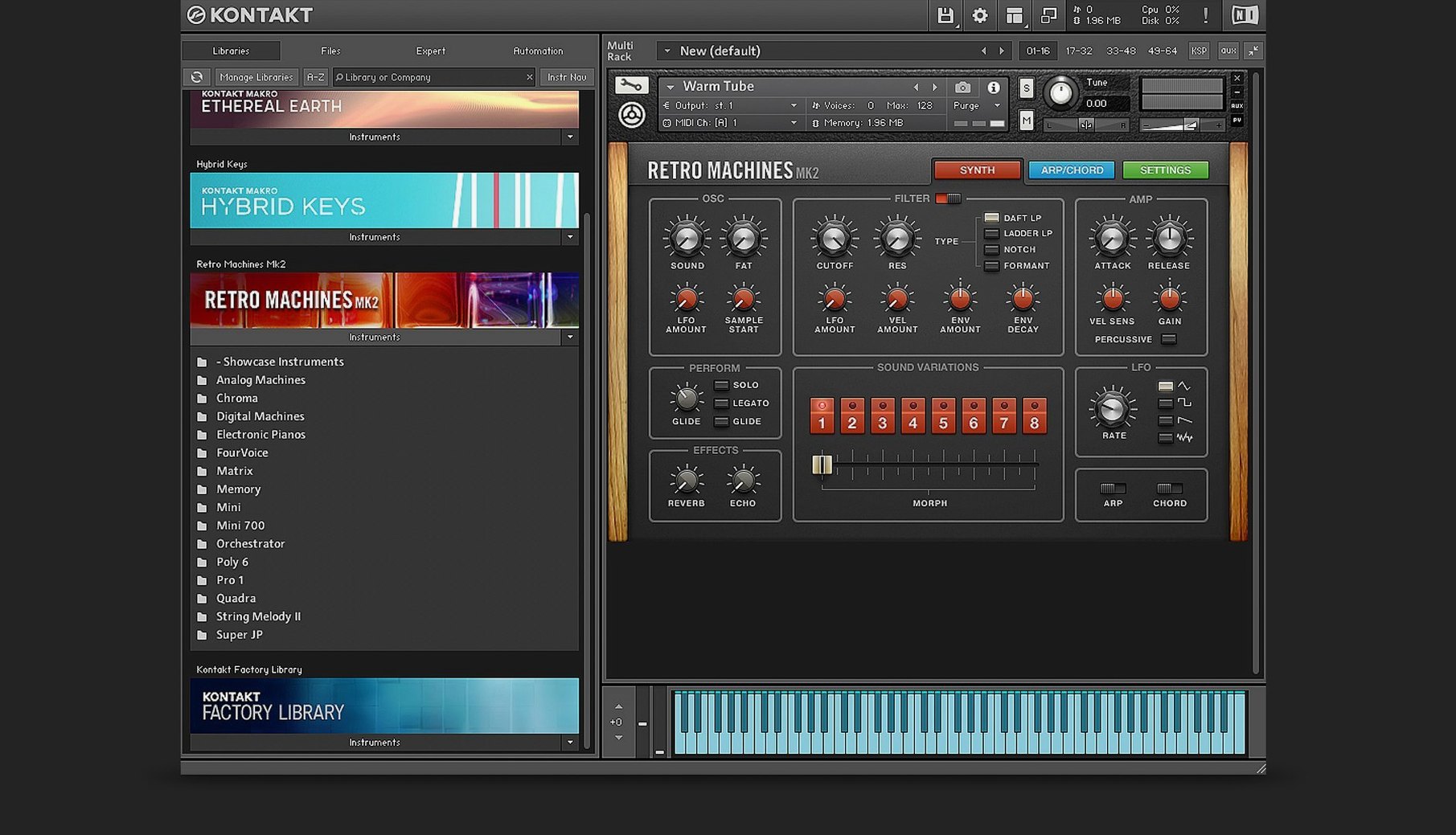
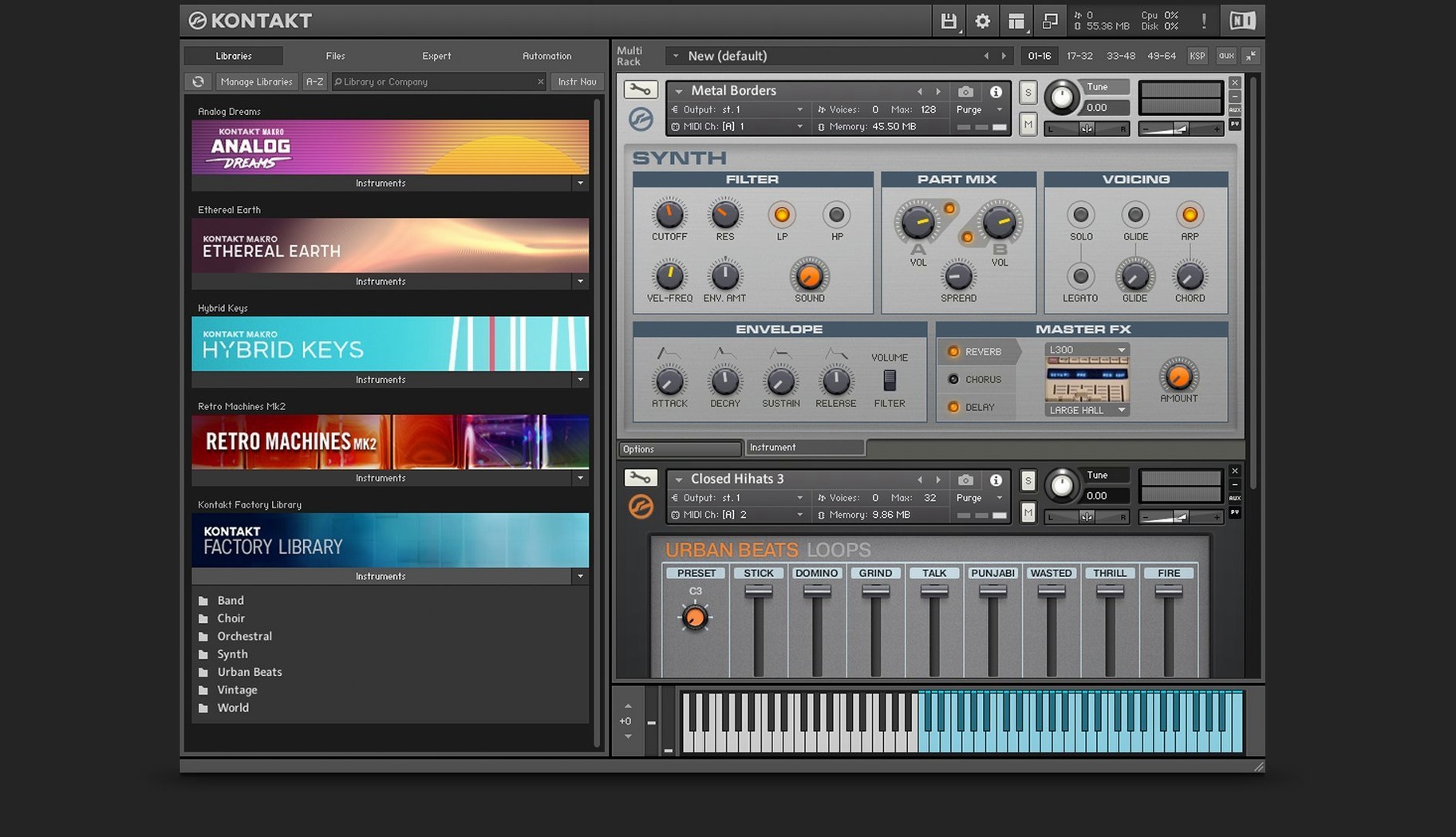
Kontakt 8.13.1 shifts focus toward creative MIDI manipulation with the new Tools system, plus the Leap browser for loops and one-shots. For experienced users, the real additions sit deeper: the Wavetable module now includes a modulation oscillator and a second Form shaper, giving more control over timbre without leaving the instrument. The side pane connects Tools directly to any loaded instrument, so routing is faster than scripting a workaround.
Komplete UI and Komplete Script arrive for builders who need high-DPI interfaces and custom control logic without fighting the old layout system. The Default view has been redesigned, and Native Access remains the single point for downloads and updates — no separate installers to track. On the effects side, Kontakt 8 inherits Solid G-EQ, Solid Bus Comp, a Transient Designer, and Tape Saturator from the Komplete line, all available per-instrument. TimeMachine Pro time-stretching, introduced in Kontakt 6, still handles harmonic solo instruments with noticeably less artifacts than the standard mode.
The installer runs on both ARM and x86 64-bit Macs under macOS 14. English interface only. Open the disk image, run the standard procedure, and point Native Access at the library folder if you are moving from an older version. No extra activation steps beyond the usual NI workflow.
MIDI Tools Now Inside the Instrument
The jump to Kontakt 8 changed how you interact with MIDI data inside the instrument itself. Before, manipulating MIDI meant either recording to a DAW lane or using a third-party plugin. Now the Tools system sits in the side pane, so you can apply note repeats, chord inversions, or arpeggio patterns without leaving the instrument window. That saves a lot of back-and-forth when sketching a part.
Leap is the other shift. Instead of dragging audio files from Finder into a track, Leap lets you browse and trigger loops and one-shot samples from a dedicated browser inside Kontakt. It is not a full sampler replacement, but for quick percussion layers or texture fills, it cuts out a few steps. The Wavetable module with its modulation oscillator and second Form shaper means that if you build your own patches, you have more sculpting tools on hand without opening an external synth. The Komplete UI also makes a real difference on MacBooks with high-resolution screens — the old interface could look cramped at 1440p or above, and the new rendering scales properly.
For anyone who updates from Kontakt 7, the bus system remains the same (16 internal stereo buses), and the effects chain still includes Solid G-EQ, Solid Bus Comp, the Transient Designer, and Tape Saturator. Adaptive Resonance is also there, automatically controlling filter peaks so that aggressive resonance sweeps do not cause audio artifacts. If you already rely on TimeMachine Pro for stretching vocal or string samples, that algorithm carries over unchanged.
Fixing Libraries That Won't Appear
Libraries not appearing after installation. This happens most often when Native Access is not pointed at the correct library folder. Open Native Access, check the Content Location settings, and make sure the path matches where your sample libraries actually live. If you moved libraries from an older drive, re-scan the folder from within the Libraries tab.
Kontakt plug-in not showing in the DAW. On macOS, the installer places the VST, AU, and AAX files into standard directories. If your DAW still does not see Kontakt, open its plugin manager and force a rescan. For some hosts, you may need to restart the DAW after installation. If you run Logic Pro, check that AU plugins are enabled in the plugin manager preferences.
High CPU usage with large instrument patches. The new Tools and Leap features add processing overhead. If a template with multiple Kontakt instances starts to bog down the system, purge unused samples from the instrument's memory tab. You can also lower the preload buffer size per instrument — the default is fine for most setups, but reducing it frees RAM at the cost of slightly more disk access.
Tools panel not responding. The side pane is tied to the selected instrument. If you switch to a different instance or close and reopen the window, the Tools panel may need a moment to reload. Click directly on the instrument header in the rack to make sure it is the active target. If it still hangs, restart Kontakt and reload the instrument.
Komplete Script errors on older library patches. Some third-party libraries built before Kontakt 8 use older scripting syntax that Komplete Script does not fully support. The instrument will still load, but certain custom UI elements may not display. Contact the library developer for an update, or load the instrument in an earlier Kontakt version if you still have it installed.
Don't Skip the Output Routing
New users often treat Kontakt like a simple player and skip the routing. Loading a multi-microphone orchestral library and hearing only the close mics is a common frustration. The fix is in the instrument's own output section — each microphone position can be routed to a separate output within Kontakt's mixer, then assigned to separate tracks in the DAW. Beginners also tend to ignore the purge function, leaving every sample loaded into RAM even for articulations they never play.
Another mistake is assuming that the Default view covers every control. Many libraries include a custom UI that sits behind the wrench icon. Click the wrench button in the instrument header to access additional scripting, mapping, and effects that the default skin hides. Beginners also forget about the Save As button after editing an instrument's mapping or adding effects — all changes are stored in the current session only until you save a new instrument patch.
On the performance side, running Kontakt with the audio buffer at 32 samples in the DAW is unrealistic for most large libraries. Start at 256 or 512 samples, then lower the buffer once the template is stable. Pushing the buffer too low too early causes clicks and dropouts that people blame on the sampler rather than the system load.
Best for Orchestral and Cinematic Composers
Kontakt 8 is built for anyone who works with sampled instruments on a daily basis, but three groups benefit the most. Orchestral and cinematic composers are the obvious ones — they rely on large multi-mic libraries, TimeMachine Pro for tempo-synced legatos, and the 16-bus routing system for separating sections. The Tools system also helps them sketch chord progressions and arpeggios without MIDI editing first.
Sound designers and electronic producers get more from the Wavetable module, the modulation oscillator, and the second Form shaper. These additions turn Kontakt into a capable sound design tool without needing a separate synth plugin. Leap also helps them build rhythmic layers from sliced loops directly inside the sampler.
Sample library developers gain the most from Komplete UI and Komplete Script. High-DPI scaling and custom scripting reduce the time spent wrestling with layout issues across different Mac screen sizes. If you build and sell your own Kontakt instruments, version 8 is the first version where the UI work looks consistent on Retina MacBooks and older displays alike.
For casual users who only load a piano or a drum kit once a month, the Player edition is enough. The full version makes sense when you need to edit mappings, route multiple outputs, or apply per-instrument effects beyond the basic chain.
- Tools for creatively manipulating MIDI.
- Leap for loops and one-shot samples.
- Komplete UI and Komplete Script for instrument building.
| macOS | macOS 14 or later |
|---|---|
| Processor | Apple Silicon, Intel 64-bit |
| Download | 1.6 GB |
- macOS 14 (Sonoma)
- Apple Silicon or Intel x86 64-bit
How to install, in order
- Open the downloaded disk image.
- Run the standard installation procedure.
Comments and corrections 0
Sign in or open a free account to leave a comment.
No comments or corrections yet.