HQPlayer Desktop 5.13.0 — download for Mac
Mac Apps Updated
Processes multichannel audio with precise resampling and DSD playback.
Screenshot
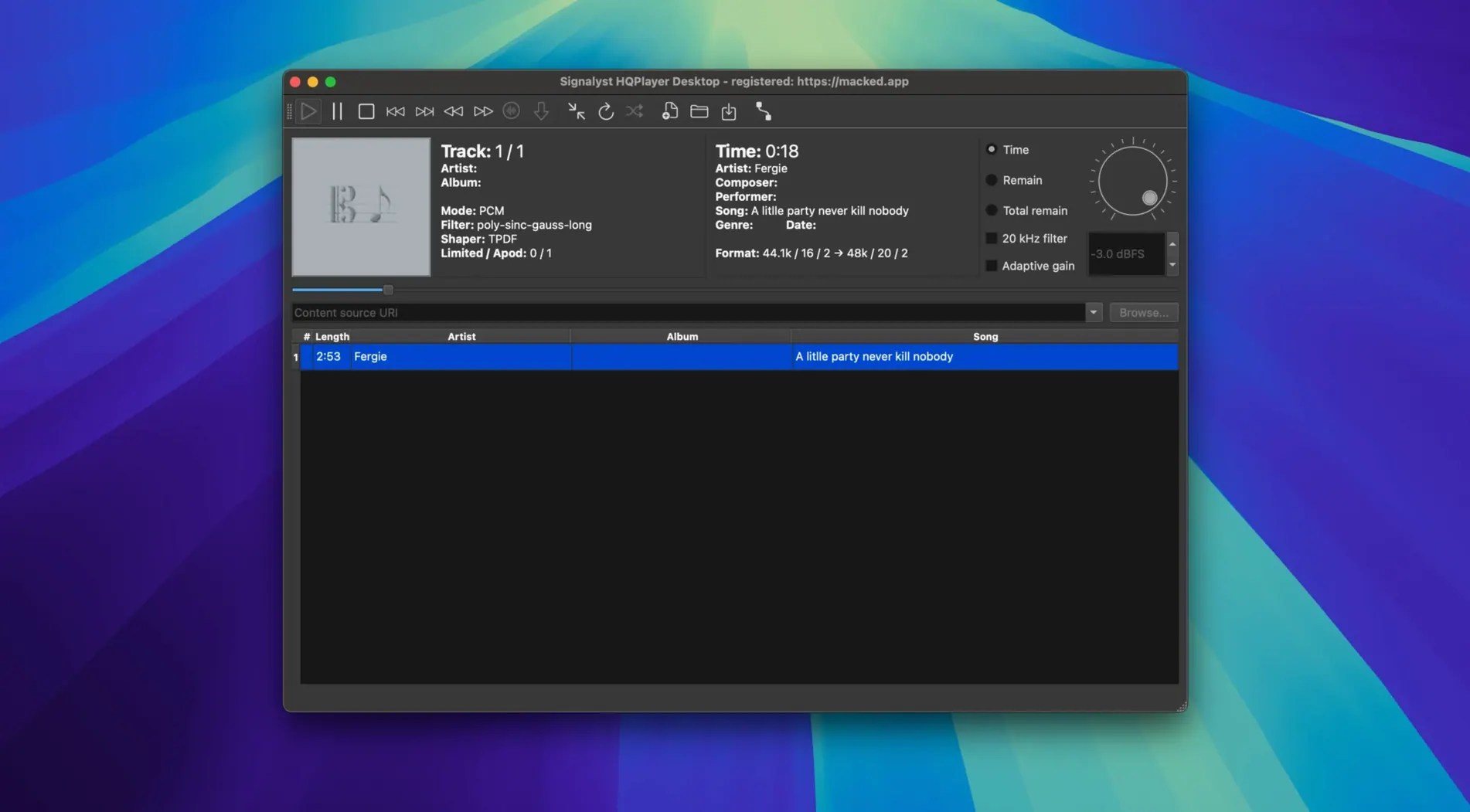
HQPlayer Desktop 5.13.0 runs on Intel and Apple Silicon Macs with macOS 10.13.6 or later. It’s a 64-bit, English-language application built for users who need precise control over multichannel audio, resampling, and DSD processing.
Key Tools for Experienced Users
- Multichannel speaker configuration with per-channel delay and level settings for PCM and SDM (DSD).
- Matrix processing for channel routing, filtering, and mixing with gain control on PCM and DSD content.
- Support for professional ASIO drivers and ID3v2 tags in AIFF, DSF, WAV, and MP3 files.
- New 8-bit AHM5EC8B and AHM7EC8B hybrid modulators for DSD1024+ output rates in version 5.13.0.
For Multichannel Engineers and DSD Specialists
This version suits studio engineers and serious listeners who manage multichannel systems or work with DSD material. The matrix processing and modulator additions give experienced users finer control without added complexity. Bug fixes and component updates keep the player stable on current Mac hardware.
Afternoon Session with HQPlayer Desktop
I open the app from Launchpad around two in the afternoon, after the morning meetings are done. The first thing I do is check the playback device assignment — the app remembers the last setup, so I only need to verify the ASIO driver is active.
For this session, I’m working with a 5.1 FLAC file from a live recording. I load it from the playlist panel, then open the matrix processing dialog to route the left and right channels through a gentle low-pass filter. The channel matrix shows each input and output clearly, so I can confirm the routing before playback starts.
I adjust the speaker delays next. The center channel in my setup sits a few feet closer than the surrounds, so I add a 2-millisecond delay to the center and a 1-millisecond delay to the left-front. The level sliders let me trim the gain on each channel independently, which I use to balance the rear surrounds that are slightly louder than the fronts.
Once the matrix and speaker settings are dialed in, I switch the output format to DSD256. The new AHM5EC8B modulator is available in version 5.13.0, so I select that from the drop-down. The track plays without stuttering, and the resampler keeps the sample rate conversion clean. The whole process takes about four minutes from launch to playback.
Questions Before Installation
Will this work on my M-series Mac?
Yes. HQPlayer Desktop 5.13.0 supports both ARM and Intel 64-bit architectures, so Apple Silicon machines are covered. The macOS requirement is 10.13.6 or later, which includes recent versions on both architectures.
Can I use it with a standard stereo setup?
It handles stereo just as well as multichannel. The resamplers and modulators are available regardless of channel count. You don’t need a surround system to benefit from the DSD processing or noise-shaping tools.
How do I install it?
Open the downloaded disk image file. Drag the application to the Applications folder alias. Once the copy finishes, launch the app from Launchpad. No extra configuration is needed for a basic start.
Does it read my existing tag data?
It reads ID3v2 tags in AIFF, DSF, WAV, and MP3 files, including versions 2.2, 2.3, and 2.4. For FLAC and other formats, the standard metadata fields are recognized during import.
Workflow: Converting a Stereo Track to 5.1 DSD
I sometimes get stereo recordings that need to play back through a full 5.1 system for a listening session. Here is the workflow I follow.
- Load the stereo FLAC or AIFF file into the playlist.
- Open the matrix processing panel. Add two routing rules: left channel to left-front and left-rear, right channel to right-front and right-rear. Set the gain at 0 dB for the front channels and -3 dB for the rear channels.
- Go to the speaker configuration section. Verify the output layout is set to 5.1. Adjust the center and subwoofer levels to match the room — I usually drop the subwoofer by 2 dB.
- Select the output format to SDM (DSD). Choose the AHM5EC8B modulator from the drop-down. Set the output rate to DSD256.
- Press play. The matrix processing applies the routing and gain in real time. The resampler converts the original sample rate to the DSD output rate before the signal reaches the DAC.
The result is a multichannel DSD signal derived from a stereo source, with no additional files or pre-processing needed. The app handles all conversion during playback.
- New 8-bit AHM5EC8B and AHM7EC8B hybrid modulators for DSD1024+ output rates.
- Important bug fixes.
- Component updates.
| macOS | macOS 10.13.6 or later |
|---|---|
| Processor | Apple Silicon, Intel 64-bit |
| Download | 45 MB |
- macOS 10.13.6 or later
- Intel 64-bit or Apple Silicon
- 64-bit processor
- English interface language
Questions about HQPlayer Desktop
What Macs does HQPlayer Desktop 5.13.0 support?
It runs on any Mac with macOS 10.13.6 or newer, supporting both Intel 64-bit and ARM (Apple Silicon) architectures.
Can I use HQPlayer Desktop with multichannel audio?
Yes. It includes speaker configuration with delay and level adjustments for multichannel playback, plus matrix processing for channel routing and mixing.
What audio file formats and tags are supported?
It supports ID3v2 tags in AIFF, DSF, WAV, and MP3 files, and handles PCM and DSD content with resampling and modulation options.
How to install, in order
- Open the downloaded disk image.
- Drag the app to the Applications folder alias.
- Launch the app from Launchpad after copying finishes.
Comments and corrections 0
Sign in or open a free account to leave a comment.
No comments or corrections yet.