NCH Software Crescendo Masters 11.28 — download for Mac
Mac Apps Updated
Notates music scores with notes, rests, ties, and slurs.
Screenshots
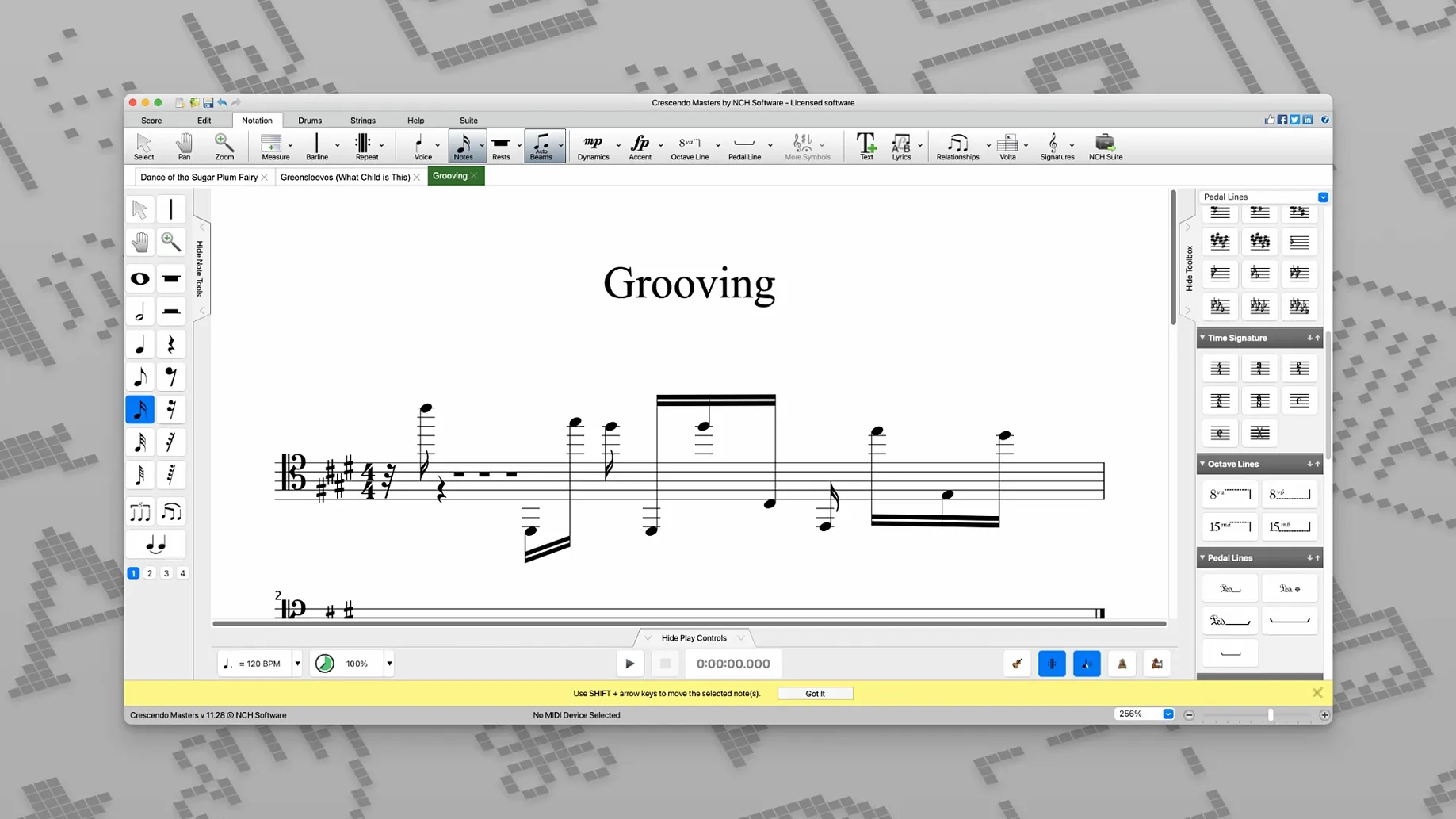
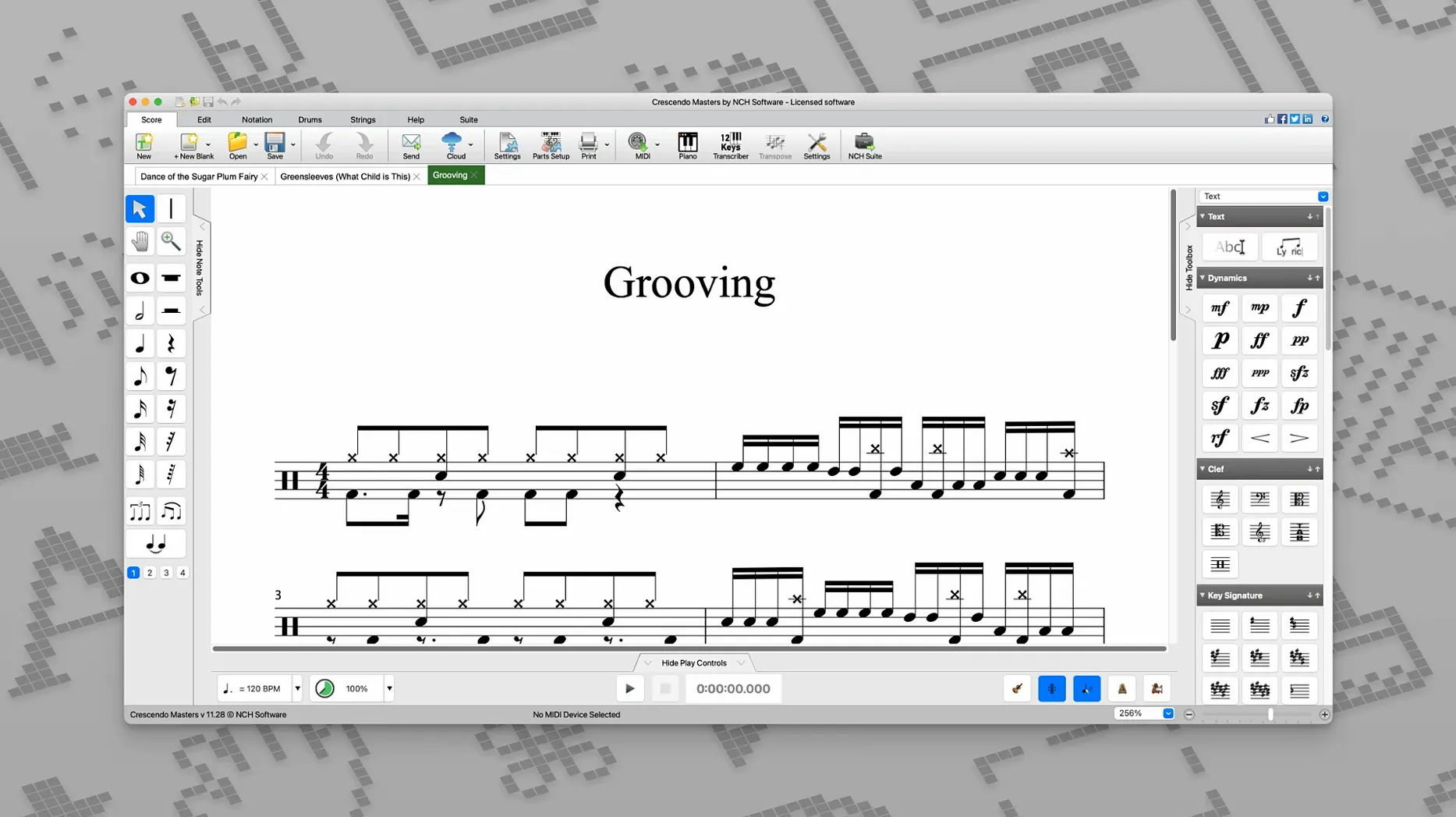
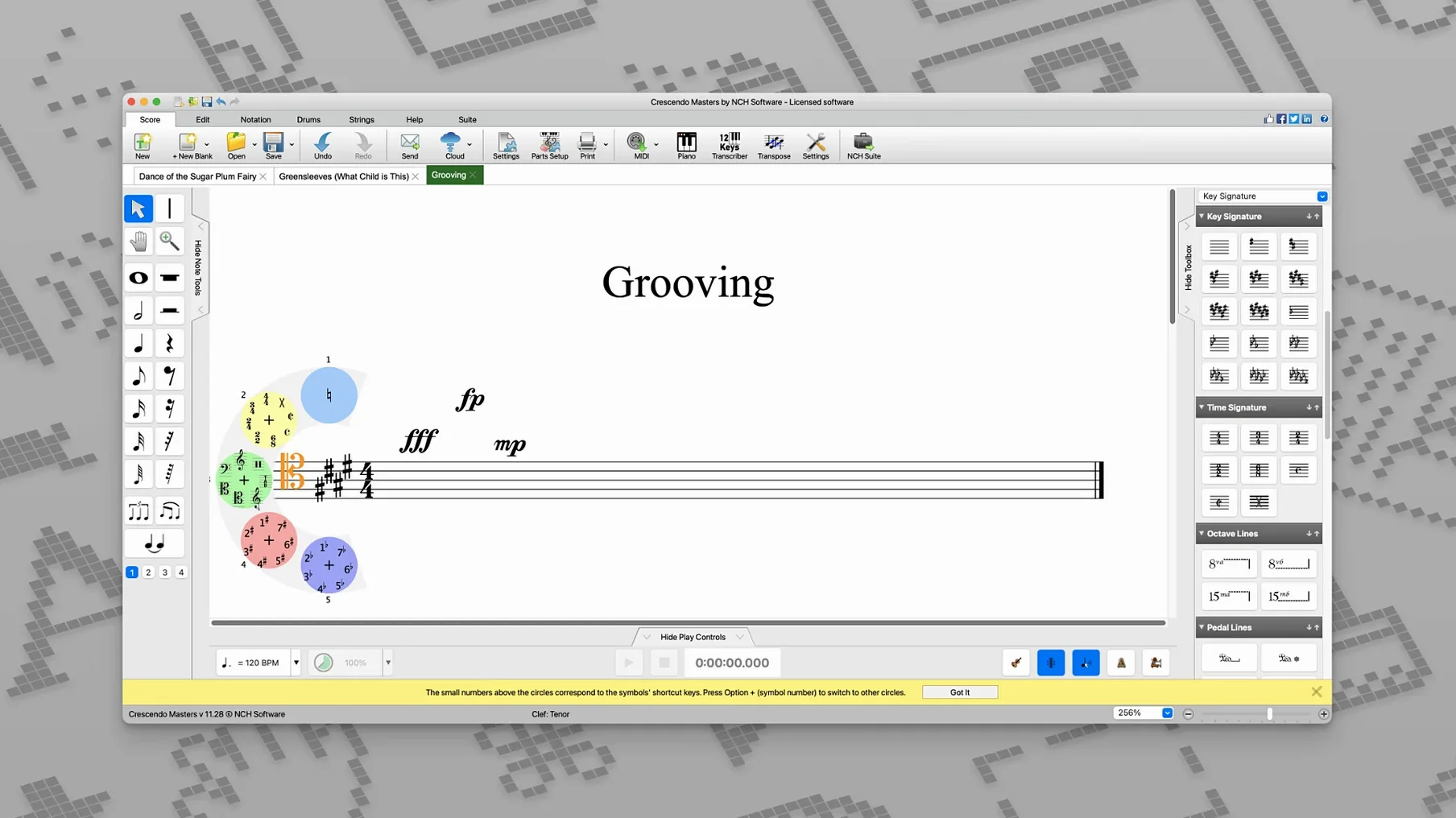
A composer at a community music school needs to notate a new piece for guitar and drum set. She opens Crescendo Masters on her Mac and starts entering notes from the palette: whole, half, quarter, down to thirty-second notes. Rests, ties, and slurs fall into place as she works through the score. She switches to the drum-set template for the percussion part, then adds a section of guitar tablature below the staff. With the score complete, she plays it back to hear how the parts sound together before printing copies for the rehearsal.
Can I notate both standard percussion and guitar tablature in one file?
Yes. Crescendo Masters supports percussion notation with drum-set templates and also lets you write guitar tablature within the same project. You can switch between notation styles as needed.
Does it play the music back after I enter it?
Yes. The app includes playback, so you can listen to your score as you work. This helps catch mistakes in rhythm or voicing before you print or share the sheet music.
For anyone coming from other notation apps, Crescendo Masters occupies a specific middle ground. MuseScore is free and open-source, with a large library of community templates, but its interface can feel crowded on a laptop screen. Crescendo Masters keeps the palette simpler, which means less time hunting for the right tool. Finale and Sibelius offer deep engraving control and orchestral sound libraries, but they are heavy on system resources and take longer to learn. Crescendo Masters loads quickly on a MacBook Air and lets you get notes on the page without navigating through layers of menus. If you need professional publishing or full orchestral playback, the larger apps are the right choice. If you need to write a lead sheet, a choral arrangement, or a drum part in one sitting, Crescendo Masters is the faster path.
Default Clef and Beginner Display
Out of the box, a few preferences make the biggest difference. Open the preferences panel and set the default clef to whichever you use most: treble, bass, tenor, or alto. If you teach or write for beginners, turn on display note names in the score — it saves you from writing letter names by hand later. For percussion writers, select a drum-set template as your default new-project template so you are not reassigning instruments every time. Change the playback device to your preferred sound output before you start entering notes; the app uses your system’s MIDI sound, so confirming that channel is active avoids a silent first playback.
Fixing Imported Score as Rests
- Notes appear as rests after import. If you open a file from another program and parts of the score show as rests, the time signature or key signature may not match the original. Re-insert the correct time signature from the palette, then re-enter the affected measures.
- Playback plays nothing or wrong instrument. Check that your Mac’s MIDI output is enabled in System Settings and that Crescendo Masters is not muted in the Audio Mixer. Also confirm the track’s instrument assignment in the staff properties — a drum track routed to a piano sound will come out quiet or wrong.
- Tablature fret numbers do not appear. Tab notation requires the staff type to be set to guitar tab before entering notes. If you already entered standard notation, highlight those measures, right-click, and change the staff type to tab; the fret numbers will populate based on the pitch.
- Slurs or ties do not print. This usually happens when the score zoom is set very high on screen. If they still vanish in the PDF export, select the tie, right-click, and adjust its vertical position slightly; the print engine then redraws it.
- Version 11.28 is the latest release for macOS.
| macOS | OS X 10.10 or later |
|---|---|
| Processor | Apple Silicon, Intel 64-bit |
| Download | 10 MB |
- macOS OS X 10.10 or later
- Both Intel and Apple Silicon (M1/M2/M3) supported
- Interface languages: Russian, English, German, Spanish, Italian, Korean, French, Swedish, Japanese
Questions about NCH Software Crescendo Masters
What note lengths does Crescendo Masters support?
It supports whole, half, quarter, eighth, sixteenth, and thirty-second notes, along with rests, ties, and slurs.
Is Crescendo Masters the same as the Windows version of Crescendo?
Crescendo Masters is the Mac version of NCH Software's Crescendo music notation software, built for macOS.
How to install, in order
- An installation and activation guide is included in the package.
Comments and corrections 0
Sign in or open a free account to leave a comment.
No comments or corrections yet.