Movavi Video Suite 22.4.1 — download for Mac
Mac Apps Intel processors only Updated
Bundles editing, conversion, and screen recording tools for office video tasks.
Screenshots
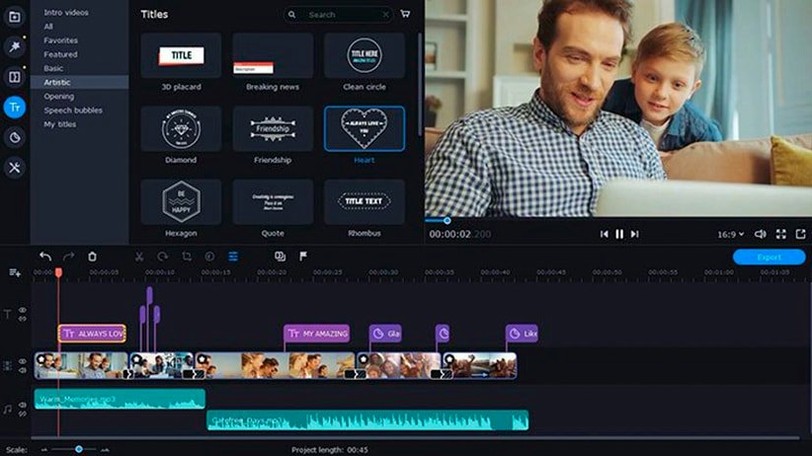
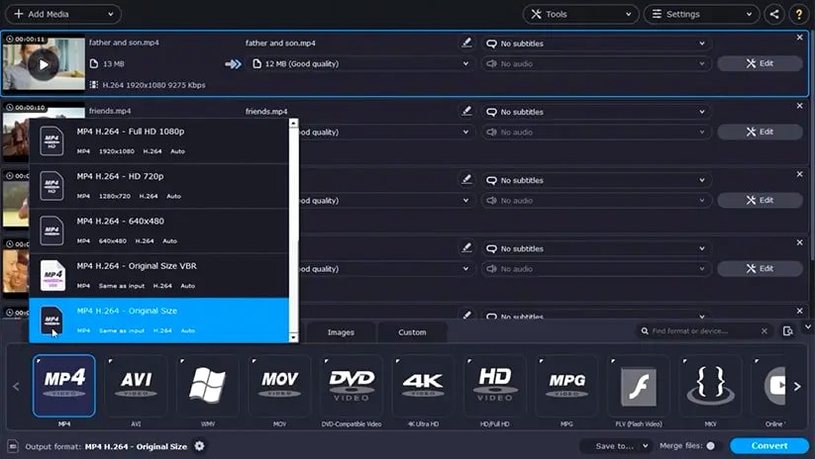
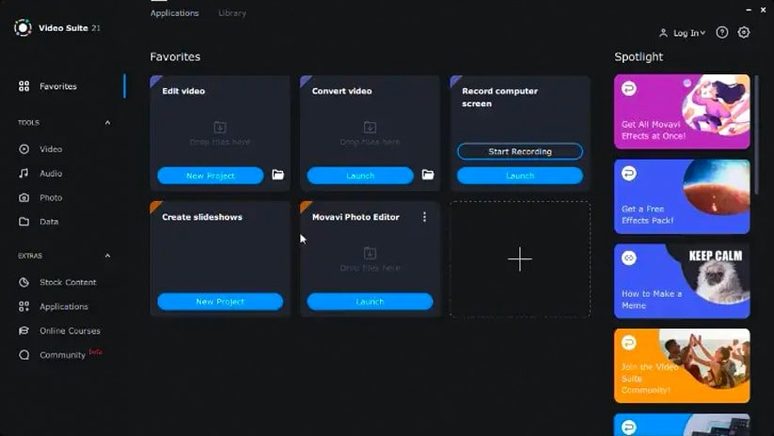

Office workers who need to edit a quick training video, convert a client file from one format to another, or record a screen walkthrough reach for Movavi Video Suite. It bundles the three tools most people need without forcing them to learn a professional NLE. Before you install version 22.4.1, here are the questions that come up most often:
- Does it record the screen with audio? Yes — you can capture the whole desktop or a selected area and add voice commentary in the same session.
- What formats can it handle? The suite works with more than 180 file formats, and you can add subtitles during conversion.
- What changed in 22.4.1? The program no longer shuts down while working with titles, new music tracks were added, and the symbol for applied effects was updated.
- Does it run on older Macs? It requires macOS 10.13 or later and runs on Intel machines.
- Is the interface in English only? Yes, the interface language is English.
- Can I add commentary to a recording? Yes, you can record audio commentary directly into the timeline.
That covers the practical side. If you need one app that edits video, converts files, and records the screen, Movavi Video Suite keeps you from juggling three separate tools.
A specific kind of user — the freelance instructional designer — works with Movavi Video Suite every week. She needs to produce a 12-minute software tutorial for a new client, capture her Mac’s screen with clear mouse cursor highlights, splice in a short intro clip the client sent as a MOV file, and deliver the final video in MP4. She opens Movavi Video Suite, starts the screen recorder, selects a recording area that matches the app window she’s demonstrating, and enables the mouse cursor effects so viewers see exactly where she clicks. After the recording stops, the clip lands directly in the editing timeline. There she trims the dead air at the start and end, adds the intro clip via drag-and-drop, and picks one of the new music tracks from version 22.4.1 to run under the narration. A single export pass produces the MP4. No format swapping, no secondary tool for the voice track.
ScreenFlow costs more for a narrower feature set
Movavi Video Suite competes with apps that cover one or two of its functions. ScreenFlow is a strong screen recorder with built-in editing, but its conversion toolbox is limited and the full license costs more than the suite approach. If you rarely need to batch-convert files from a phone or add subtitles during export, ScreenFlow handles the recording side well. HandBrake converts video files reliably and supports subtitles, but offers no screen recording or multi-track editing timeline. You would need a separate editor for cuts and titles. OBS Studio records the screen for free, but its editing capabilities are nonexistent — you export to a separate app for every trim and transition. Movavi Video Suite sits in the middle: one app that records, edits, and converts without requiring a second tool for any of those stages.
Convert and subtitle phone videos over network
- Transfer videos from your phone to the Mac over the network — Movavi Video Suite supports this directly from the import panel, no USB cable needed.
- Open the file conversion module and drag the batch into the queue. The suite handles multiple files at the same time.
- Choose the output format. For a client that requires H.264 MP4 files, select that preset.
- Enable subtitles in the conversion settings. You can load an SRT file or type captions directly.
- Start the batch. The suite processes each file sequentially and applies the subtitle track to every clip.
The result is a folder of converted, subtitled files ready to upload. No intermediate software, no manual re-encoding of each clip.
| macOS | macOS 10.13 or later |
|---|---|
| Processor | Intel 64-bit |
| Download | 294 MB |
- macOS 10.13 or later
- Intel processor
Questions about Movavi Video Suite
What music tracks are new in version 22.4.1?
The update added new music tracks to the built-in library, giving you more background options for your projects.
Can I add subtitles during file conversion?
Yes, the suite supports adding subtitles while converting video files.
How to install, in order
1. Mount the disk image and open Gatekeeper friendly. 2. Press Enter in the Terminal window to bypass Gatekeeper. 3. Complete the standard installation procedure.Comments and corrections 0
Sign in or open a free account to leave a comment.
No comments or corrections yet.