Photo Mechanic 2025.1.8239 — download for Mac
Mac Apps Updated
Sorts, tags, rates, and renames photos before opening them in an editor.
Screenshots
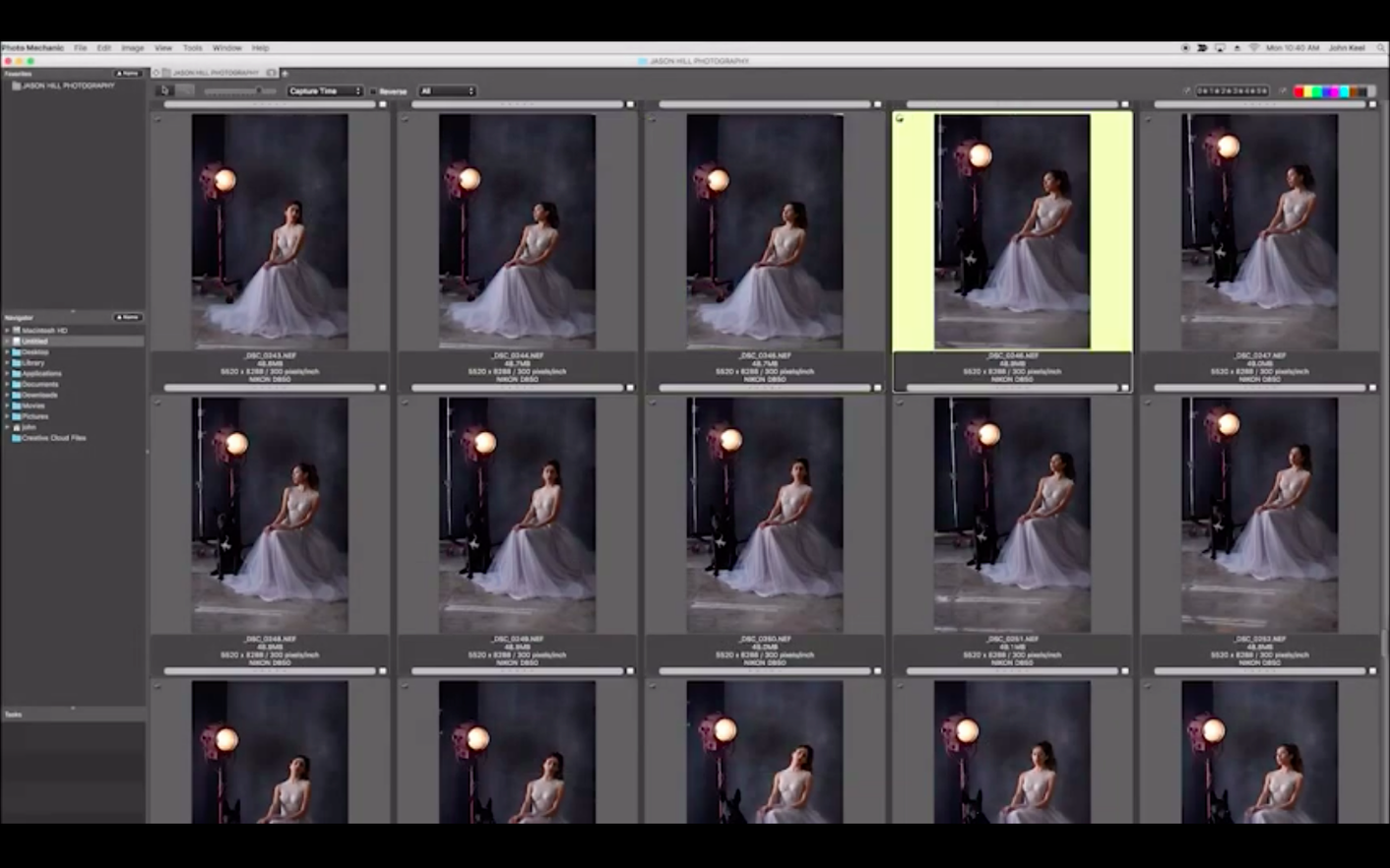
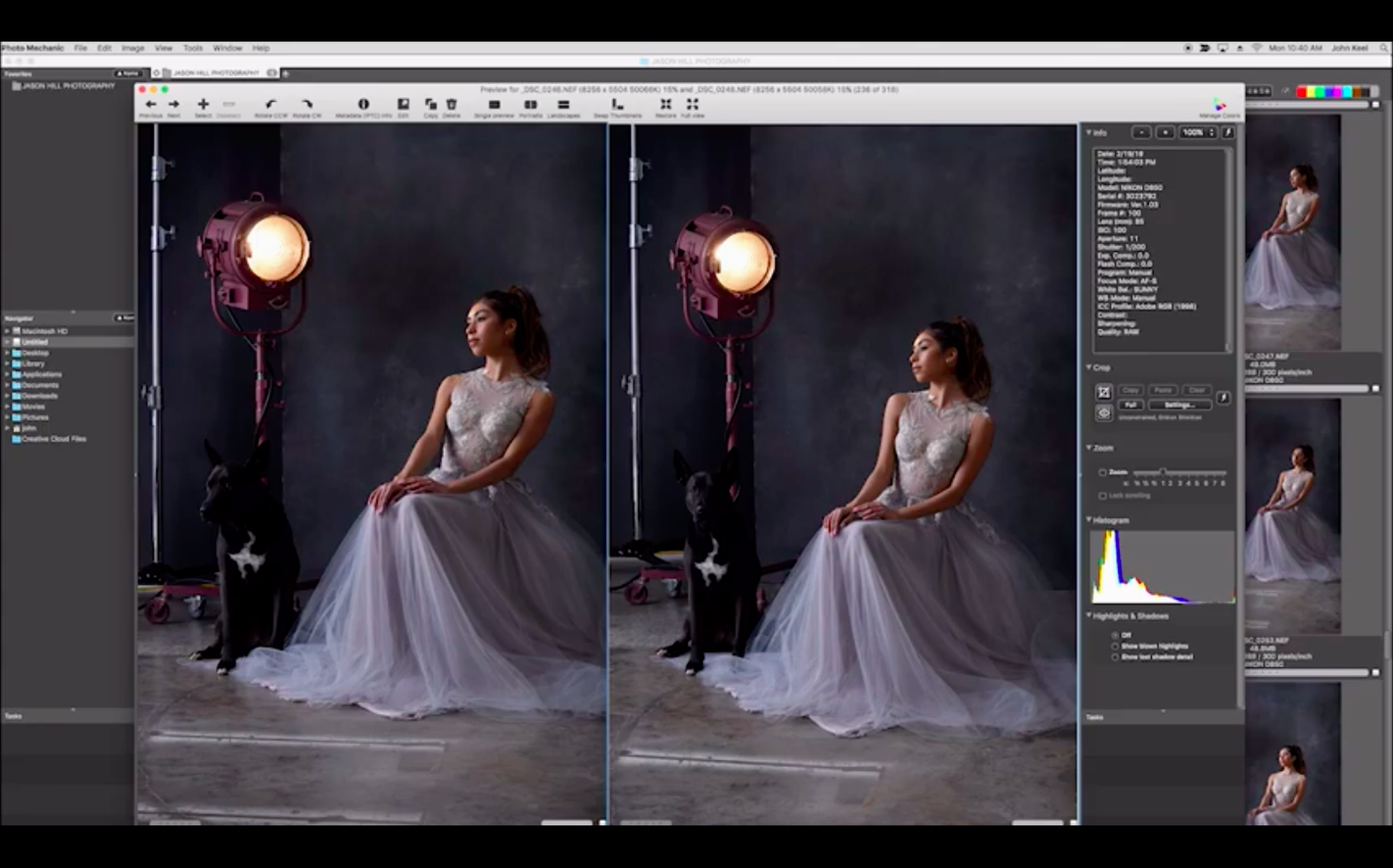
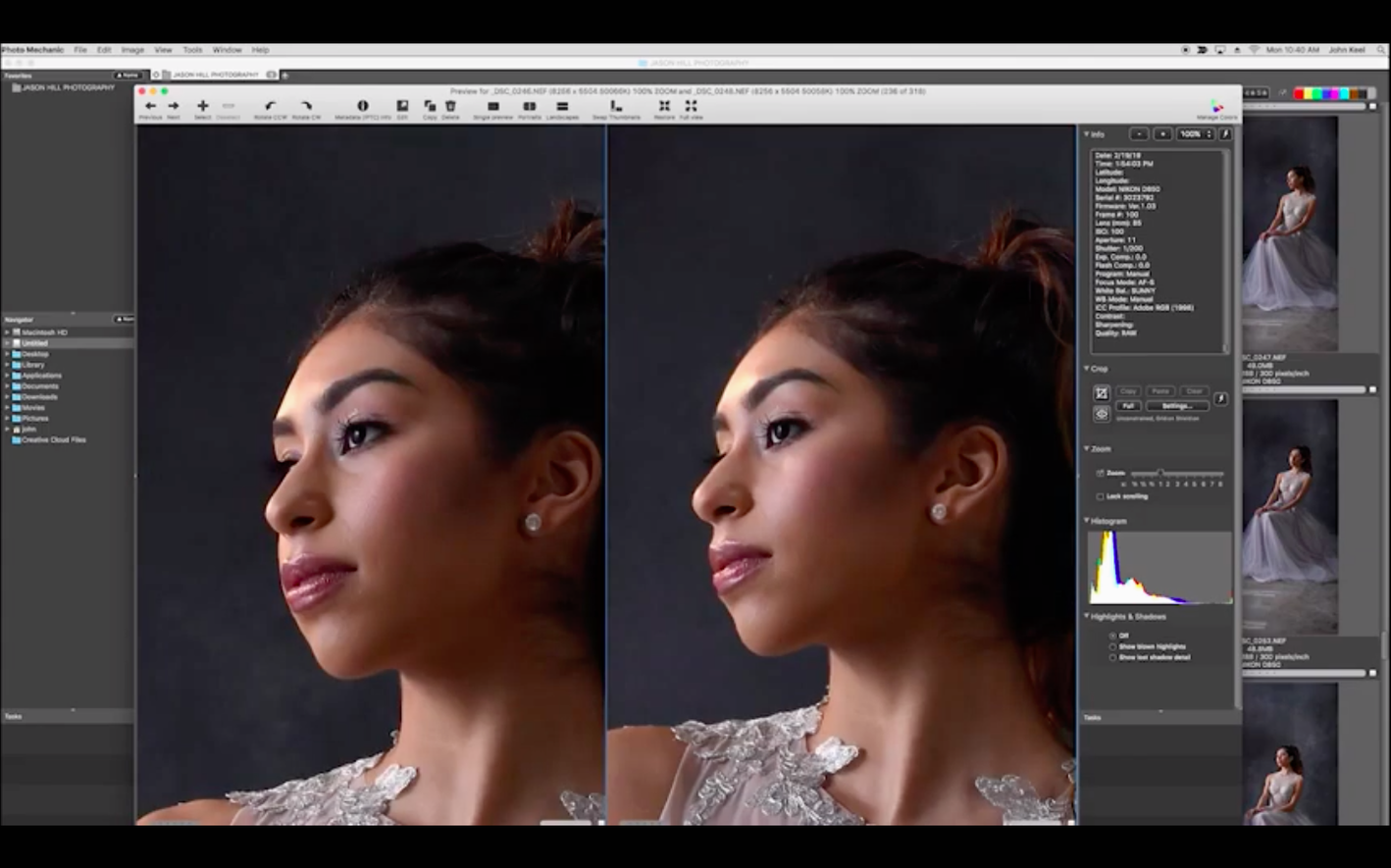
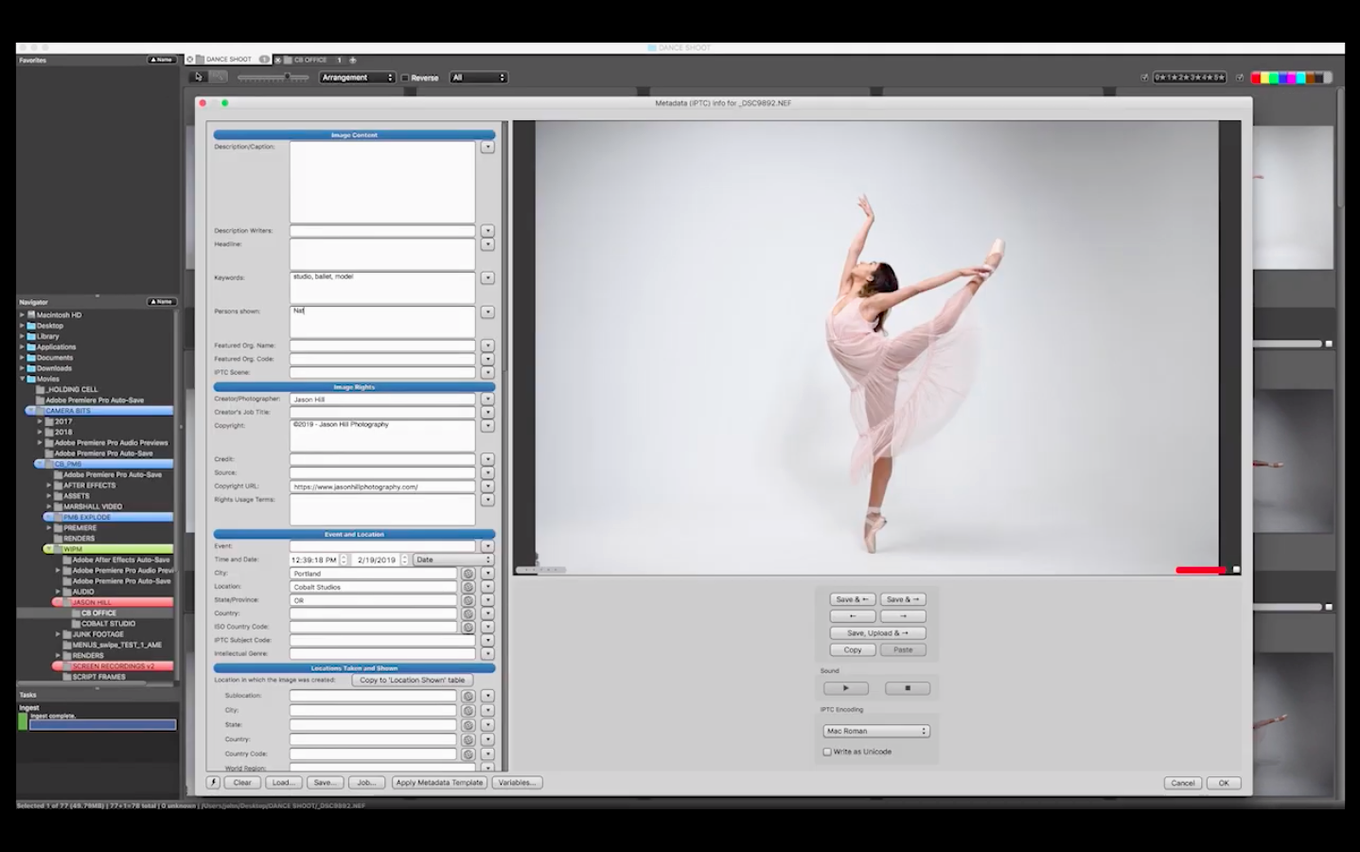
If you already use Lightroom to edit, Photo Mechanic sits in front of it. It is the browser you open first to sort, tag, rate, and rename before anything touches the develop module. Camera Bits calls it a fast media browser, and that is exactly what it is.
macOS 13 or Later on Apple Silicon
- macOS 13 or later
- Apple Silicon only
- English interface
That means Intel Macs are out. If you are on an M1 or newer, the app is native and quick about it. The whole point is speed: large collections, side-by-side comparisons, and metadata editing without waiting on previews.
Sort and Search by Rating, Tags, or Keywords
Photo Mechanic organizes photos the way a working photographer thinks. You can sort and search by rating, tags, or keywords. You can assign tags, compare two images side by side, and import GPS coordinates from a track log. Metadata is a first-class feature: title, description, keywords, event, shooting location, contact info, all editable in one screen. It can optimize photos for web use, print them, and upload straight to an FTP server from inside the app. That last one saves a separate upload step on deadline days.
Ingest Photos and Build a Metadata Habit
Do not try to learn everything at once. The app does a lot, but the work begins with ingesting photos and building a habit around metadata.
Day One — Import and rename
- Copy a folder of recent work to your Mac. Use the ingest feature to rename photos on the fly. Set a naming template that includes date and a short event code. This alone saves minutes per shoot.
- Rate the first batch using the 1–5 star keys. Get used to the keyboard for this. It is faster than clicking.
- Assign a few color marks — red for selects, green for finals, yellow for maybes. Decide your own system and stick to it.
Day Two — Side-by-side and metadata
- Compare two similar shots side by side. Pick the sharper one or the better expression. Delete or hide the loser.
- Edit the metadata for one photo: description, title, keywords. Then apply the same metadata to a batch. See how long it takes to keyword a whole shoot that way.
- If you shoot with GPS on, import the track log and tag the location to a set of photos. This is useful for travel or event work.
Day Three — Export and upload
- Resize a selection for web use and export them. Then send a smaller set by email from inside the app. The email feature is basic but fast.
- If you deliver via FTP, configure one server in the settings. Upload a proof set. Do this once so it is ready for the next deadline.
After three days, the core workflow becomes muscle memory. The rest — CD burning, printing, time correction — you pick up when the need appears.
Workflow: Editing Keywords for a Wedding Gallery
A wedding photographer finishes a Saturday shoot. 1,200 raw files sit on a card. Here is the start-to-finish process inside Photo Mechanic.
- Ingest and rename. Copy the card to a folder named
2025-06-14_Smith-Wedding. The app renames files to20250614_Smith_0001.nefduring transfer. - First pass. Scroll through thumbnails. Rate 1–5. Mark the best shots in red (color class 9). Flag the unusable ones in black.
- Metadata template. Create a template with the event name, the photographer’s name, the date, and generic keywords like “wedding, reception, couple.” Apply it to all red and green marked files at once.
- Fine-tune. For the top 50 shots, write individual captions in the description field. Add specific keywords: “first dance,” “cake cutting,” “bride and groom.”
- Side-by-side check. Compare two similar portraits. Delete the weaker frame.
- Export to a subfolder named
web_proofs. - Upload. FTP the proof folder to the client gallery directory. Done in a few minutes.
The whole job, from card in hand to proof upload, happens without launching another application.
For Photographers Who Deliver in Hours, Not Days
Photo Mechanic suits photographers who shoot in volume and deliver under time pressure. News photographers, sports shooters, event and wedding photographers — anyone who needs to move from card to client in hours, not days. It is also useful for photo editors and assistants who handle someone else’s files and need to add consistent metadata across a large archive.
It is less essential for casual shooters with a few hundred photos a year. The same is true for photographers who edit everything in Lightroom and never need batch renaming or FTP delivery. But if you own a Mac with Apple Silicon and regularly work through thousands of frames, the app repays the setup time quickly. Some users look for a photo mechanic crack reddit discussion just to see if the speed claims hold up in real use. In most cases, they do.
Real-World Scenario: A Sports Photo Editor
Ana edits for a regional news wire. After a Saturday evening soccer match, she receives a memory card with 900 raw files from the sideline shooter. She opens Photo Mechanic, ingests the card to a folder named FC_Porto_vs_Braga_2025-03-22, and starts the first pass. She rates the action frames — goals, saves, crowd reactions — and marks them in red. She applies a standard metadata template with the match name, date, and photographer credit. She resizes the selects to 1600 px, names them with a wire code, and uploads the folder to the bureau FTP. The gallery editor receives the files before the final whistle. No Lightroom, no Finder, no separate FTP client. Just one app, start to finish.
No release notes filed for 2025.1.8239. They are added here when a build changes how the program behaves.
| macOS | macOS 13 or later |
|---|---|
| Processor | Apple Silicon |
| Download | 64 MB |
- macOS 13 or later
- Apple Silicon
- English interface
How to install, in order
- Mount the downloaded disk image.
- Drag the app onto the Applications folder alias.
- Launch Photo Mechanic once the copy finishes.
Comments and corrections 0
Sign in or open a free account to leave a comment.
No comments or corrections yet.