Plugin Alliance Brainworx bx_mastering studio 1.0.0 — download for Mac
Mac Apps Updated
Masters audio in a standalone Mac app without a full DAW.
Screenshots
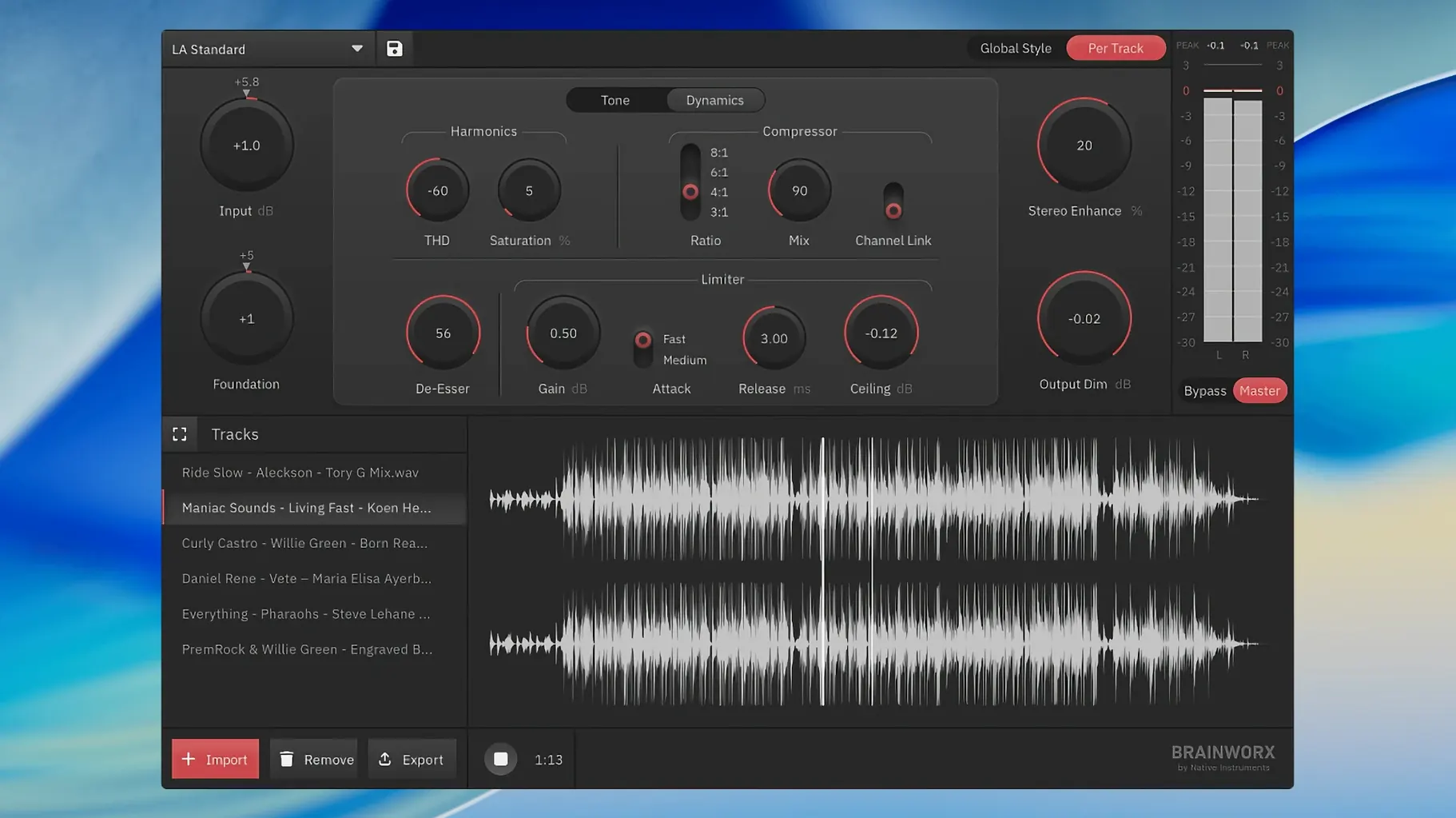
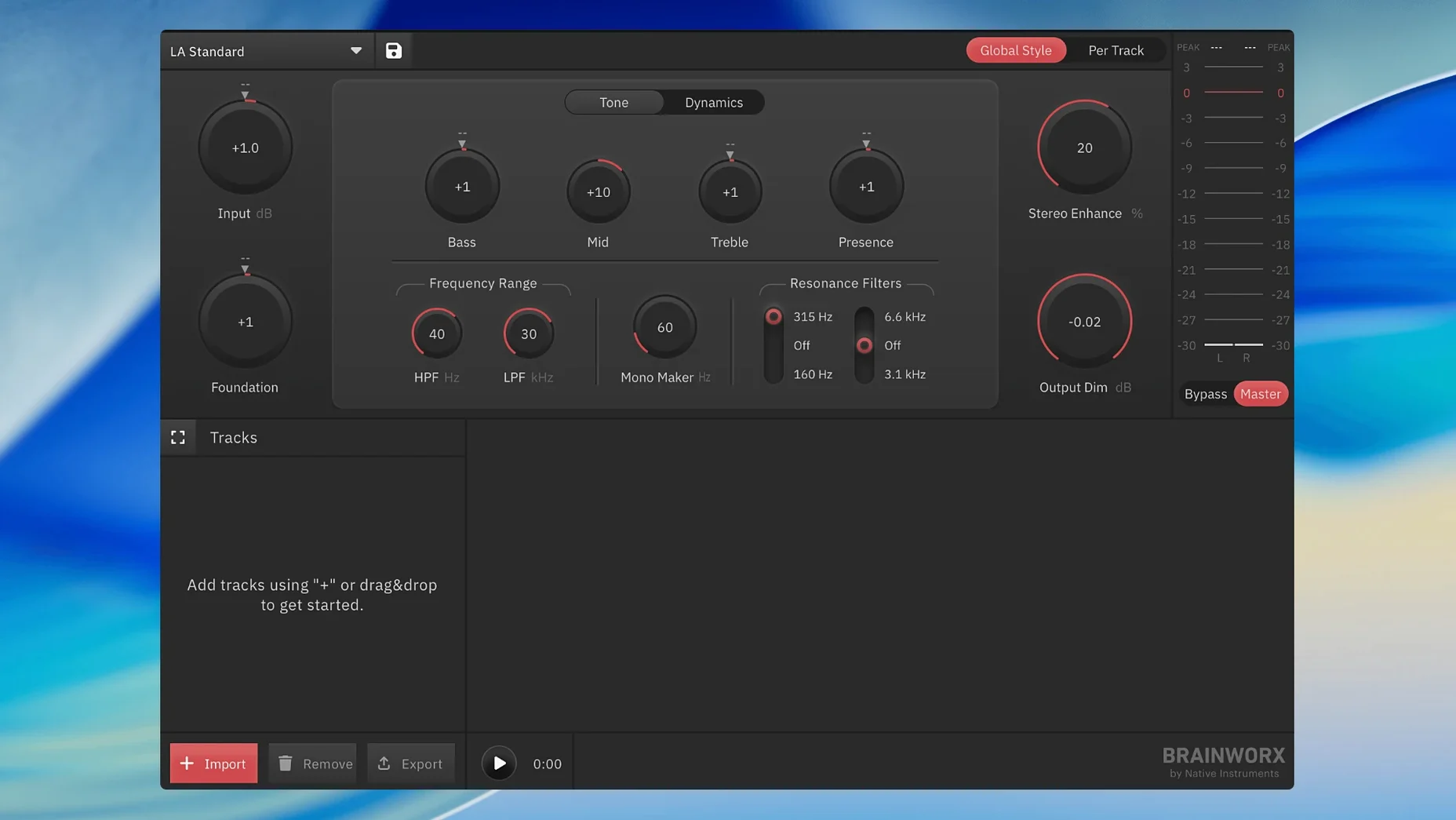
If you work with GarageBand or another DAW that lacks mastering depth, the Brainworx bx_mastering Studio is a standalone Mac application that fills that gap without requiring a full DAW. Developed from Style Creator, this app is built for desktop mastering and outputs streaming-ready audio. The question is whether your Mac can run it.
MacOS 12 or Later Required
- macOS 12 or later
- Works on both Intel and Apple Silicon Macs
- Interface language: English
Standalone Mastering with Built-In Styles
The bx_mastering Studio is a purpose-built mastering tool from Brainworx Audio. It runs entirely on its own, so you don't need to route audio through another program. The app focuses on delivering polished, streaming-ready masters from start to finish. It suits anyone who finds their current DAW's mastering features limited, especially GarageBand users who want a more controlled final stage.
First Release Establishes Core Workflow
As a first release, version 1.0.0 establishes the core workflow rather than refining an older one. This means you get the mastering style creator and its built-in styles from day one — there are no legacy menus or deprecated features to navigate. The app arrives as a clean slate, built from the same algorithms that powered the earlier Style Creator, but now running as a standalone application. For everyday use, that translates to fewer steps: you open the app, load your mix, pick a style, and export. There is no DAW routing, no plug-in chain to assemble.
Standalone App, Not a DAW Plug-In
New users often treat the app like a plug-in inside a DAW, expecting real-time processing while they tweak other tracks. The bx_mastering Studio is a standalone application — you work with one master at a time. Import your final mix, process it, and move to the next file. Trying to run it alongside a DAW session as a live processor will lead to confusion.
Another common slip is overusing the built-in style presets. The mastering style creator offers several starting points, but applying one without adjusting its parameters can make a track sound generic. Use a preset as a starting point, then listen and nudge the controls until the master fits your material. The goal is a finished sound, not a preset label.
Beginners also skip the export format check. The app is designed for streaming-ready output, so check that your export settings match the platform you are targeting. Loudness targets, sample rate, and file type matter more for streaming than they did for CD masters.
Runs Without Any DAW Open
Can I use this app without a DAW entirely?
Yes. That is the point. The bx_mastering Studio runs on its own. You do not need Logic Pro, Ableton, or GarageBand open. Import a stereo mix, master it, and export.
Does it work with Apple Silicon Macs?
The build supports both ARM and x86 (64-bit) architectures, so it runs natively on M1 and M2 Macs as well as older Intel models. As long as your system is on macOS 12 or later, you are set.
Is this the same as the old mastering.studio plugin?
It is the standalone successor. The algorithms and style-based approach come from that earlier product, but this version is a dedicated desktop application, not a plug-in. You launch it from the Applications folder, not from a DAW’s plug-in browser.
How many masters can I process?
The app works with an unlimited number of masters. There is no per-session limit or file cap.
Can I use this for podcast mastering, or is it only for music?
The app is designed for musicians, podcast producers, and content creators. If you have a stereo mix — music or spoken word — you can run it through the mastering style creator and get a streaming-ready result.
No release notes filed for 1.0.0. They are added here when a build changes how the program behaves.
| macOS | macOS 12 or later |
|---|---|
| Processor | Apple Silicon, Intel 64-bit |
| Download | 24 MB |
- macOS 12 or later
- Intel or Apple Silicon processor
- Interface language: English
Questions about Plugin Alliance Brainworx bx_mastering studio
Can I use bx_mastering Studio with GarageBand?
Yes. The app runs standalone and can process audio exported from GarageBand, making it a practical mastering tool for that workflow.
Does bx_mastering Studio support Apple Silicon Macs?
Yes, the app runs on both Intel and Apple Silicon architectures.
What macOS version is required?
You need macOS 12 or later to install and run bx_mastering Studio.
How to install, in order
- Run the standard installer and follow the on-screen prompts.
Comments and corrections 0
Sign in or open a free account to leave a comment.
No comments or corrections yet.