EndNote 2025.4 — download for Mac
Office Updated
Manages references and syncs libraries across devices for writing papers.
Screenshot
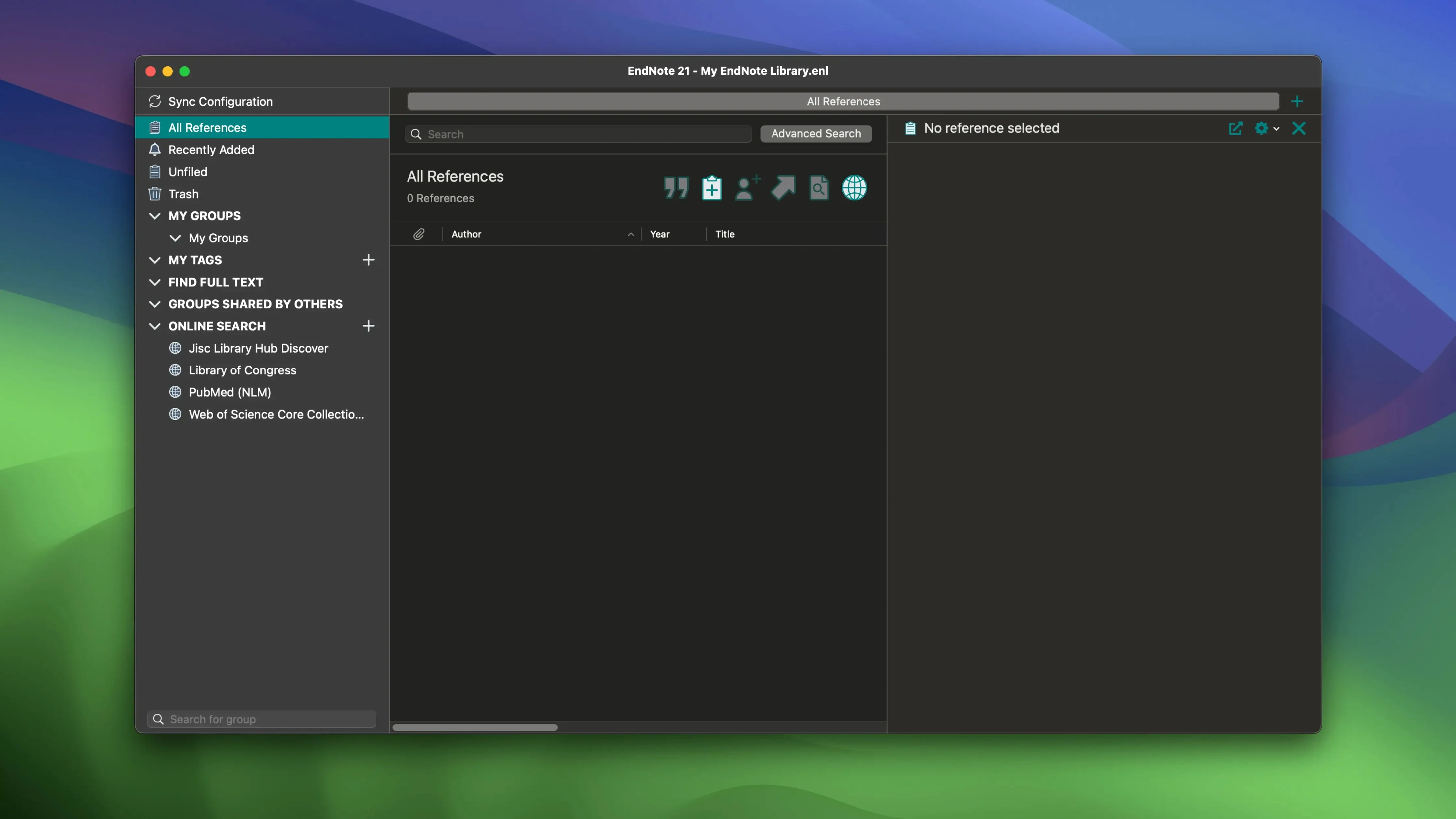
EndNote for Mac runs on any Mac with macOS 10.14 or later, supporting both Intel and Apple Silicon processors. That means the current M-series machines and a decade of older Macs are all covered — no hardware wrangling needed.
For experienced users, the value is in the deeper tools. The library syncs PDFs, notes, and annotations across devices automatically, so a citation you pinned on the office Mac appears on the laptop at the conference. The restore-from-cloud feature brings back an entire library if the local copy goes south, and you can roll back individual references to earlier versions — useful when a co-author edits a note you needed intact.
Cite While You Write works inside Microsoft Word and Google Docs, so formatting a bibliography is a single-click step rather than a manual list. The reference-finder scans books, journals, and articles from within the app, so you never leave the workspace to pull a source. It’s a tool for the long haul of a dissertation or a multi-author paper, not a quick citation generator.
I’ve seen EndNote used in practice more than once. A post-doc in a biomedical lab had to keep fifty-odd sources straight for a paper nearing submission. Her PI kept requesting last-minute additions — a 2019 paper from a different journal, a methods supplement, a corrigendum. She’d tag each reference by section (“Introduction”, “Methods”, “Results”) using the color-coding, then filter by tag when the editor asked for a grouped bibliography. The sync let her work on a draft on her office iMac and review citations on a MacBook Air at home without re-exporting anything. For a team running against a deadline, that continuity saves hours.
Open to last-used group
The default layout works, but a few adjustments make daily use faster. Open the preferences and set the library to open to the last-used group, not the whole list — cuts down scrolling when you’re bouncing between projects. Turn on automatic reference updates for PubMed or ISBN lookups if you add sources from those sources often; the app pulls in missing fields without a manual check. If you share a library, enable the sync interval to something like every ten minutes rather than the default hour. That way, edits from a collaborator appear before you start your next section, not after lunch.
One more: assign a keyboard shortcut to the “Find Full Text” command if your workflow involves grabbing PDFs after importing a citation. It’s a small time-saver across a long writing session.
Simplified Chinese localization and crash fix
Version 2025.3 (22.3.0.22265) brought two practical changes. First, Simplified Chinese localization was added — relevant if your institution or co-authors work in that language. Second, a crash was resolved in Word when the “Select Matching References” dialog appeared. That crash could interrupt a bibliography update mid-sentence, so the fix stabilizes the Cite While You Write flow for Word users. No new headline features, but the kind of maintenance that keeps a reference manager predictable.
Captures web sources faster but Word integration less polished
Zotero is probably the most common alternative. Its browser extension captures web sources faster than EndNote’s in-app search, and the open-source model means no licensing overhead. But Zotero’s Word integration is less polished — bibliographies sometimes require manual formatting tweaks — and it lacks the version history for individual references. EndNote’s rollback feature is unique: if a collaborator accidentally deletes a note or edits a field, you restore just that reference, not the whole library.
Mendeley offers a similar sync model and PDF annotation tools. Its strength is the social layer — shared groups with discussion threads. For a solitary writer or a small co-author team that doesn’t need chat, Mendeley’s extra features add clutter. EndNote’s interface is cleaner, and the reference-finding tool pulls from more catalogue sources (books, journals, articles) in a single search without toggling between databases. Mendeley’s desktop app has also seen slower updates on macOS; EndNote’s 2025.3 release shows active maintenance.
Papers (by ReadCube) is a third option, known for its clean reading experience and smart suggestions for related articles. For a researcher who writes in Word or Google Docs and needs reliable bibliography formatting, EndNote’s Cite While You Write is the most battle-tested of the three.
None of these are bad tools. The choice comes down to whether you value version history and stable Word integration (EndNote), browser-based capture and community (Zotero), or reading and discovery (Papers).
No release notes filed for 2025.4. They are added here when a build changes how the program behaves.
| macOS | macOS 10.14 or later |
|---|---|
| Processor | Apple Silicon, Intel 64-bit |
| Download | 112 MB |
- macOS 10.14 or later
- Intel or Apple Silicon
How to install, in order
- Mount the downloaded disk image.
- Run the standard installation procedure.
Comments and corrections 0
Sign in or open a free account to leave a comment.
No comments or corrections yet.