
OmniPlan Pro 4.11.0 — download for Mac
Office Updated
Keeps project schedules unified by importing data and tracking tasks in one place.
Screenshots
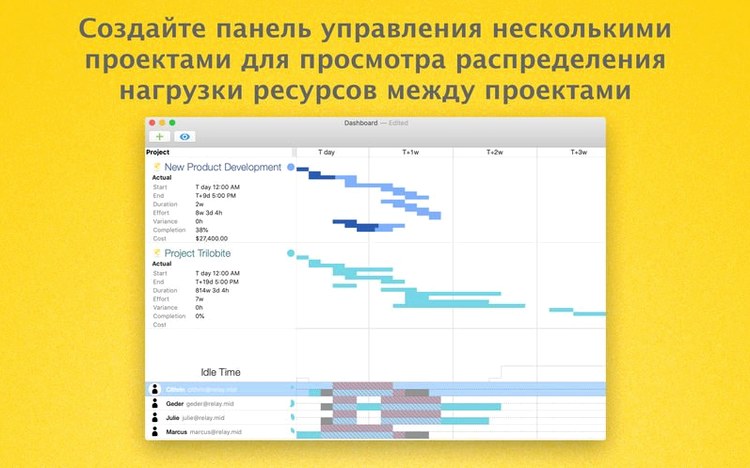
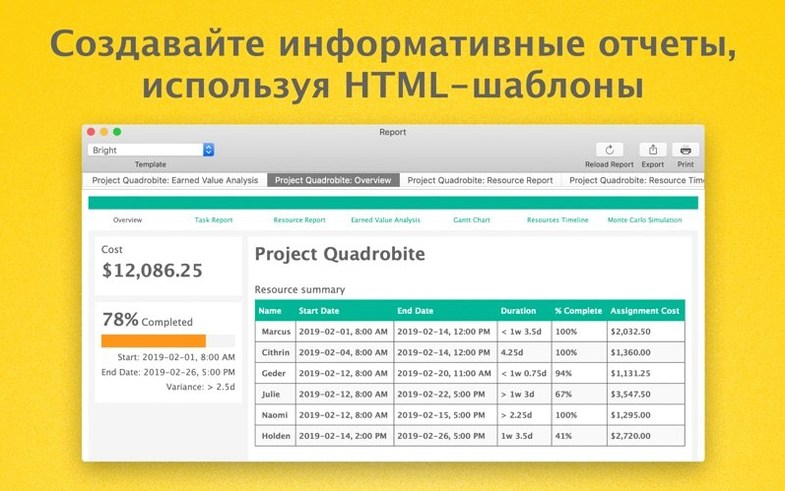
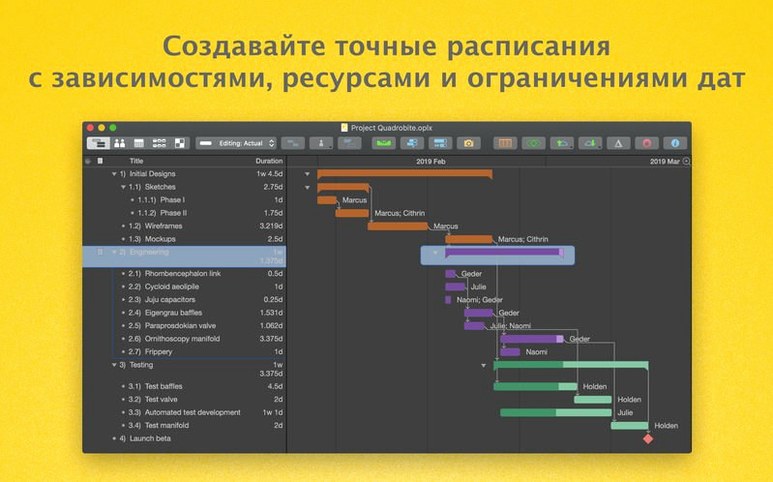
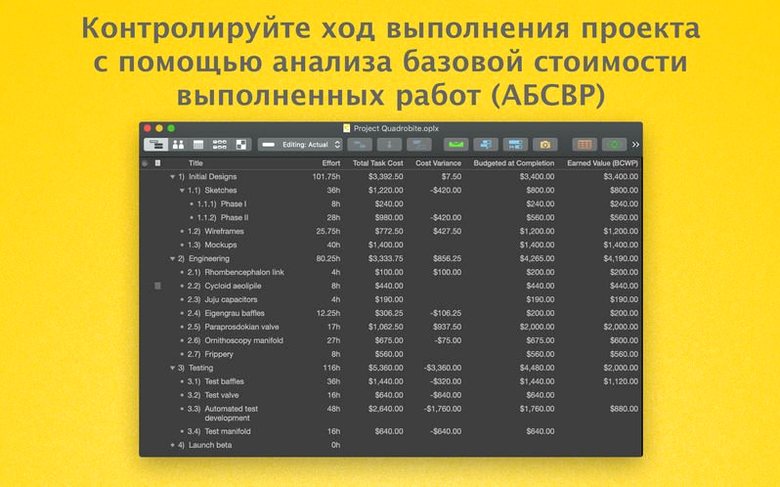
Keeping a project on schedule often means juggling spreadsheets, email updates, and separate scheduling tools — none of which talk to each other. OmniPlan Pro 4.11 brings that work together in one Mac app that fits naturally alongside the documents and apps you already use.
Import Microsoft Project files, publish plans via Omni Sync Server or WebDAV, and let the app calculate critical paths, available time, and resource loads. The Pro version adds change tracking, so you can accept or reject individual adjustments (or all at once) without losing the original schedule. Monte Carlo simulation helps you model uncertainty, and the multi-project dashboard gives a top-down view of every active plan.
Gantt charts are the main view, but OmniPlan also splits work into tasks, tracks costs, and keeps resource assignments clear. Performance in 4.11 improves when editing tasks with many assigned resources. It runs on Intel and Apple Silicon Macs with macOS 12 or later, and the interface is available in nine languages including English, German, French, Japanese, and Portuguese.
A typical session: Monday morning plan review
I open OmniPlan Pro on a Monday and the first thing I see is the multi-project dashboard. Three active projects are listed — residential renovation, office fit-out, and a warehouse extension. I click on the office fit-out to check what happened over the weekend.
The Gantt chart shows a few tasks have slipped. One subcontractor marked an absence on Friday, so OmniPlan recalculated the schedule and flagged a new critical path. I don’t need to dig through emails — the change log tells me who moved what and when. I review each change in the tracking panel, accept the ones that make sense, and reject one that would push the completion date too far. All at once, the plan updates.
Next I look at resources. The electrician is assigned to two tasks that now overlap. OmniPlan highlights the conflict in the resource calendar. I drag the second task to the next available slot, and the app adjusts the effort estimates automatically. Here it happens in two clicks.
Before I close the session, I export the updated Gantt chart as a PDF and share it with the client. I also send the ICS calendar file so the team can see the new dates in their own calendars.
Scenario: a project coordinator at a mid-size construction firm
Marina runs the project coordination office for a general contractor in Porto. They manage 15 to 20 active sites at once, each with its own sub-contractors, permits, and inspection milestones. She used to track everything in a shared spreadsheet that nobody updated consistently.
With OmniPlan Pro, she imports the master schedule from Microsoft Project — the format her engineers still use — and builds a multi-project dashboard from it. She sets up calendars that account for public holidays and individual subcontractor availability. When a concrete supplier changes a delivery date, Marina logs the absence in the calendar, and the app recalculates the downstream tasks automatically. She publishes the updated plan to the team via WebDAV, so everyone sees the same version without emailing files around. Change tracking lets her audit who made each adjustment, which matters when a delay gets questioned in the weekly meeting.
Critical path & resource leveling for construction PMs
OmniPlan Pro fits best for three kinds of Mac users:
- Project managers in construction or engineering — anyone who needs to manage multiple dependant tasks with shared resources. The critical path view and resource leveling save hours of manual rework.
- Planners who handle uncertainty — the Monte Carlo simulation is useful for anyone who needs to present schedule confidence ranges to stakeholders. It turns guesswork into a model you can explain.
For solo freelancers or teams running simple to-do lists, OmniPlan Pro is more tool than they need. But if your week involves resource conflicts, change tracking, or multi-project oversight, it matches the workflow closely enough to replace two or three separate tools.
- Improved compatibility with newer versions of macOS.
- Improved performance when editing a task with many assigned resources.
| macOS | macOS 11 or later |
|---|---|
| Processor | Apple Silicon, Intel 64-bit |
| Download | 100 MB |
- macOS 12 or later
- Intel or Apple Silicon
Questions about OmniPlan Pro
Can OmniPlan Pro open Microsoft Project files?
Yes, OmniPlan Pro supports Microsoft Project documents, so you can import existing schedules directly.
What is Monte Carlo simulation used for in OmniPlan Pro?
Monte Carlo simulation models possible outcomes based on variable inputs, helping you assess risk and uncertainty in your project timeline.
How does change tracking work in OmniPlan Pro?
Change tracking lets you see every modification made to a plan and accept or reject those changes individually or all at once.
How to install, in order
- Mount the disk image and launch Open Gatekeeper friendly.
- Press Enter to bypass Gatekeeper in the Terminal window.
- Drag the app into the Applications folder.
- Start the app after installation.
Comments and corrections 0
Sign in or open a free account to leave a comment.
No comments or corrections yet.