Adguard 2.20.3 — download for Mac
Utilities Updated
Blocks ads and trackers across every app, not just in one browser, by working at the system level.
Screenshots
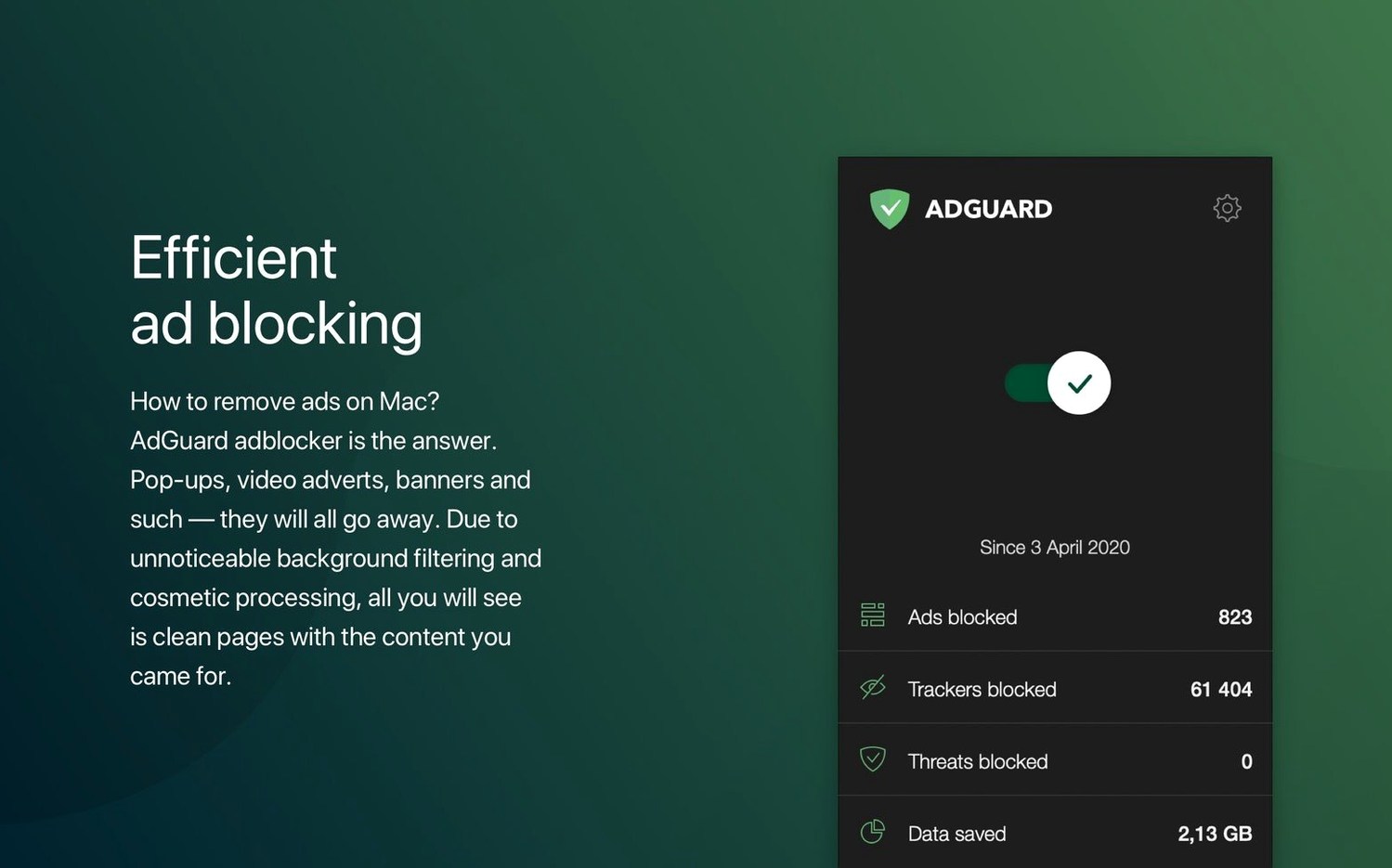
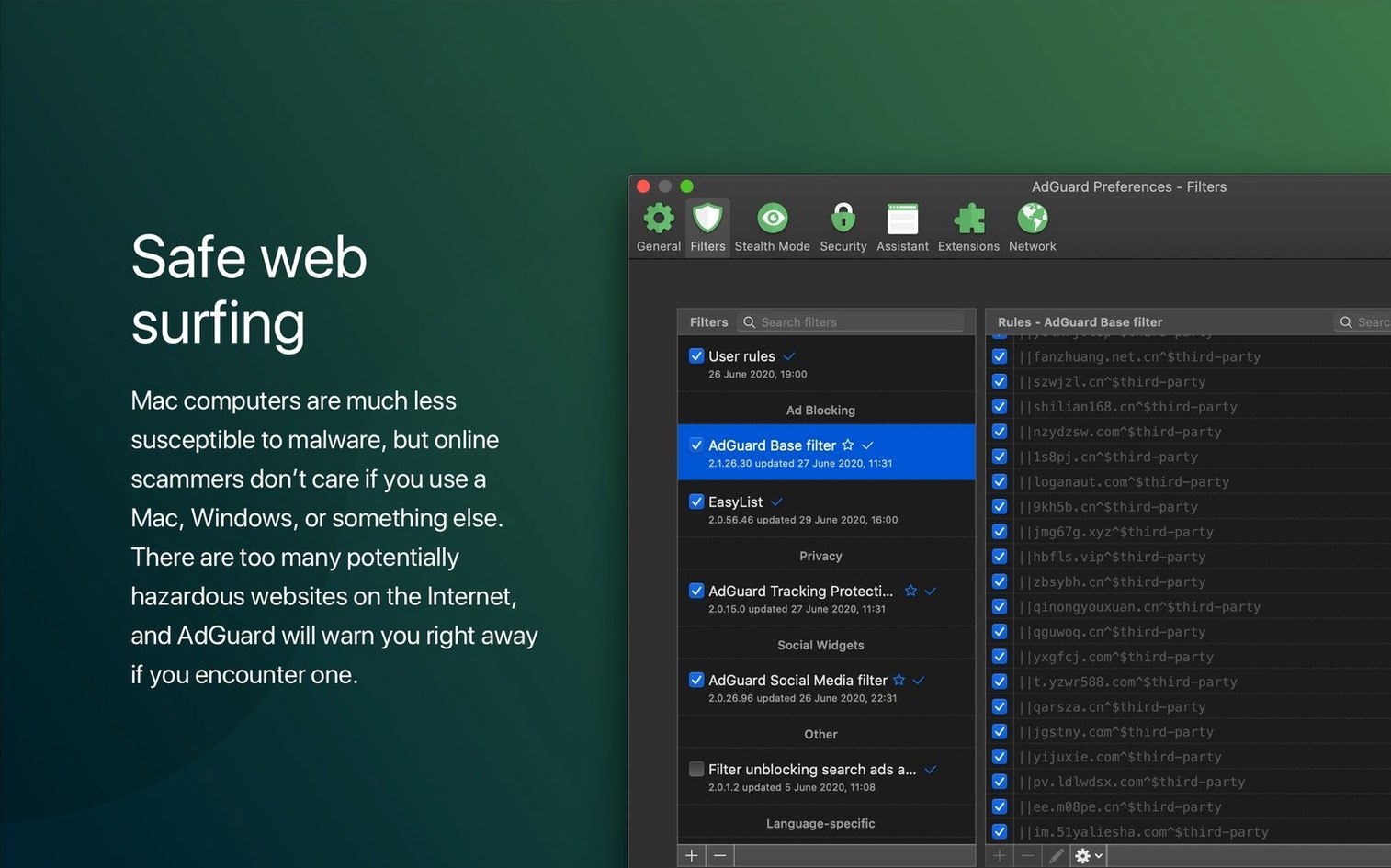
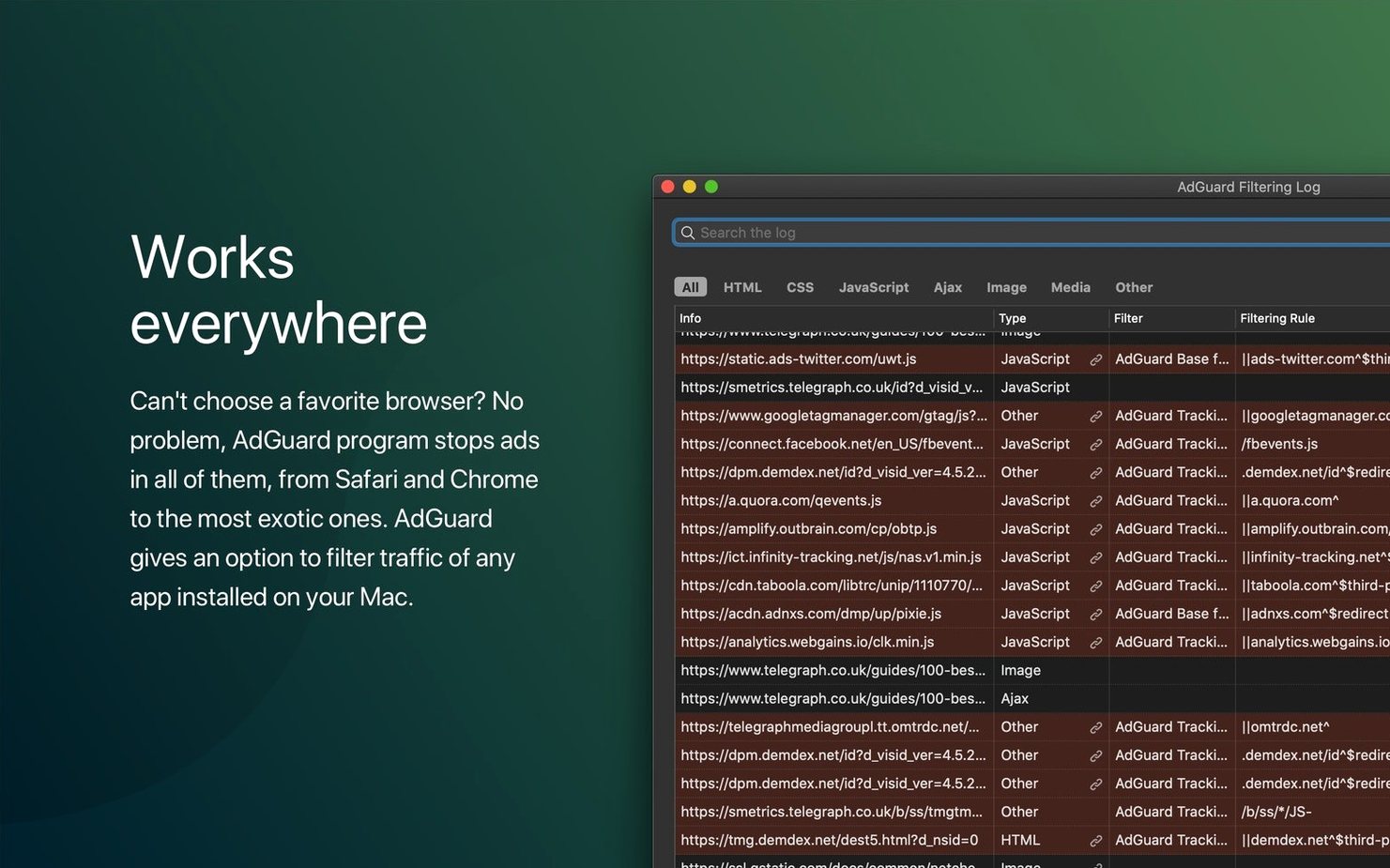
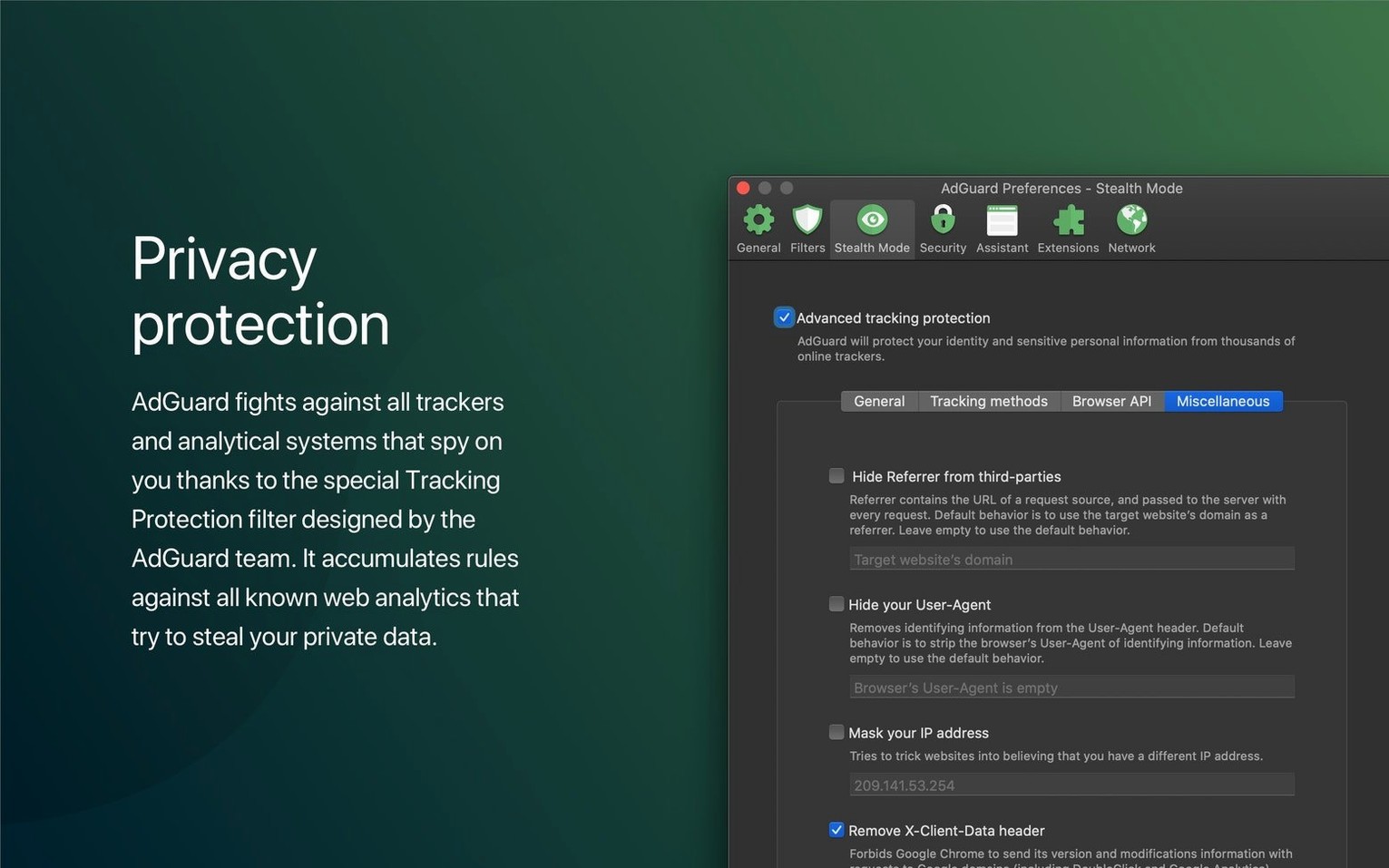
A browser extension stops ads in one browser. A good one stops them in all of them. But neither touches the sponsored panels in a news app, the pop-up in a utilities tool, or the tracker embedded in software that phones home. AdGuard for Mac closes that gap by working at the system level.
| Details | AdGuard for macOS |
|---|---|
| Protection layer | System-wide network filter |
| Browser compatibility | Works with all browsers |
| Apple Silicon support | Native |
| Dark mode | Supported |
Everything flows through one set of rules. Safari, Chrome, Firefox, and the Electron-based apps your team relies on all get the same treatment. The spyware filter strips out known tracking domains, while the phishing module cross-checks dangerous sites before a page fully renders. Ads inside other applications get caught too. It is a practical fit next to the project managers, PDF readers, and planning tools already on a work machine — one more utility that simply reduces noise.
Suits Multi-Browser Users
Casual browsing in one or two browsers does not need AdGuard for Mac. The built-in ad blockers inside Chrome or Firefox, or a single extension, can handle that. The program becomes useful when a Mac runs several browsers during a day — Safari for personal accounts, Firefox for client dashboards, Chrome for the company intranet, maybe an AI-powered browser for testing or research. AdGuard blocks ads and trackers across all of them from one place, with no per-browser configuration.
Power users who install many free applications also gain something. Free software often bundles ads inside its interface or connects home to analytics servers. AdGuard catches requests made outside a browser — inside a PDF reader, a messaging app, or a system utility — that a browser extension would never see. If you have ever wondered why a simple screenshot tool shows a banner or why a tiny utility uses your network connection, system-level filtering answers both questions.
Families and shared machines are another match. One installation protects every user account on the Mac, with no need to set up blocking in each browser profile separately. The dark mode option also helps when someone works late and prefers a consistent, lower-glare interface across system utilities.
Professionals who handle sensitive data — project managers reviewing supplier portals, accountants checking invoices, researchers looking up medical or legal information — benefit from the phishing and fraud filters. These modules check URLs against known threat databases before content loads, not after an extension has already rendered the page.
Runs on macOS 10.15+ and Apple Silicon
AdGuard 2.18.0.2089 runs on any Mac with macOS 10.15 or later. That means Catalina, Big Sur, Monterey, Ventura, Sonoma, and anything newer are all supported. The program works natively on Apple Silicon (M1, M2, M3, M4) and Intel 64-bit Macs, so it does not rely on emulation or Rosetta translation. The download package includes both architectures in one file.
The interface is described as simple. Dark mode is available for those who prefer it. The program offers support for manual blocking of specific ads or page elements — useful when an occasional banner slips through an automatic filter.
The languages list is extensive. English, Russian, German, French, Spanish, Italian, Portuguese, Dutch, Polish, Swedish, Norwegian, Danish, Finnish, Czech, Slovak, Hungarian, Romanian, Bulgarian, Greek, Turkish, Arabic, Hebrew, Hindi, Bengali, Tamil, Telugu, Malayalam, Marathi, Gujarati, Thai, Vietnamese, Indonesian, Filipino, Korean, Japanese, Simplified Chinese, Traditional Chinese, and about twenty more are all included. The vast majority of users will find their native language in the list without a second thought.
Manual Blocking Tool Catches Escaped Ads
After installation and activation, a few adjustments help get the most out of it without over-blocking important content. The manual blocking tool is worth familiarizing with early. When a page element or ad escapes the default rules, manually selecting and hiding it teaches the filter what to ignore going forward.
If an application that you need to use regularly shows broken layout or missing functionality, checking whether the spyware filter is treating a legitimate domain as a tracker can save time. Disabling the filter for that specific app, or adding an exception, prevents the risk of blocking something useful.
Dark mode can be enabled for those who work in low-light environments or prefer reduced glare. It is a one-time toggle rather than something to revisit repeatedly.
Checking that all browsers are listed in the filtered applications section — and adding any new or AI-powered browsers that have been installed since setup — ensures complete coverage after the initial configuration.
Covers Non-Browser Apps That uBlock Misses
uBlock Origin is the most common alternative. It is a browser extension, not a system-level filter. It works well in Firefox and Chrome but leaves other browsers and all non-browser applications uncovered. AdGuard for Mac covers those gaps. uBlock Origin is free; AdGuard comes with the activation instructions included in the package. The choice depends on whether you need filtering outside a single browser or not.
Pi-hole is a different approach entirely. It runs on a separate device — a Raspberry Pi, a server, or a Docker container — and filters DNS requests for every device on a network. It blocks ads on phones, tablets, and smart TVs, not just on the Mac. But Pi-hole requires dedicated hardware, network configuration, and maintenance. AdGuard for Mac installs in minutes on one machine with no extra equipment. For a single work Mac, Pi-hole is overkill. For a whole household with multiple devices, it might be worth considering alongside or instead of a per-machine solution.
AdGuard Mini for Mac exists as a separate product from the same developer. It is positioned specifically as a Safari ad blocker, not a system-wide tool. If all your work happens in Safari and you do not care about tracking in other apps, Mini is a lighter option. AdGuard for Mac covers the full scope — Safari, other browsers, and application-level requests — with one installation.
AdGuard 2.20.3.2633 has arrived for the Mac. The release notes covering all changes are up on the official AdGuard site.
| macOS | macOS 10.15 or later |
|---|---|
| Processor | Apple Silicon, Intel 64-bit |
| Download | 3 MB |
- macOS 10.15 or later
- Apple Silicon and Intel 64-bit
Questions about Adguard
Does AdGuard for macOS only work in Safari?
No, it operates at the system level and filters traffic for all browsers and many other applications on your Mac.
Can it protect against malicious websites?
Yes, it scans websites for dangerous activity and includes filters that protect against tracking, phishing, and fraud.
How to install, in order
- Open the downloaded disk image and follow the installation instructions inside.
- Launch the application and apply the included activation instructions.
Comments and corrections 0
Sign in or open a free account to leave a comment.
No comments or corrections yet.