AmpliTube 5.8.2 — download for Mac
Utilities Updated
Models guitar amplifiers and rack effects in a drag-and-drop signal chain for recording.
Screenshots
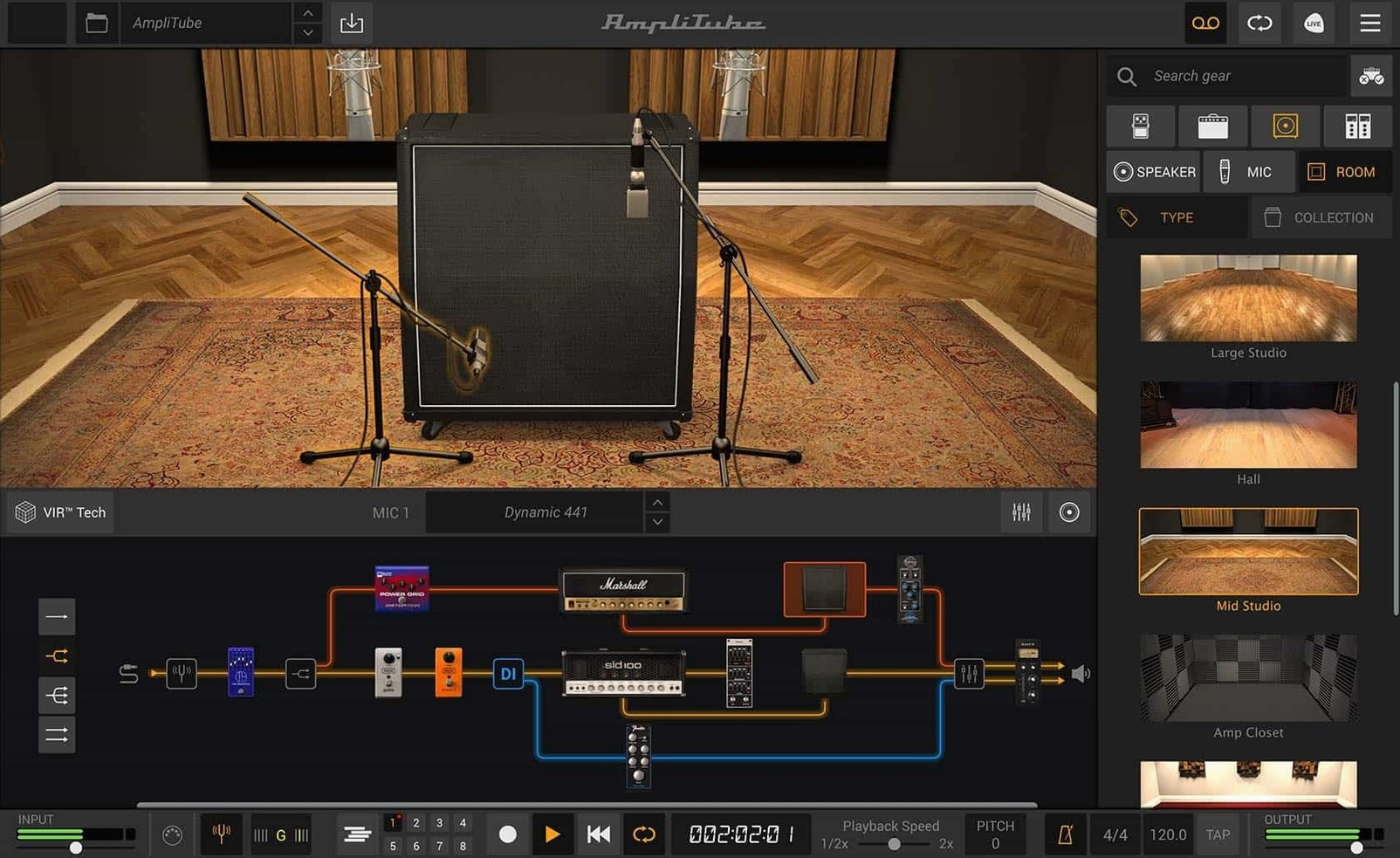
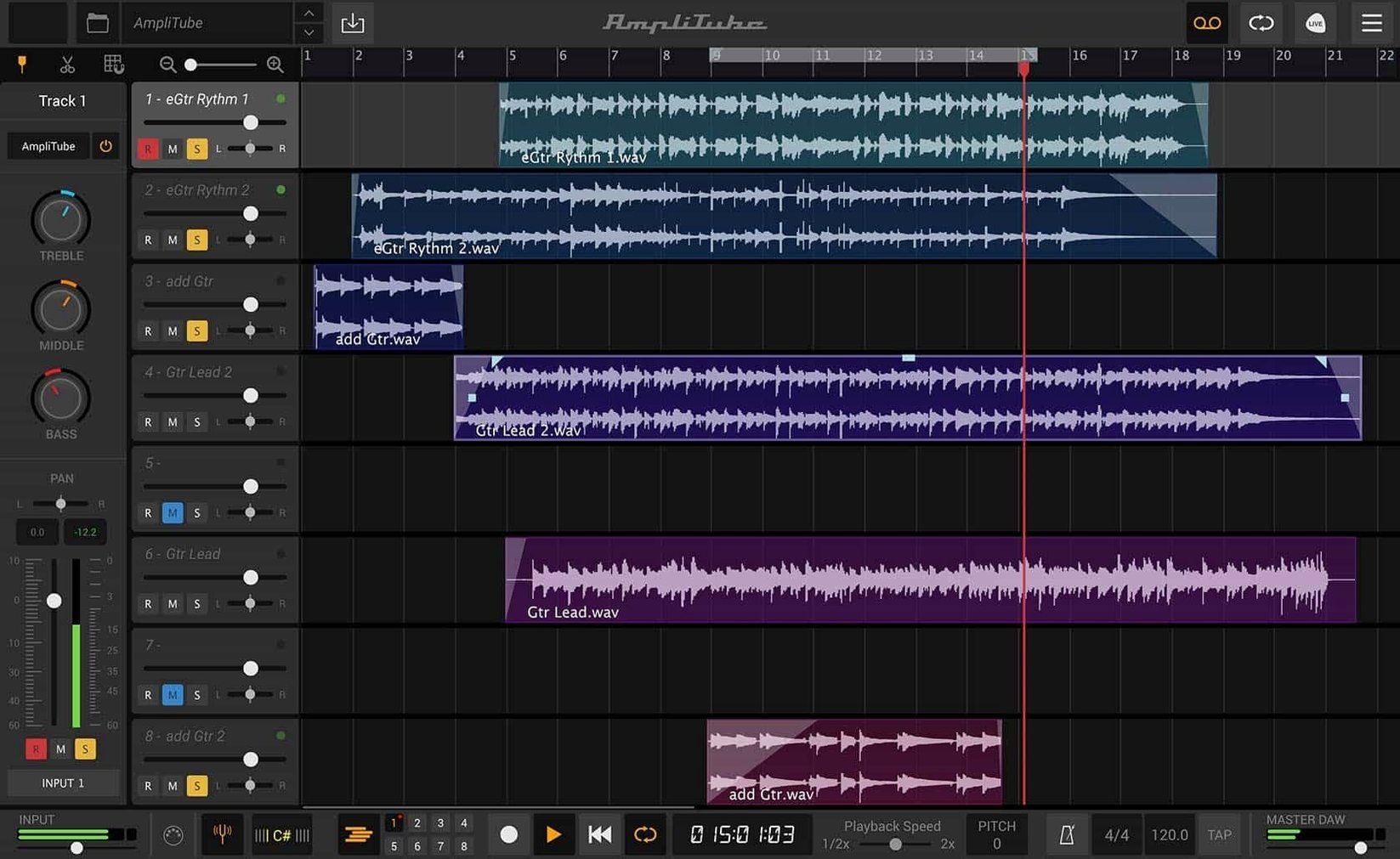
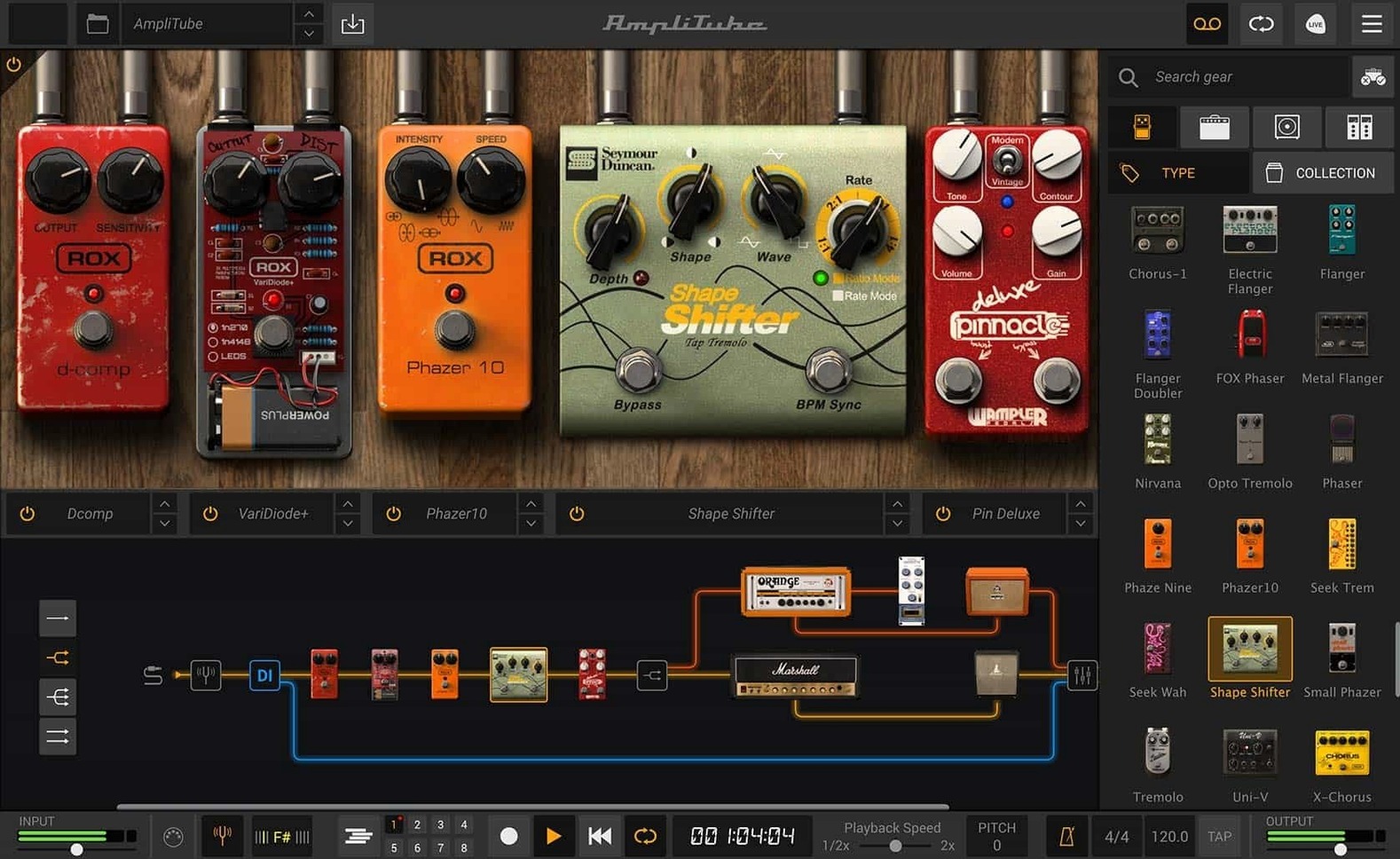
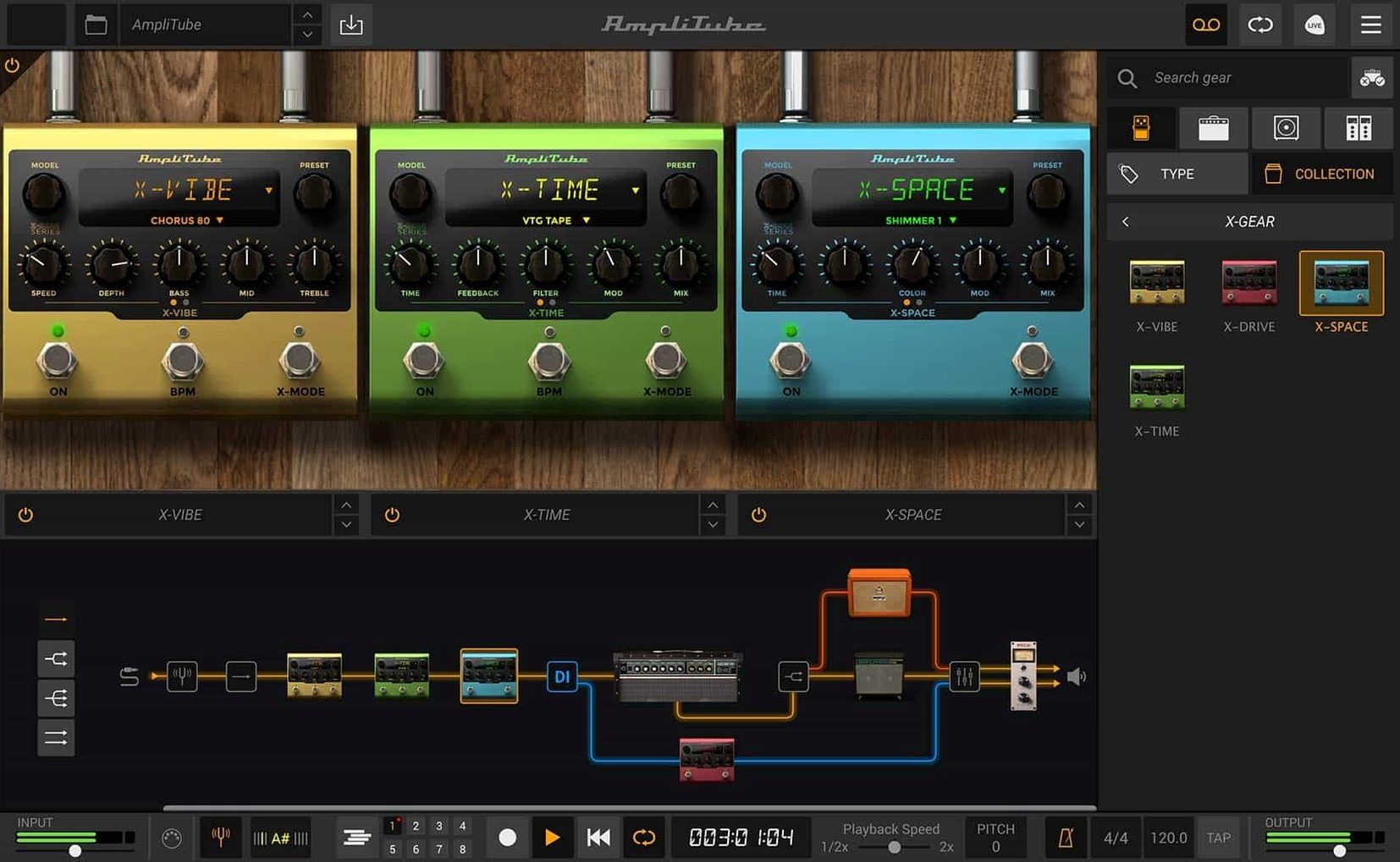
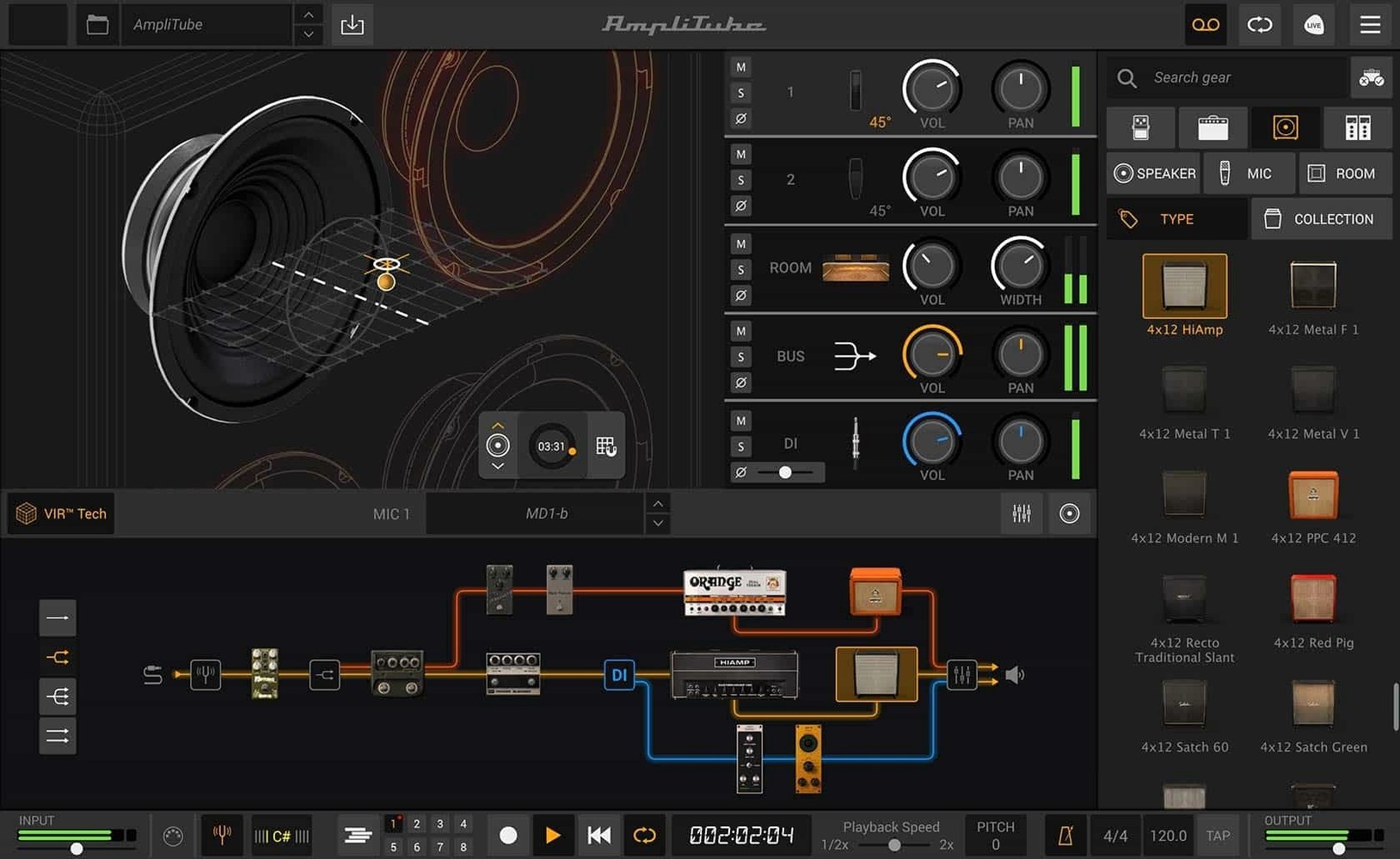
Version 5.8.2 ships a new drag-and-drop signal chain, VIR cabinet technology, and a redesigned mixer with built-in effects.
Modeled amplifier — a software recreation of a physical guitar amp, with gain and EQ stages that respond like the hardware.
Rack effect — a studio-style processor (compressor, EQ, delay) placed after the amp in the signal path.
VIR cabinet — IK Multimedia's volumetric impulse response technology that captures a speaker cabinet's acoustic behavior at multiple points.
AmpliTube 5 includes over 130 new models, 23 rack effects, and more than 100 redesigned cabinets. Five amp models come in the base set. The mixer section adds onboard effects and handles the blend of a direct input signal with the processed tone. The software runs as a standalone app or loads into any DAW via AU, VST, or AAX formats.
AmpliTube vs Neural DSP and Helix Native
AmpliTube 5 is one of several amp modelers on macOS. Two direct competitors are Neural DSP's suite of single-amp plug-ins and Line 6's Helix Native. Each approaches the problem differently.
Neural DSP sells individual amp-and-effects plug-ins. Each focuses on a specific artist or genre. The quality is high, but you pay per amp and you cannot mix models from different packs in one session without multiple instances. AmpliTube 5 gives you all models inside one plug-in, so switching from a British stack to a boutique clean amp takes a drag in the signal chain rather than a new instance in your DAW.
Line 6 Helix Native mirrors the Helix hardware floor unit in software. AmpliTube 5 does not require hardware from IK Multimedia to get full functionality.
Both competitors use static signal paths or fixed slot arrangements. AmpliTube 5's drag-and-drop routing in version 5.8.2 allows series and parallel chains in the same window without opening a matrix. That is a practical difference for anyone who wants to run a distorted amp into a parallel clean blend with a wet reverb on one side and a dry DI on the other, all inside one instance.
Cabinet Handling
Neural DSP's cab sims are good, but you cannot load your own impulse responses unless the specific plug-in supports it. Helix Native supports custom IRs, but its cab block works with single files. AmpliTube 5's VIR cabinet section captures the speaker cabinet's acoustic behavior at multiple microphone positions, and it also loads your own IR files if you prefer. That flexibility matters when you have a collection of third-party IR packs from OwnHammer or York Audio and want to use them alongside IK's own cabinets without leaving the plug-in.
Workflow: Dialing In a Rhythm Tone From Scratch
Here is one way to go from a blank instance to a recorded rhythm guitar part, start to finish.
- Instantiate the plug-in. Open AmpliTube 5 as a plug-in on a mono track in your DAW. The default signal chain shows an amp head and a cabinet. The drag-and-drop routing panel appears at the top of the window.
- Select the amp. Click on the amp head. Browse the five included amp models or any collection you own. For a tight rhythm tone, choose a high-gain head. Pull the gain to about 60 percent, set the bass between 10 and 11 o'clock, mids at 1 o'clock, treble at noon.
- Swap the cabinet. The virtual cabinet section uses VIR technology. Click the cabinet slot. Choose a closed-back 4x12 cabinet with a VIR mic position one inch off the center cone. Adjust the distance slider to taste. If you have a custom IR for a Mesa 4x12, load it now from the IR browser.
- Add a noise gate. Drag a gate pedal from the effects list into the chain before the amp. Set the threshold so the gate closes during pauses but stays open on palm muting.
- Add an EQ in the mixer. The redesigned mixer includes built-in effects. Insert a parametric EQ in the mixer's effects slot. Cut 200 Hz by 2 dB to clean up mud, and boost 3 kHz by 1 dB for pick attack. The mixer also handles the blend of a mixed DI signal with the processed tone, so if you want a dry direct input mixed in, raise the DI slider to 10 percent.
- Route in series. The default chain is series. If you want a parallel path — say, a clean signal split off before the amp — drag the split point in the routing area and drop a parallel chain below the main one. This keeps your rhythm tone dry and lets you add a parallel reverb only on the cleans.
- Record. Arm the track and play. The signal goes through the full chain. When you stop, you have a recorded guitar track with the tone baked in, or you can leave the plug-in instantiated for later tweaking.
This workflow takes about two minutes once you know the amp and cabinet. The drag-and-drop routing removes the need to set up multiple tracks for wet and dry sends.
Apple Silicon and macOS Compatibility
Does AmpliTube 5 run on Apple Silicon?
The installer works on both ARM and x86 architectures, with macOS 10.15 or later. It runs as a 64-bit application. You do not need Rosetta to start it on an M-series Mac.
Can I use my own impulse responses?
Yes. The cabinet section loads custom IR files. You load a WAV IR and use it instead of or alongside the VIR cabinets. This is useful if you have a personal IR library or prefer third-party captures.
Is it a standalone app or only a plug-in?
Both. AmpliTube 5 runs standalone for practicing or recording directly, and it loads as AU, VST, or AAX inside any DAW. If you use Logic Pro, Reaper, Pro Tools, or Cubase, the plug-in version works without extra configuration.
How many models can run at once?
Up to 57 simultaneous models. That includes amps, cabinets, pedals, rack effects, and room simulations. In practice, a single amp into a cab with a couple of pedals and a reverb uses fewer than ten. The limit matters only if you build a full rig with parallel chains and multiple effects.
If you want the full set from the download here, you get the MAX edition with more than 400 gear models across 11 collections.
Will my old AmpliTube 4 presets work?
AmpliTube 5 loads presets from version 4. The signal chain and routing may need minor adjustments because the architecture changed, but the import function handles the conversion.
Scenario: A Session Guitarist Tracking at Home
Anika records session guitar parts from her home studio in Lisbon. She receives a Logic Pro session from a producer in London. The track calls for a clean verse tone and a distorted chorus tone within the same song section. She loads AmpliTube 5 on two mono tracks. On the verse track, she selects a Fender-style clean amp with a VIR cabinet set to a 1x12 open back, a subtle compressor from the rack effects, and a slap delay. On the chorus track, she selects a British-style amp with a 4x12 VIR cab, a Tube Screamer pedal, and a hall reverb. Both tones stay active the whole song. The producer sends feedback; she tweaks the EQ in the mixer's built-in effects and sends a new bounce within ten minutes. No re-amping, no re-recording. The drag-and-drop routing lets her add a parallel clean blend on the chorus track without opening another instance.
Anika uses the plug-in because it keeps all her amp models inside one plug-in. She does not need to open separate instances for each amp brand. The session stays clean, and the producer receives a stereo stem without artifacts from different plug-in chains.
DAW Guitarists Replace Hardware Rig
Recording guitarists and bass players who work in a DAW get the most value. The combination of amp modeling, VIR cabinets, custom IR loading, and parallel routing replaces a hardware rig in one plug-in. You record with the final tone, not a placeholder.
Home studio producers who track a variety of genres benefit from the 400-plus models. One plug-in covers clean jazz tones, aggressive metal, and everything between. You do not buy separate plug-ins for each style.
Live performers who use a Mac for backing tracks and silent monitoring find the standalone mode useful. Route your guitar into an audio interface, load AmpliTube 5 standalone, and send the processed signal to your in-ear system or front of house. No amp on stage, no cab mic placement.
Songwriters who demo ideas quickly appreciate the drag-and-drop routing. You audition a signal chain in seconds rather than patching cables or saving presets across multiple plug-ins. If an idea does not work, you drag another amp into the chain and continue.
Users who play only through a physical amplifier and never record or use a DAW will find less reason to install it. The software is built for signal processing and recording, not for replacing every practice scenario. If you already use a modeler like a Kemper or a Fractal and are happy with it, AmpliTube 5 serves a different purpose: a Mac-native plug-in that integrates with your recording session without hardware.
AmpliTube 5 MAX crack mac suits guitarists who want a wide range of modeled amps and effects in one bundle. Whether you start with the free CS version or the full MAX edition, the same drag-and-drop routing and VIR cabinets apply.
- New signal chain with drag-and-drop routing and mixed DI signal
- Cabinet section rebuilt with VIR technology
- Redesigned mixer with built-in effects
| macOS | macOS 10.15 or later |
|---|---|
| Processor | Apple Silicon, Intel 64-bit |
| Download | 3.1 GB |
- macOS 10.15 or later
- Intel or Apple Silicon Mac
- 64-bit application
Questions about AmpliTube
Does AmpliTube 5 run on Apple Silicon Macs?
Yes. The application is a 64-bit universal binary that runs natively on both Intel and Apple Silicon Macs from macOS 10.15 onward.
Can I use AmpliTube 5 inside Logic Pro?
Yes. It supports the Audio Units format, so it loads directly as a plug-in on a track in Logic Pro and other AU-compatible DAWs.
What does the VIR cabinet section change?
VIR technology captures a cabinet's full spatial response, letting you move the microphone position in three dimensions instead of choosing from a fixed set of static impulse responses.
How to install, in order
- Open the downloaded disk image.
- Run the installer and follow the standard prompts.
Comments and corrections 0
Sign in or open a free account to leave a comment.
No comments or corrections yet.