iStat Menus 7.5.0 — download for Mac
Utilities Updated
Turns the menu bar into a live system monitoring dashboard.
Screenshots
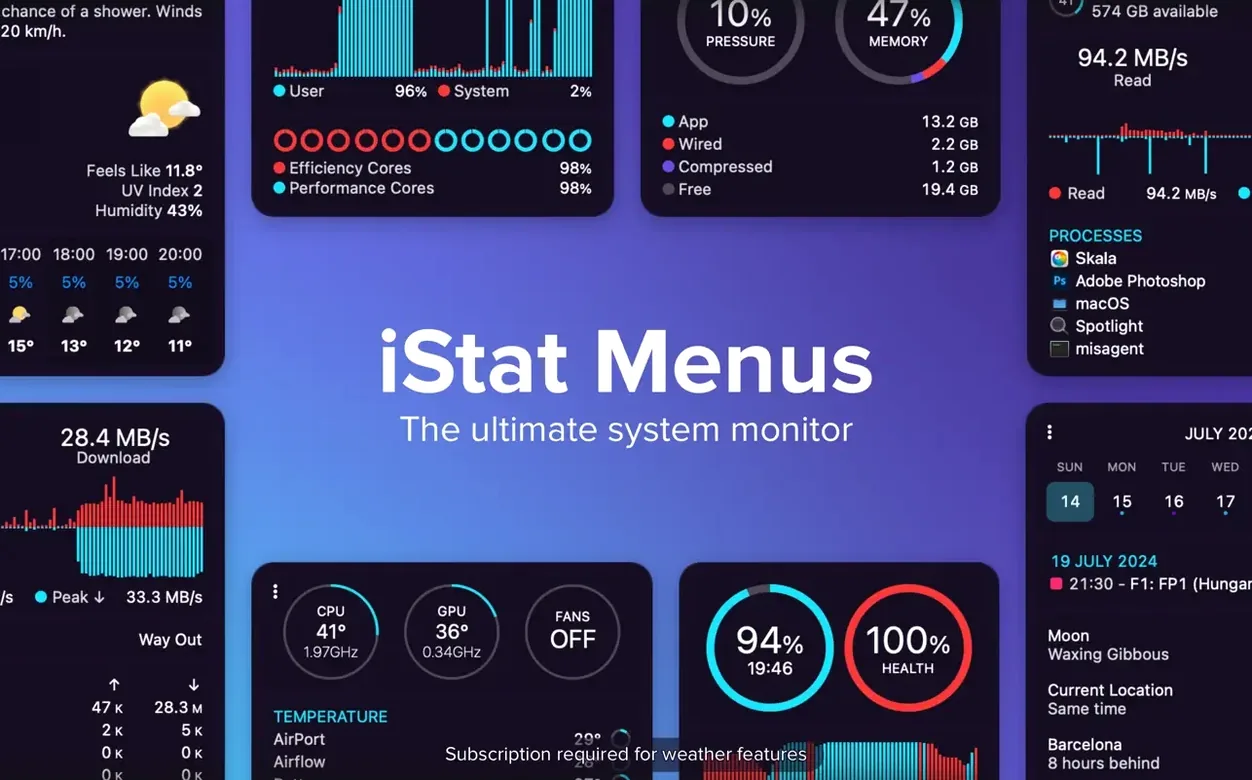
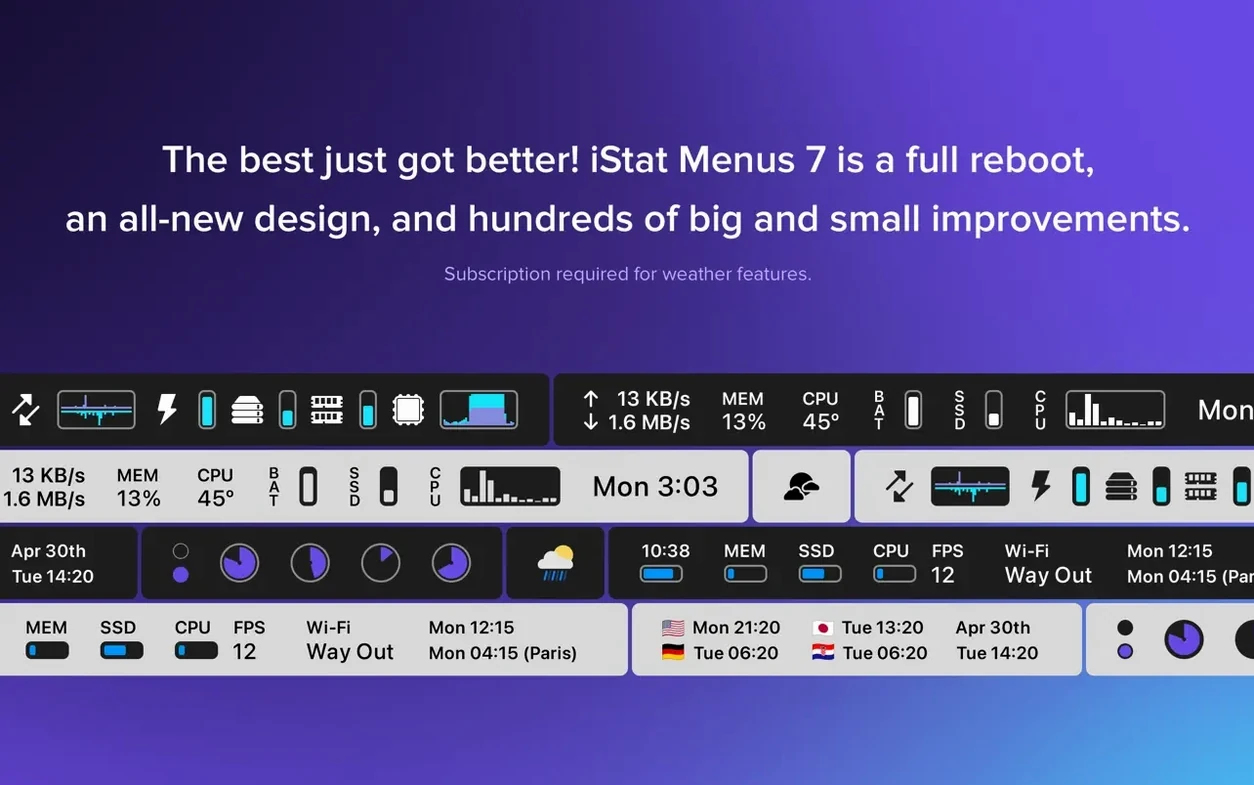
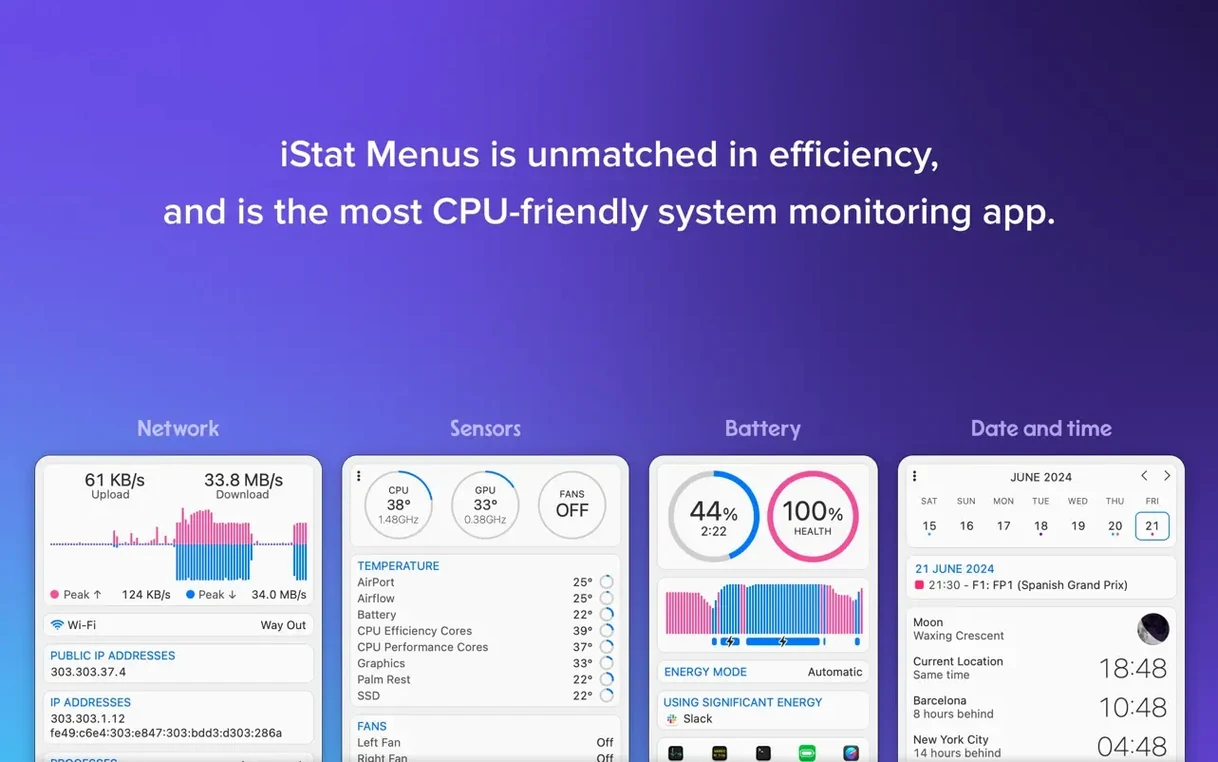
Minor Details That Add Up
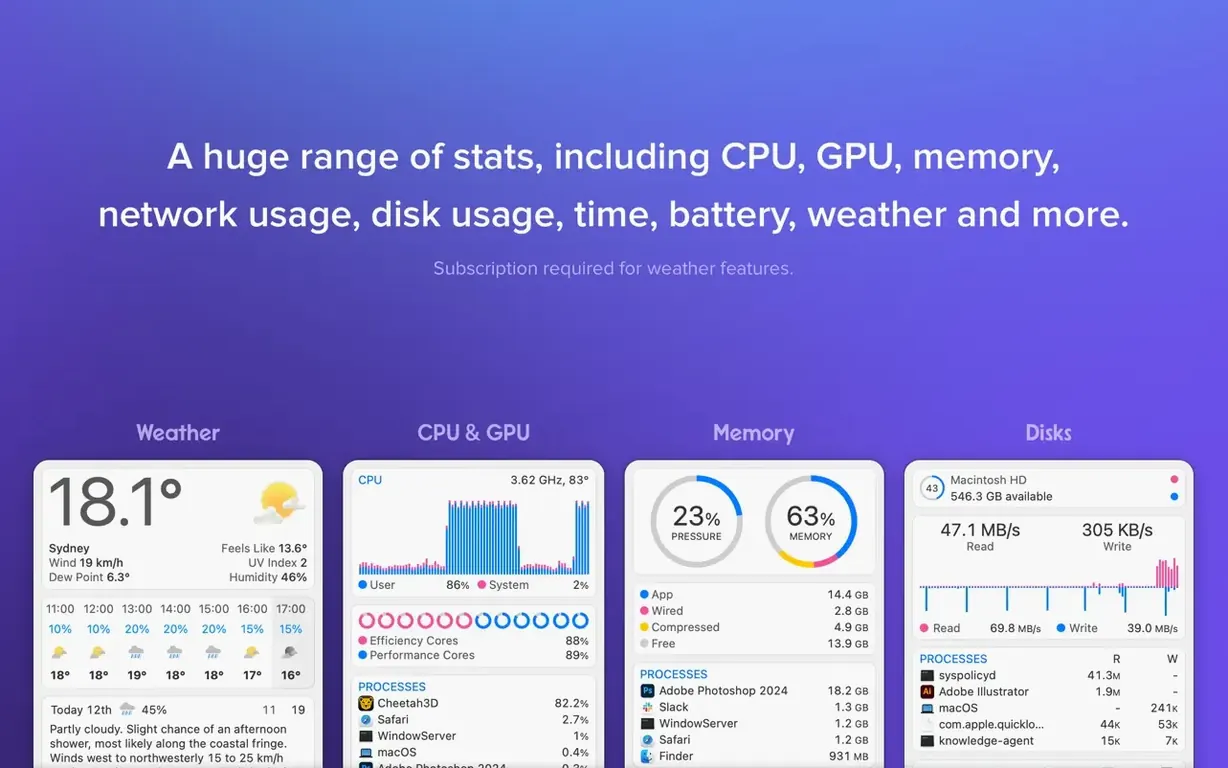
A few things in iStat Menus won't appear in a feature list but matter once you live with the app. For example, the memory panel doesn't just show a percentage — it lists the applications using the most RAM in descending order. That alone saves you from opening Activity Monitor when a program starts swapping. The disk panel shows read and write indicators separately, so you can tell whether a slow save is the drive or the network.
The weather panel includes wind speed and dew point alongside the main forecast. For someone planning outdoor site visits or coordinating crews in different microclimates, that extra data is practical. And the time panel handles world time zones, which is useful when your project's remote team spans three continents.
A Morning Scenario for a Construction Office Manager
You arrive at the job site trailer, open your MacBook Air, and the menu bar already shows yesterday's disk activity and current network throughput. That means today's concrete pour goes ahead, but the crane operator should secure lighter loads. The Astronomy item? Not needed today. But three clicks into the network panel shows the contractor's tablet is still uploading site photos from yesterday — that explains the sluggish connection your team reported.
No separate weather app, no system monitor, no digging through settings. The information sits in the bar you already watch.
Missing Sensor Data? Check the iStat Menus Helper
If you install iStat Menus and notice temperature or fan speed data is missing, the iStat Menus Helper is the likely cause. The helper is a separate background component that needs to be running for sensor readings. Launch it from the app's preferences, and the missing values appear.
If you downloaded that variant and expected those features, the version distributed outside the store includes them. Check which build you have before spending time troubleshooting missing panels.
Some users report that the disk S.M.A.R.T. status panel looks empty at first. This usually means none of your drives have flagged issues — it is a healthy silence. If you want to see the raw data anyway, the panel has a detail view that lists each attribute.
Finally, if you are running macOS 11 or later on Apple Silicon or Intel, the app works as expected. But if you upgraded macOS recently and the menu bar stops updating, a restart of the app or the helper component usually brings it back. No reinstall needed.
iStat Menus 7.5.0 arrives with a fresh set of refinements for the menubar monitoring suite. The full list of changes is available on the developer's release page.
| macOS | macOS 11 or later |
|---|---|
| Processor | Apple Silicon, Intel 64-bit |
| Download | 25 MB |
- macOS 11 or later
- Apple Silicon or Intel 64-bit processor
Questions about iStat Menus
What macOS version do I need for iStat Menus 7.50?
macOS 11 or later is required. The app supports both Apple Silicon and Intel 64-bit Macs.
How to install, in order
A clean 25 MB download, macOS 11 or later, and both Apple Silicon and Intel 64‑bit covered — the three steps below take you straight to a menu bar that reports every number that matters.
- Open the downloaded disk image.
- Drag the iStat Menus icon onto the Applications folder shortcut.
- Once copied, launch the app from your Applications folder or Launchpad.
Comments and corrections 0
Sign in or open a free account to leave a comment.
No comments or corrections yet.