
SiteSucker Pro 6.2.2 — download for Mac
Utilities Updated
Downloads an entire website with its folder structure and linked assets from a single URL.
Screenshots
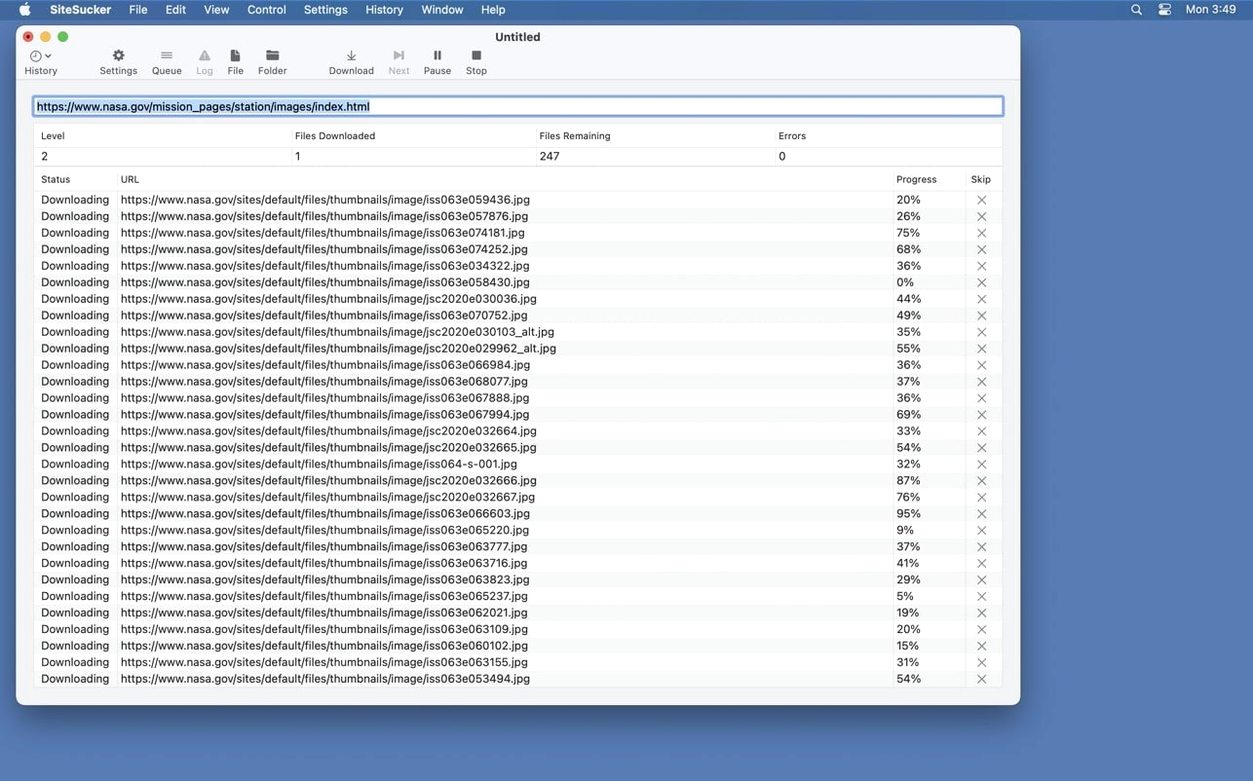
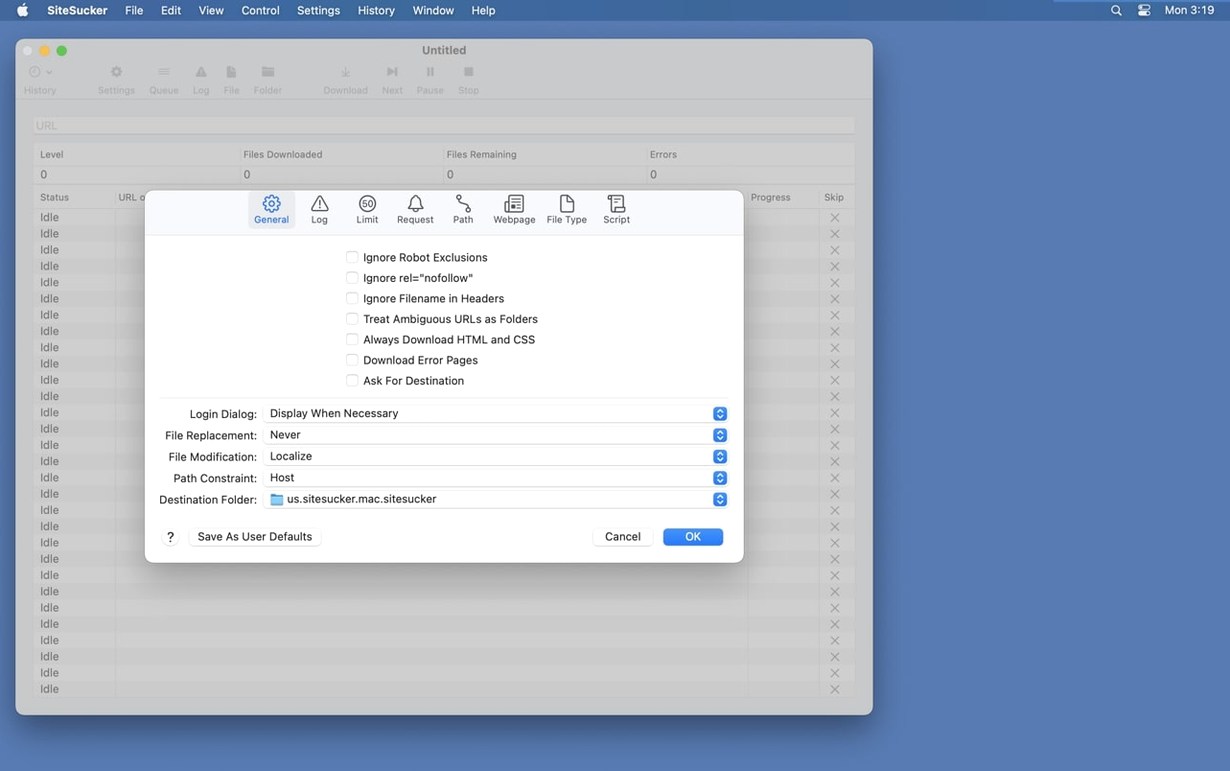
If you have used the browser’s Save Page As command, you know it only grabs one page and often breaks images or style. SiteSucker Pro does the same job properly: it downloads a whole site, keeps the folder structure intact, and saves every linked asset.
Paste a URL and Restrict File Types
- Paste the URL into SiteSucker’s main field. The app asks for the starting address — that is all you need.
- Set what to download. Open the File Types section. By default the app downloads everything; you can restrict to only PDFs, images, or stylesheets. For a quick archive, leave it on all files.
- Adjust the user agent in the Advanced section. Choose Safari or Firefox if the target site serves different content to different browsers. This matters for video-heavy pages.
- Enable Format HTML (new in version 6.2.2) in Webpage settings. This cleans up the saved HTML so links point to local files instead of live URLs.
- Press Download. SiteSucker replicates the site’s directory structure on your disk, logs every operation, and respects robots.txt unless you tell it otherwise. When it finishes, the local copy opens in your browser exactly as the live site did.
The whole operation runs in one window. You can walk away and come back to a complete offline archive — no broken links, no missing images.
Open Log in Console via Toolbar
SiteSucker Pro integrates with the operating system through standard macOS conventions. The log file, for example, opens directly in Console when you click Open Log on the toolbar. This means you can inspect the download process in a native terminal, filter lines with grep, or save the output for later review without switching apps.
The disk image mounts normally, and a brief Terminal command bypasses Gatekeeper so the app runs without system warnings. After that, the app sits in your Applications folder like any other program.
Because SiteSucker saves sites as standard folders with HTML files, images, and PDFs, you can index them with macOS search, back them up with Time Machine, or share them via any file transfer method. The local copy works in any browser — Safari, Firefox, or Chrome — so there is no proprietary viewer to install.
A Typical Session: Archiving a Documentation Site
I had to archive a vendor’s reference manual that lived on a slow web server. The site ran about 200 pages, all linked from a single index.
I launched SiteSucker Pro and pasted the index URL into the main field. The Limits section let me cap the download at 500 files and set a maximum link depth of three levels — enough to catch every sub-page and image, but shallow enough to avoid external links. I also set a minimum file size of 1 KB to skip empty placeholder pages.
Under File Types, I selected only HTML and PDF, because I did not need the embedded videos for this project. In the Paths section, I forced the app to skip a folder of archived newsletters that were not part of the manual. That took about thirty seconds to configure.
I pressed Download. SiteSucker ran for eleven minutes, grabbing pages one by one. The log scrolled in the main window, showing each URL and its status code. When it finished, I clicked Open Log, scanned the entries in Console for 404 errors, and found three missing images that the vendor had removed from the server. Without the log, I would have noticed only when those images failed to load offline.
The local folder mirrored the live site’s structure. I opened the index file in Safari, and every link pointed to a local copy. No waiting for the server to respond, no broken styles.
Bug Fixes for Mixed-Content PDFs
The developer released version 6.2.2 as an update to the existing 6.2 build. Two changes matter in daily use:
- Fixed bugs related to creating PDFs. Earlier versions could produce incomplete or corrupted PDF files when downloading sites with mixed page formats. That issue is resolved now.
- Added a Format HTML option to Webpage settings. Before this, saved HTML files kept absolute URLs pointing to the live server. Enabling this option rewrites links to local paths, so pages open correctly offline without manual editing.
Neither change alters the workflow — the interface looks the same, and the settings panel has not been rearranged. The PDF fix saves you from checking each downloaded document, and the Format HTML option removes a step you might have handled with a text editor after the download finished.
Who Uses This in an Office
SiteSucker Pro fits the person who archives web-based documentation for offline access — project managers, technical writers, and compliance officers who need a reliable local copy of external references. It also suits anyone who captures video tutorials or embedded YouTube content from training sites before a business trip where internet access is unreliable.
- Fixed bugs related to creating PDFs.
- Added Format HTML option to Webpage settings.
| macOS | macOS 26 or later |
|---|---|
| Processor | Apple Silicon, Intel 64-bit |
| Download | 6 MB |
- macOS 14.0 or later
- Intel or Apple Silicon
Questions about SiteSucker Pro
Does SiteSucker Pro download embedded videos?
Yes, the Pro edition includes embedded-video downloading features that the standard version does not.
What macOS version does SiteSucker Pro require?
It requires macOS 14.0 or later and runs on both Intel and Apple Silicon Macs.
Can I see what was downloaded after the job finishes?
Yes. The app keeps an operation log from the moment downloading starts, and version 6.2.2 lets you open that log directly in Console.
How to install, in order
- Mount the disk image and run the Open Gatekeeper friendly command.
- Press Enter in the Terminal window to bypass Gatekeeper.
- Drag the app to the Applications folder.
- Launch the app when installation is complete.
Comments and corrections 0
Sign in or open a free account to leave a comment.
No comments or corrections yet.