Version Tracker 1.2.3 — download for Mac
Utilities Updated
Scans installed software and compares versions against available releases.
Screenshot
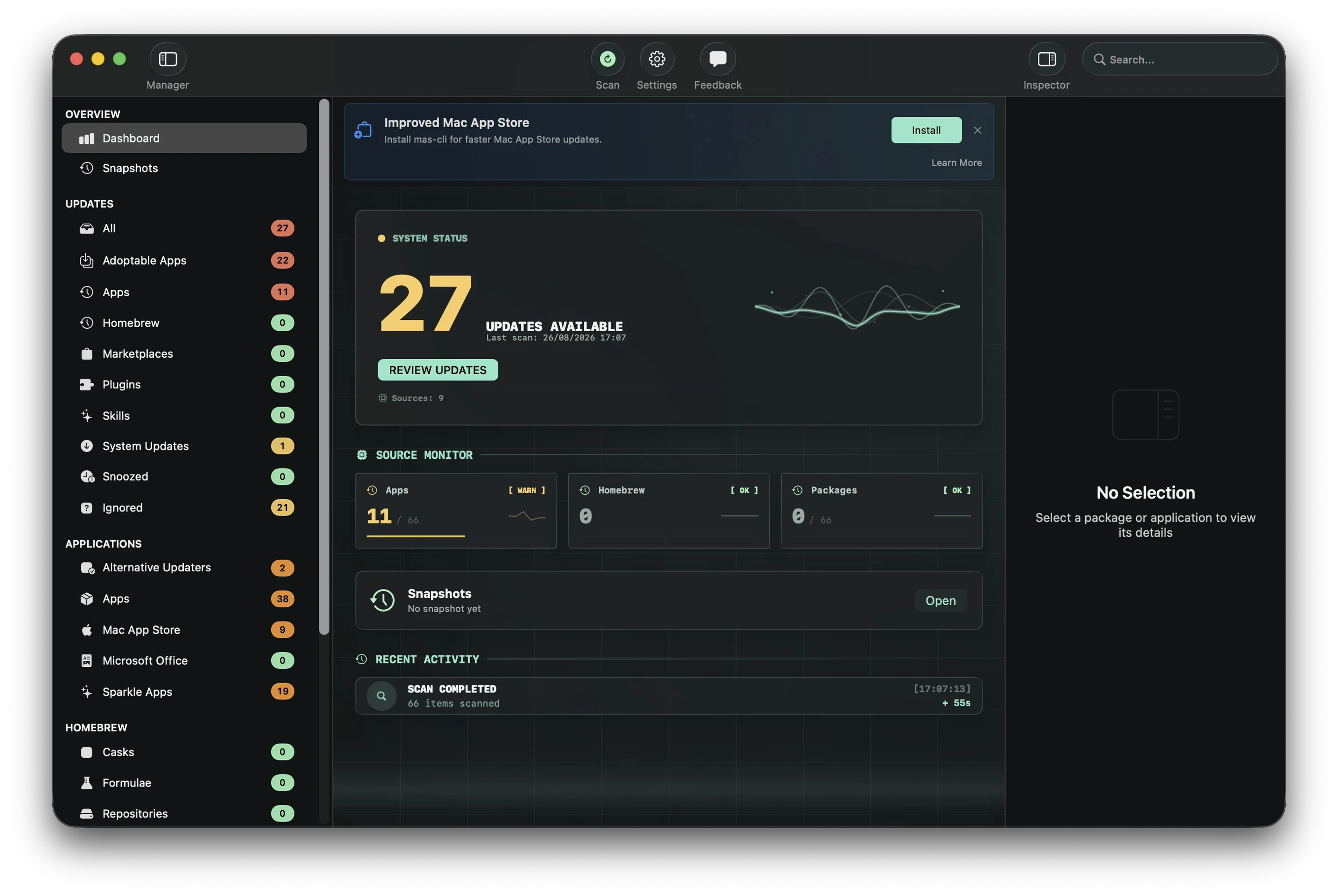
Version Tracker is a macOS utility that scans your installed software and compares versions against available releases from multiple package sources. It was built after MacUpdater announced its shutdown in 2025, and version 1.0 shipped in June 2026. The app checks Apple code signing, Gatekeeper status, notarization, and known vulnerabilities for each app, then lets you decide what to do.
- Scan all installed software on your Mac and see which apps have updates available.
- Update individual apps or run updates for everything at once — progress logs show what’s happening.
- Skip, postpone, or ignore updates for specific apps so you control the changes.
- Export an inventory list of installed software for records or auditing.
- All scanning happens locally on your Mac — no data sent elsewhere.
If you manage multiple Macs or just want one utility that keeps an eye on updates from different sources, Version Tracker handles the checking so you don’t have to remember each app’s update schedule.
Avoiding All-at-Once Updates for Development Tools
New users often treat Version Tracker like a one-click update tool and run updates for everything at once without looking at the list first. That works for system utilities, but it can be a problem with development toolchains. Updating npm or pip packages across projects without checking version compatibility can break builds in the middle of a work week.
Another pattern I see is ignoring the vulnerability panel. Version Tracker cross-references those against known issues — checking that tab once a week is faster than searching vendor sites.
Beginners also forget to use the skip and postpone options. They see a long list and either update everything or nothing. Skipping an update for an app you know is working fine and postponing a major version change until you have time to test saves headaches later.
Scenario: A Freelance Developer Managing Multiple Environments
Rita runs a small web consultancy from a coworking space in Lisbon. She uses Homebrew for system tools, npm for JavaScript projects, and Docker images for client builds. Before Version Tracker, she had three terminal windows open each Monday to run brew update, npm outdated, and check Docker Hub manually.
Now she launches Version Tracker on Monday morning, scans everything in one pass, and sees what Homebrew, npm, pip, and Docker are reporting. She updates Homebrew packages first, then queues the npm updates while she reviews a pull request. The progress log tells her if anything fails without switching terminals. She also checks the vulnerability tab once — one week it flagged an outdated Python library she hadn’t noticed.
A Typical Session: Tuesday Morning Update
I open Version Tracker after my first coffee. The dashboard shows a count of available updates across my active sources — Homebrew, VS Code extensions, and a couple of JetBrains plugins. I scan through the list quickly:
- Homebrew has three formula updates. I select all three and click update. The progress log opens in a side panel — one package takes longer because it’s rebuilding a dependency, but I can see it moving.
- The VS Code extensions show two updates. I skip one because I’m in the middle of a project that uses it and I don’t want a version change mid-week. The other I update immediately.
- I check the vulnerability tab. Nothing flagged this time. I close the app and go back to work, knowing I’ll see a badge count next week if something new appears.
The whole session takes about four minutes. No terminal commands, no checking multiple websites. It’s what I’d expect from a tool that treats update management as a regular office task, not a development chore.
No release notes filed for 1.2.3. They are added here when a build changes how the program behaves.
| macOS | macOS 15 or later |
|---|---|
| Processor | Apple Silicon, Intel 64-bit |
| Download | 18 MB |
- macOS 15 or later
- Intel or Apple Silicon processor
Questions about Version Tracker
What macOS version does Version Tracker require?
Version Tracker requires macOS 15 and runs on both Intel and Apple Silicon Macs.
Can I postpone updates for certain apps?
Yes, you can skip, postpone, or ignore updates for individual apps, so you only update when you're ready.
Does Version Tracker send my app data anywhere?
No, scanning is done locally on your Mac. The app does not transmit your installed software list to external servers.
How to install, in order
- Open the downloaded disk image.
- Drag the app into the Applications folder shortcut.
- Launch the app from Launchpad after the copy finishes.
Comments and corrections 0
Sign in or open a free account to leave a comment.
No comments or corrections yet.