
Winclone Pro 10.5 — download for Mac
Utilities Intel processors only Updated
Clones, migrates, and restores Boot Camp Windows installations on a Mac.
Screenshots
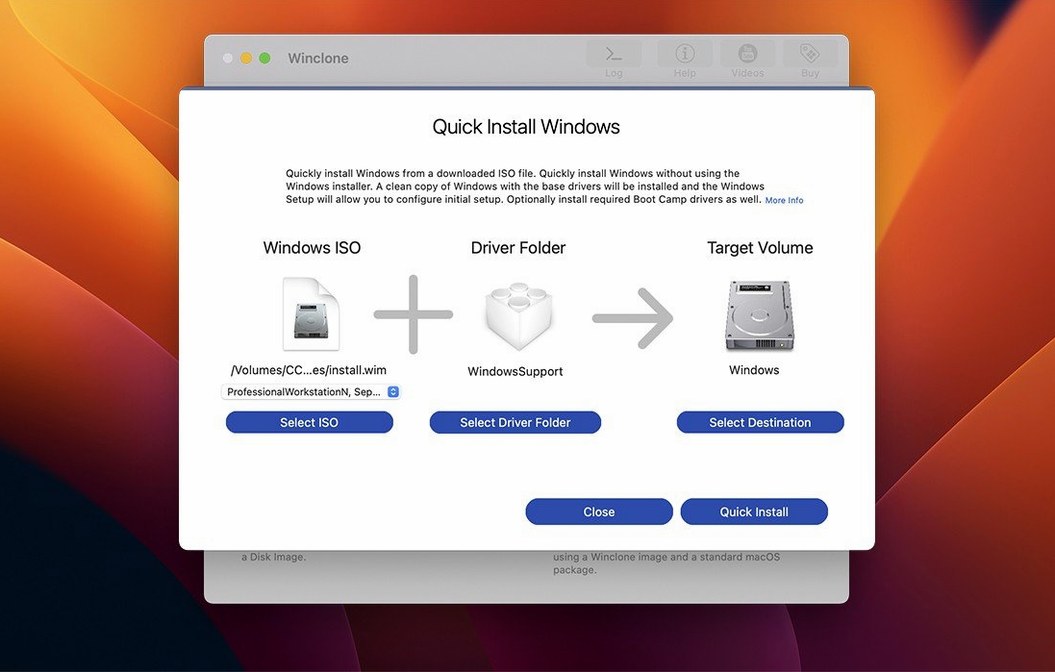
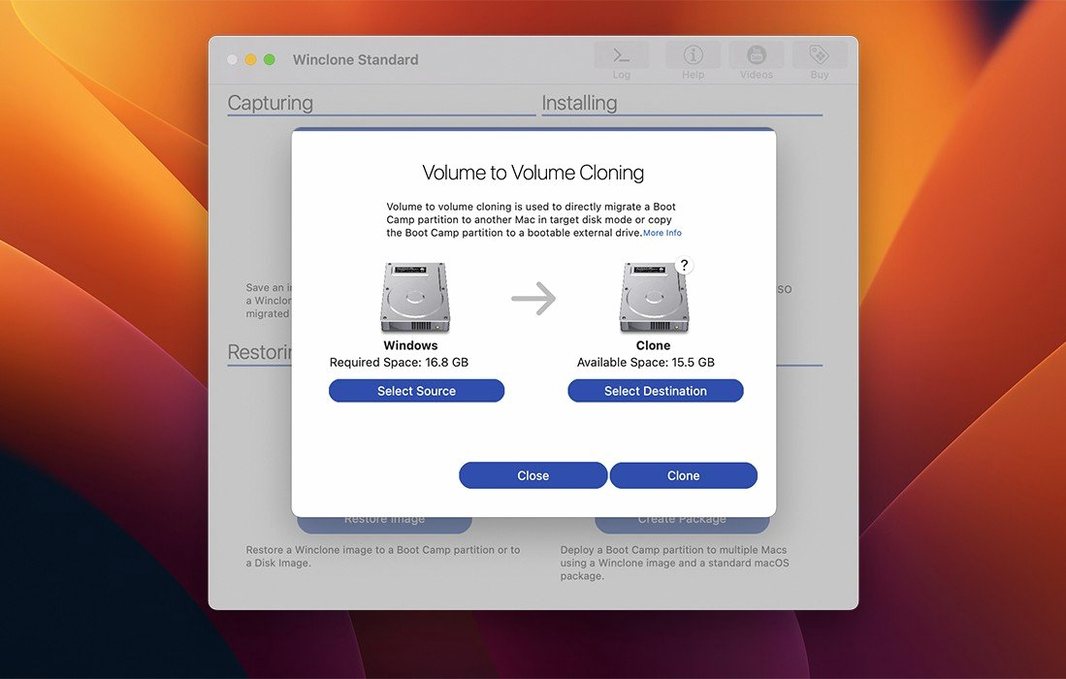
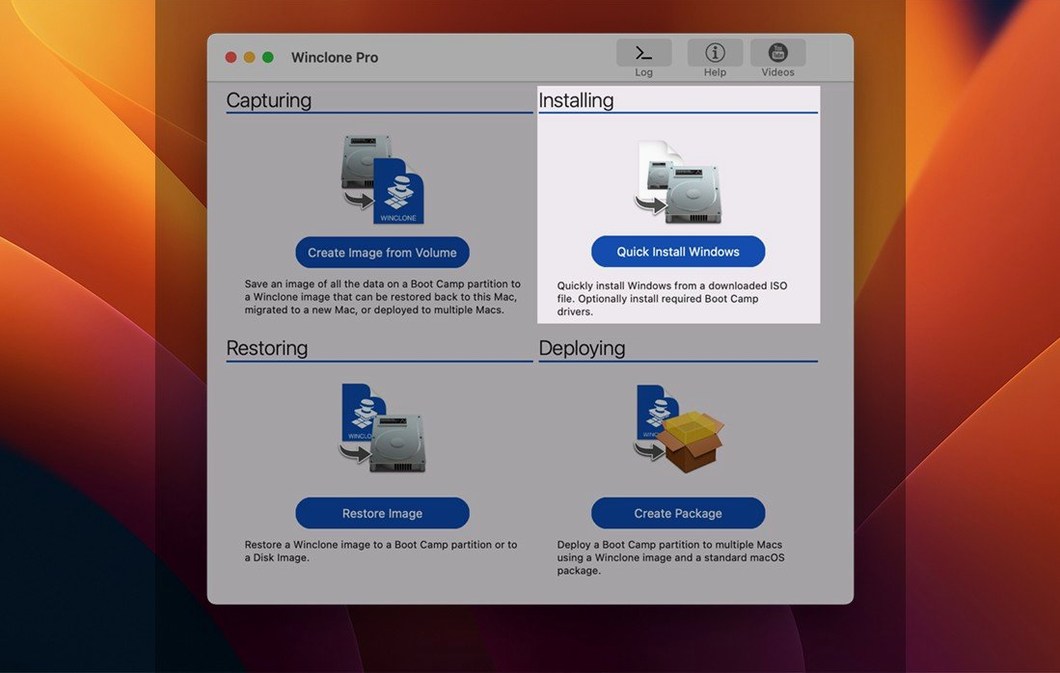
Winclone is the Mac utility for cloning, migrating, and restoring Boot Camp Windows installations. Version 10.5, build 50105, released September 2025, brings verified macOS Tahoe compatibility and updated OS requirements.
Incremental Imaging and Package Installer Creation
- Incremental imaging. Saves time by backing up only changed blocks in Boot Camp partitions.
- Package installer creation. Builds a single installer that creates a Boot Camp partition and restores a Winclone image, useful for MDT, SCCM, or mass deployments.
- Multiple restore targets. Supports DOS-FAT32, ExFAT, and NTFS volumes, plus attached volumes depending on hardware and Windows version.
- Legacy and EFI bootable support. Choose between legacy bootable installations and EFI bootable for Windows 7 and later.
- Local disk-to-disk migration. Move a running Boot Camp installation directly between drives without intermediate images.
- Progress estimates with completion percentage during operations.
Workflow and Support
Winclone 10 handles macOS 11.0 or later requirements for Boot Camp cloning and migration. The interface shows progress estimates and completion percentages, and in-app links connect to support documentation. For anyone managing multiple Macs with Boot Camp — IT admins, lab managers, or power users maintaining dual-boot setups — Winclone 10.5 delivers the depth needed for reliable Windows partition management without guesswork.
Gatekeeper Blocking and How to Fix It
Even with a straightforward tool like Winclone, a few things trip people up. Knowing them ahead of time saves a redo.
- Gatekeeper blocking the app on first launch. macOS may refuse to open unsigned applications. The fix: mount the disk image, run Open Gatekeeper friendly from the context menu, then press Enter in the Terminal window that appears. That bypasses the block without disabling system-wide protections permanently.
- SIP disabled at the wrong time. Winclone requires Secure Intel Platform to be off during installation. If you forget, the installer halts mid-process. The sequence matters — disable SIP first, install, then re-enable it after the app is in the Applications folder.
- Inconsistent GPT and MBR records. Winclone detects and reports mismatched boot records. When that alert shows, do not proceed until you resolve the partition table mismatch. A mismatched GPT and MBR can render the Boot Camp partition unbootable after restoration.
- Restore to an attached volume fails. The feature depends on the hardware and Windows version. If the restore option for an external or attached volume is grayed out, check that the drive uses a supported filesystem (DOS-FAT32, ExFAT, or NTFS) and that the target Mac meets the Windows version requirements.
Enable Incremental Imaging in Preferences
After the install, a few adjustments make the daily use more predictable.
- Incremental imaging turned on by default. Under the imaging preferences, confirm incremental mode is active. It reduces backup size and time on subsequent runs, especially useful for weekly snapshots of a Boot Camp partition.
- Notification sounds for operations. Enable sound alerts for both success and failure. This is a small convenience — you can step away during a long clone and know the moment it finishes or errors out.
- Legacy versus EFI bootable selection. Before the first clone, choose the appropriate boot method. Legacy for older Macs and Windows versions, EFI for Windows 7 and later. Changing it mid-project means re-imaging.
Real-World Scenario: A School IT Manager
I manage about forty iMacs in a secondary school computer lab. Each year, the Windows side of the Boot Camp partition needs updating with new software for engineering classes. Before Winclone, I used to run updates on each machine individually — a two-day task.
Now I prepare one reference Mac with the updated Windows environment, clone the Boot Camp partition with Winclone, and create a package installer. That single installer file goes onto a network share. From there, I run it on each lab Mac. The deployment creates the Boot Camp partition and restores the image automatically. What used to take two days now fits into a lunch break. The progress estimate on each machine lets me tell the department head exactly how long the lab will be offline.
On-the-Fly Partition Resizing During Restore
- Shrink or expand the Boot Camp filesystem during a restore. Winclone can adjust the partition size on the fly. If the target drive has a different capacity than the source, the tool handles the resize without a separate disk utility step.
- Save images to network storage. The backup destination is not limited to external drives. Pointing Winclone to a network share means the image file stays off the local drive and accessible from other Macs on the same network.
- Sound notification for completed operations. A simple beep for success and a different tone for failure. It sounds trivial, but when you are working on multiple machines or multitasking, the audio cue keeps you from checking a progress bar every thirty seconds.
- In-app links to support resources. If a process fails or an alert appears, the interface includes direct links to documentation. No digging through a menu to find help — just click and read.
Anyone who has downloaded a winclone torrent or looked for a winclone cracked version should know that the 10.5 build is the latest release. The winclone 10 license key distribution is handled by the developer, and the winclone crack circulating online is not verified for this version. The features described here are what the official build provides.
- Verified Tahoe compatibility.
- Updated OS requirements.
| macOS | macOS 10.15 or later |
|---|---|
| Processor | Intel 64-bit |
| Download | 21 MB |
- macOS 10.15
- Intel processor
How to install, in order
- Mount the disk image and run Open Gatekeeper friendly.
- Press Enter in the Terminal window to bypass Gatekeeper.
- Drag the app to the Applications folder.
- Disable SIP before installing.
Comments and corrections 0
Sign in or open a free account to leave a comment.
No comments or corrections yet.