IK Multimedia ARC X 1.0.1 — download for Mac
VST Plugins Updated
Measures a room and applies real-time correction so the mix sounds accurate.
Screenshot
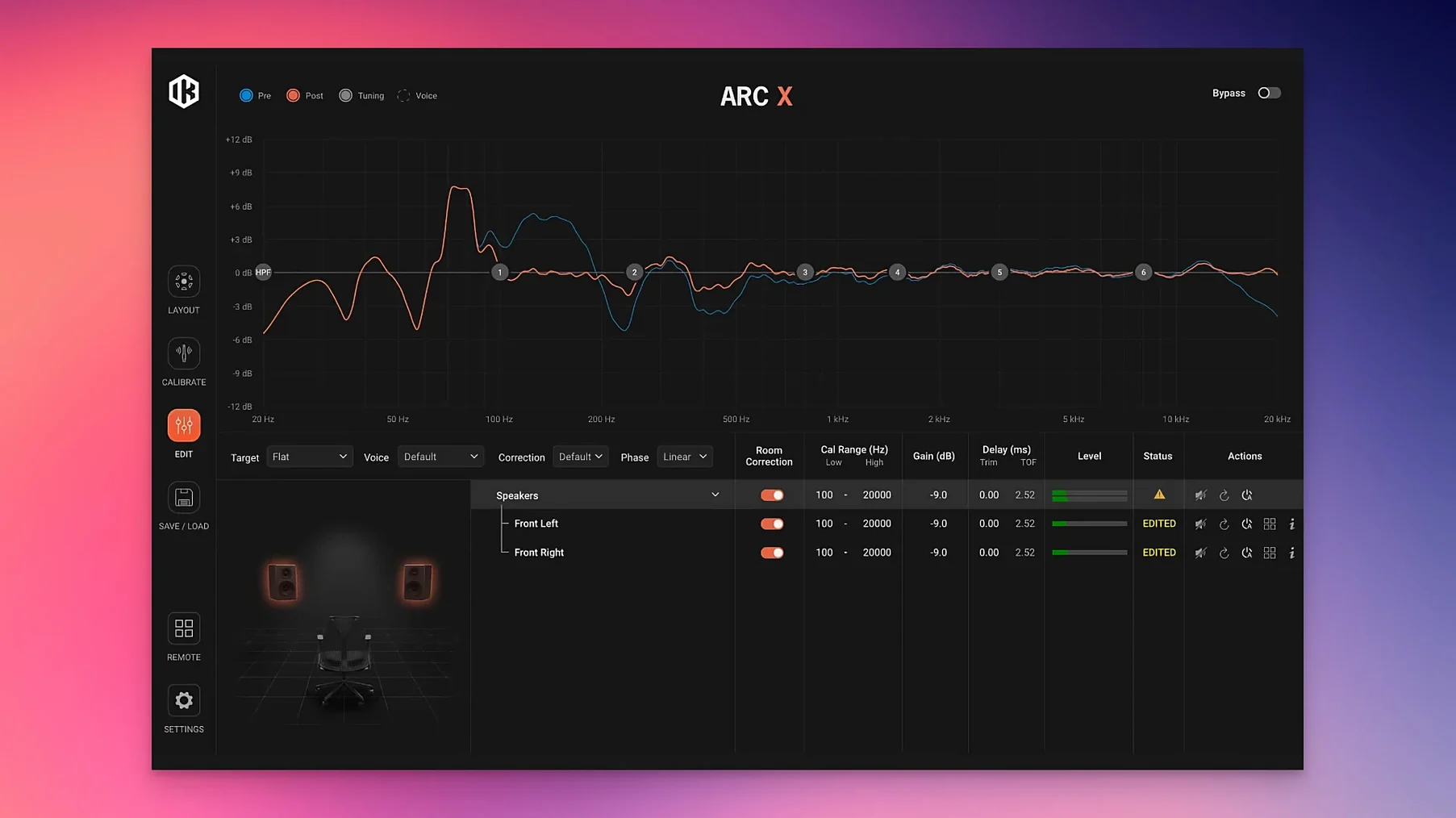
Every room colors what you hear. ARC X measures the space and applies correction in real time, so the mix you hear matches the mix you intended.
Measure the Room
Run a quick 1-point, 3-point, or 7-point scan, or go deeper with a 21-point ultra-precise capture. The guided workflow walks you through it step by step, building a correction profile tailored to your room.
Tune the Tone
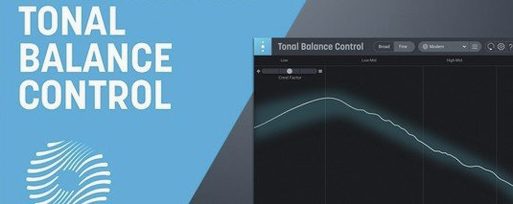
Once the profile is in place, use the tone adjustment to emphasize specific frequencies — bring out the low end or tame a harsh mid. The visual graphs show exactly what changes as you adjust.
Check on Virtual Monitors
ARC X includes virtual monitoring that simulates studio speakers in your room. Switch between presets for different monitoring styles to see how your mix translates before you bounce it.
macOS 11+, ARM and Intel Silicon Ready
ARC X runs on macOS 11 and later, and the installer works on both ARM (Apple Silicon) and x86 (64-bit Intel) machines. The current version is 1.0.1, and the interface is in English. Because it is a plug-in, it sits inside your DAW — no standalone window, no separate app to launch. The measurement microphone connects to your interface, and the plug-in handles the rest. Expect to see visual graphs for frequency and level as you work through the guided analysis. The setup is straightforward: open the downloaded disk image, then run the standard installation process.
3D Room Modeling vs. Sonarworks SoundID
If you have used Sonarworks SoundID Reference, you already know the concept: measure the room, get a correction curve, apply it in real time. ARC X takes a different path with its volumetric response modeling (VRM), which builds a 3D acoustic map from up to 21 measurement points. SoundID typically uses fewer points for its flat-target approach. ARC X adds options for tone shaping and virtual monitoring simulation — useful if you want to hear how the mix sounds on something like a retro hi-fi or a car stereo, not just a flat reference.
Another comparable tool is Dirac Live, which focuses on DSP-based room correction for full-range systems. Dirac Live is more common in home theater setups and hardware processors. ARC X stays inside the box, aimed at mixing engineers and music producers who calibrate their monitors for a listening position rather than an entire room. The guided workflow in ARC X is more step-by-step than Dirac Live's calibration, which can feel more technical out of the gate.
For immersive audio users, ARC X Immersive extends calibration up to 9.1.6 setups. Neither SoundID nor Dirac Live offers as direct a workflow for multichannel monitor calibration at the plug-in level.
Start with a 1-Point Quick Measurement
- Start with a 1-point quick measurement — you can always move to 3, 7, or 21 later. The quick scan gives you a feel for the workflow before committing to a full room analysis.
- Keep the microphone at ear level for the initial scan. The plug-in maps the listening position, and moving the mic mid-session will shift the profile away from where you sit.
- Try the virtual monitoring presets on a mix you know well. Switching between simulated speaker types reveals how much the correction changes the character. If something sounds off, adjust the tone curve before re-measuring.
- Check the visual graphs after each adjustment — the frequency and level plots show real-time changes, so you can see what the correction is doing before you commit to it.
- Re-measure after moving speakers or furniture. The profile is only as good as the last measurement, and a shifted listening position means a shifted correction.
ARC X is a practical tool for mixing engineers who calibrate their own rooms, studio owners setting up a control room, or immersive audio producers working with multichannel monitoring. The guided workflow and multiple measurement options make it approachable without sacrificing precision.
No release notes filed for 1.0.1. They are added here when a build changes how the program behaves.
| macOS | macOS 11 or later |
|---|---|
| Processor | Apple Silicon, Intel 64-bit |
| Download | 62 MB |
- macOS 11 or later
- Intel or Apple Silicon
- VST-compatible host
Questions about IK Multimedia ARC X
How many measurement points does ARC X support?
It offers 1-point, 3-point, and 7-point quick measurements, plus a 21-point ultra-precise scan for full room analysis.
Does ARC X apply correction in real time?
Yes, the correction is applied in real time as you monitor, so you hear the adjusted sound immediately.
Can I simulate different studio speakers?
Yes, virtual monitoring simulates studio speakers in the room, and presets let you switch between monitoring styles.
How to install, in order
- Open the downloaded disk image.
- Run the standard installation process.
Comments and corrections 0
Sign in or open a free account to leave a comment.
No comments or corrections yet.