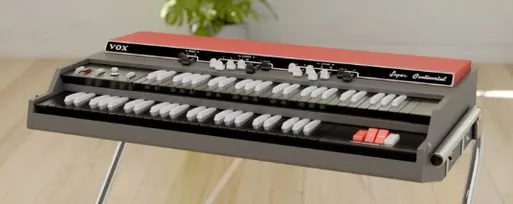
KORG Software VOX Super Continental 1.1.4 — download for Mac
VST Plugins Updated
Emulates the VOX Continental organ with drawbar control.
Screenshot
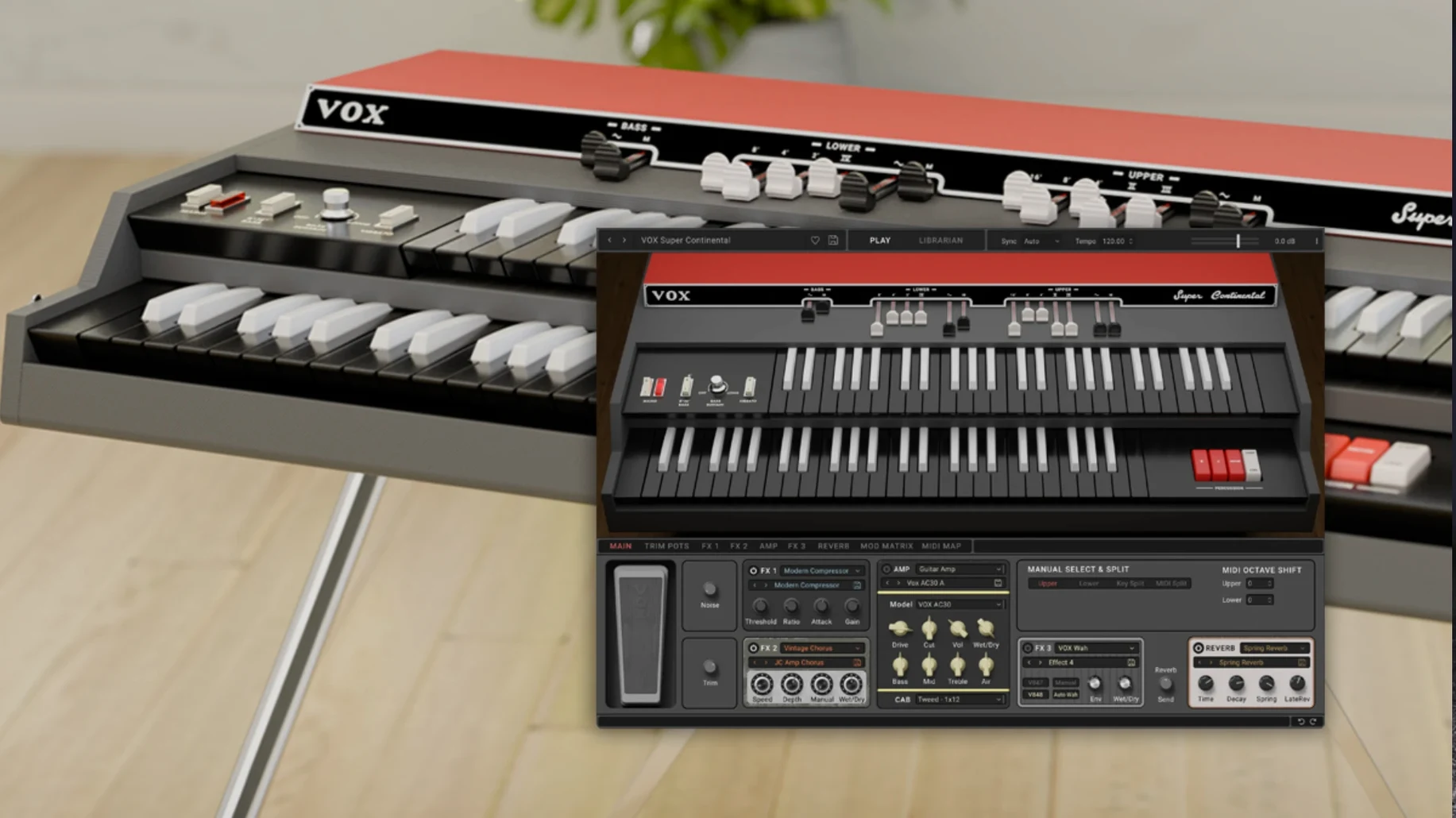
The VOX Continental's signature tone lives in its drawbar section. The KORG Software VOX Super Continental plugin maps those nine drawbars to MIDI controllers, letting you shift from thin chirps to full, breathy chords while a track plays. Pull the third harmonic back, push the fifth forward — the mix changes instantly, no mouse dragging needed.
Reverb depth without losing attack
Once you have the drawbar balance set, the plugin's reverb and chorus sit in the signal path. Reverb adds room depth without burying the attack; chorus widens the stereo image without losing the organ's midrange punch. Both handle subtle to heavy without breaking the CPU.
Automate every parameter in your DAW
Every control — drawbars, effects mix, volume — exposes itself to automation lanes and MIDI CC. Write a chorus swell into the bridge, or automate the reverb decay to open up during a solo. The plugin works as VST3, AU, or AAX Native, and it runs on both Intel and Apple Silicon Macs.
A sound designer’s workflow
A composer scoring a short film needs a specific organ sound for a tense scene — not the full, church-like swell, but a thin, percussive tone that sits behind dialogue. With the VOX Super Continental, they load a preset close to the mark, then pull back the 8' and 4' drawbars to thin the texture. A touch of chorus widens the mono signal just enough to feel spacious without clouding the mix. The whole adjustment takes seconds, and the controller mapping means no mouse work during the actual recording pass.
macOS 11 support and ARM/x86 compatibility
The current update works on macOS 11 or later and supports both ARM and x86 64-bit architectures. The KORG Software Pass application now handles installation and updates in a single step. For anyone already running the plugin, the drawbar response and automation mapping remain identical — no need to re-learn controls or reassign MIDI channels after updating.
Short reverb room size before mixing
Before you start a project, open the effects panel and set the reverb to a short room size. The default might be too wet for a mix that already has its own reverb bus. Then set the chorus rate to a slow cycle — fast chorus on an organ can sound unstable if you run it through a DAW’s own modulation later. Test your MIDI controller mapping on the drawbar section: assign the nine drawbars to physical faders or knobs so you can adjust tone while recording, not after.
If you work with multiple DAW tracks, set the plugin’s polyphony to 256 voices per instance. This is especially useful when layering several organ parts — each note triggers a voice, and high polyphony prevents note dropouts during dense chords. The CPU handles the limit based on your setup, so adjust downward if you notice performance issues on older machines.
No release notes filed for 1.1.4. They are added here when a build changes how the program behaves.
| macOS | macOS 11 or later |
|---|---|
| Processor | Apple Silicon, Intel 64-bit |
| Download | 162 MB |
- macOS 11 or later
- Intel or Apple Silicon processor
- VST3, AU, or AAX Native compatible host (for plug-in use)
Questions about KORG Software VOX Super Continental
Does the VOX Super Continental plugin require a physical dongle?
No. It uses the KORG Software Pass application for installation and authorization, with no hardware key needed.
Can I use this plugin in Logic Pro or Ableton Live?
Yes. It supports VST3, AU, and AAX Native formats, so it works in Logic Pro, Ableton Live, Pro Tools, and most major DAWs.
Is it compatible with Apple Silicon Macs?
Yes. The plugin supports both ARM (Apple Silicon) and x86 64-bit Macs running macOS 11 or later.
How to install, in order
- Run the installer package that comes with the downloaded files.
- Follow the on-screen prompts to complete the standard installation.
- Launch KORG Software Pass to authorize the plugin if prompted.
Comments and corrections 0
Sign in or open a free account to leave a comment.
No comments or corrections yet.