Komplete Kontrol 3.5.4 — download for Mac
VST Plugins Updated
Browses and loads Native Instruments sounds directly inside your DAW.
Screenshot
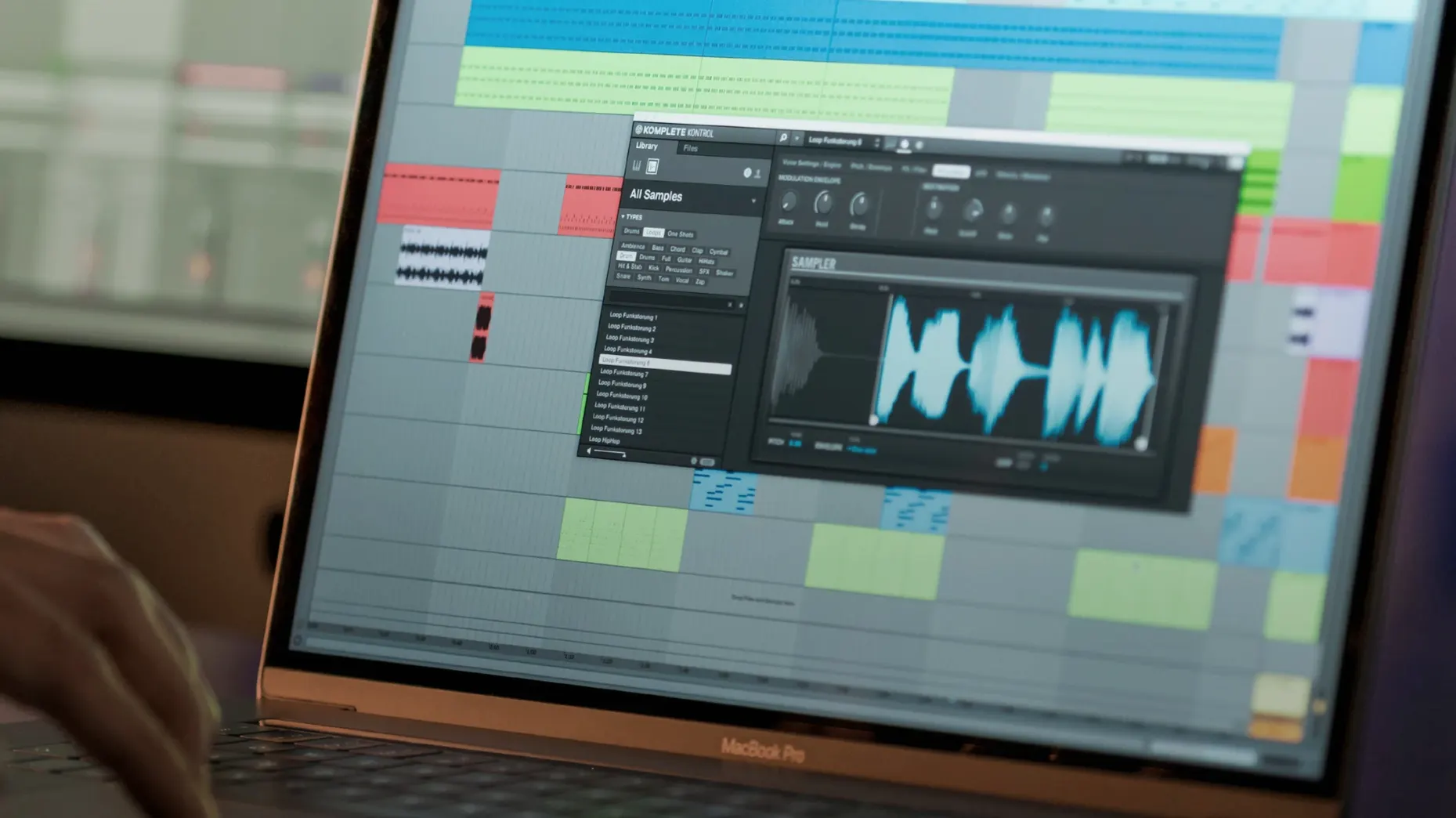
Music producers and sound designers use Komplete Kontrol to keep sessions moving. It sits inside any DAW—on instrument tracks, effect buses, or as a standalone browser—and cuts the time spent hunting for the right sound.
Drop, Load, Browse
- Drop it on an instrument track. Load Komplete Kontrol as a VST, AU, or AAX plugin. The browser shows your whole library: Native Instruments instruments, effects, and over 750 third-party plugins from 90 developers. Use the keyboard, mouse, or a MIDI controller to scroll presets.
- Pick a sound by playing. The built-in sampler lets you audition loops and samples directly. Tag filtering through NKS narrows results fast. When using an S-Series keyboard, the Light Guide shows key zones and parameters in color.
- Tweak without leaving the plugin. Parameter mapping from the Native Kontrol Standard puts knobs and sliders where you expect them. Version 3.5.4 added NKS Connect support, so compatible controllers talk to the plugin wirelessly.
On a bus, Komplete Kontrol loads effects the same way. One plugin window replaces a rack of separate browsers. For a producer tracking twenty ideas a week, that's time saved on every session.
How a Studio Composer Uses It
Imagine you’re scoring a short film and the director keeps asking for a different piano sound every ten minutes. You have Komplete Kontrol open on a MIDI track. Instead of pulling up a separate sampler, you browse presets while the project plays. When you find a felt-piano patch that fits, you drag the one-shot directly to the timeline for the opening cue. Later, you switch to Smart Play mode, pick the Lydian scale, and play chords with one finger to sketch a bridge. The director likes it. You move on. No session clutter, no extra plugins to load.
Before You Install
Sits Alongside Your DAW
It sits alongside it. Komplete Kontrol lives inside your DAW as a plugin, so you keep using whatever track layout and mixer you already know. The browser inside Komplete Kontrol is for your sample and preset library only—it doesn't touch your project file management.
Will my older MIDI controller work?
If it sends standard MIDI CC messages, yes. Version 3.5.4 extends support to NKS Connect controllers, but the plugin still accepts input from any keyboard or pad controller that your DAW recognizes. Mouse and computer keyboard work too.
What about Kontakt libraries and third-party sounds?
Komplete Kontrol browses more than 750 third-party plugins from 90 developers. Loop and sample tagging uses the NKS format. If your library follows that standard, it shows up in the browser. If not, you can still drag audio files into the built-in sampler and play them.
macOS 12+, Intel & Silicon
The installer is a standard disk image—mount it, run the setup, and you're done. Komplete Kontrol 3.5.4 requires macOS 12 or later and runs on both Intel and Apple Silicon Macs. The plugin appears in your DAW's instrument list after installation. Language is English only. No extra background services or online accounts are required to open it, though syncing collections with Sounds.com needs a network connection when you choose to use it. The interface loads as a single window; you resize it within your DAW's plugin window bounds.
- Added NKS Mode integration for compatible NKS Connect controllers.
- Fixed performance issues when changing plug-in parameters from Kontrol S-Series MK3.
| macOS | macOS 12 or later |
|---|---|
| Processor | Apple Silicon, Intel 64-bit |
| Download | 785 MB |
- macOS 12 or later
- Intel or Apple Silicon
- English interface language
Questions about Komplete Kontrol
Does Komplete Kontrol work without Native Instruments hardware?
Yes. It runs as a plugin in any DAW and can be controlled with a mouse, keyboard, or any MIDI controller. Hardware like S-Series keyboards adds the Light Guide and deeper hands-on control.
What file formats does it support for browsing?
Komplete Kontrol browses instrument and effect presets, plus loops and samples tagged through the NKS standard. It works with any plugin format your DAW supports—VST, AU, or AAX.
How to install, in order
- Mount the downloaded disk image.
- Run the standard installation process.
Comments and corrections 0
Sign in or open a free account to leave a comment.
No comments or corrections yet.