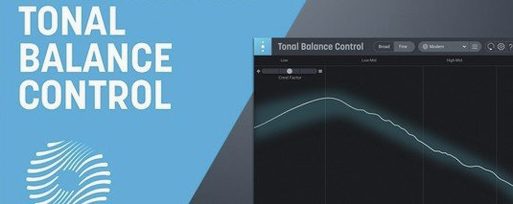
iZotope Tonal Balance Control 3.0.0 — download for Mac
VST Plugins Updated
Checks your mix against commercial track references before export.
Screenshot
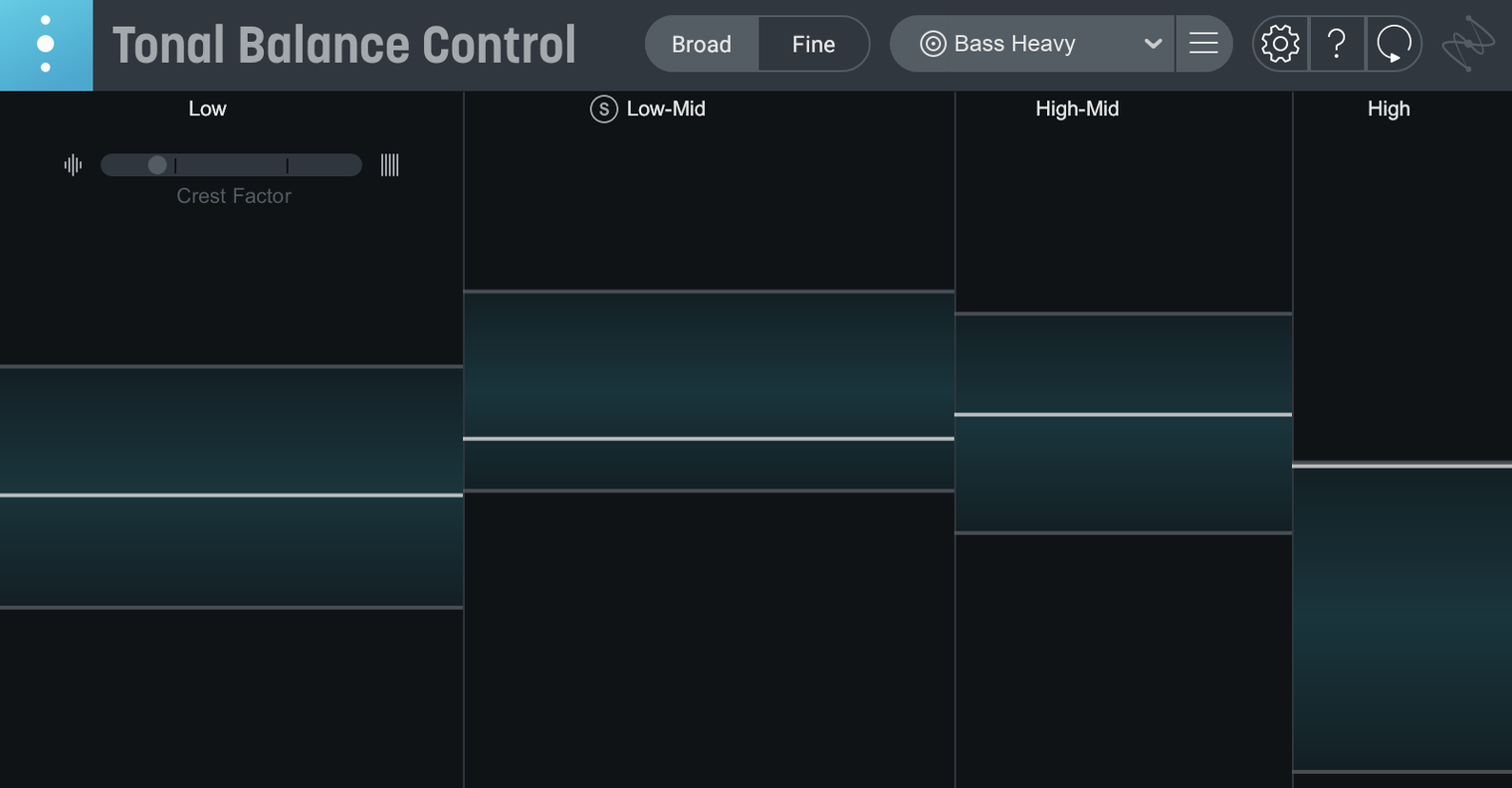
You finish a mix, export it, and something feels off—too much low end, a harsh top, or it just doesn't sit right against commercial tracks. Tonal Balance Control 3 exists to close that gap before you bounce.
On the Master Bus Last
- On the master bus — Load Tonal Balance Control 3 as the last plugin on your master bus. It measures the overall tonal balance and compares it to one of the 12 included genre reference curves (rock, pop, hip-hop, and others). If a track drifts outside the curve, you see it immediately.
- On subgroups — Drop it on a drum bus or vocal group to check how that subgroup contributes to the final balance. Relay, included with the plugin, can adjust gain, pan, and stereo width on individual channels without leaving the Tonal Balance Control interface.
- Inside Ozone or Neutron — Tonal Balance Control links with iZotope Ozone and Neutron equalizers. You can pull up the matching EQ inside those plugins and adjust the spectrum right where the meter shows a problem.
- Loading a custom reference — Beyond the built-in curves, you can load any audio file to build a custom reference. Bring in a finished track from a previous project or a commercial mix you want to match.
What Version 3 Adds to the Workflow
Earlier versions were plugin-only. Version 3.0.0 adds a standalone desktop app, which means you can analyze a mix without opening a DAW. The new hybrid EQ sits inside the plugin, so you can fix tonal issues without reaching for a separate equalizer. Extra meters for vocal balance, dynamics, and stereo width give you a broader look at the mix than the original version offered. It runs on macOS Sonoma 14.7 and supports both Intel and Apple Silicon machines.
Standalone App Before the DAW
I open Tonal Balance Control 3 as a standalone app before I even launch my DAW. The track I'm working on today is a pop mix that needs tightening before the final master. I drag the exported stereo file into the app window. The main meter lights up immediately, showing the energy distribution across the frequency spectrum. I click through the genre curves until I land on "Pop." The overlay shows my mix sitting a few decibels hot around 200 Hz and dipping around 3 kHz.
I don't chase the curve blindly. I open the new hybrid EQ inside the plugin—a simple, clean interface with four bands. A gentle cut at 200 Hz and a small shelf boost at 3 kHz bring the line closer. The meters update as I move each band. Two minutes in, the curve matches the reference closely enough to move on.
Next, I check the vocal balance meter. The vocal sits slightly behind the kick at certain points. I open Relay on the vocal bus, adjust the gain by a dB, and widen the stereo field just enough to separate it from the center. I never leave the Tonal Balance Control interface—Relay handles all that from inside the plugin window.
I switch to the dynamics meter and see that the chorus has an uneven transient response. Instead of guessing, I click the link to Ozone's equalizer from inside Tonal Balance Control 3. A quick notch tames the snare ring in the chorus, and the dynamics meter smooths out. The stereo width meter confirms the mix stays centered without losing air. Total time: about eight minutes. I save the session as a preset for the next project.
Metering Tool, Not a Mastering Suite
Does it replace a full mastering suite? No. Tonal Balance Control 3 is a metering and tonal analysis tool with a built-in EQ. It shows you where the problem is and lets you fix it with the EQ or by calling iZotope's Ozone and Neutron equalizers. It does not compress, limit, or de-ess. You'd still use a dedicated mastering chain after the balance is set.
Will it work with third-party plugins? It can load custom reference curves from any audio file, so you can match against a commercial track regardless of what plugins you use. The direct EQ control and Relay integration work with iZotope's own ecosystem. For other equalizers, you adjust manually based on what the meters show.
Does the standalone app require a DAW? No. You load an audio file and analyze it without opening any other software. The meters, reference curves, and hybrid EQ all work in standalone mode. You only need a DAW if you want to use the plugin version inside a session and make real-time adjustments.
Can I import settings from Tonal Balance Control 2? Yes. Version 3.0.0 supports quick import from the previous version, so your custom curves and presets carry over without redoing them.
Dense Arrangements and Flagged Issues
Mix engineers working on dense arrangements get the most immediate use. The vocal balance and stereo width meters catch issues that are easy to miss after three hours of listening. A quick glance at the curves confirms whether the low end matches what the genre expects.
Mastering engineers who handle varied genres benefit from the 12 target curves and the ability to load custom references. The dynamics meter helps spot compression inconsistencies before the final chain.
Producers working in smaller rooms or on headphones get an objective check against a commercial reference. The standalone app lets them compare their rough mix to a professional track without bouncing or switching windows.
Post-production and audio-for-video engineers can load a broadcast loudness standard or a dialogue-focused reference file and check their mix against it. The hybrid EQ and Relay integration keep adjustments inside one interface.
- Initial major release of Tonal Balance Control 3.
- Added standalone desktop app.
- Added extra meters for vocal balance, dynamics, and stereo width.
- Added a built-in hybrid EQ.
| macOS | macOS 13.4 or later |
|---|---|
| Processor | Apple Silicon, Intel 64-bit |
| Download | 264 MB |
- macOS Sonoma 14.7
- Intel or Apple Silicon (M-series)
- Interface language: English
How to install, in order
- Use the included installation and activation instructions.
- Install the plugin using the provided instructions.
- Complete activation using the included instructions.
Comments and corrections 0
Sign in or open a free account to leave a comment.
No comments or corrections yet.