iZotope Insight 2.4.0 — download for Mac
VST Plugins Updated
Shows your mix's loudness, intelligibility, and spectral balance.
Screenshot
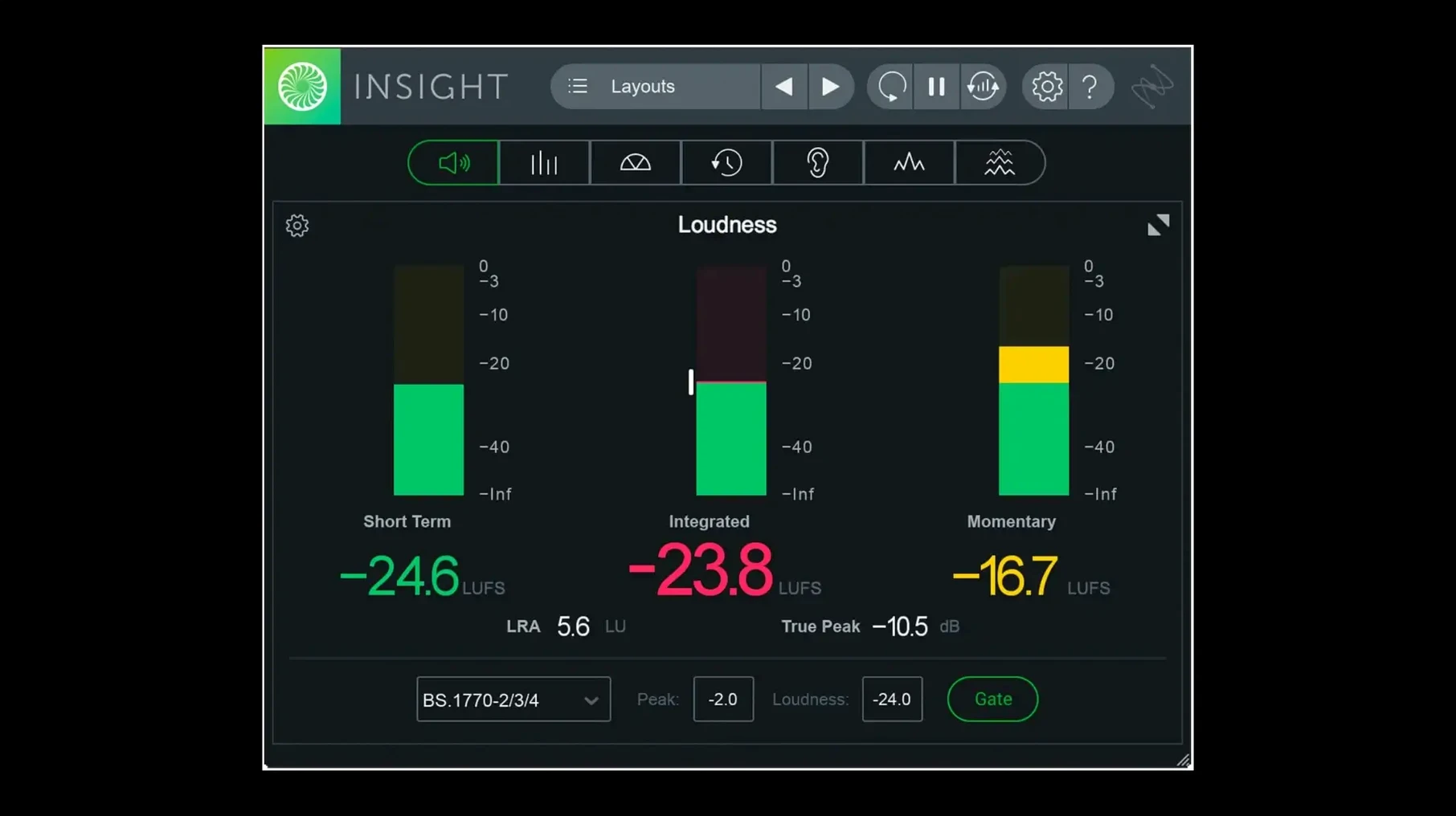
iZotope Insight 2 is a metering and analysis plugin that shows you what your mix is actually doing across loudness, intelligibility, and spectral balance. Here is a workflow for checking a mix with its main controls.
- Load the plugin on your master bus. Insight picks up audio from any track or bus, so start at the end of the chain.
- Watch the Loudness History Graph. It plots integrated loudness over time. If the line climbs too high, your mix will fail broadcast standards. Pull down the level.
- Check the Stereo Vectorscope. A wide, even cloud means good stereo width. A narrow vertical line means mono — time to spread some elements.
- Open the 2D Spectrogram. Muddy mixes show too much energy below 200 Hz. Bright, thin mixes show a hole in the low mids. Adjust EQ until the spectrogram looks balanced.
- Glance at the True Peak Meter. Peaks above 0 dBTP cause distortion. Lower the output or use a limiter.
These tools work in real time, so you see problems immediately. Insight 2 runs native on Apple silicon Macs and supports VST, AU, and AAX formats.
Requires macOS Big Sur or Later with Native Apple Silicon Support
Insight 2 version 2.4.0 requires macOS Big Sur or later and runs natively on both Intel and Apple Silicon Macs. The installer includes native arm64 support, so you do not need Rosetta for Apple Silicon machines. The plugin is a single application in VST3, AU, and AAX formats — no separate relay component ships with the installer anymore. Multi-user installation is supported, which means a single install can serve different user accounts on the same machine. The interface is English only, and the plugin is listed as DRM-free.
Load a Factory Preset for Loudness, Imaging, or Spectral Analysis
After you load Insight 2 on a track or bus, open the preset manager. Version 2.4.0 adds separate factory and custom preset tabs. Start with a factory preset that matches your task — loudness monitoring, stereo imaging, or spectral analysis — then adjust the meter sizes. All meters can be resized to fit your session layout. If you work to broadcast standards, set the loudness meter target to your region’s spec (for example, -23 LUFS for EBU or -24 LKFS for ATSC A/85). The True Peak Meter threshold can be set to -1 dBTP or -2 dBTP depending on your delivery requirement. These are not measurements of how Insight performs — they are choices you make to align the plugin with your output format.
Real-Time Frequency and Stereo Check for Mix or Master Engineers
- Mixing engineers who want a real-time second opinion on frequency balance and stereo width without leaving their session. The spectrogram and vectorscope catch problems a mix bus compressor does not show.
- Mastering engineers who need to verify integrated loudness, true peak levels, and loudness history across a full track or album. The Loudness History Graph alone can save a failed QC check.
- Post-production editors working to broadcast loudness standards. Insight 2 includes updated broadcast standards and multichannel support up to Dolby Atmos 7.1.2. The Surround Scope and multichannel metering let you check each channel pair independently.
- Engineers on Apple Silicon Macs running Pro Tools 2023.3 or later — native arm64 AAX support means no bridging layer, and the plugin loads and works as a standard AAX insert.
Unique Spectrogram and Vectorscope Not in Other Mac Analyzers
Insight 2 vs. HOFA IQ-Series Analyser
HOFA IQ-Series Analyser offers a similar set of meters — spectrogram, vectorscope, loudness — but its interface is more traditional, with fixed-size windows. Insight 2’s meters are resizable and can be arranged freely in one window. HOFA supports multichannel, but Insight 2 goes to 7.1.2 for Atmos. Both are available as VST and AU plugins for macOS Big Sur and later.
Insight 2 vs. Flux Pure Analyzer
Flux Pure Analyzer is a light, single-window spectrum analyzer with optional phase and correlation displays. It does not include loudness history, integrated loudness meters, or surround scope. Insight 2 bundles all of those into one plugin, so you spend less time switching between analyzers. Flux Pure Analyzer runs natively on Apple Silicon, but its feature set is narrower — it is built for quick spectral checks, not full mix analysis.
Insight 2 vs. Melda Production MCompare
MCompare is a comparison tool, not a metering suite. It lets you A/B two instances of a plugin chain, but it does not provide spectrograms, vectorscopes, or loudness graphs. Insight 2 covers the analysis side that MCompare leaves out. The two can complement each other: MCompare to decide between processing paths, Insight 2 to verify the result.
- Native arm64 AAX support for Pro Tools 2023.3+ on Apple silicon Macs
- Native arm64 install support for Apple silicon Macs
- Factory and custom preset tabs added to the preset manager
- macOS Big Sur or later
- Intel or Apple silicon
- Interface language: English
Questions about iZotope Insight
What macOS version does iZotope Insight 2 require?
Insight 2 requires macOS Big Sur or later. It runs natively on both Intel and Apple silicon Macs.
What measurements can Insight 2 display?
It shows True Peak levels, loudness metrics (including integrated loudness), a Loudness History Graph, a Stereo Vectorscope, a Surround Scope, 2D/3D Spectrograms, and a Spectrum Analyzer.
Does version 2.4.0 add Apple silicon support?
Yes. Version 2.4.0 added native arm64 install support and native AAX support for Pro Tools 2023.3+ on Apple silicon Macs.
How to install, in order
- Install instructions and activation instructions are included in the package.
Comments and corrections 0
Sign in or open a free account to leave a comment.
No comments or corrections yet.