Roland Cloud Legendary Series 2025.06.29 — download for Mac
VST Plugins Updated
Emulates classic Roland synths with analog circuit behavior for warm tones.
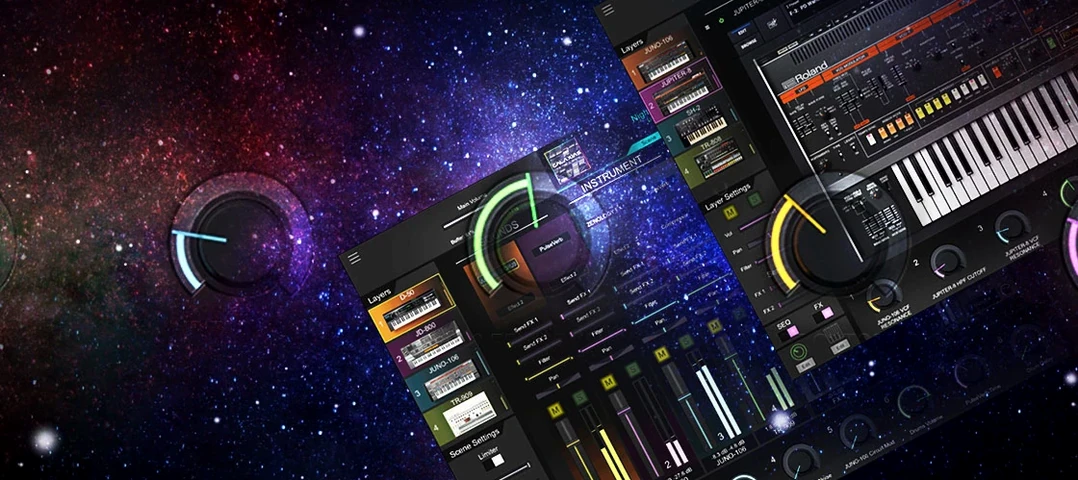
Screenshots
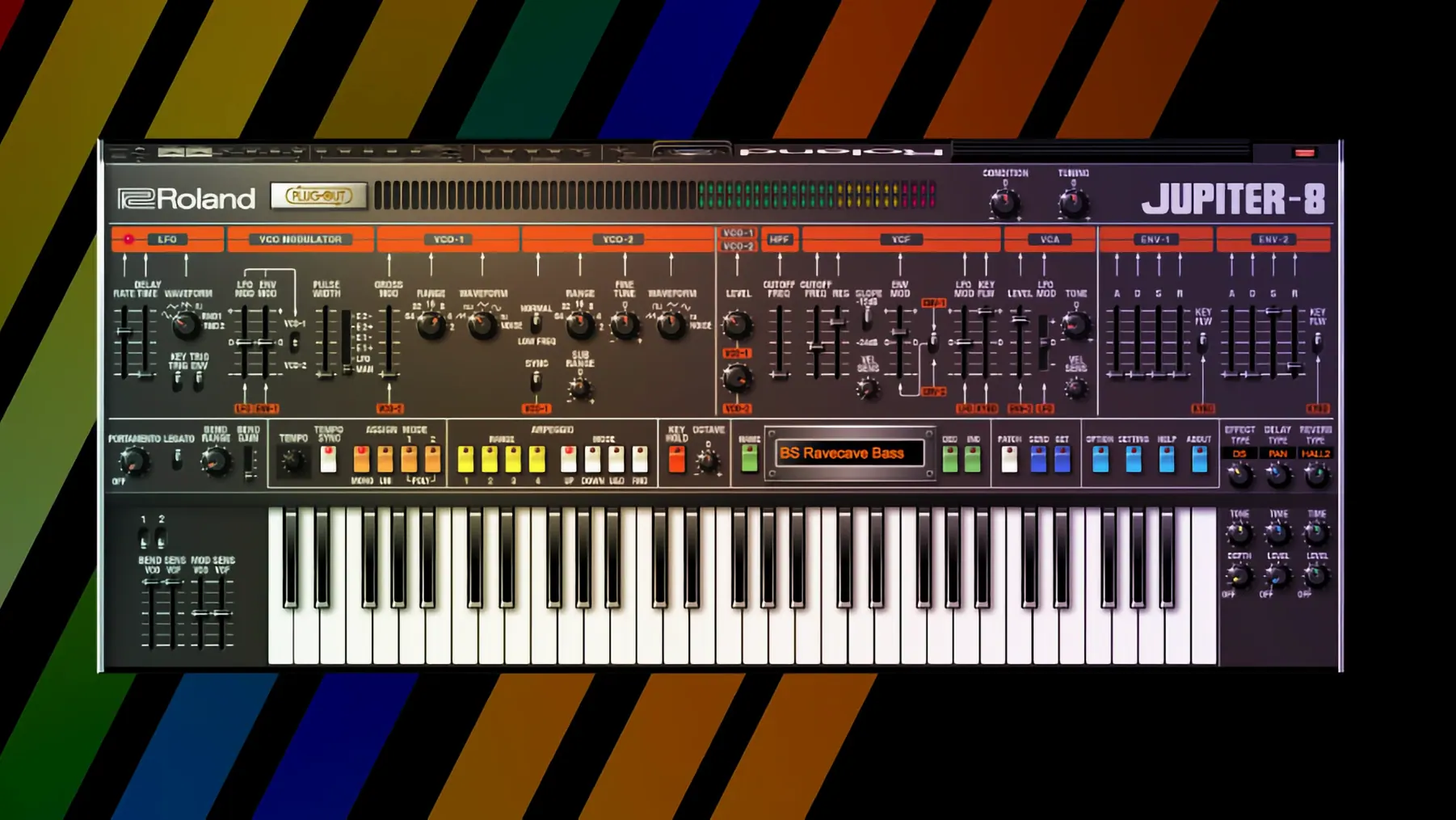
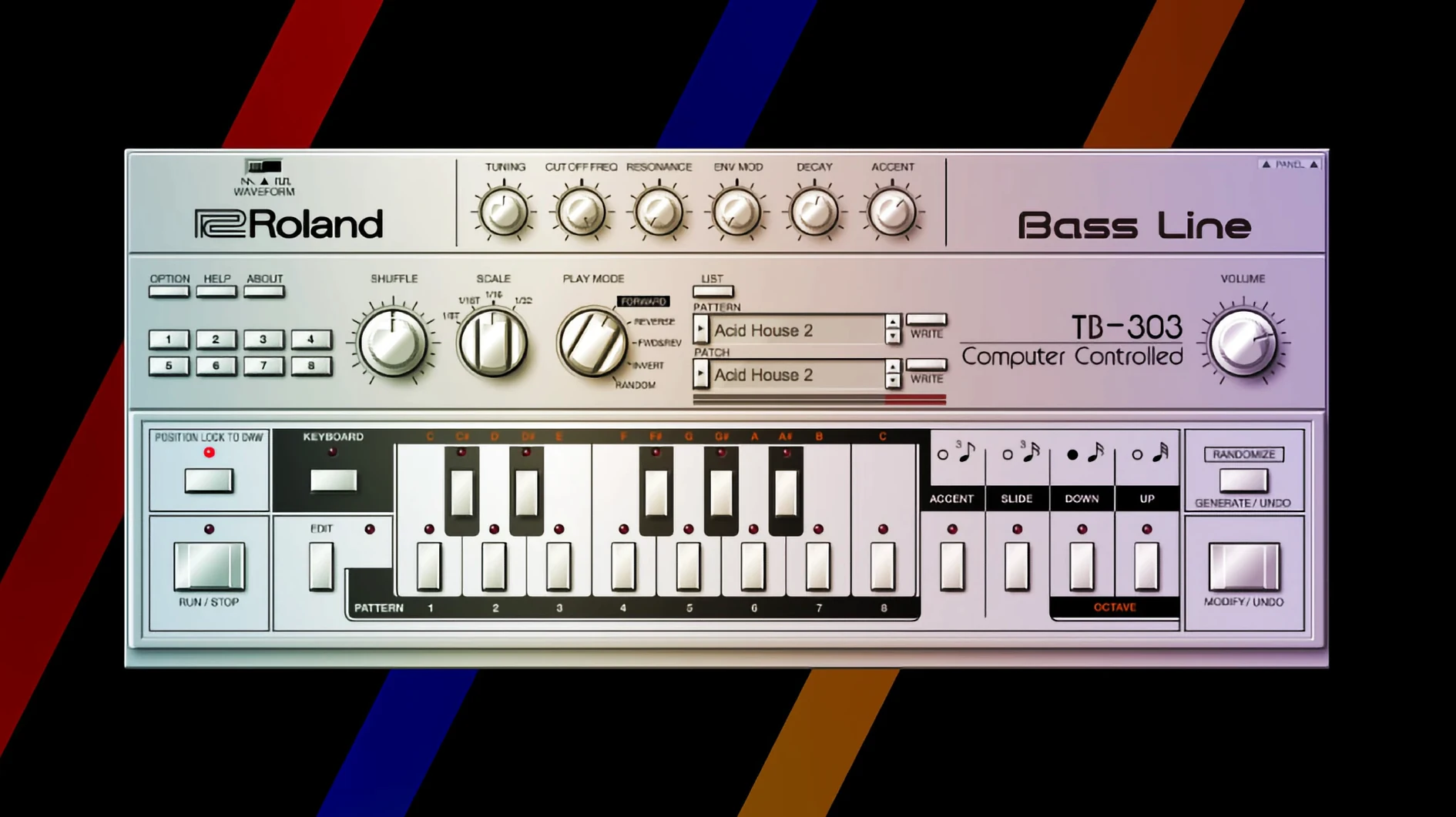
Start with the JUNO-60. Its Analog Circuit Behavior engine gives you that warm, slightly unstable chorus that defined an era of pop and new wave. From there, move to the D-50 — Roland’s digital hybrid from the 80s — and layer its 64-voice polyphony on top. That contrast, analog drift against digital clarity, is what this collection does best.
The Drum Machines That Changed Rhythm
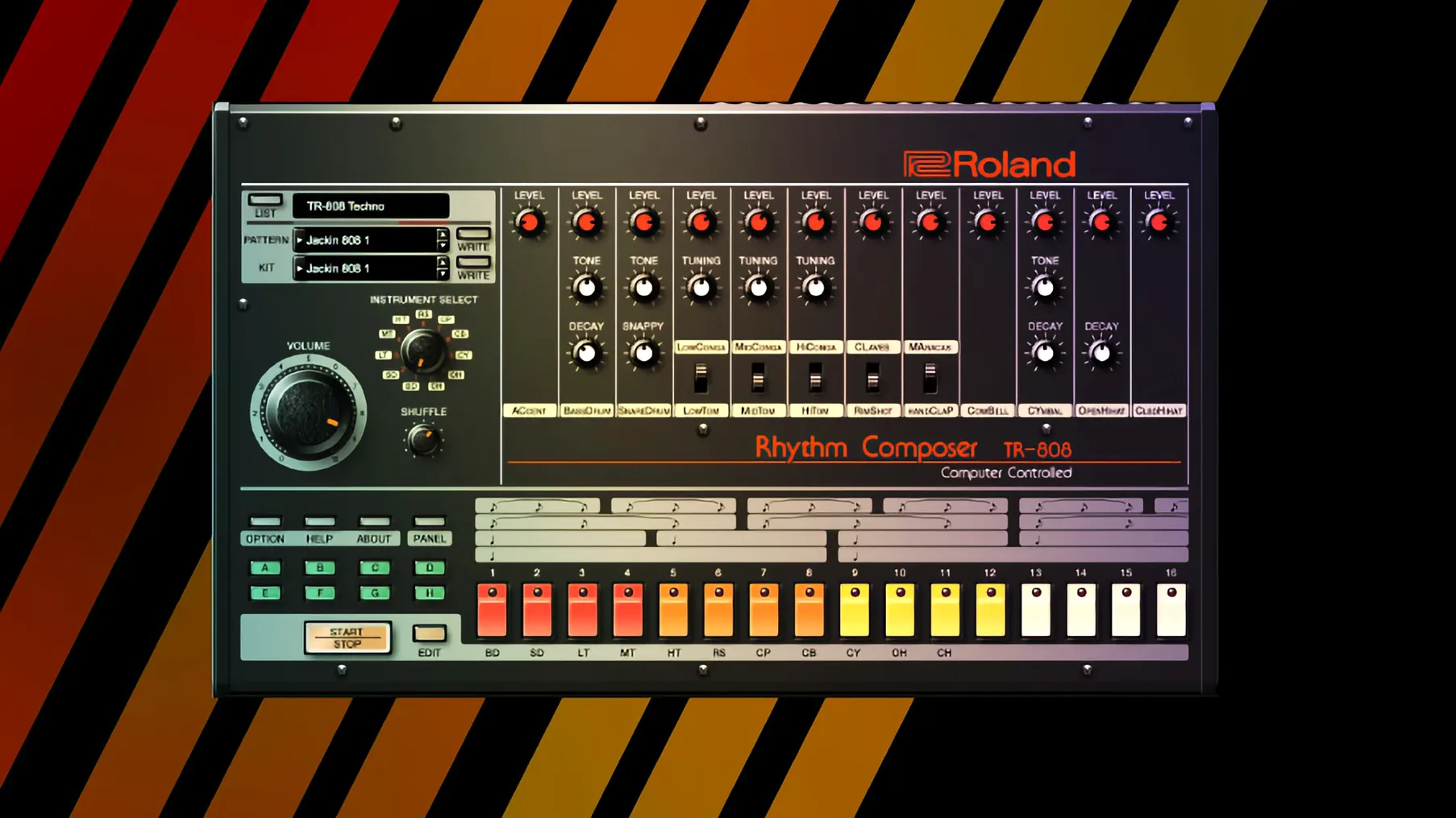
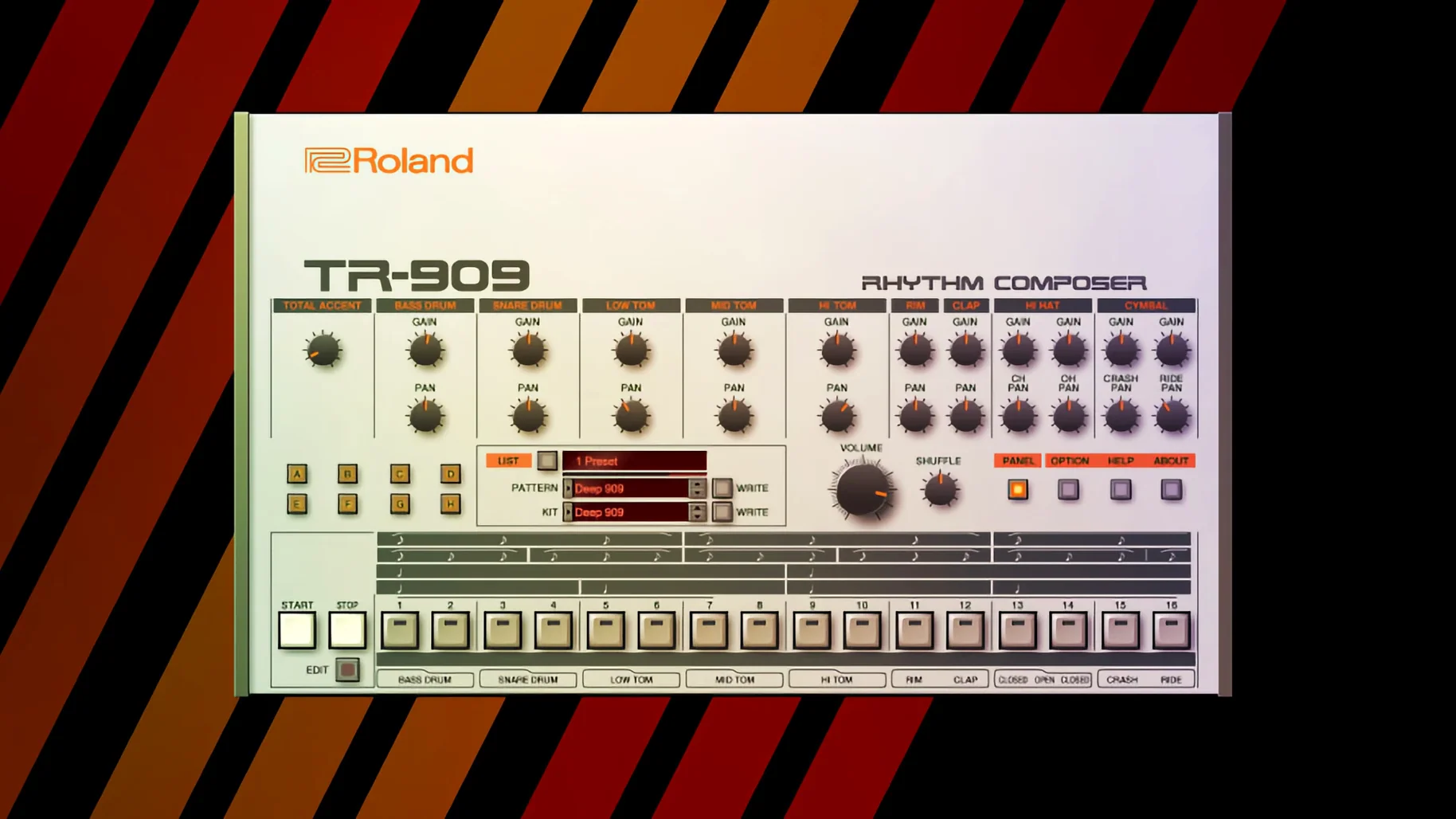
The TR-808 and TR-909 are the other obvious entry points. The 808’s soft, round kick and the 909’s sharp, metallic snare sit at opposite ends of the electronic-music spectrum. Load a pattern in each, tweak the tuning and decay, and you’ll hear why these two machines are still sampled decades later. The plug‑ins run natively on Apple Silicon and Intel Macs under macOS 11 or later, so no Rosetta overhead.
Sequence 808, JUNO-60, and D-50 in Three Tracks
If you want a quick workflow: sequence a simple 808 pattern, layer a JUNO-60 pad, then add a D-50 lead. That three-track sketch shows off the range of the Legendary Series without needing any extra instruments. The Jupiter-8 sits in between — brighter than the JUNO, less digital than the D-50 — and works well for arpeggios or bass.
Analog Circuit Behavior vs. Analog Lab and Korg Collection
If you already own Arturia's Analog Lab or the Korg Collection, you know the landscape. The Roland Cloud Legendary Series differs in two ways. First, the Analog Circuit Behavior modeling aims for the character of the originals — the way a JUPITER-8 filter rings or a TR-808 kick decays — rather than a generic "analog" emulation. Second, the selection is focused. You get the Roland canon: D-50, JUNO-60, JUPITER-8, TR-808, TR-909. You do not get a general-purpose synth engine.
Compared to u-he's Diva or Repro, the Legendary instruments are less about flexibility and more about authenticity. Diva gives you a modular analog model you can shape into anything. The Roland instruments give you the specific architecture of a JUNO-60 or a Jupiter-8. If you want that exact sound — the chorus of a JUNO, the snare of a 909 — the Legendary Series saves you time. If you want to build your own synth from scratch, you look elsewhere.
Native Instruments' Massive or FM8 are different territory. They are digital, aggressive, and modern. The Roland Legendary Series is the opposite: it lives in the 70s and 80s, with all the warmth and instability that implies. For pads, basses, and rhythmic parts, it is a more natural fit than any modern wavetable synth.
Native Apple Silicon Support with No Translation Layer
The requirements are macOS 11 or later, with support for both Apple Silicon and Intel x86 64-bit architectures. That means your M-series MacBook Air or Mac Mini works natively — no translation layer needed. The plug-ins load as standard VST3, AU, or AAX formats, depending on your DAW. Each instrument is a separate plug-in, so you can load the D-50 in one track and the JUNO-60 in another without conflicts.
The interface language is English. The newer Legendary instruments (the v2 line including JUPITER-4, JUPITER-8, and JUNO-106) have a high-resolution interface designed for modern DAWs and large displays. On a 13-inch MacBook Air, the plug-in windows are readable without scaling. On an external 27-inch monitor, the graphics are crisp.
Hear Velocity and Pitch Response on a JUNO-60 Chord
After installing, open your DAW and load the JUNO-60 on a MIDI track. Play a simple chord — C, E-flat, G — and listen to the chorus. The Analog Circuit Behavior engine responds to velocity and pitch in subtle ways. Spend ten minutes just holding notes and adjusting the filter cutoff. You will hear the instability that makes this instrument special.
Next, load the TR-808 on a separate track. Program a basic kick-hat-snare pattern. Adjust the tuning of the kick to taste. Then layer the D-50 on a third track with a slow attack and long release. That three-track sketch is enough to test the plug-in stability and your own workflow. Do not rush to add effects. The built-in modern effects in the Legendary instruments are usable, but the raw sounds are the point.
One thing to watch: the 64-voice polyphony of the D-50 can eat MIDI data if you hold long chords. Keep it to four or five notes per chord at first. The JUNO-60 and Jupiter-8 handle denser voicing without issue.
If you use Ableton Live, create a track with the TR-909 and route its MIDI from a drum rack. The 909's snare and hi-hat are tight and percussive — good for layering with samples. If you use Logic Pro, the instruments slot right into the instrument rack. All major DAWs are supported.
TR-808 and TR-909 Rhythm Tracks for Electronic Producers
Music producers working in electronic, pop, or hip-hop will find the TR-808 and TR-909 indispensable for rhythm tracks. Keyboard players who grew up on Juno or Jupiter synths will appreciate the authentic response — the way a filter opens, the weight of a bass note. Sound designers can use the D-50 for digital pads and the JUNO-60 for analog textures. The Legendary Series is not for someone who wants a single do-everything synth. It is for someone who wants the specific sound of these machines, nothing more and nothing less.
If your DAW session already includes a lot of third-party plug-ins, adding these instruments is straightforward. They coexist with Kontakt, Omnisphere, or Serum without issues. The registration is handled by a single activation file, so you do not need a separate account or online check each time you load a project.
VST3, AU, or AAX Activation with No Cloud Dependency
The Legendary Series plug-ins are installed as standard VST3, AU, or AAX files. They work as standalone instruments inside your DAW. There is no cloud dependency after activation.
Will these instruments work with my older Mac? If your Mac runs macOS 11 or later, yes. Both Apple Silicon (M1, M2, M3) and Intel x86 processors are supported. The newer high-resolution interfaces scale well on Retina displays. Older MacBooks with standard 1920x1080 screens may need to reduce the plug-in window size, but the instruments still function.
Can I use the TR-808 and TR-909 together in the same project? Yes. Each instrument is a separate plug-in instance. You can load both on different tracks or even the same track with a MIDI router. The Analog Circuit Behavior engines run independently without interfering with each other.
How much disk space do I need? The instruments vary in size. A typical set of five instruments (D-50, JUNO-60, JUPITER-8, TR-808, TR-909) takes up a few gigabytes. If you also install the v2 instruments (JUPITER-4, JUPITER-8, JUNO-106), plan for additional space.
Are these instruments good for live performance? They are designed for DAW use at this point, but if your live setup runs a Mac with a DAW and you want the sound of a JUNO-60 or a TR-808, they work. Latency depends on your audio interface and buffer size, not the plug-in itself.
Do the instruments include presets? Yes, each instrument comes with a selection of factory presets that cover pads, basses, leads, and rhythmic parts. You can save your own presets within the plug-in. The factory presets are a good starting point for exploring the range of each machine.
No release notes filed for 2025.06.29. They are added here when a build changes how the program behaves.
| macOS | macOS 11 or later |
|---|---|
| Processor | Apple Silicon, Intel 64-bit |
| Download | 1.3 GB |
- macOS 11 (Big Sur) or later
- Apple Silicon (ARM) or Intel (x86 64‑bit) processor
Questions about Roland Cloud Legendary Series
Does the Legendary Series work on Apple Silicon Macs?
Yes, the plug‑ins support both ARM (Apple Silicon) and x86 64‑bit architectures, so they run natively on M‑series and Intel Macs.
How to install, in order
- Run the standard installer provided with the Roland Cloud app.
Comments and corrections 0
Sign in or open a free account to leave a comment.
No comments or corrections yet.