Supertone Clear 1.1.1 — download for Mac
VST Plugins Updated
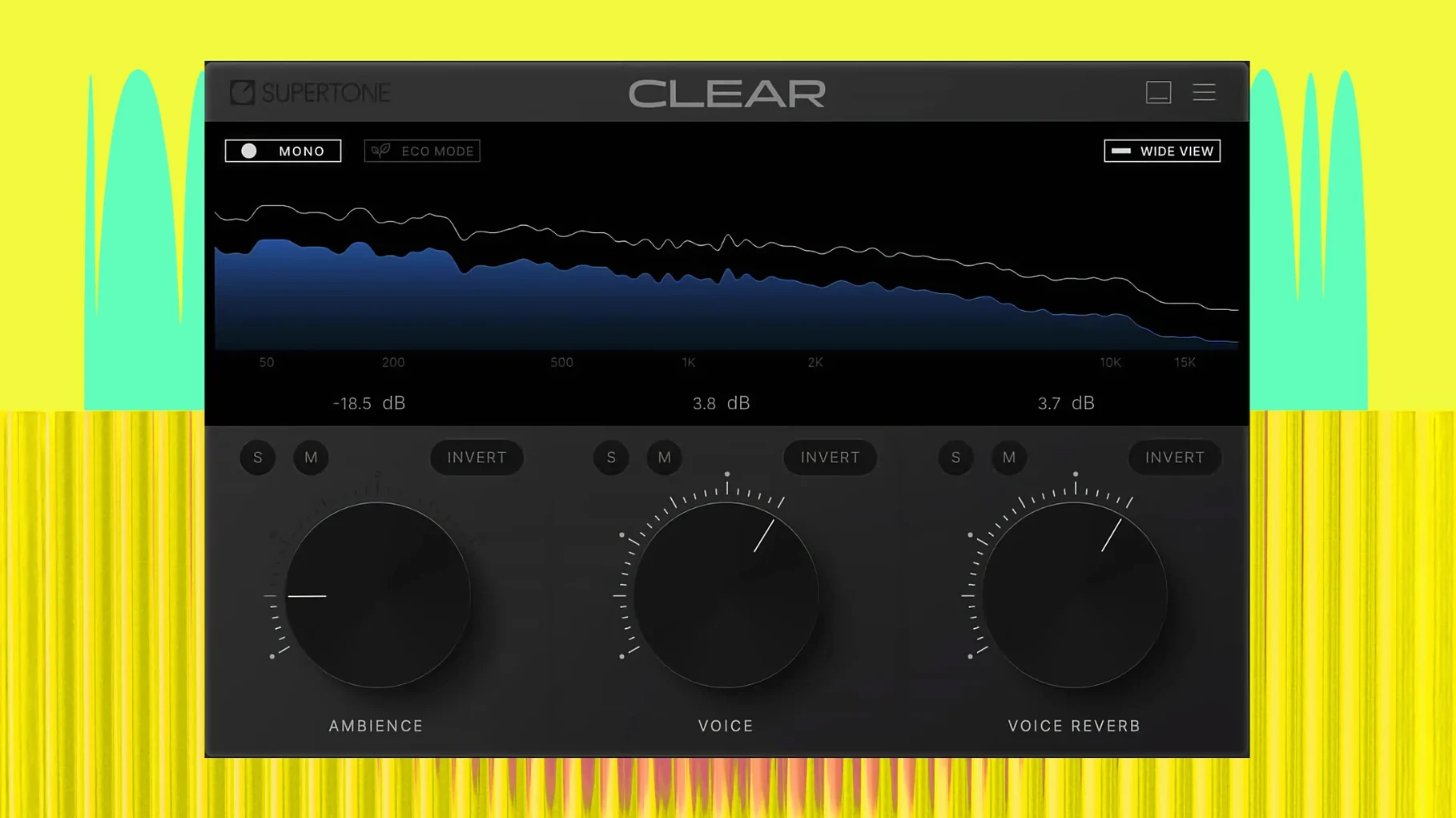
Separates incoming audio into voice, ambience, and ambience for noise reduction.
Screenshot
How Supertone Clear Compares to Similar Plugins
Three other Mac-native plugins target the same vocal cleanup space: iZotope RX (specifically the Voice De-noise and De-reverb modules), Accusonus ERA (now part of Meta), and the free Bertom Denoiser Pro. Here is how they differ.
iZotope RX is a full restoration suite, not a single-purpose plugin. Its de-noise and de-reverb modules are excellent for post-production dialogue, but they require more manual adjustment — threshold sliders, learn buttons, and frequency-based controls. Supertone Clear gives you three faders and little else. RX also demands a faster CPU for real-time use, especially on Intel Macs.
Accusonus ERA was one of the first one-knob noise reducers, and it works well for simple background hiss. It does not split reverb from ambience the way Clear does. For roomy recordings with slap echo, ERA can leave artefacts that Clear handles better through its dedicated voice reverb channel.
Bertom Denoiser Pro is free and lightweight, with a single control for noise floor. It works on Intel and Apple Silicon Macs, but it processes only noise — not reverb. If you are fixing a vocal take recorded in a tiled room, Bertom alone will not solve the problem. Clear’s three-channel separation is the differentiator here.
Start Here to Remove Room Tone Without Thinning Audio
Clear ships with three controls — Voice, Ambience, and Voice Reverb — and no presets. The defaults are neutral, which means they do almost nothing. Here is where to start:
- This removes the low-level room tone without thinning the vocal.
- Most vocal booths need little reverb reduction; untreated rooms need more. Listen for a metallic ring — that is the upper limit.
- Only lower it if the ambience and reverb reduction leaves an unnatural gap in the midrange that you need to compensate for with EQ later.
One practical tip: insert Clear as the first plugin on your channel strip, before any compressor or EQ. It works best on the raw signal. If you apply compression first, the plugin may amplify background noise that the compressor already brought up.
Fixing Home-Office Reverb and Air Conditioner Noise in One Pass
A post-production editor works on a weekly interview podcast where one guest records from a home office with noticeable reverb and a running air conditioner. The editor drops Supertone Clear onto each guest track individually. The editor then exports the clean tracks into a single DAW session for levelling and compression. What used to take three passes per guest — a noise gate, a separate de-reverb plugin, and manual fades between breaths — now takes one plugin and two slider adjustments per track. The editor saves roughly ten minutes per episode, which adds up across a three-day production week.
No release notes filed for 1.1.1. They are added here when a build changes how the program behaves.
| macOS | macOS 10.13 or later |
|---|---|
| Processor | Apple Silicon, Intel 64-bit |
| Download | 64 MB |
- macOS 10.13 or later
- Intel or Apple Silicon Mac
- Interface language: English
Questions about Supertone Clear
Does Supertone Clear work on Apple Silicon Macs?
Yes, the plugin supports Apple Silicon natively, as well as 64-bit Intel Macs.
What does Supertone Clear do exactly?
It reduces background noise and reverb in vocal recordings by splitting the audio into voice, ambience, and voice reverb channels.
Is real-time processing supported?
Yes, Supertone Clear processes audio in real time, making it suitable for live monitoring and mixing.
How to install, in order
- Run the installer package.
- Follow the on-screen prompts to complete the installation.
- Restart your DAW or audio application to load the plugin.
Comments and corrections 0
Sign in or open a free account to leave a comment.
No comments or corrections yet.