
Binary Ninja 6.0.10601 — download for Mac
Mac Apps Updated
Disassembles and decompiles binaries for analysis without source code.
Screenshots
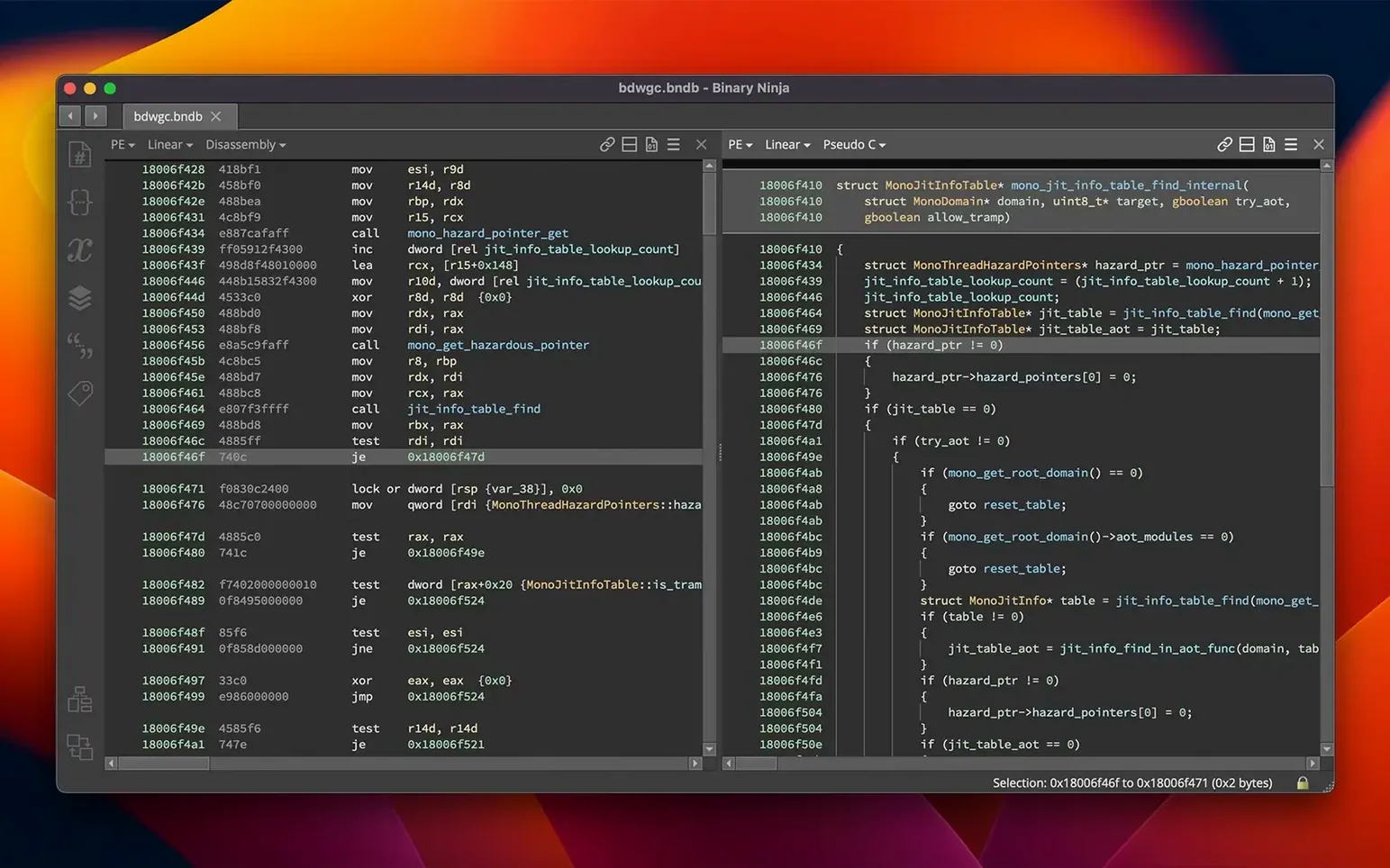
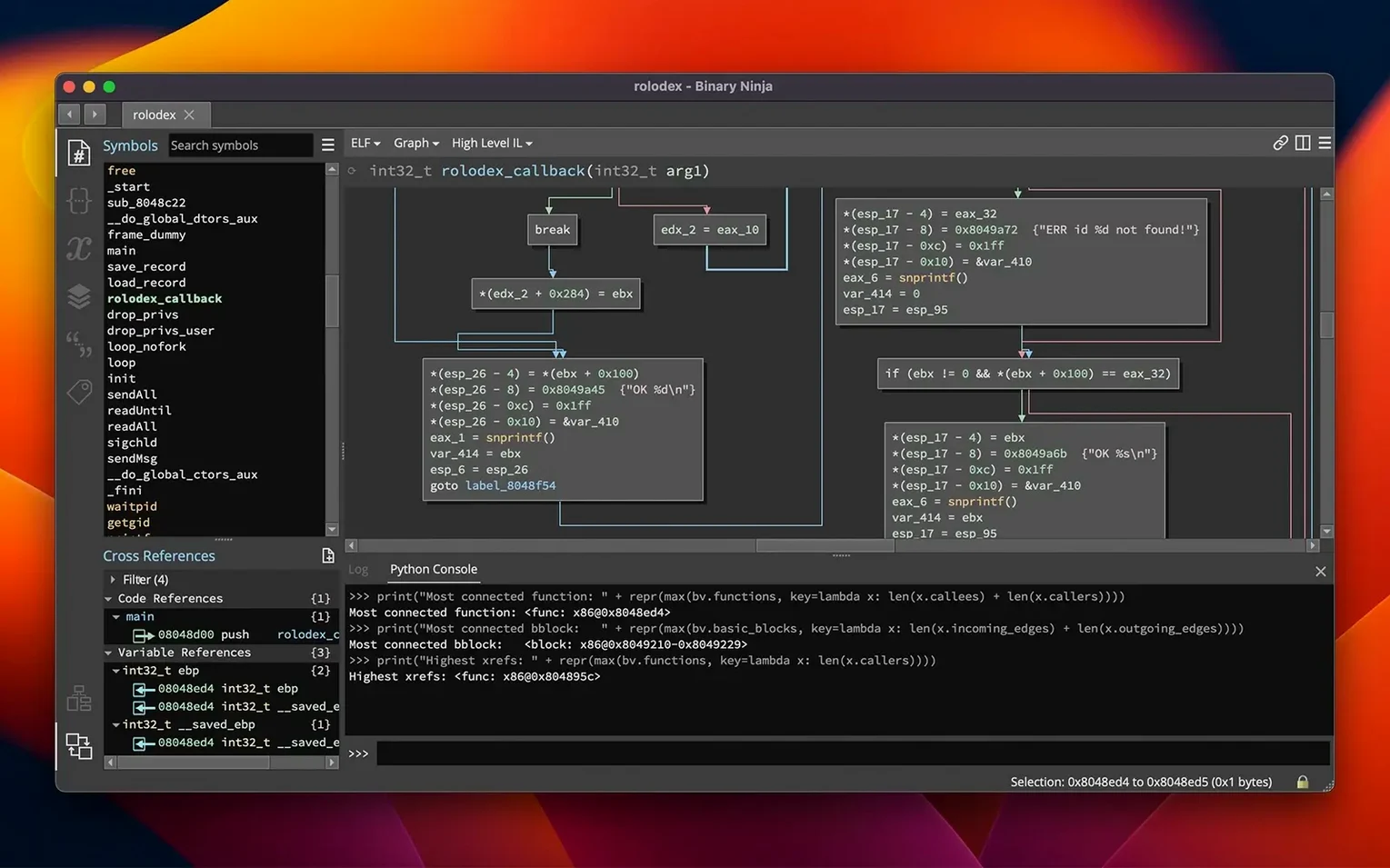
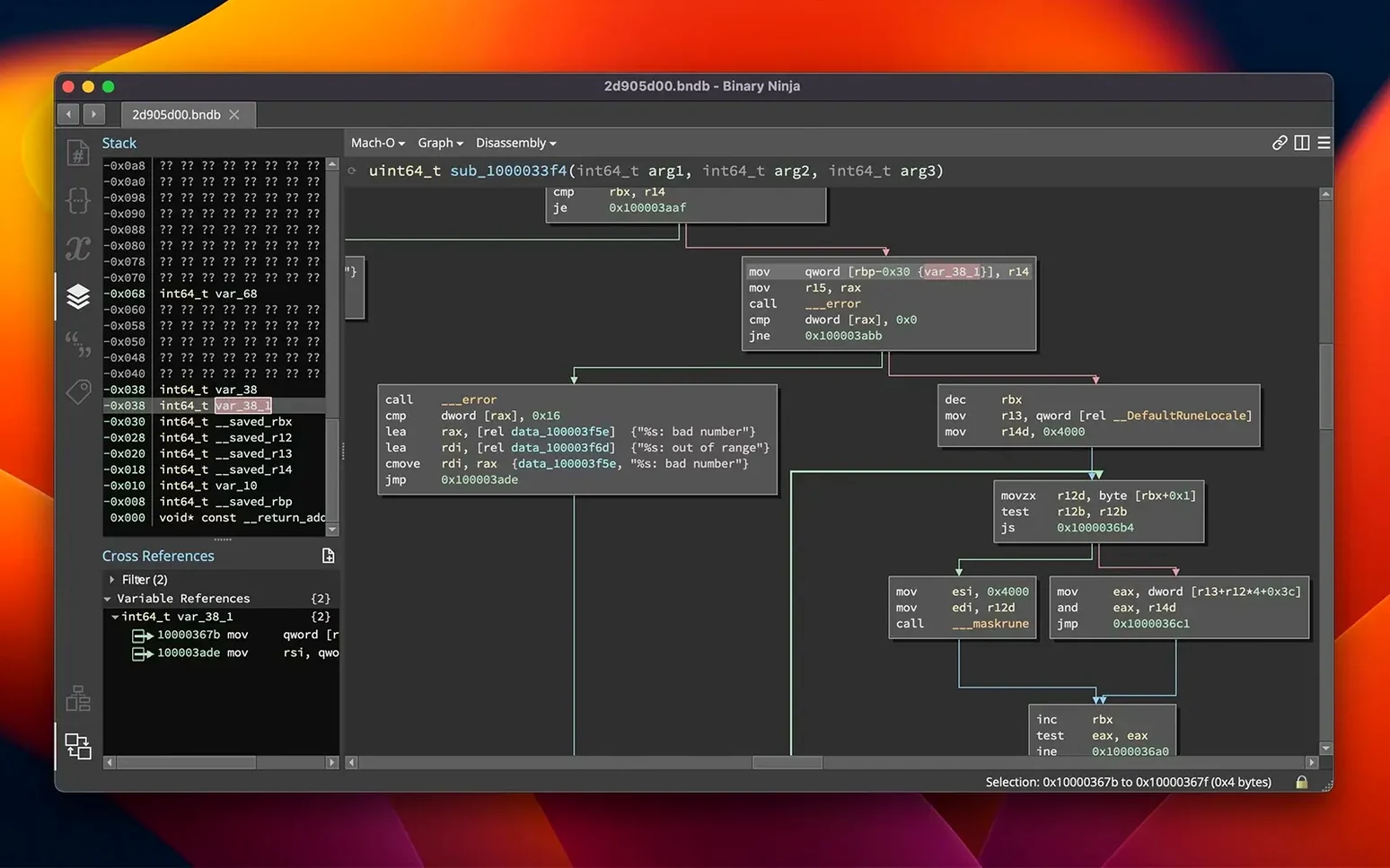
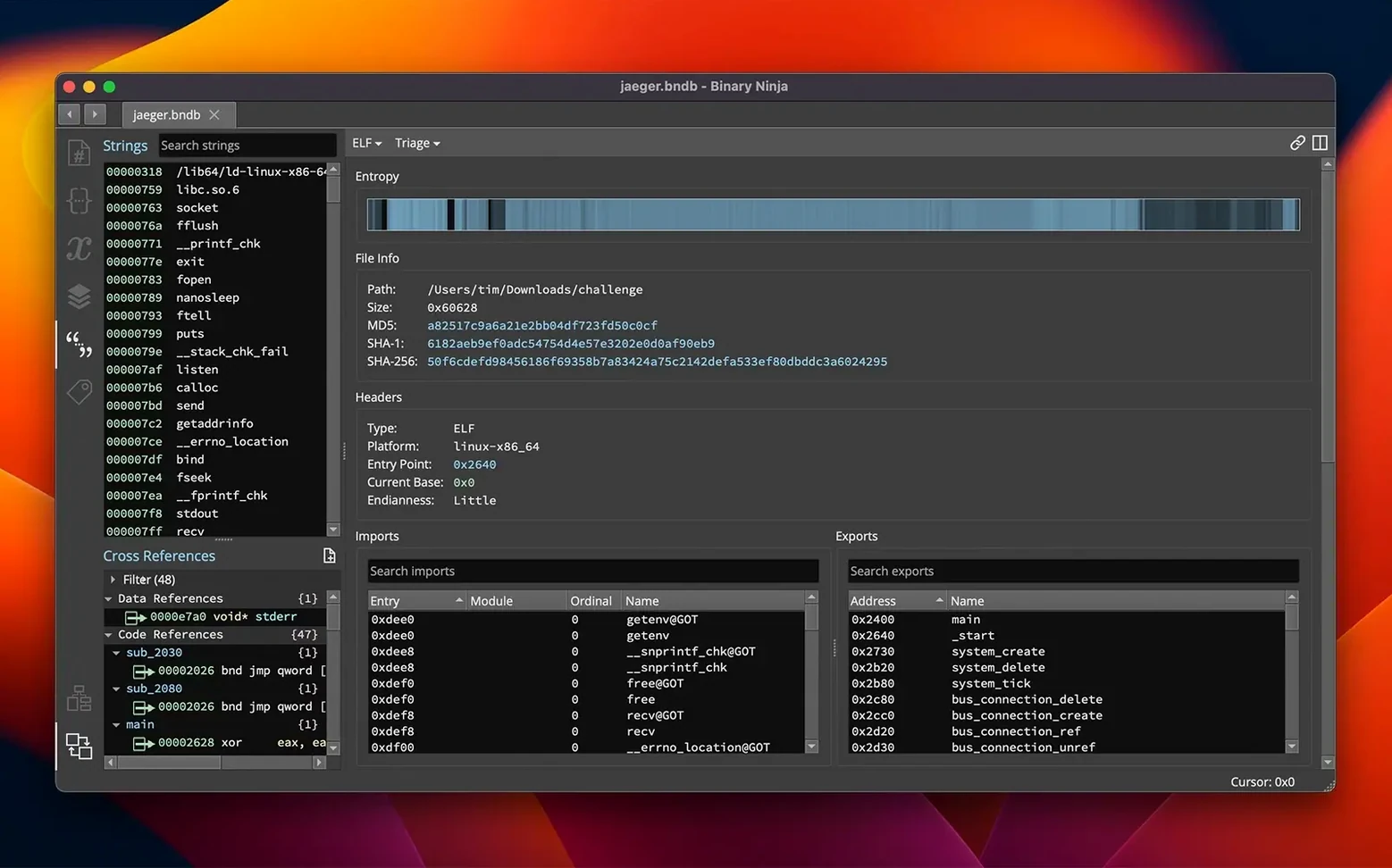
When a compiled program stops behaving and you have no source code, you need a way to read what the machine actually does. Binary Ninja gives you that view. Disassembly, decompilation to C or BNIL, and interactive navigation across x86, ARM, PowerPC, MIPS and other architectures sit in one place, with PE, Mach-O and ELF loaders covering the main targets.
- Decompilation to C and BNIL turns raw instructions into structured, readable output for supported architectures.
- Cross-reference and control-flow navigation lets you follow calls, jumps and data references without losing your place.
- Extension Manager replaces the old plugin manager and keeps Python, C++ and Rust tooling within reach.
- Binary Similarity helps spot related functions and code patterns across binaries.
- MCP server opens the analysis workflow to external tooling and automation.
Version 6.0.10601-personal runs on macOS 10.15 and later with native support for Intel and Apple Silicon, alongside Windows and Linux builds. The interface is English, and the built-in APIs cover C++, Python and Rust for teams that extend the platform internally. For anyone taking apart firmware, malware samples or old executables, the tooling covers the common paths without forcing a single workflow.
Suits Malware Analysts on Apple Silicon
Binary Ninja suits a specific type of Mac user — not every developer needs it, but those who do tend to rely on it heavily. Reverse engineers and malware analysts working on macOS find the native Apple Silicon support useful, since running x86 analysis tools under emulation adds friction that this platform avoids. Vulnerability researchers who triage firmware or desktop binaries across architectures benefit from the unified view: one workspace for a PowerPC router firmware dump and an x64 macOS ELF, without switching tools. Software developers auditing third-party libraries or legacy codebases also use it to map dependencies and check for unsafe patterns before integrating a binary into their own builds.
Opens Mach-O with Entropy Graph First
You open a fresh Mach-O binary — a stripped executable from a macOS application. Binary Ninja loads it through the ELF or Mach-O loader, identifies entry points, and presents the control-flow graph. You start by scanning the entropy graph to spot packed or obfuscated regions; a compressed-looking section near the data segment draws your eye. You click into that address range, and the disassembly view shows a small unpacking routine. Using the cross-reference navigation, you trace where the unpacked code jumps after execution. You note the destination address, then switch to the hex editor to patch the jump instruction to a return, bypassing the unpacking entirely. You compile a small C patch using the SCC compiler, apply it, and export the modified binary for testing.
Skipping Graphs for Raw Disassembly
- Jumping into the linear disassembly first. New users often skip the control-flow graph and entropy graph, which reveal structure and anomalies faster than scrolling through raw assembly. Start with the overview.
- Overusing decompiled C output without verifying. The decompiled C is a guide, not a guarantee. Beginners sometimes treat it as rewritten source code and miss subtle instruction-level details that matter for patching or exploit analysis. Check the assembly when precision counts.
- Ignoring the API from the start. Repetitive tasks — renaming functions, adding comments, applying types — become tedious by hand. Writing a short Python or Rust script to automate these steps saves hours after the first few binaries. Beginners often discover this after doing the same work across ten files.
- Forgetting to save the analysis workspace. Binary Ninja keeps your annotations, types, and patches in the project file. New users sometimes close a session without saving and lose hours of renaming and comments.
Binary Ninja disassembles and analyzes binaries, suiting reverse engineers, but a binary ninja crack download from untrusted sources risks malware. A legitimate copy from Vector 35 avoids that risk. And 1041 in binary is 10000010001, a trivial aside that has nothing to do with the tool itself.
- New MCP server for external tooling and automation.
- Binary Similarity feature added.
- Plugin Manager redesigned as the Extension Manager.
- TMS320C6x architecture now supported.
| macOS | macOS 10.15 or later |
|---|---|
| Processor | Apple Silicon, Intel 64-bit |
| Download | 584 MB |
- macOS 10.15 or later
- Intel and Apple Silicon supported
- Interface language: English
Questions about Binary Ninja
Which architectures does Binary Ninja support?
It handles x86, x86-64, ARMv7, ARMv8/AArch64, PowerPC, 6502, Z80, MIPS and TMS320C6x.
What file formats can Binary Ninja open?
The loaders cover PE, Mach-O and ELF binaries across Windows, macOS and Linux targets.
How to install, in order
- Open the package and follow the included install instructions.
- Use the included activation instructions to complete setup.
Comments and corrections 0
Sign in or open a free account to leave a comment.
No comments or corrections yet.