Serato Studio 2.5.0 — download for Mac
Mac Apps Updated
Shares library with Serato DJ for seamless crate and track management.
Screenshot
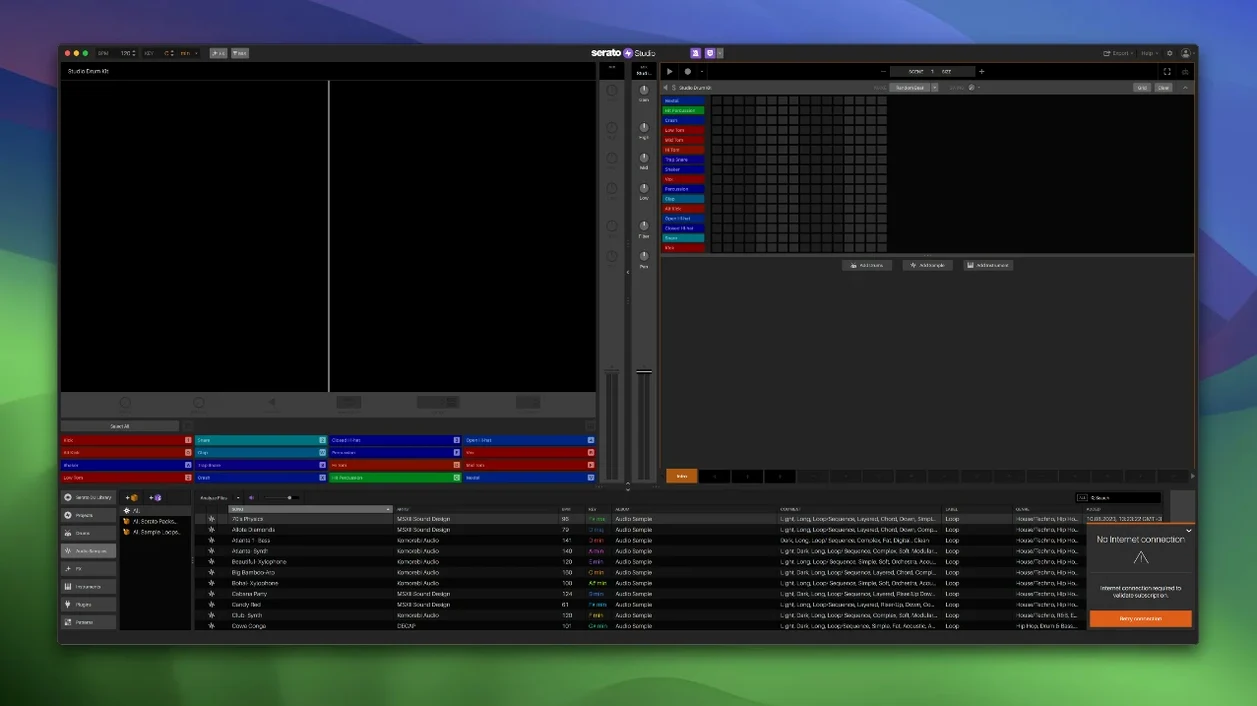
Serato Studio 2.5.0 runs on macOS 10.14 through macOS 26 Tahoe, on both Intel and Apple Silicon Macs. It shares the Serato library with Serato DJ, so your crates and track ratings move between apps without extra steps.
Adjust Individual Stem Levels
In any Sample Deck, you can now set separate levels for acapella, melody, bassline, and drum stems. That means you can drop a full track, pull the bass down a few dB, and keep the vocal where you want it — all inside the same deck.
Automate Stems On/Off and Levels
Stems On/Off and each stem’s volume can be automated in Scene View. If you want the drums to cut in only during the second bar, or fade the melody out over eight beats, draw the automation directly. No extra routing.
Use VST and AU Plugins
Studio supports third-party VST and AU plugins, so you can bring your own compressors, synths, or effects into the project. Combined with Auto Chord mode and the Feel control for live-play timing, this covers most of what an experienced producer needs without leaving the app.
For DJs Who Already Use Serato DJ
This app fits a specific workflow — fast, sample-based beat creation with DJ hardware integration. The people who get the most from it are:
- DJs who already use Serato DJ and want to move from track selection to production without rebuilding a library. Shared crates, ratings, and search mean no duplicate work.
- Producers who work from loops, one-shots, and stem packs rather than recording live instruments. The built-in drum kits, instruments, and sample decks cut setup time.
- Beat makers who need quick key changes and chord generation. Auto Chord mode and one-touch key switching remove theory bottlenecks when you are on a deadline.
- Hardware-oriented users who own an AlphaTheta SLAB or similar DJ gear. The native control in 2.5.0 makes the app a production extension of your setup.
Point to Your Serato DJ Library First
Start by pointing Serato Studio to your existing Serato DJ library. The shared library means your track ratings and favorite crates appear immediately. If you do not use Serato DJ, import your sample folders into a new crate and set up a few Sample Decks with different stem types.
Spend the first session with the drum kits and built-in loops. The BPM syncing keeps everything in time, so you can focus on arrangement. Try the Reverse Pad Order option on the setup screen — it changes how pads respond, which can speed up finger drumming if you use a controller.
On day two, test the Feel control. Turn it on and play a chord progression; the timing shifts slightly to imitate a live keyboard player. This makes a loop-based project sound less rigid without quantizing afterward.
Exports Stems to Logic Pro or Ableton
Because it supports VST and AU plugins, Serato Studio acts as a central DAW for sample-based work while letting you route audio to external effects or synths. Export stems and bring them into Logic Pro or Ableton for final arrangement — the stem export keeps your levels and automation intact.
On macOS, the app runs natively on both Apple Silicon and Intel machines, so there is no Rosetta overhead on newer Macs. The shared Serato library with Serato DJ means you can rate a track in Studio, open Serato DJ, and see the rating there. No import-export cycle.
For users searching serato studio mac crack or serato studio torrent, the installation process is straightforward: open the disk image, run the standard installer package named Serato Studio 2.5.0 Without Core Pack.pkg, then apply the patch installer named Serato Studio 2.5.0 patch.
Color-Coded Waveforms and One-Click Key Switching
- Color-coded waveforms. Each stem type appears in a different color, so you can spot the drum track or vocal at a glance without reading labels.
- One-touch key switching. Change the project key in a single click. Useful when a vocal sample does not fit your track’s tonality.
- Crate Search and Favorite Crates. Quickly find a specific sample pack or jump to your most-used crates without scrolling through the full library.
- Track Rating. Rate tracks inside Studio, and those ratings sync to Serato DJ. One less app to open when organizing.
- Mixer channel and effects. Built into the same window, so you can apply reverb or compression without opening a plugin window for every track.
For producers and DJs who work from sample decks and need fast stem-level control, Serato Studio 2.5.0 covers the daily-use cases without extra routing or duplicate library management. If you search serato dj mac torrent or serato mac torrent, the same shared library and plugin support apply — no separate configuration needed.
- Added native control for AlphaTheta SLAB.
- Added support for macOS 26 Tahoe.
- Added the ability to adjust individual levels for acapella, melody, bassline, and drum stems in Sample Decks.
- Added automation for Stems On/Off and individual Stems Levels in Sample Decks.
| macOS | macOS 10.14 or later |
|---|---|
| Processor | Apple Silicon, Intel 64-bit |
| Download | 540 MB |
- macOS 10.14 or later
- Intel or Apple Silicon
Questions about Serato Studio
Does Serato Studio support macOS 26 Tahoe?
Yes, version 2.5.0 added native support for macOS 26 Tahoe.
How to install, in order
- Open the downloaded disk image.
- Run the standard installer package named Serato Studio 2.5.0 Without Core Pack.pkg.
- Run the patch installer named Serato Studio 2.5.0 patch.
Comments and corrections 0
Sign in or open a free account to leave a comment.
No comments or corrections yet.