Canopy 2 — download for Mac
Utilities Updated
Controls music playback from a small, always-visible panel on your screen.
Screenshots
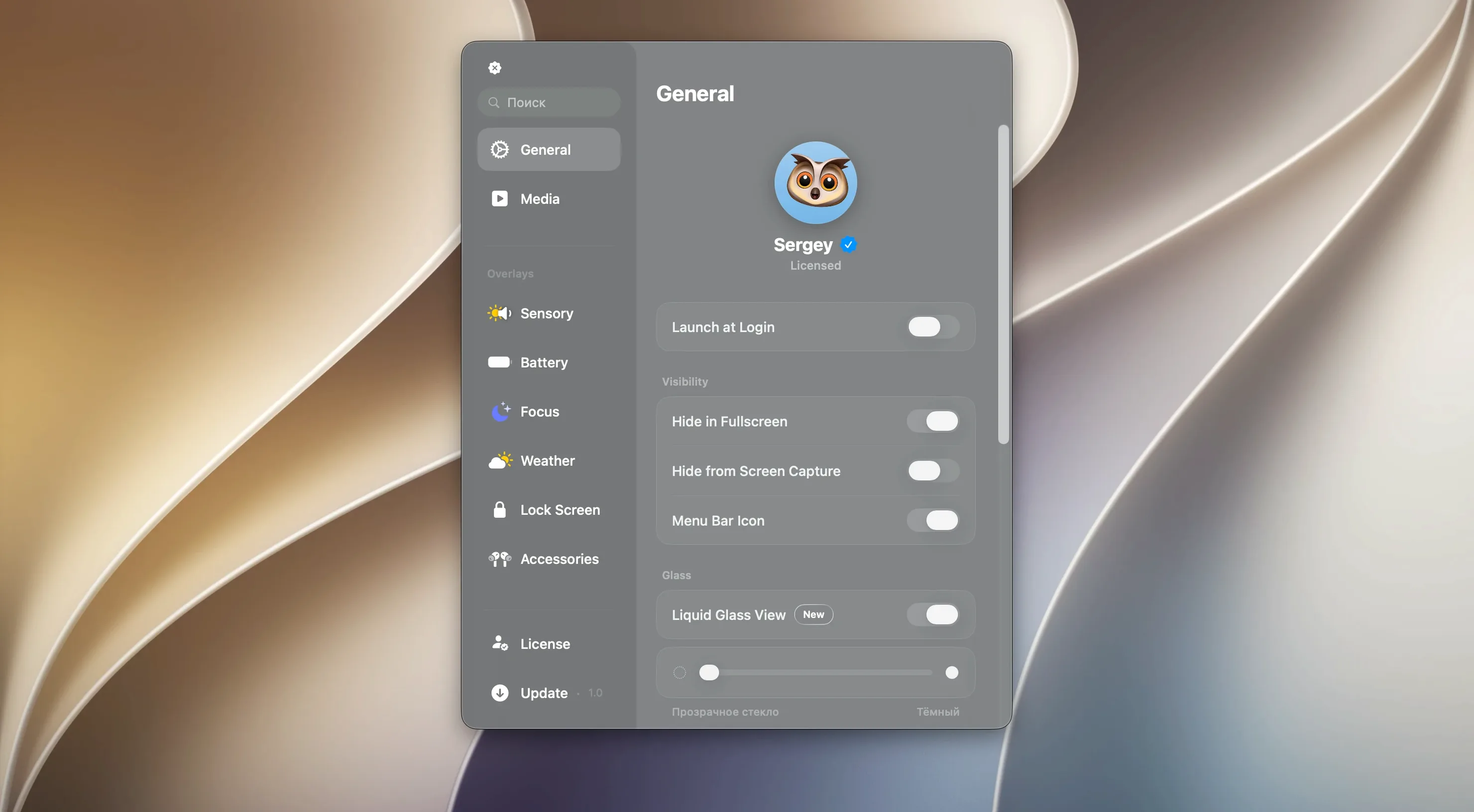
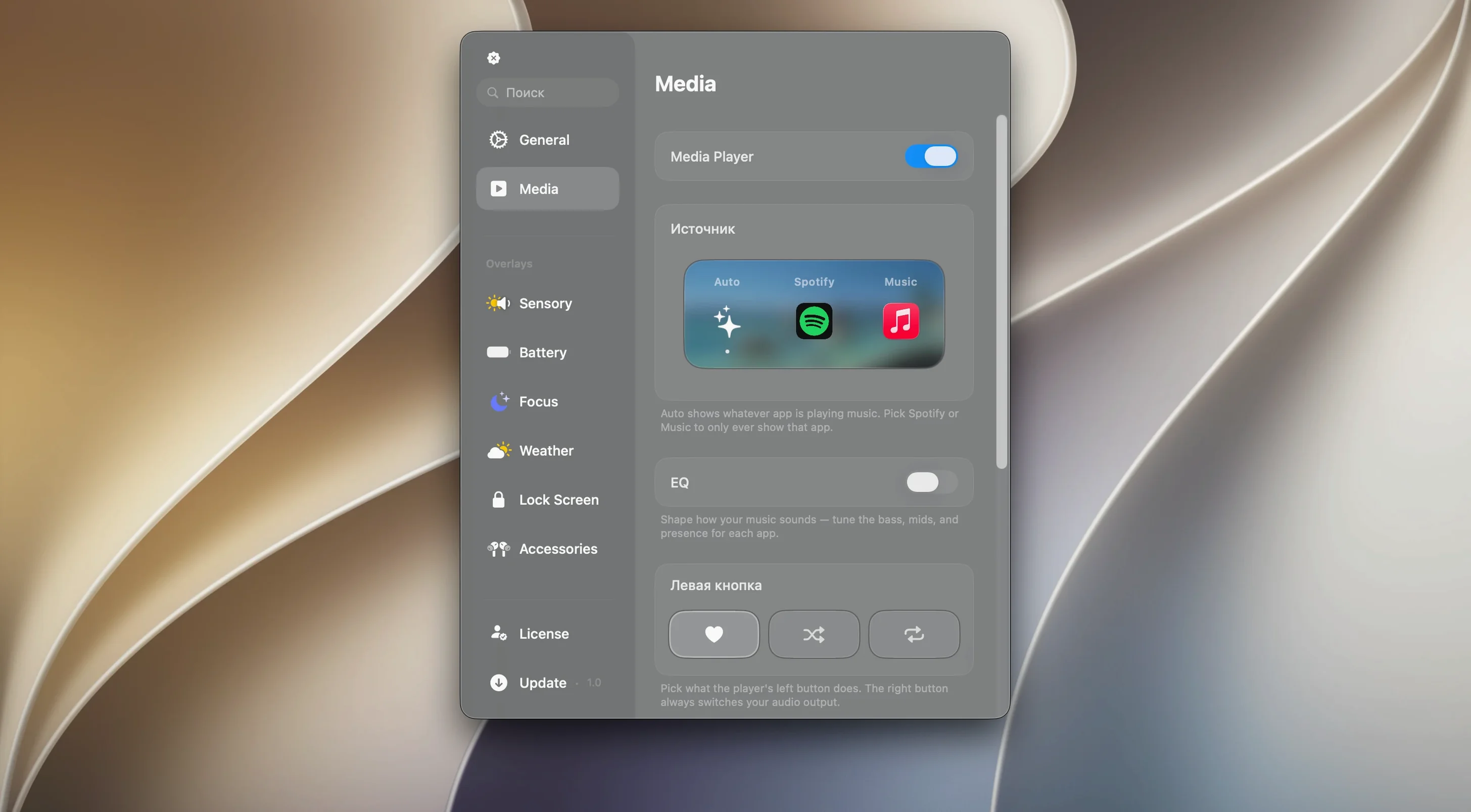
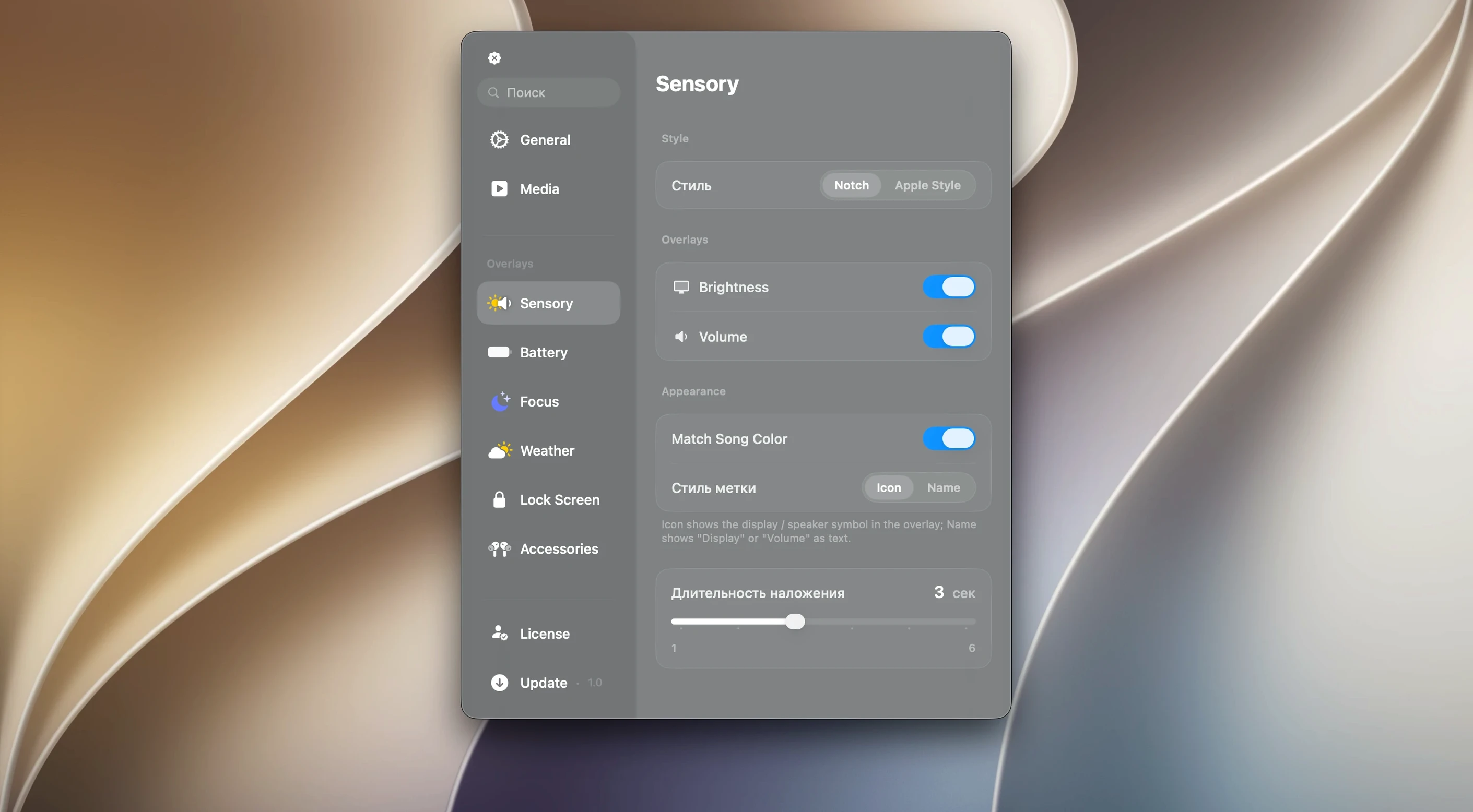
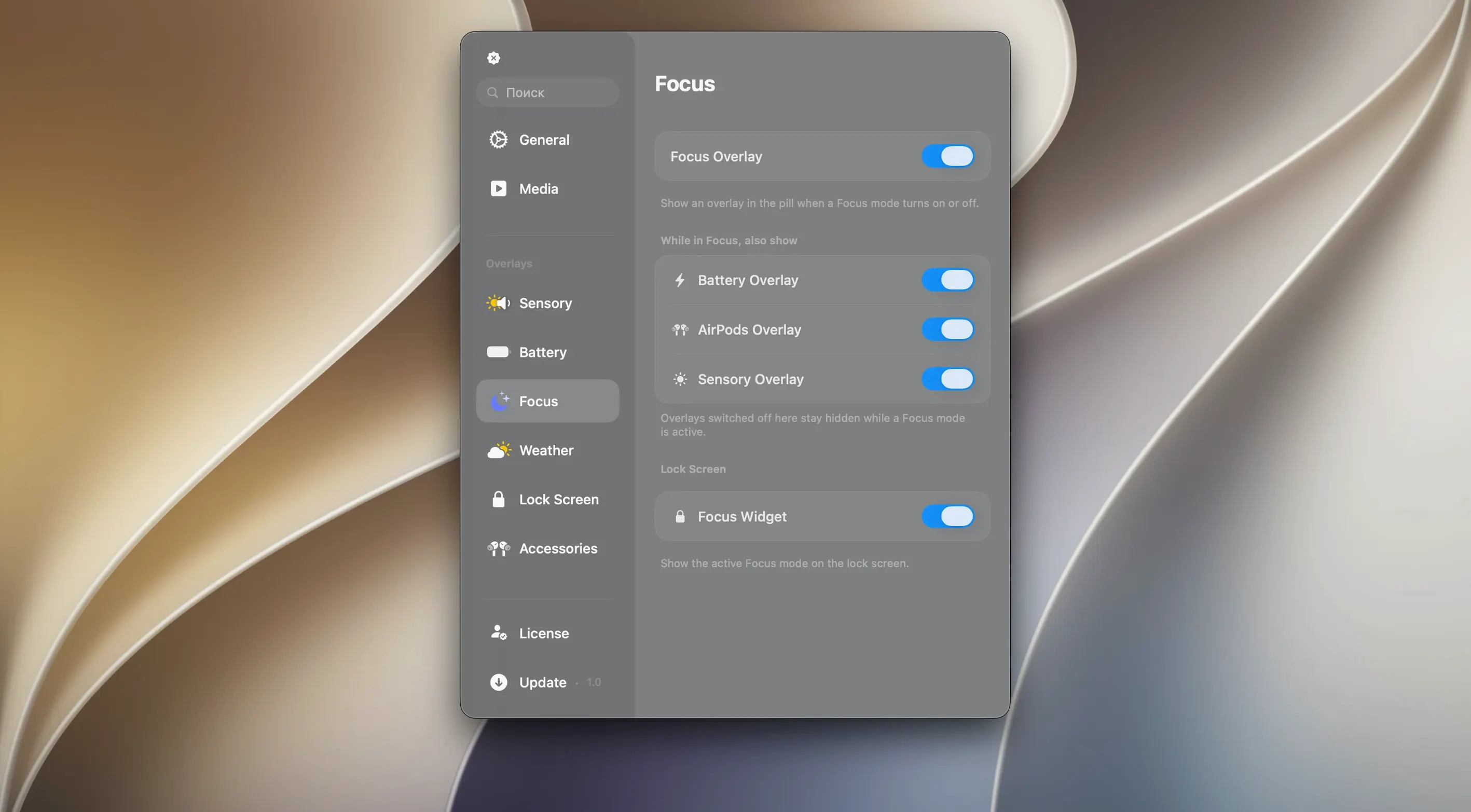
Project managers and anyone who keeps music or a podcast running between spreadsheets and site plans will find Canopy useful. It puts playback controls where a quick glance is enough—no window switching required.
What does the interactive panel show?
It displays media controls and compact notifications in the menu bar or notch area. You can pause a track or skip forward without pulling the app into focus.
Does it require a Mac with a notch?
No. Canopy works on any Mac, notched display or not. On a standard screen, the controls tuck into the menu bar cleanly.
What about Apple Silicon and Intel support?
Suits full-screen workers and window hoarders
Canopy suits people who work with applications in full screen or who keep a lot of windows open. The interactive panel stays visible without stealing focus, so you don't have to dig for play/pause, next track or a timer. Project managers often fall into this group: one screen holds a Gantt chart, another has email, and the music app is buried three windows deep. Canopy makes that third window unnecessary.
Users who rely on calendar or Slack alerts also benefit. The panel shows live activities in the same spot, so a meeting reminder or a message preview appears at the top of the screen no matter which app is active. On a Mac with a notch, the controls sit inside it and look natural. On a Mac without one, a floating widget appears in the same position.
The Liquid Glass effects add a bit of visual polish without feeling gaudy. People who appreciate thoughtful UI details — transparent overlays, smooth highlights — will notice it. It is not essential, but it makes the panel feel part of the operating system rather than an add-on.
Fix: app missing after installation
The most frequent frustration is the app not appearing after installation. The fix is straightforward: open the downloaded disk image, drag the app to Applications, then launch it from Launchpad. Launching directly from the disk image or from the Downloads folder sometimes fails because macOS treats the location as temporary. Moving it to Applications and using Launchpad resolves the issue.
Another snag happens when the panel seems to overlap other menu bar items. Canopy is designed to sit in the notch or at the top edge, but on Macs with many icons or a crowded menu bar, the panel may shift position. Reducing the number of menu bar add-ons — or removing old ones — usually clears enough space. The app does not have a manual repositioning setting, so the system handles placement automatically.
Some users report that media controls do not respond immediately. This is almost always a permissions or focus issue. Make sure the media app is running and playing before you expect Canopy to show controls. The panel reads from the active session; if the media app is paused or closed, the panel shows nothing. Restarting both apps in the correct order (media first, then Canopy) restores the connection.
Wider than Muzzle, Haze and NotchBar
Three other apps cover similar ground: Muzzle, Haze and NotchBar. Muzzle focuses only on muting notifications during presentations and does not include media controls or a persistent panel. It solves one problem well but stays narrow. Haze provides a translucent overlay for the entire screen, which is closer to an ambient effect than a functional panel. It looks good but adds no playback or notification features.
NotchBar is the closest competitor. It also places controls in the notch area and works on both notched and notchless Macs. However, NotchBar requires more manual setup — the user must define which apps appear — and updates less frequently. Canopy version 2.1.0 detects media and notifications automatically, which saves time for people who switch between Spotify, Apple Music and podcast apps during the day. NotchBar also lacks the Liquid Glass effects, which give Canopy a more polished appearance.
Auto-detects media sources without setup
Canopy recognizes media from multiple sources without configuration. If you switch between Spotify and Apple Music, the panel updates without a prompt. The same applies to timers and live activities — no manual app selection is required.
The installer is a single disk image that covers both Apple Silicon and Intel Macs. In an office where some machines run M-series chips and others still use Intel, one download works for everyone. No separate builds or extra steps.
Because the panel lives in the notch or at the top of the screen, it stays out of the way during presentations or screen sharing. Colleagues see the shared window or slide without the app's controls intruding. It is a small thing, but for anyone who presents weekly, it removes an extra step of hiding or closing the app beforehand.
If you want to get Canopy on your Mac without hassle, a canopy macbook download covers the same installer. Searching for canopy mac or canopy for mac brings up the app directly. Canopy provides a complete, stable environment for scientific computing without requiring manual configuration. A quick canopy mac free search also finds the correct version.
The app runs on both Apple Silicon and Intel 64-bit Macs. A single installer covers the machines most offices still mix.
Version v2 1.2.2 of Canopy has been posted with no specific changes detailed beyond the usual maintenance refinements.
| macOS | macOS 26 or later |
|---|---|
| Processor | Apple Silicon, Intel 64-bit |
| Download | 11 MB |
- macOS 26 or later
- Apple Silicon or Intel 64-bit processor
Questions about Canopy
What does the interactive panel show?
It shows media controls and compact notifications in the menu bar or notch area, so you can manage playback without switching windows.
Does Canopy work without a notch?
Yes. The controls integrate into the menu bar on any Mac, with or without a notch.
Is Canopy compatible with Intel Macs?
It supports Apple Silicon and Intel 64-bit Macs. The same installer works on both architectures.
How to install, in order
The build runs on any Mac with macOS 26 or later — Apple Silicon and Intel 64-bit — and the download clocks in right around 11 MB.
- Open the downloaded disk image.
- Drag the application icon into the Applications folder shortcut.
- Once copying finishes, launch Canopy from Launchpad.
Comments and corrections 0
Sign in or open a free account to leave a comment.
No comments or corrections yet.