CrossOver 20261015 — download for Mac
Utilities Intel processors only Updated
Runs Windows applications on macOS without requiring a Windows license.
Screenshots
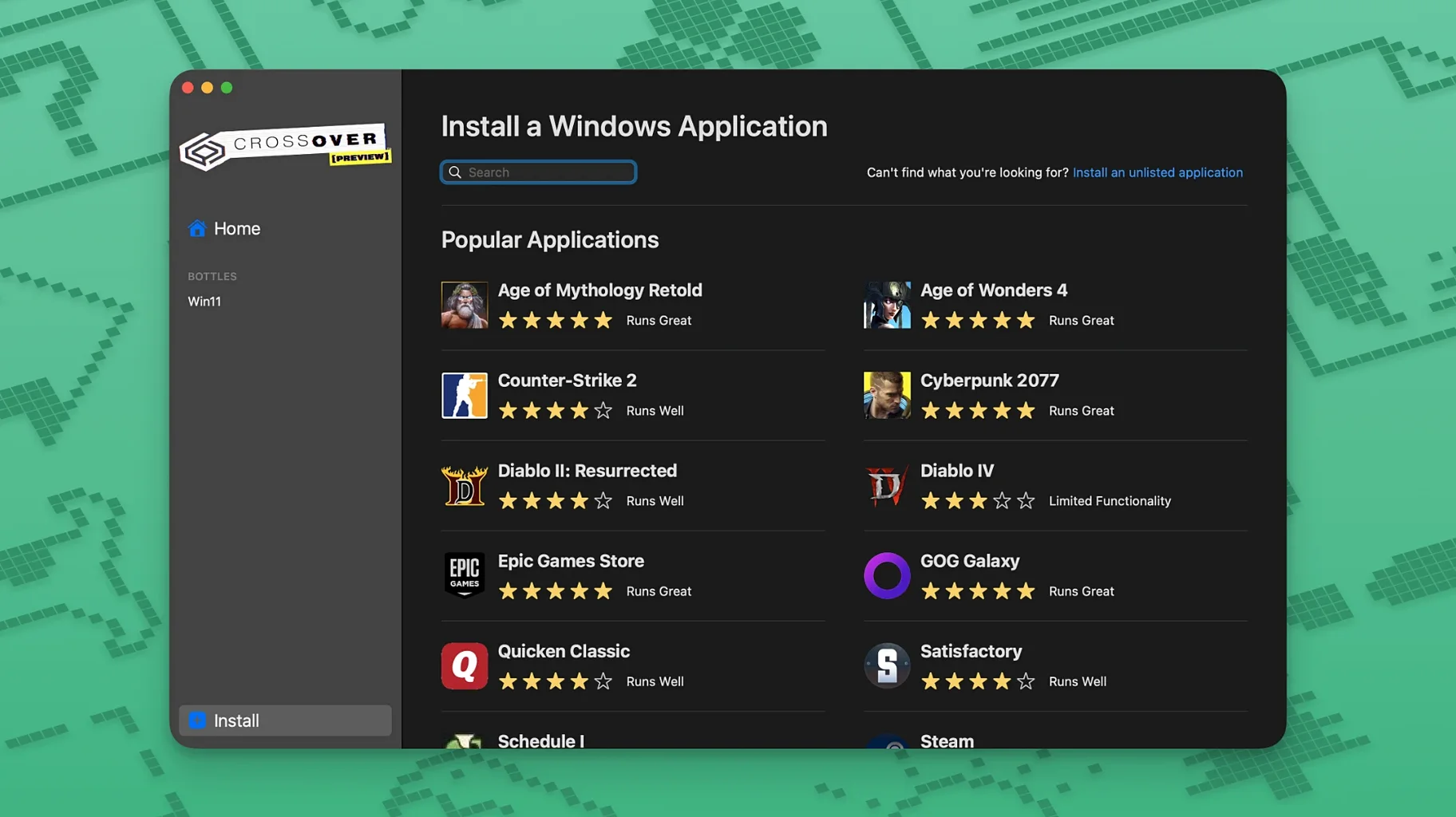
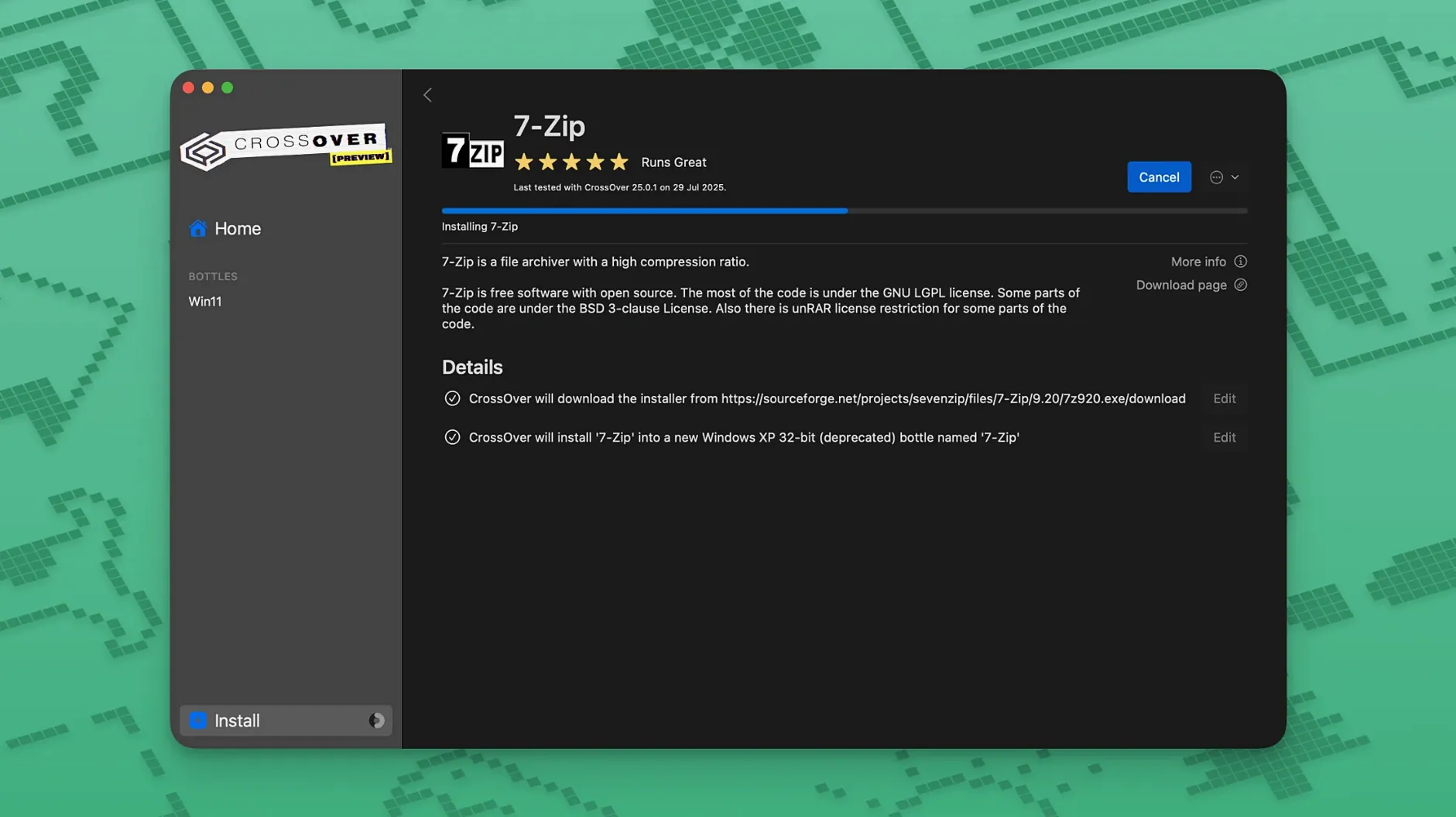
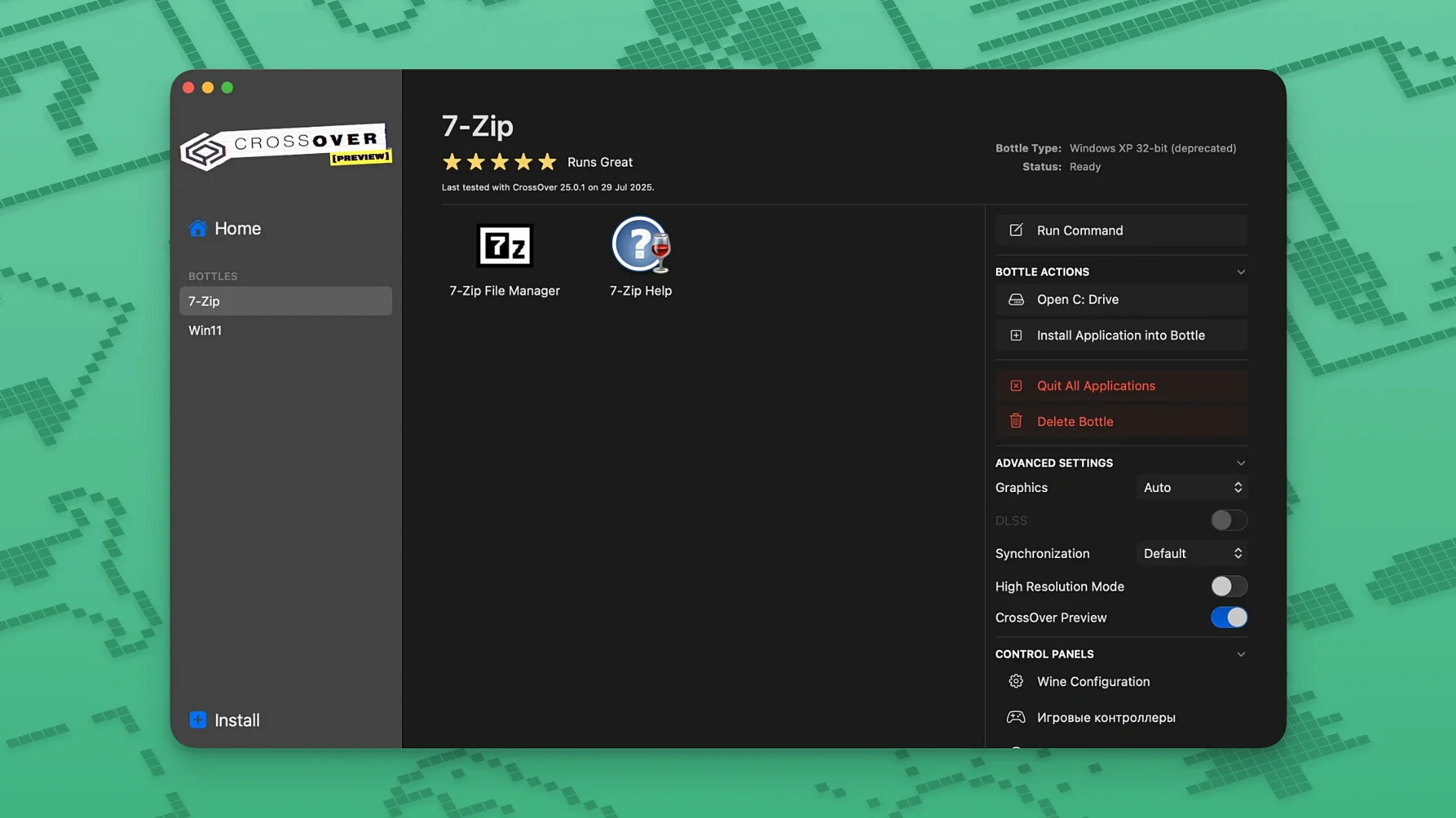
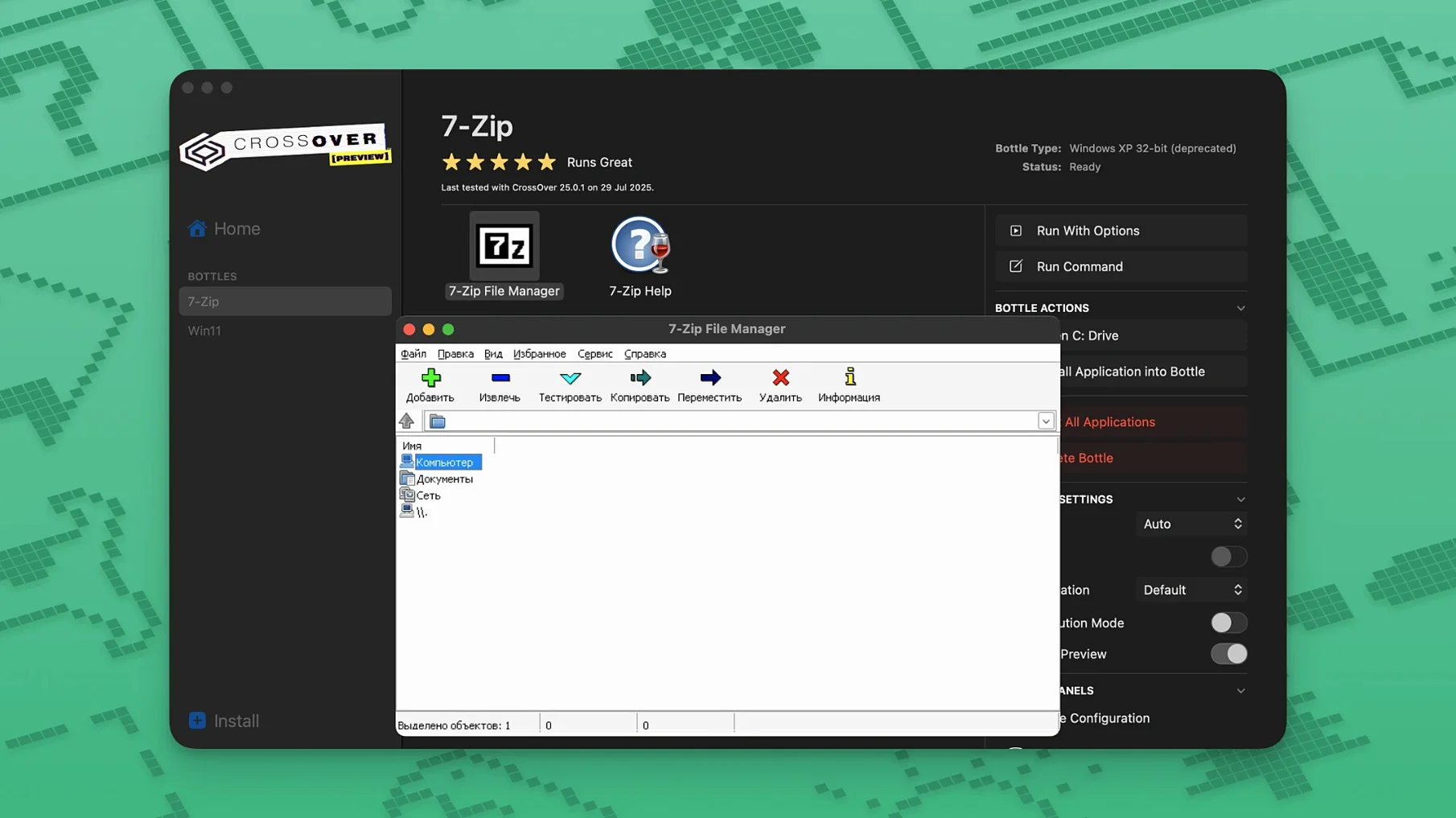
CrossOver 26.3.0 for Mac is a compatibility layer that runs many Windows applications directly on macOS without needing a Windows license or virtual machine. For someone new to it, the first step is to pick a bottle — CrossOver creates separate Windows environments (each with its own C drive and registry) for different apps.
What should I install first?
Start with a supported productivity tool or utility you already rely on at work. CrossOver handles many Windows-only project management tools, document editors, and file utilities without extra fiddling. Open CrossOver, create a bottle, then run the Windows installer inside it.
Automatic tweaks for known apps
Probably not much. CrossOver applies Wine-based compatibility tweaks automatically for known applications. If the app doesn’t launch, check the CrossOver compatibility center or try a different Windows version preset for the bottle.
Can I run games right away?
Many Windows games work, but some need small adjustments. The current version fixed Diablo IV, Epic Games Launcher downloads, and GOG Galaxy after recent updates. For a new user, start with a game listed as “Platinum” in the CrossOver database — those require almost no manual setup.
Epic Games Launcher download fix restored
CrossOver 26.3.0 arrived with three focused fixes that affect how people actually spend their time in the app. If you use Epic Games Launcher on Mac to download titles, the update restored that workflow after a platform update broke it. GOG Galaxy users saw the same pattern — the store client stopped loading, then started working again after the patch. Diablo IV players who hit a black screen after a game update can now launch normally. None of these changes alter the interface or the bottle management flow. They are point fixes that keep existing setups running.
For someone managing multiple bottles, the update does not introduce new buttons, panels, or configuration options. The routine stays the same: launch CrossOver, select the bottle, run the app. The value of 26.3.0 is maintenance — it catches up with upstream Wine changes and third-party game updates that could otherwise stall a project or a gaming session.
Repeated issues and their usual fixes
Even with a mature compatibility layer, a few issues repeat themselves. Here are the ones I see most often and the fixes that usually work.
Bottle won't launch after an app update
When a Windows app updates itself, it sometimes writes new registry keys or dependencies that CrossOver has not seen before. The quickest fix is to create a fresh bottle and reinstall the application inside it. Keep your old bottle in case you need to copy over user data, but do not try to repair the existing one — it is usually faster to rebuild.
Installer stops halfway or hangs
Some Windows installers expect a Windows-style drive layout that CrossOver emulates but does not always match perfectly. If the installer freezes, try running it with the Windows version set to Windows 10 (64-bit) in the bottle configuration. A second approach: mount the installer .exe from a different folder, not from Downloads, to avoid permission oddities.
Game runs but has no sound or choppy video
CrossOver maps Windows audio calls to macOS audio through PulseAudio or OSS. If sound is missing, check that the bottle's audio output is set to the default macOS device. For video stutter, close other GPU-intensive apps — CrossOver does not reserve graphics resources, so browser tabs or video calls can compete.
Activation or license tool does not complete
If the license tool does not finish its process, grant Terminal full disk access via macOS Privacy & Security settings. The tool needs write permission to certain system folders during the activation step. After that, rerun the license.tool script from the croslic folder.
Real-World Scenario: An IT Administrator Rolling Out a Windows-Only Tool
A colleague at a midsize engineering firm manages a project scheduling application — Microsoft Project — that the accounting team still needs on Mac workstations. Rather than buying Windows licenses for five machines, she installed CrossOver on one Mac first. She created a bottle named "MS Project," ran the installer inside it, and pointed the shortcut to the Windows .exe. The scheduling tool opened, connected to the shared network drive, and the accounting team could access the same project files as the Windows users. She now copies the same bottle folder to the other Macs, so each machine gets an identical Windows environment without extra setup. The main time saved: no rebooting, no dual-boot partitions, no separate Windows updates to manage.
Check compatibility for kernel-level apps
Will CrossOver work with any Windows application?
No. CrossOver uses Wine compatibility technology, which translates Windows commands to macOS. Applications that rely on deep kernel access, certain VPN clients, or obscure hardware drivers may not work. Check the CrossOver compatibility database before installing something business-critical.
Can I keep my existing Windows license and just use CrossOver?
Yes. CrossOver does not require a Windows license. It runs the applications directly without the Windows operating system underneath. If you already own a Windows license for another machine, that is fine but not needed here.
Does it slow down the Mac?
CrossOver runs as a user-space process on macOS. It uses the same CPU and RAM as any other application. If your Mac meets the minimum specification (macOS 10.15 Catalina, Intel x86 64-bit), the overhead is comparable to running a second app in the background. It does not install a full virtual machine or reserve system resources.
Can I move bottles between Macs?
Yes. Each bottle is a folder with its own C drive structure, registry, and installed applications. Copy the entire bottle folder to another Mac with CrossOver installed, and the applications appear in the main window. This works well for deploying the same setup across multiple machines.
What about antivirus or security tools inside the Windows environment?
CrossOver does not include a Windows security layer. If the Windows application needs real-time protection, it must run inside a virtual machine. For most productivity tools and games, this is not an issue, but it is worth knowing if your workflow involves handling sensitive data through a Windows-only app.
Set default bottle to Windows 10 (64-bit) first
Before you install anything, open the CrossOver main window and check these settings. They save time later.
- Default Windows version — Set the bottle default to Windows 10 (64-bit) unless the application specifically requires an older version. Most current Windows software expects this preset.
- Library overrides — If a known application behaves oddly, add the .dll name to the library overrides list and set it to "Native (Built-in)" before attempting to reinstall. This is in the bottle configuration panel.
- Audio output — Confirm the audio driver is set to the default macOS device. Some bottles default to OSS, which can cause crackling or silence on newer Mac hardware.
- Graphics output — If you run games or GPU-accelerated tools, set the bottle to use the dedicated graphics adapter if your Mac has one. This avoids the Intel integrated chip for that bottle.
- Automatic updates — Disable automatic updates inside any Windows application that CrossOver runs. An update from the Windows app can break compatibility until the next CrossOver patch arrives.
These adjustments cover the setups I see most often in project management environments and gaming sessions alike. Once the defaults are right, the bottle runs with minimal maintenance.
- Fix for Diablo IV not launching after a game update.
- Fix for Epic Games Launcher downloads not working on Mac after an update.
- Fix for GOG Galaxy client not loading after an update.
| macOS | macOS 10.15 or later |
|---|---|
| Processor | Intel 64-bit |
| Download | 752 MB |
- macOS 10.15 Catalina or later
- Intel-based Mac
Questions about CrossOver
What is a bottle in CrossOver?
A bottle is a self-contained Windows environment with its own C drive, folders, and registry. Each bottle keeps its installed applications separate from others.
Can I run any Windows app with CrossOver?
Not every app works, but many productivity tools, utilities, and games do. CodeWeavers maintains a compatibility database to check before installing.
Does CrossOver require a Windows license?
No. CrossOver uses Wine-based compatibility technology to run Windows software on macOS and Linux without installing Windows itself.
How to install, in order
- Mount the disk image and run Open Gatekeeper friendly.
- Press Enter in Terminal to bypass Gatekeeper.
- Drag the app into the Applications folder.
- Open the Extra folder and copy the croslic folder to the desktop.
- In the croslic folder, right-click license.tool and choose Open With, then Terminal.
- Enter the Mac password in Terminal and wait for the process to finish.
- If activation problems occur, grant Terminal full disk access.
Comments and corrections 0
Sign in or open a free account to leave a comment.
No comments or corrections yet.