Cursor Pro 2.4 — download for Mac
Utilities Updated
Magnifies the pointer and on-screen content for clearer visibility during presentations.
Screenshots
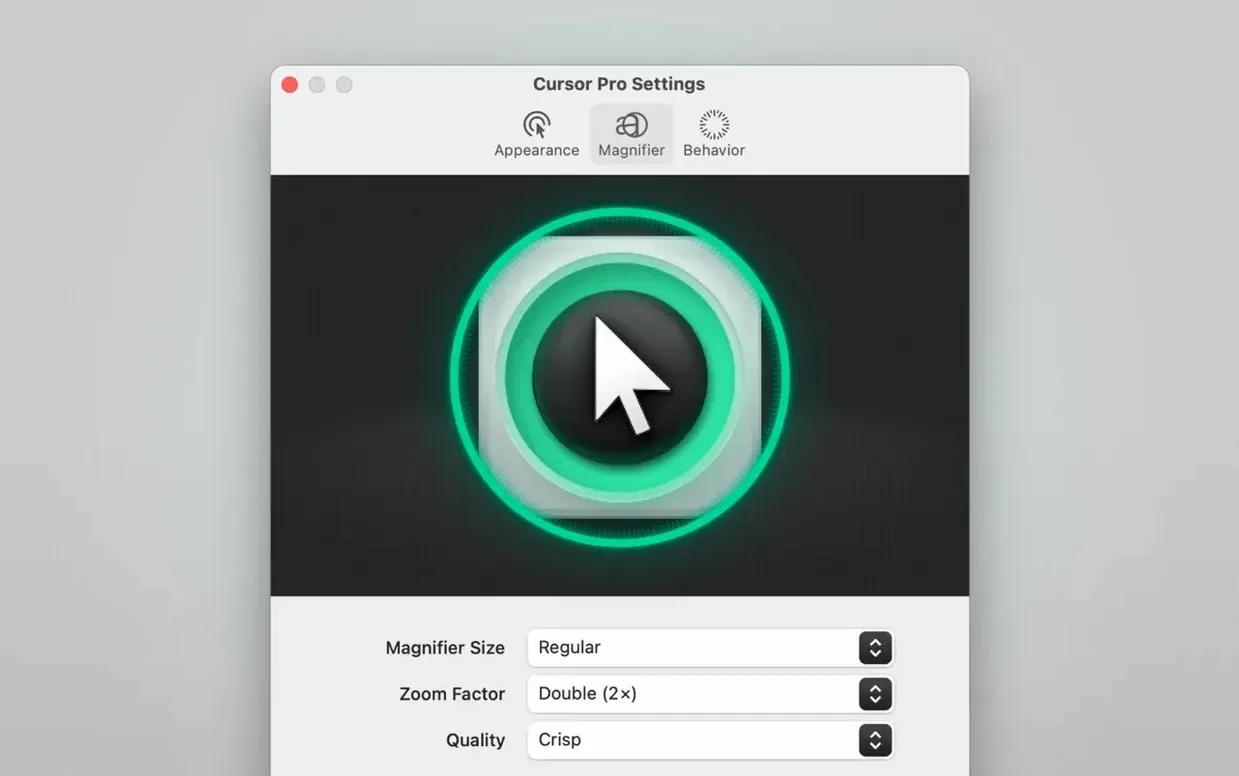
Cursor Pro 2.4 is a Mac utility that makes the pointer visible and magnifies content on screen.
Runs on Apple Silicon and Intel Macs
Yes. The app runs on both ARM and 64-bit Intel Macs with macOS 11 or newer.
How does the magnifier behave during presentations?
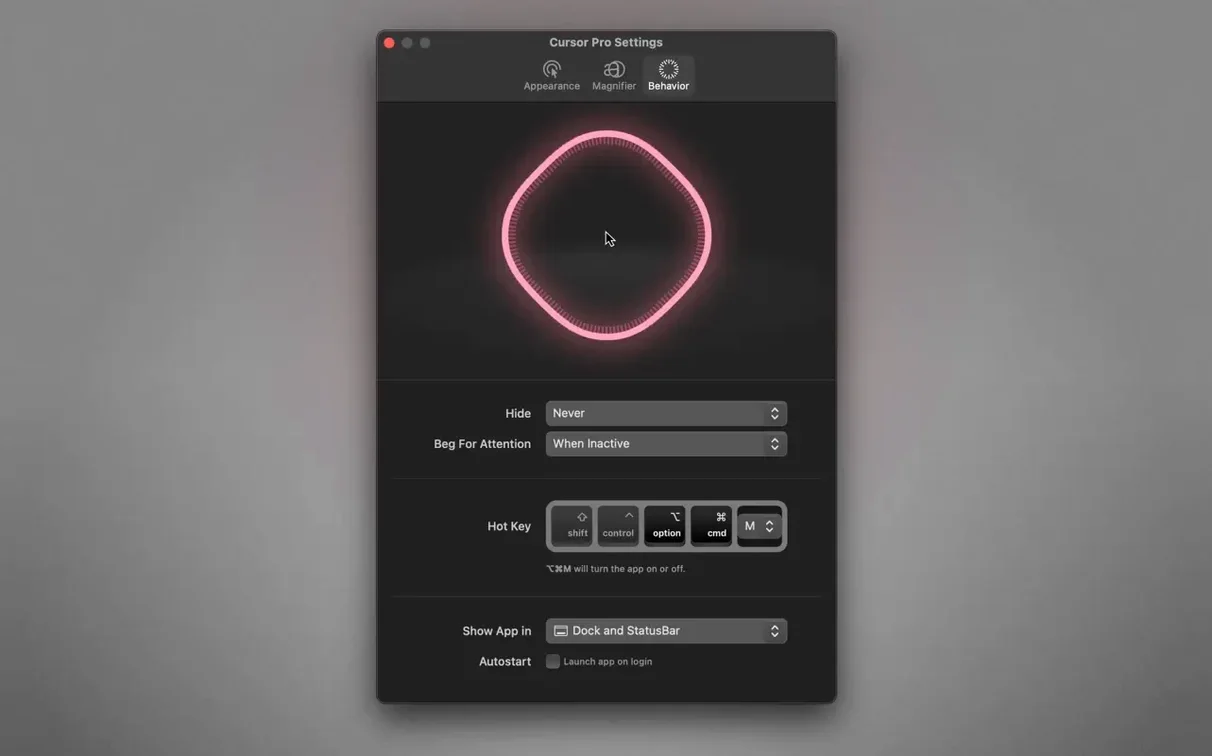
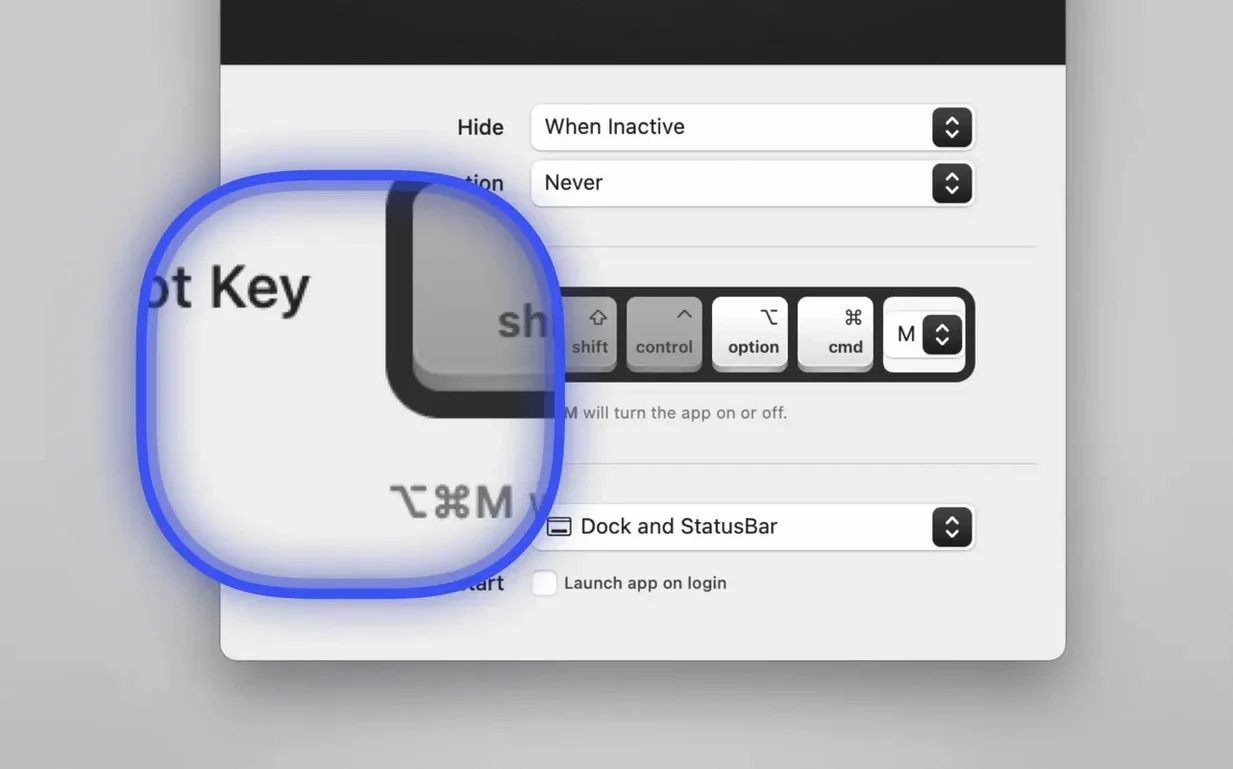
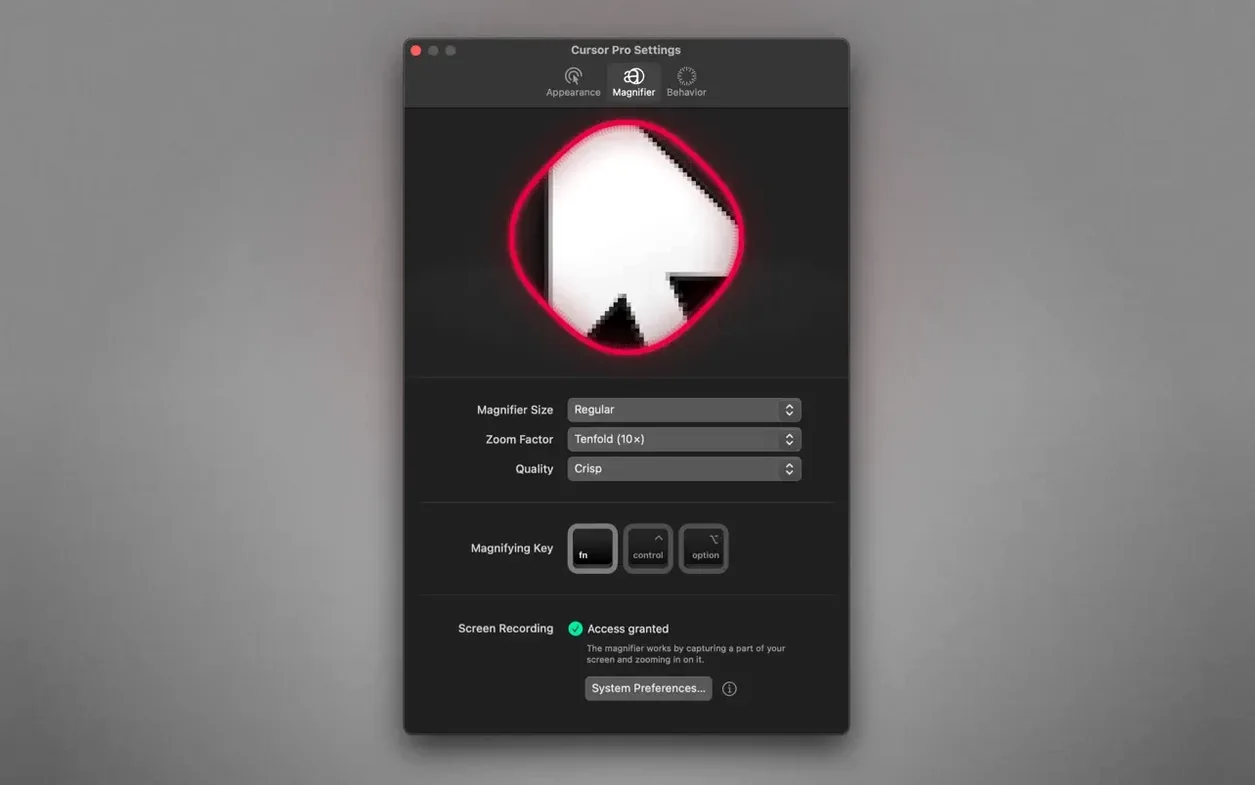
The magnifier can be configured with a zoom factor and supports auto-hide. It appears in the Dock, the status bar, or both, and can launch automatically at login so you don't have to think about it during a screen share.
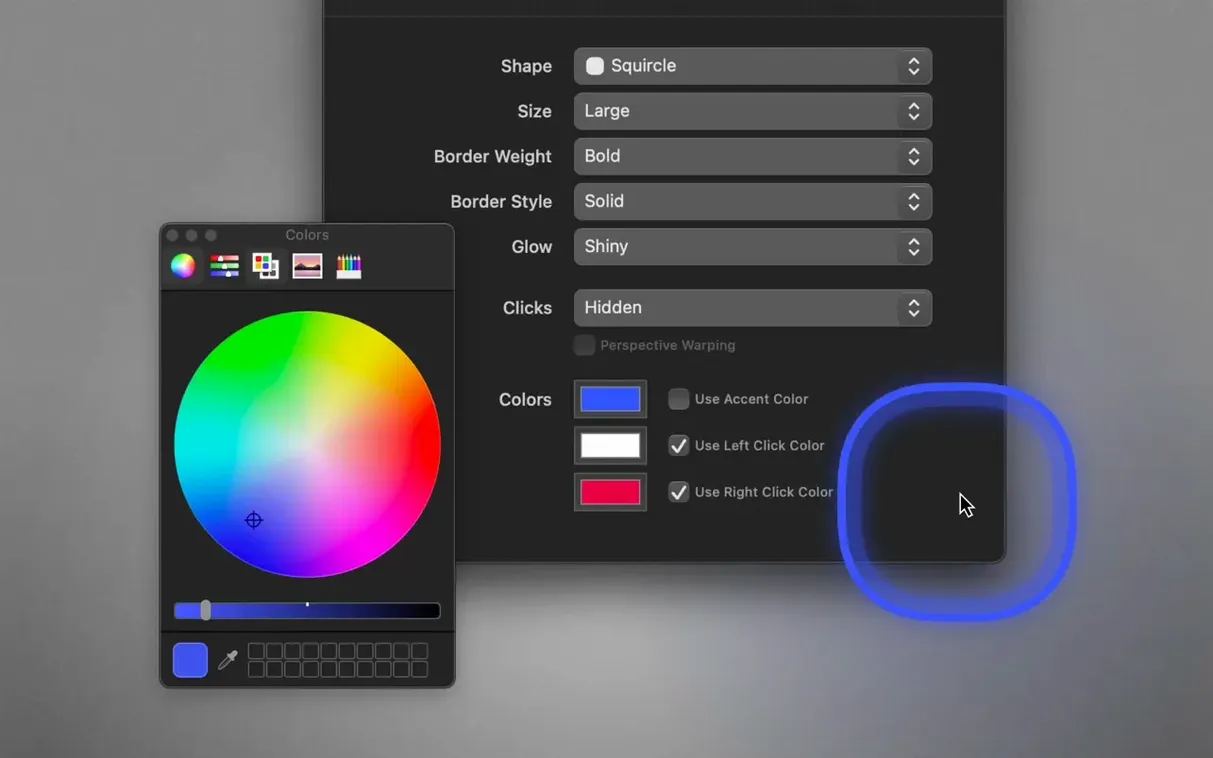
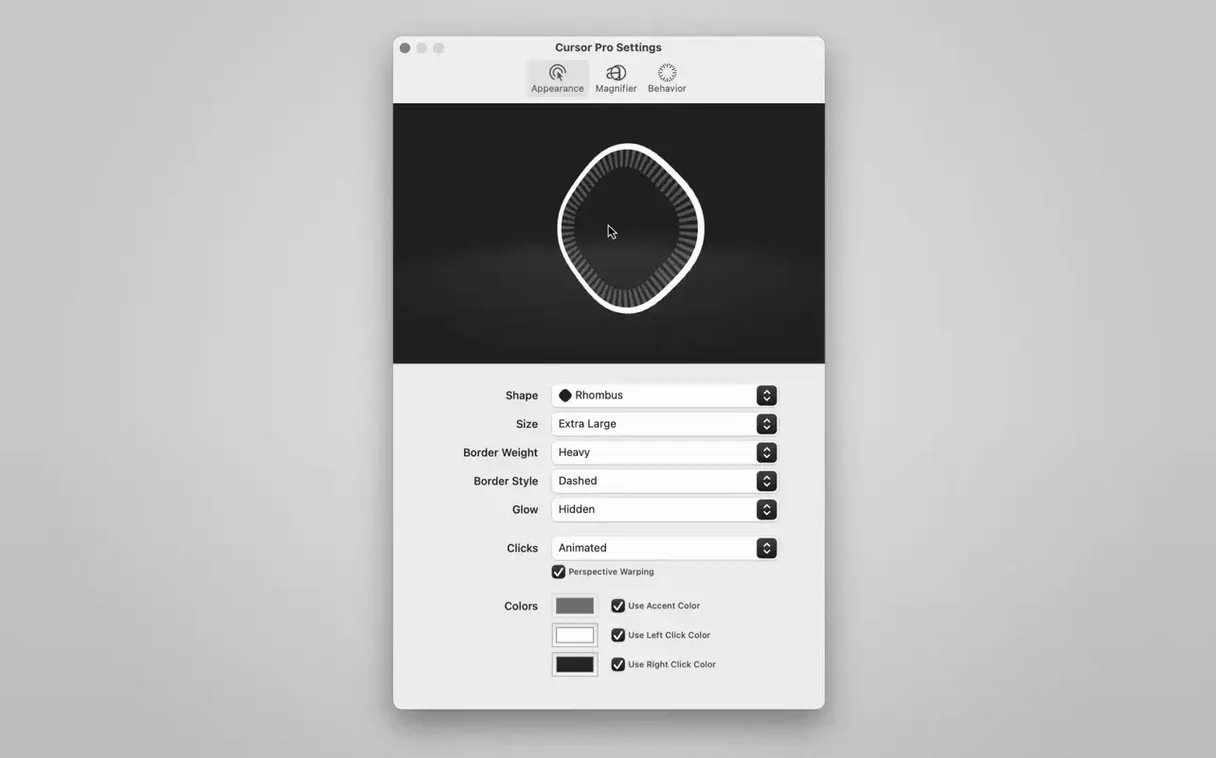
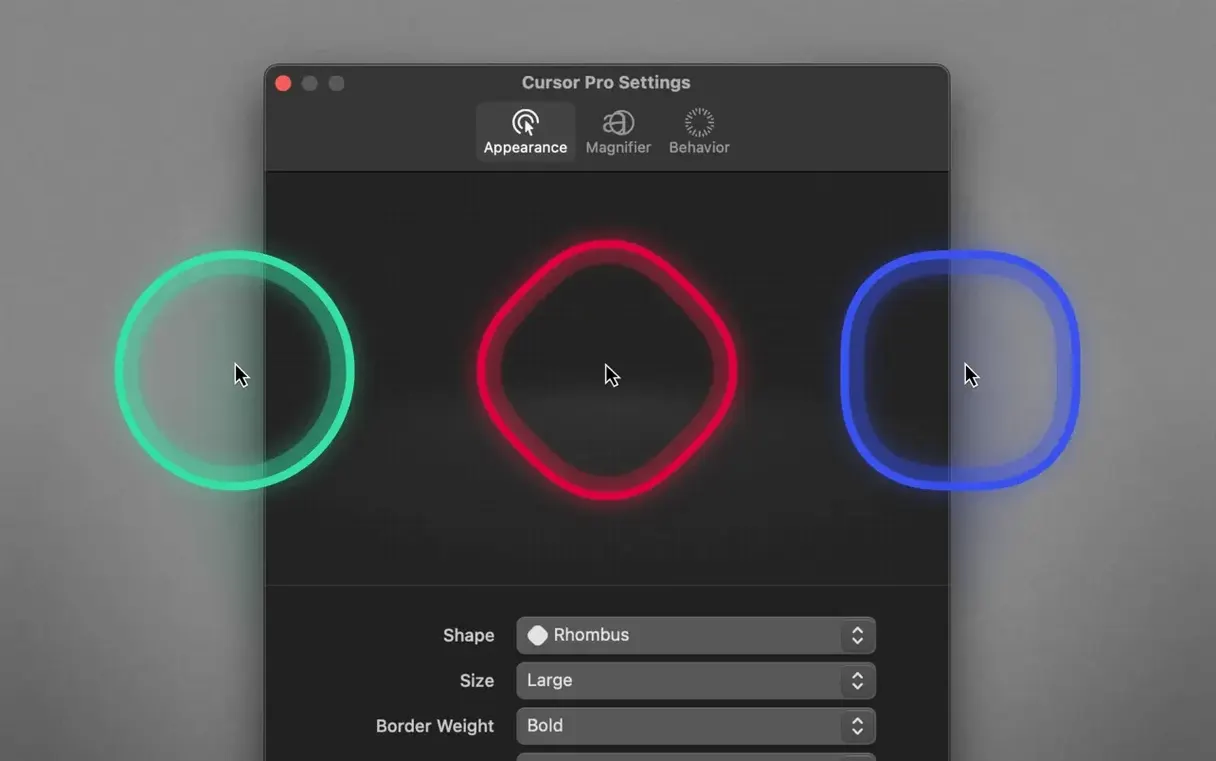
Customize the pointer highlight shape
Lives in the macOS menu bar, not a floating window
Cursor Pro 2.4 lives in the macOS menu bar, not as a floating window you need to arrange. This keeps it out of the way during a slide deck or a recorded tutorial. The app can appear in the Dock, the status bar, or both — so you decide how much of your screen real estate it occupies.
The auto-hide behavior is worth setting up early. When you are not actively using the magnifier or the highlight, the interface tucks itself away. A global hotkey brings it back when you need it, which saves a click into the menu bar during a live call.
Launching automatically at login means one less step before a meeting. If you present regularly from the same Mac, the app is ready before you open your first slide.
Cursor pulse added in version 2.4
The current build, version 2.4, is the release that ships from the MAS channel. For daily use, the most noticeable change is the inclusion of the cursor pulse. Before 2.4, you could set the shape and color, but the pulse adds a timed rhythm to the highlight that is harder to miss on a shared screen.
Support for both ARM and 64-bit Intel architectures means the same installer works across the current Mac lineup. If your office swaps between M-series and Intel Macs, you do not need separate installers or a different license file.
Requires macOS 11 or newer
The app requires macOS 11 or later. That covers Big Sur, Monterey, Ventura, and anything newer Apple has released. It will not install on older macOS versions, so check the About This Mac screen if you are on an older machine.
Both ARM and 64-bit Intel are supported. On an Apple Silicon Mac, the app runs natively without emulation. On an Intel Mac with a 64-bit processor, it runs as expected. The installer is a disk image: open it, drag the app into the Applications folder alias, and after the copy finishes, open it from Launchpad.
The interface languages include English, German, Spanish, Italian, Simplified Chinese, Korean, French, and Japanese. That covers the main European and East Asian languages your team might use. The app does not require an internet connection after installation.
The build is a self-contained .app, not a background service that spawns multiple processes. It sits in the menu bar and only activates its magnifier or highlight when you trigger it. On a standard workload — browser, presentation software, screen recorder — the memory footprint is small enough that you will not notice it in the Activity Monitor.
Yes. You can set the highlight to a circle or a diamond shape, and you can make the cursor pulse for extra visibility.
No release notes filed for 2.4. They are added here when a build changes how the program behaves.
| macOS | macOS 11 or later |
|---|---|
| Processor | Apple Silicon, Intel 64-bit |
| Download | 30 MB |
- macOS 11 or later
- Intel 64-bit or Apple Silicon (ARM)
Questions about Cursor Pro
What languages does the interface support?
English, German, Spanish, Italian, Simplified Chinese, Korean, French, and Japanese.
Can it replace a full-screen capture tool?
No. Cursor Pro uses a cursor highlight and magnifier rather than a full-screen capture tool. It's designed to guide attention to the pointer.
Does it work automatically when I present?
The app can launch automatically at login and supports screen presentations and screen sharing on macOS.
How to install, in order
- Open the downloaded disk image.
- Drag the app into the Applications folder alias.
- After copying finishes, open the app from Launchpad.
Comments and corrections 0
Sign in or open a free account to leave a comment.
No comments or corrections yet.