Disk Clean 2.0 — download for Mac
Utilities Updated
Scans for caches, logs, and leftovers, then previews files before deletion.
Screenshots
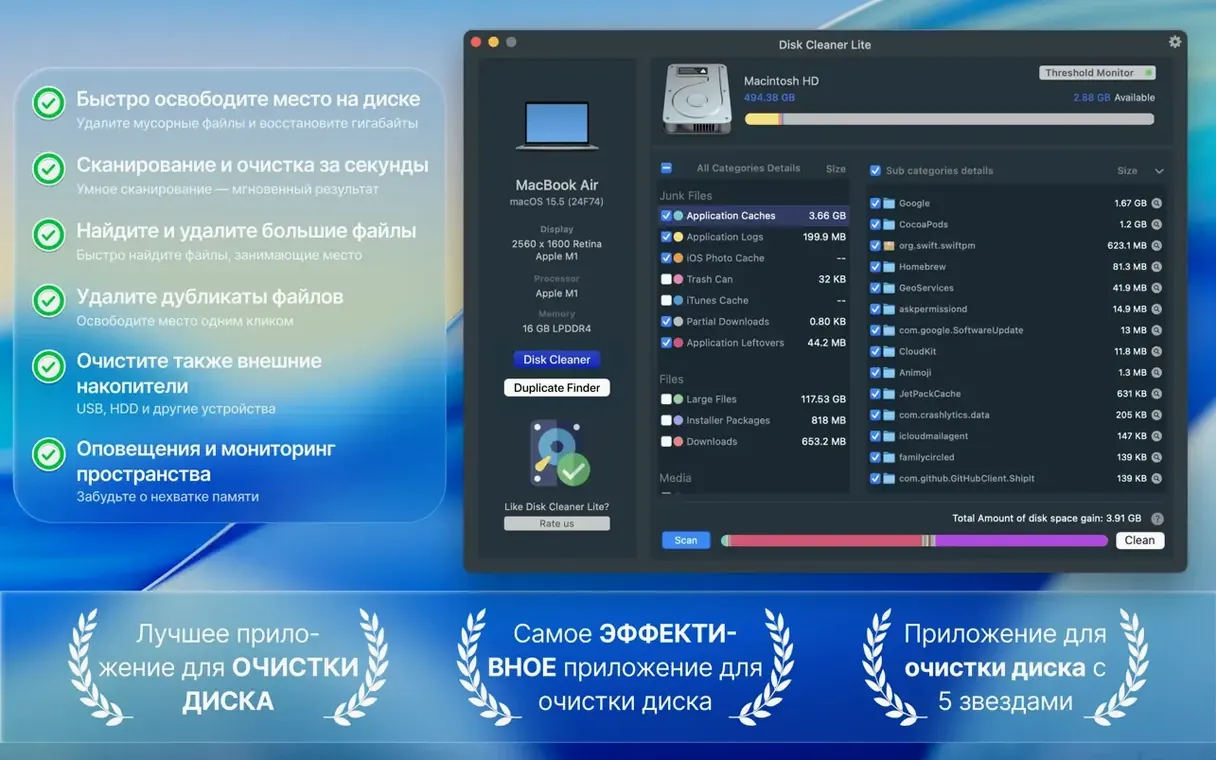
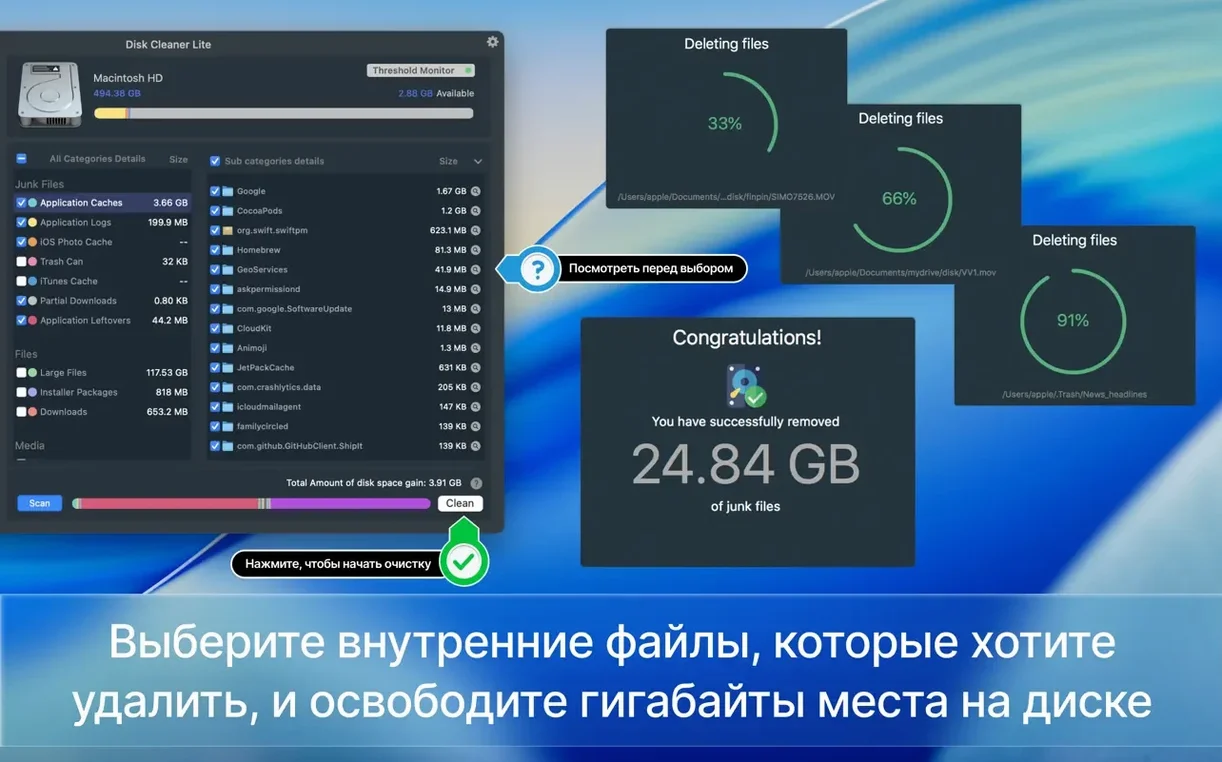
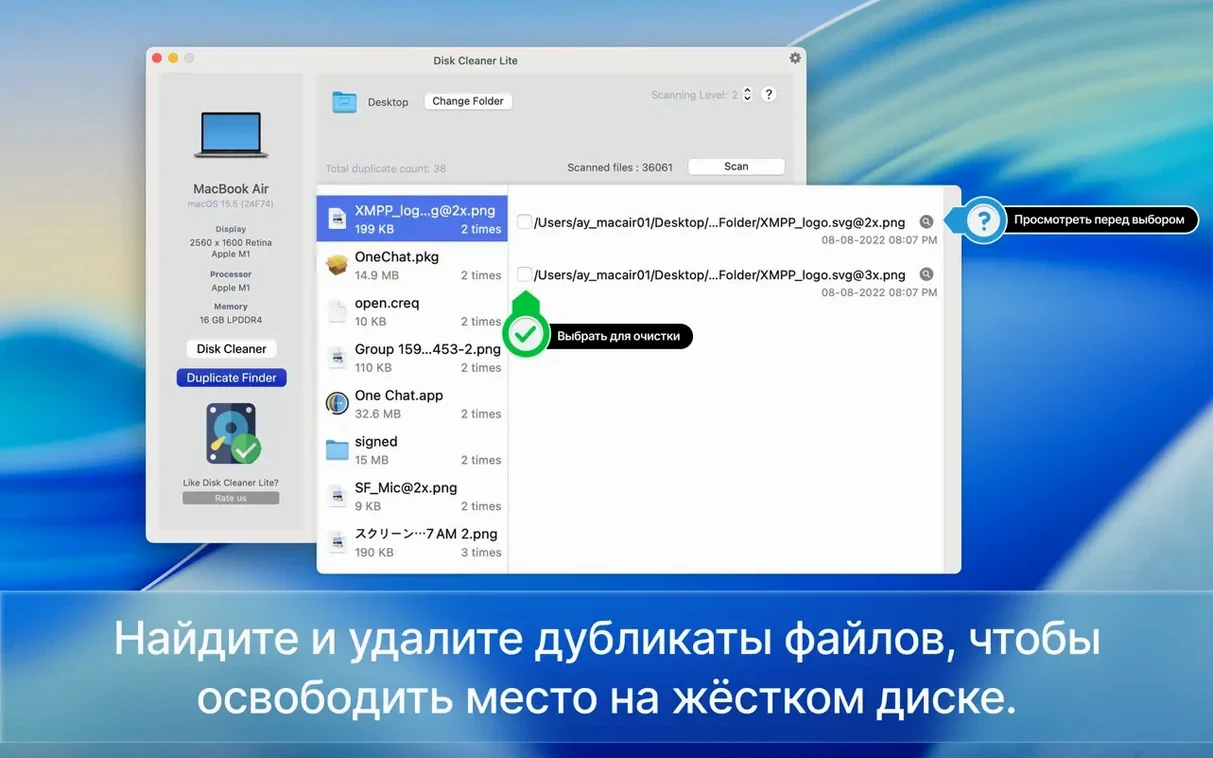
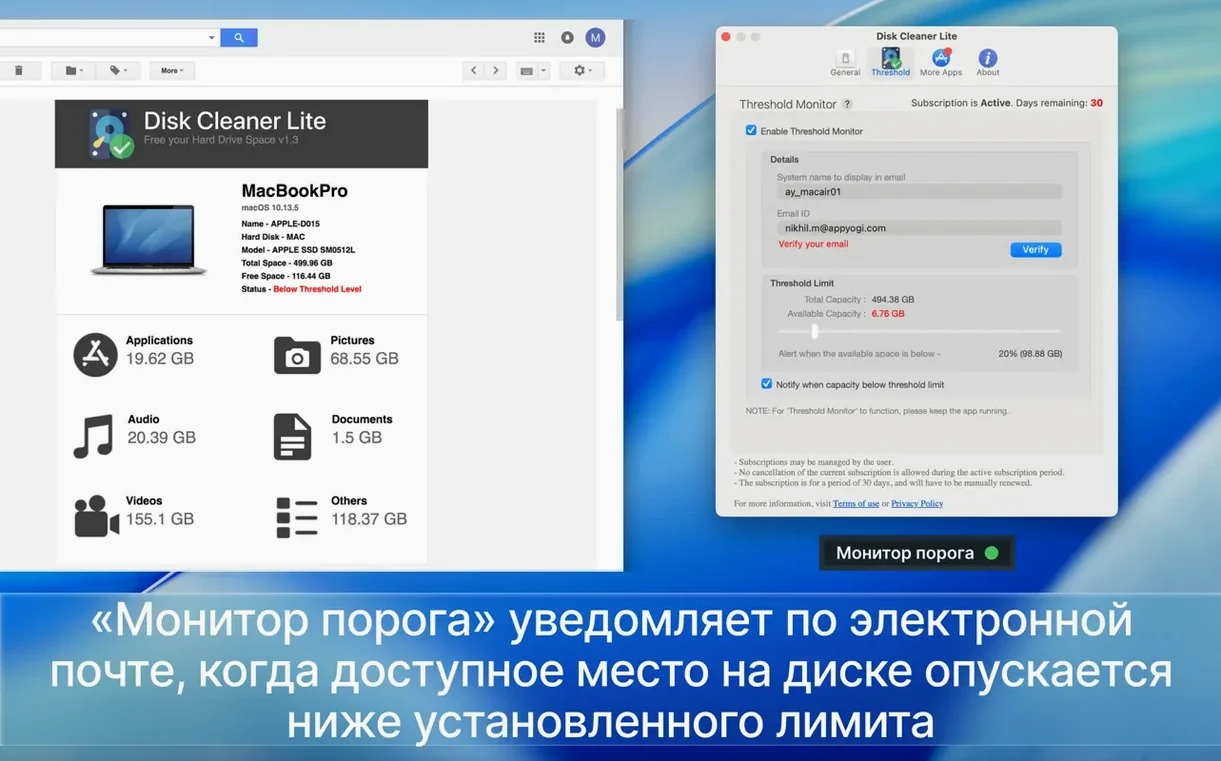
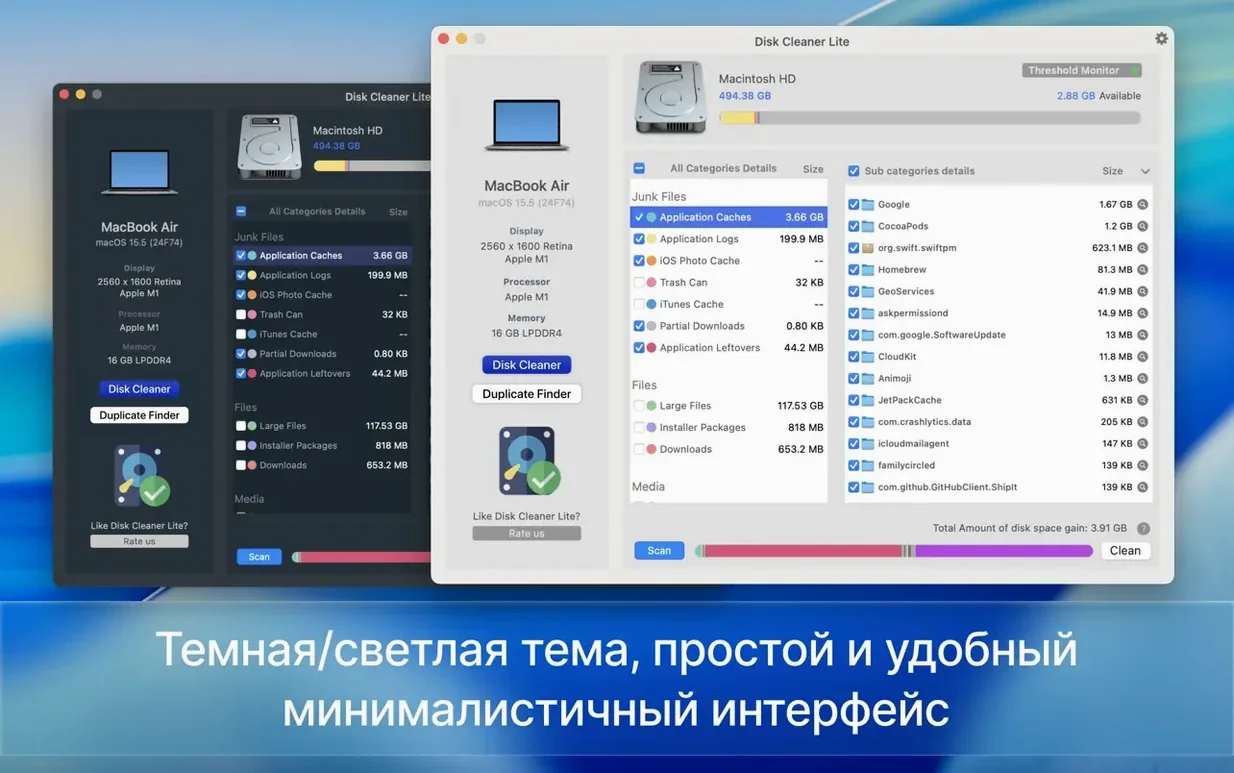
Office workers and project leads who keep years of files on their Mac will find Disk Clean useful. It scans the hard drive for caches, logs, app leftovers, and other junk, then lists everything by category.
Preview before deletion
Before erasing anything, you can open a preview of the files. That stops you from removing a cache folder an app still needs. If you manage several projects on one machine, this step alone saves time re-downloading or reconfiguring tools.
Automatic cleanup scheduling
Set the app to run at regular intervals — weekly or monthly — and it clears the identified junk without further clicks. The interface supports 13 languages, including English, German, Spanish, French, and Japanese, so it fits multilingual teams. Disk Clean runs on both Intel and Apple Silicon Macs under macOS 10.11 or later.
Getting the most out of Disk Clean in the first few days is about adjusting its settings to match how you actually work. After installation, the first step is to run a full system scan. Let it finish, then go through the preview list category by category. Your immediate goal is to see what Disk Clean considers junk and decide which categories you want it to handle automatically later. Pay special attention to the caches for apps you use daily — project management software and office suites often leave behind large, redundant data.
Deeper scans into app logs and old iOS backups
The version 2.0 update broadens what Disk Clean can find. In everyday use, this means it now scans deeper into application log files and can identify old iPhone and iPad backups that sit on your drive unnoticed. For a project manager, catching duplicate presentation files or redundant backup sets weekly keeps the shared drive from filling up.
A typical cleaning session
Here is how a regular session with Disk Clean unfolds for me.
Monday morning, before opening the week’s plans, I launch Disk Clean. The interface opens to the main scan screen. I click the scan button, and it starts checking the system volume. While it works, I open my calendar to review deadlines. Within a few minutes, the results appear, grouped by category: application caches, browser data, log files, and Trash.
I expand the browser data section. My team uses a web-based task board, and the browser cache has accumulated over a week. I preview the files — old JavaScript files and site images — then mark them for removal. Next, I check the application logs. Our construction estimating software generates logs daily, many of which are weeks old and no longer useful. I preview one or two to confirm, then select the entire category.
Before clicking clean, I attach an external USB hard drive that holds project archives. Disk Clean detects it and offers to scan that drive too. I let it run a quick scan, which finds leftover render caches from old 3D model exports. I preview those files, confirm they are not needed, and include them in the cleanup.
With the selections made, I start the cleaning process. The app removes the files and reports the freed space. That morning, I reclaimed about 4 GB — enough to keep the local project folder breathing for another week. I leave the automatic schedule set to run every Sunday night so next week starts with a clean drive without me needing to remember.
For someone who keeps a tight schedule, the ability to clean external disks in the same session is a practical time-saver. One scan, one review, one cleanup — and you cover both your internal and portable drives in a single pass.
No release notes filed for 2.0. They are added here when a build changes how the program behaves.
| macOS | OS X 10.11 or later |
|---|---|
| Processor | Apple Silicon, Intel 64-bit |
| Download | 19 MB |
- macOS OS X 10.11 or later
- Intel or Apple Silicon
How to install, in order
- Mount the disk image and open Gatekeeper-friendly mode.
- Press Enter in Terminal to bypass Gatekeeper.
- Drag the app to the Applications folder.
- Launch the app when installation finishes.
Comments and corrections 0
Sign in or open a free account to leave a comment.
No comments or corrections yet.