Disk Diet 5.6.2 — download for Mac
Utilities Updated
Finds and removes unnecessary application logs, caches, and leftover language files.
Screenshots
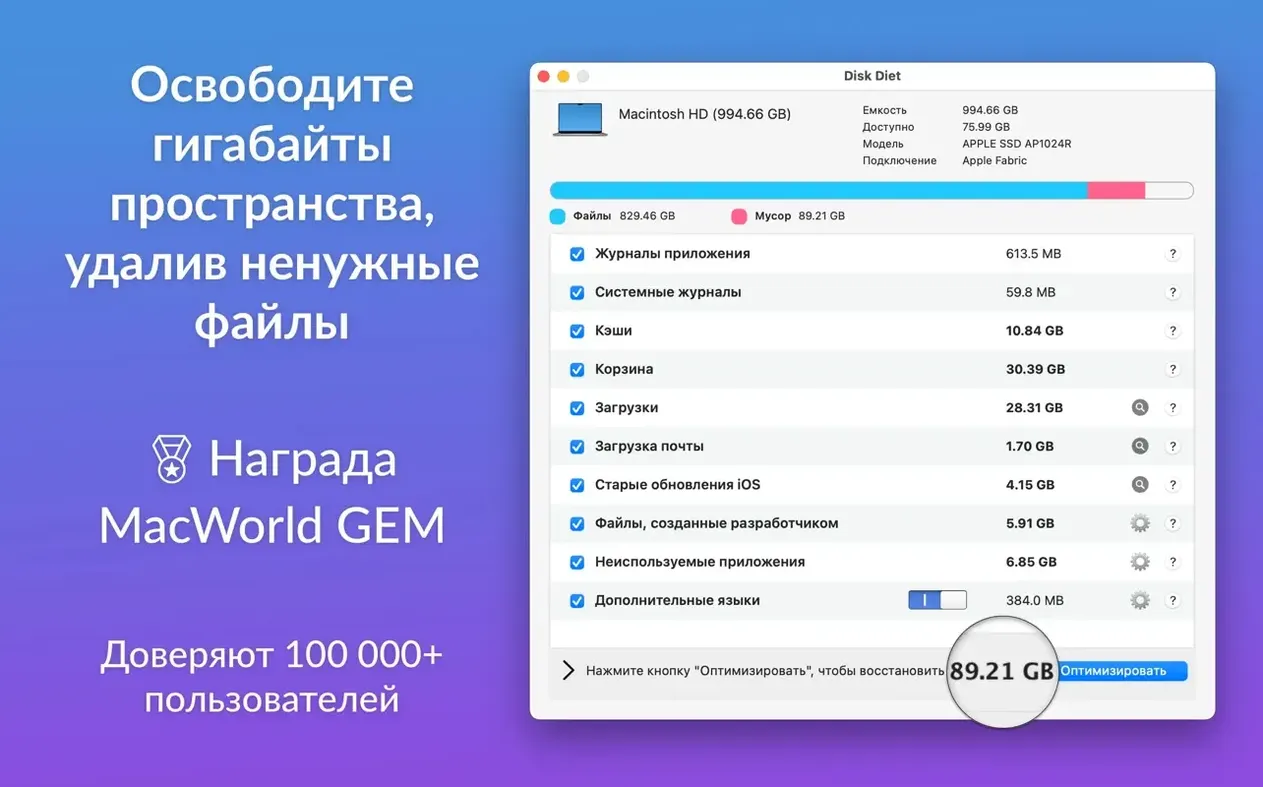
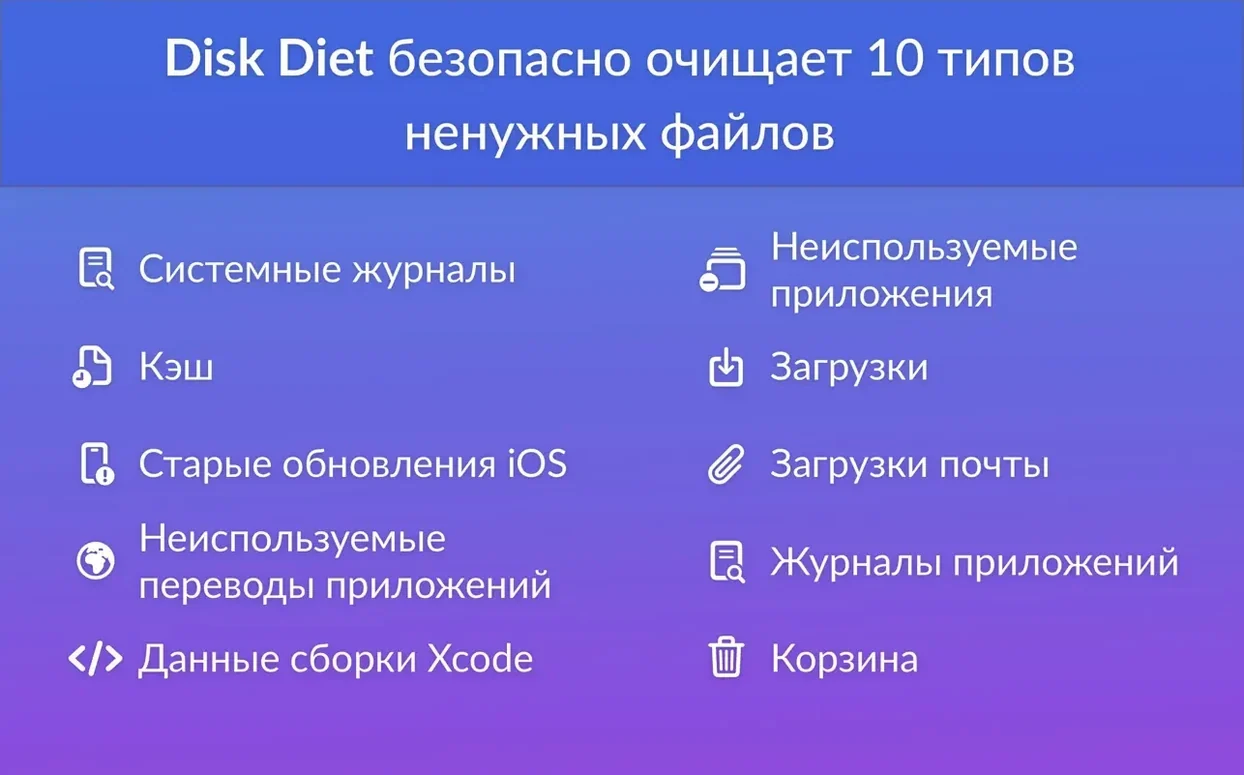
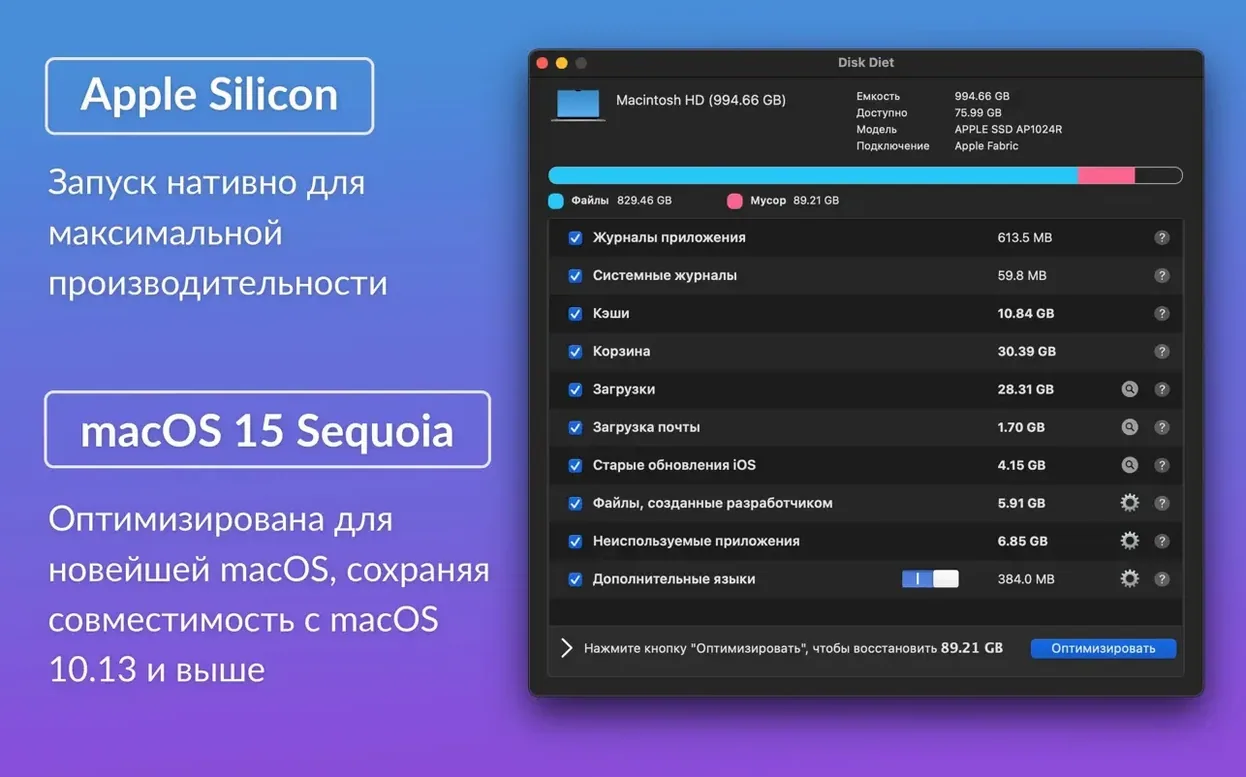
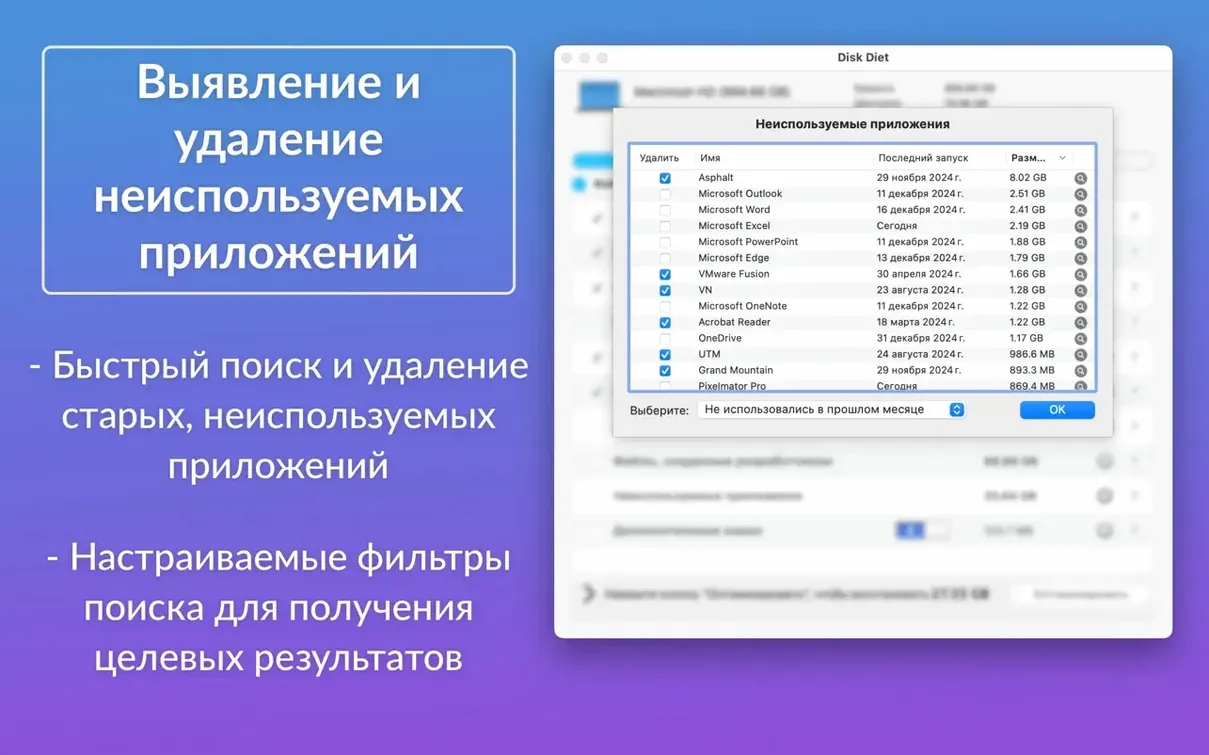
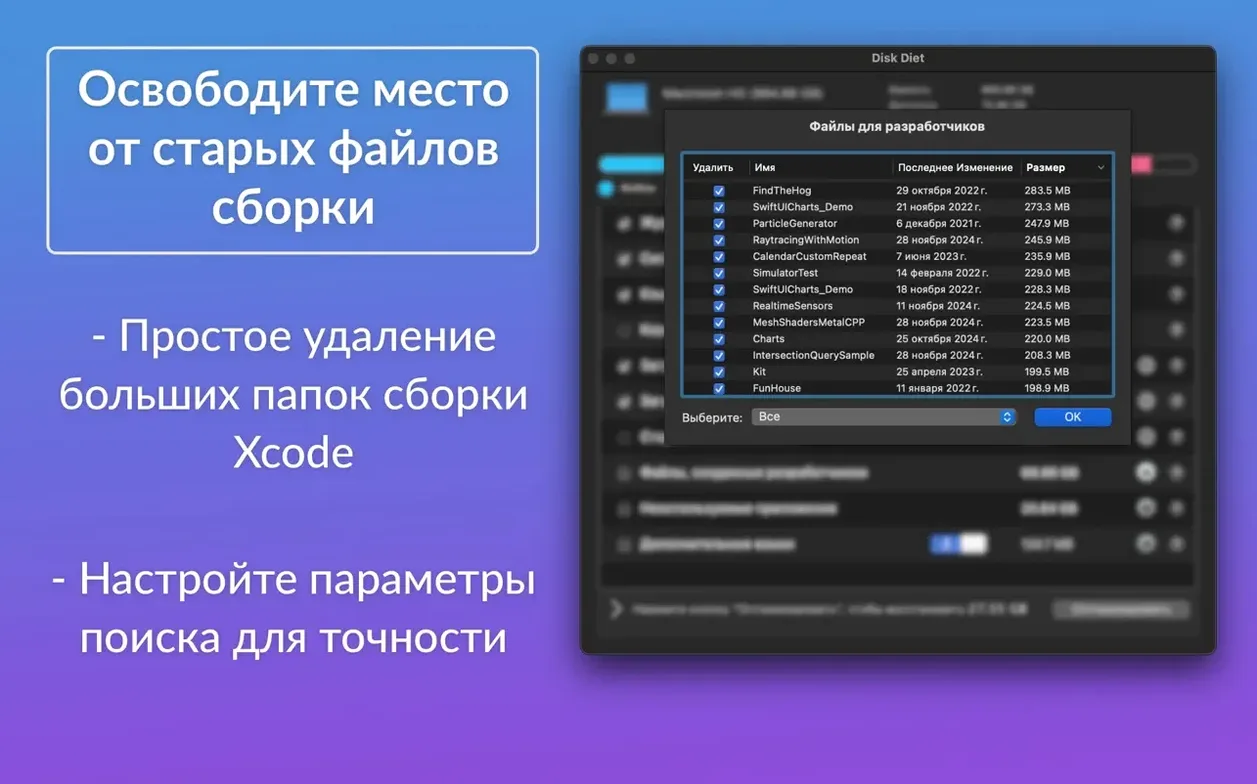
A Mac fills up with files you don’t need — application logs, old caches, language files, Xcode leftovers. Disk Diet scans your disk and finds what can go.
Runs on macOS 10.13 or Later
This utility runs on macOS 10.13 or later. Version 5.6.2 works on both Apple Silicon and 64-bit Intel Macs. On macOS 10.15 Catalina and later, it uses Apple notarization and the Hardened Runtime.
Run a Scan
Start Disk Diet and let it scan. It finishes in about one minute. The app targets system logs, caches, Trash, Downloads, Mail attachments, old software updates, unused apps, language files, Xcode developer folders, and iPhoto Trash.
Select and Clean
Review the results, select the areas you want cleared, and let the app remove them. It also accounts for both regular and iCloud Drive Trash in its size calculation. The interface is available in English, Russian, German, Spanish, Italian, Simplified Chinese, French, and Japanese.
Enable Unused App Translations Scan
Before scanning, open Disk Diet’s preferences. The default selections cover most caches and logs, but a few adjustments make the tool more useful for your workflow:
- Enable scanning for unused app translations — these pack a surprising amount of space over time, especially with large suites.
- If you develop software, turn on Xcode developer folders. Build artifacts pile up fast, and Disk Diet finds them.
- For mail-heavy users, include the Mail category. Old attachments and local archives often sit there untouched.
These toggles don’t change scan speed noticeably — the full check finishes in about a minute regardless — but they can double the reclaimable space on a drive that’s been in use for a year or more.
Lightweight Native on Apple Silicon and Intel
Disk Diet is a lightweight utility. It requires macOS 10.13 or later and runs natively on both ARM (Apple Silicon) and 64-bit Intel Macs. On macOS 10.15 Catalina and newer, the app is signed with Apple notarization and uses the Hardened Runtime — the same security model Apple enforces for its own system tools. No drivers, background daemons, or kernel-level installs. The app itself occupies a few megabytes and sits in your Applications folder.
Reviews Found Items Before Removal
Will it delete something I need?
Disk Diet shows you what it found and lets you pick categories before removal. The usual suspects — caches, logs, language packs, Trash — are safe to clear. If you are unsure about a category, leave it unchecked.
Does it work with Time Machine or iCloud?
Yes. Version 5.6.2 includes both regular and iCloud Drive Trash in its size calculation, so you are not left guessing how much space those “deleted” cloud files still occupy.
How long does a typical first cleanup take?
The scan runs in about one minute on most modern drives. Reviewing the results and clicking clean takes seconds. The first pass on a crowded disk will free enough space to notice immediately.
Is it multilingual?
The interface ships in English, Russian, German, Spanish, Italian, Simplified Chinese, French, and Japanese. No extra language packs to download.
Trash Size Now Includes iCloud Drive Trash
The latest release, version 5.6.2, made three adjustments that affect how you work with the tool:
- Trash size now includes both regular and iCloud Drive Trash. Before, you might see a small number and wonder where the rest went; now the total is accurate.
- Wording when no areas are selected was updated to avoid truncation in some languages. If you use Disk Diet in German, Spanish, or Chinese, the text no longer cuts off in the interface.
- The bottom status text alignment was adjusted. A small fix that keeps the layout tidy when the app window is resized.
None of these changes alter the scan engine or the time it takes. They refine the daily experience, especially for multilingual offices or users who rely on iCloud Drive.
- Updated wording when no areas are selected to avoid truncation in some languages.
- Adjusted the bottom status text alignment.
- Included both regular and iCloud Drive Trash in the Trash size calculation.
| macOS | macOS 10.13 or later |
|---|---|
| Processor | Apple Silicon, Intel 64-bit |
| Download | 11 MB |
- macOS 10.13 or later
- Apple Silicon or 64-bit Intel processor
- Apple notarization and Hardened Runtime on macOS 10.15 Catalina and later
Questions about Disk Diet
Does Disk Diet work on my Intel Mac?
Yes, Disk Diet supports both Apple Silicon and 64-bit Intel Macs running macOS 10.13 or later.
What kind of files does Disk Diet remove?
It removes application logs, system logs, caches, Trash items, Downloads, Mail attachments, old software updates, unused apps, language files, Xcode developer folders, and iPhoto Trash.
Is Disk Diet safe to use on macOS Catalina and later?
Yes, on macOS 10.15 Catalina and later Disk Diet uses Apple notarization and the Hardened Runtime for security.
How to install, in order
- Mount the disk image and launch the Open Gatekeeper friendly app.
- Press Enter to bypass Gatekeeper in Terminal.
- Drag the app into the Applications folder.
- Disable SIP if required.
Comments and corrections 0
Sign in or open a free account to leave a comment.
No comments or corrections yet.