Duplicate File Finder Pro 9.2.1 — download for Mac
Utilities Updated
Finds and removes duplicate files cluttering your folders.
Screenshots
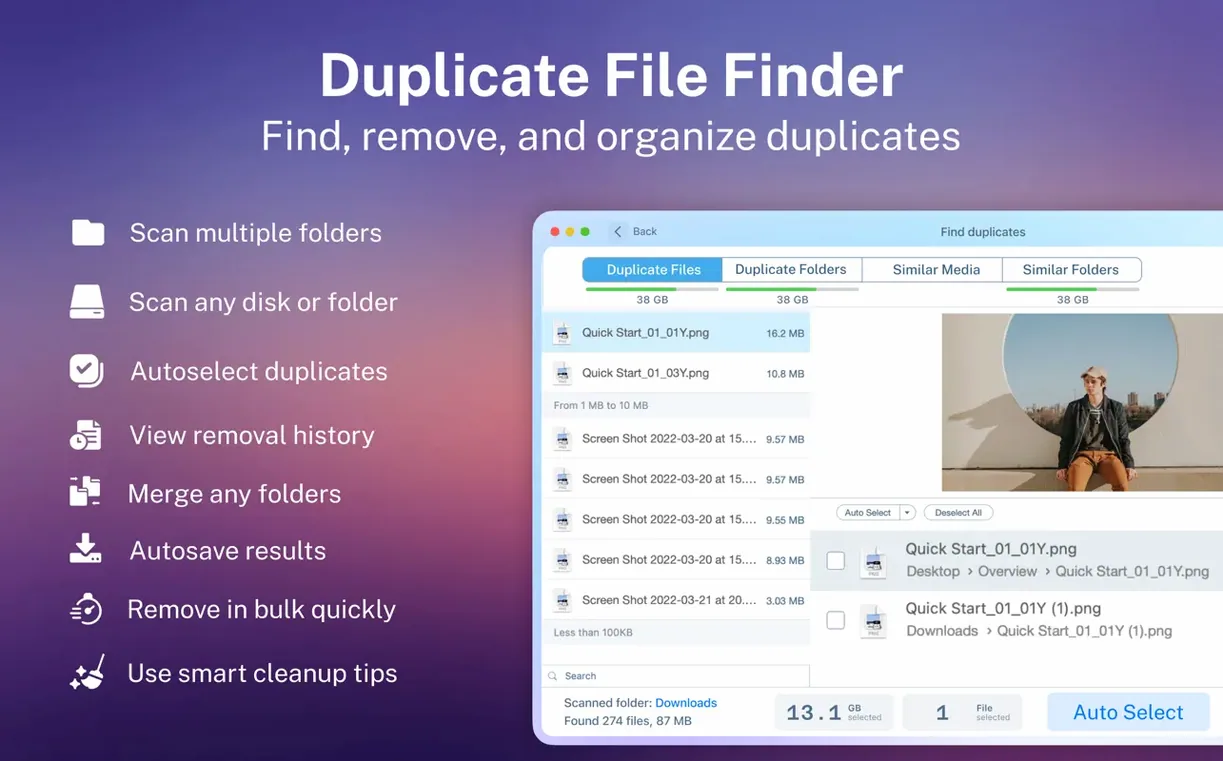
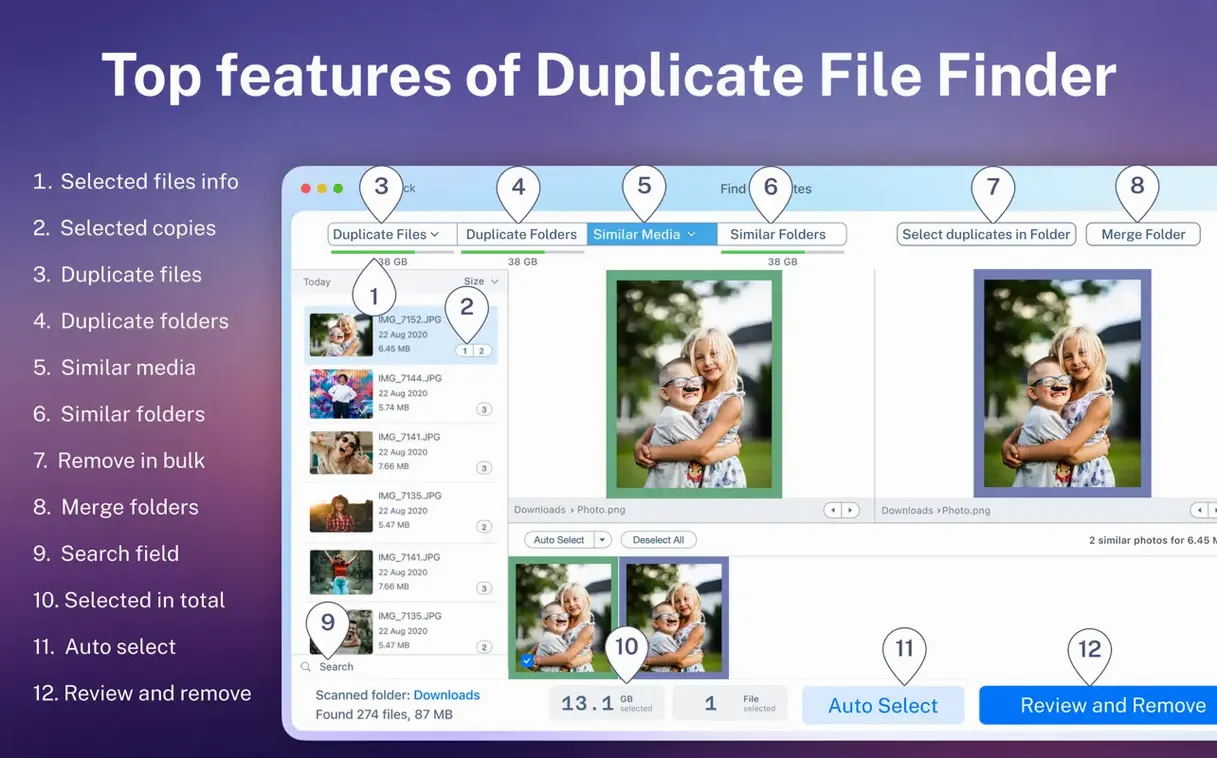
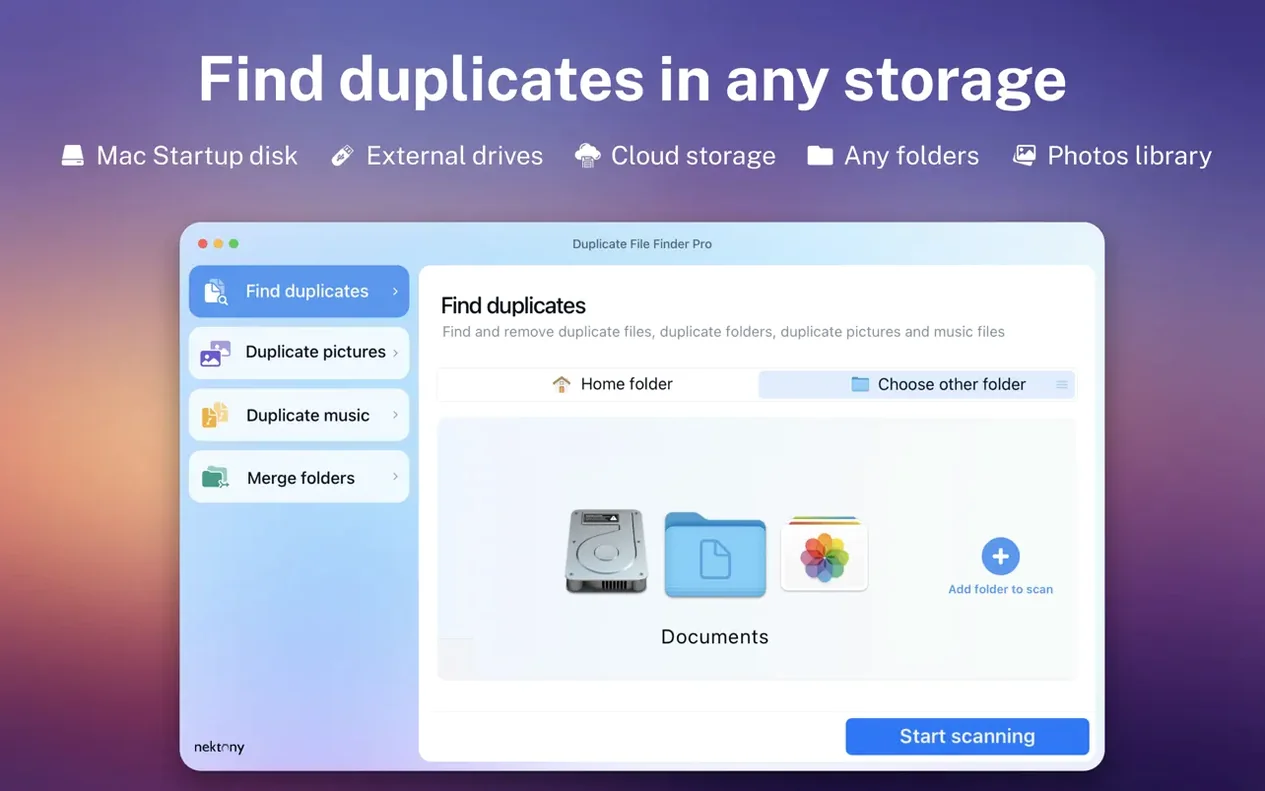
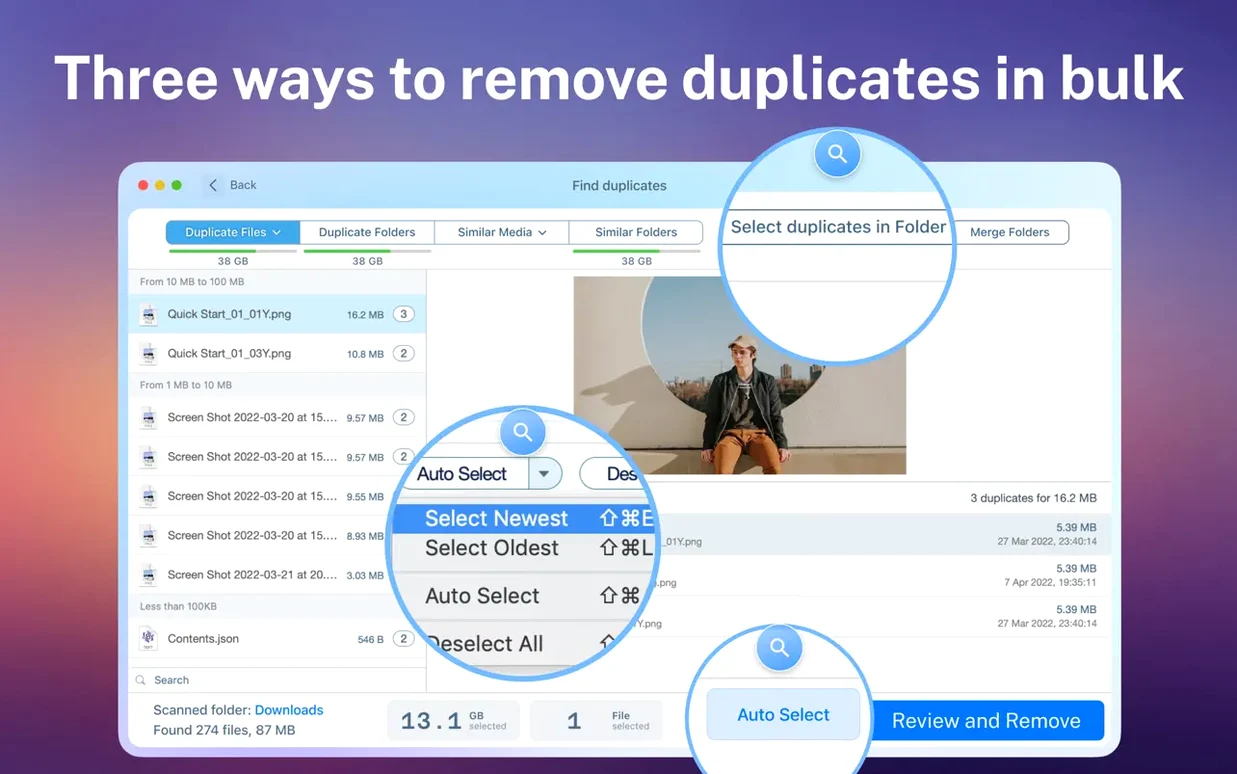
You open the Downloads folder on a Friday afternoon and realize it’s holding three copies of the same project PDF, a duplicated video export, and a forgotten backup. Duplicate File Finder Pro 8.5.2 is the tool to clear the clutter without hunting through Finder windows manually.
- Pick your scan targets. Choose internal disks, external hard drives, or network folders. The app also scans hidden folders when you need thorough cleanup.
- Review results by category. Results group into images, video, music, archives, and documents. Sort any list by name, size, total size, type, or duplicate count.
- Select duplicates in bulk. One button marks all duplicates in a group. This saves time when you have dozens of redundant files across folders.
- Merge folders where needed. For duplicate folders and similar folders, use the merge function to combine content into one location.
Version 8.5.2 doesn’t introduce new features — it keeps the existing workflow stable and responsive on macOS 10.13 and later, including Apple Silicon machines. The tool remains a practical choice for anyone who manages files across multiple drives and wants to reclaim space without guesswork.
Can It Scan External Drives?
Can the app scan external drives? Yes — external hard drives and network folders are selectable scan targets alongside internal disks. The scan respects the same grouping and sorting whether the files live on a desktop drive or a portable SSD.
Does it delete files permanently? You choose: move duplicates to Trash for a safety net, or delete them immediately. The restore function lets you recover removed duplicates if you act before emptying Trash.
Will it touch original files? No. The app identifies duplicates and presents them for review. Only the copies you select are affected. The original file in each group remains untouched unless you explicitly include it in the selection.
How long does a scan take on a large drive? That depends on the number of files and the selected folders, not on the app's speed claims. A full scan of a 1 TB drive with mixed content finishes within a reasonable span for a Mac utility of this kind. The visual scan report updates as it works, so you can see progress.
Worth Changing First
Open the settings once after installation. Two adjustments make daily use faster:
- Default scan locations. If you always clear duplicates on the same three folders — say, Downloads, Documents, and an external backup drive — set those as the default targets. This skips the folder selection step each time.
- Selection behavior. Smart selection can be tuned to keep the newest or oldest file by date, or the one with the longest filename. Pick a rule that matches your workflow, and the app will pre-select duplicates accordingly. This reduces manual checking.
The category filter is also worth configuring early. If you rarely deal with duplicate archives or documents, disable those categories from the results view to keep the list focused on images and video.
Preview Files Finder Can't Show
Duplicate File Finder Pro works alongside Finder, not against it. When the app lists duplicate files, you can preview individual items before deciding. That preview window shows details Finder doesn't surface at a glance — exact size, duplicate count per group, and the full path of each copy.
The app respects macOS file permissions. Scans don't need admin privileges for user folders, and files in system-protected locations are left alone unless you explicitly add them. This integration keeps the tool safe for everyday use without disabling system safeguards.
For users who organize files with third-party tools — cloud sync clients, backup software, or media management apps — the merge folder feature is the missing piece. It consolidates content from two similar folder structures into one, reducing the folder sprawl that duplicates often leave behind. This fits well after a cloud sync migration or after copying data between two archive drives.
Don't Delete Before Checking File Paths
The most common error is selecting everything in a duplicate group without checking the file paths. A duplicate set might contain the same photo in a working folder, a backup folder, and a synced cloud folder. Deleting the wrong copy breaks a link that another app depends on. Always glance at the paths before confirming.
Another mistake is ignoring the restore function. New users delete duplicates straight away, then realize they needed a reference file from a project that's still active. The restore option sits in the app for cases like this — use it before you empty Trash.
Beginners also tend to scan only one drive at a time. The app supports multiple scan targets in a single pass. Adding your main internal drive and a connected external drive together shows cross-drive duplicates you would otherwise miss. This is particularly useful when you have duplicate file finder mac torrent downloads scattered across different locations.
Finally, some users skip the category filter and work through the full result list. That works, but it takes longer. Filtering by type — for example, showing only archive duplicates — narrows the list to the files that actually consume bulk space, making the selection step faster.
| macOS | macOS 10.13 or later |
|---|---|
| Processor | Apple Silicon, Intel 64-bit |
| Download | 37 MB |
- macOS 10.13 or later
- Intel or Apple Silicon
- Activation is included with the package
Questions about Duplicate File Finder Pro
Can I scan external drives or network folders?
Yes. You can select external hard drives and network folders as scan targets, not just the internal disk.
Does it find duplicate folders, not just files?
Yes. The app can find duplicate folders and similar folders, and it includes a merge function to combine them.
Which macOS versions are supported?
Duplicate File Finder Pro 8.5.2 runs on macOS 10.13 and later, on both Intel and Apple Silicon Macs.
How to install, in order
1. Download the package and open it. 2. Drag the app to the Applications folder. 3. Follow the included activation instructions.Comments and corrections 0
Sign in or open a free account to leave a comment.
No comments or corrections yet.