
OmniPlayer: MKV Video Player Pro 2.1.22 — download for Mac
Video Intel processors only Updated
Plays video and audio files, including large MKVs, without extra codecs.
Screenshots
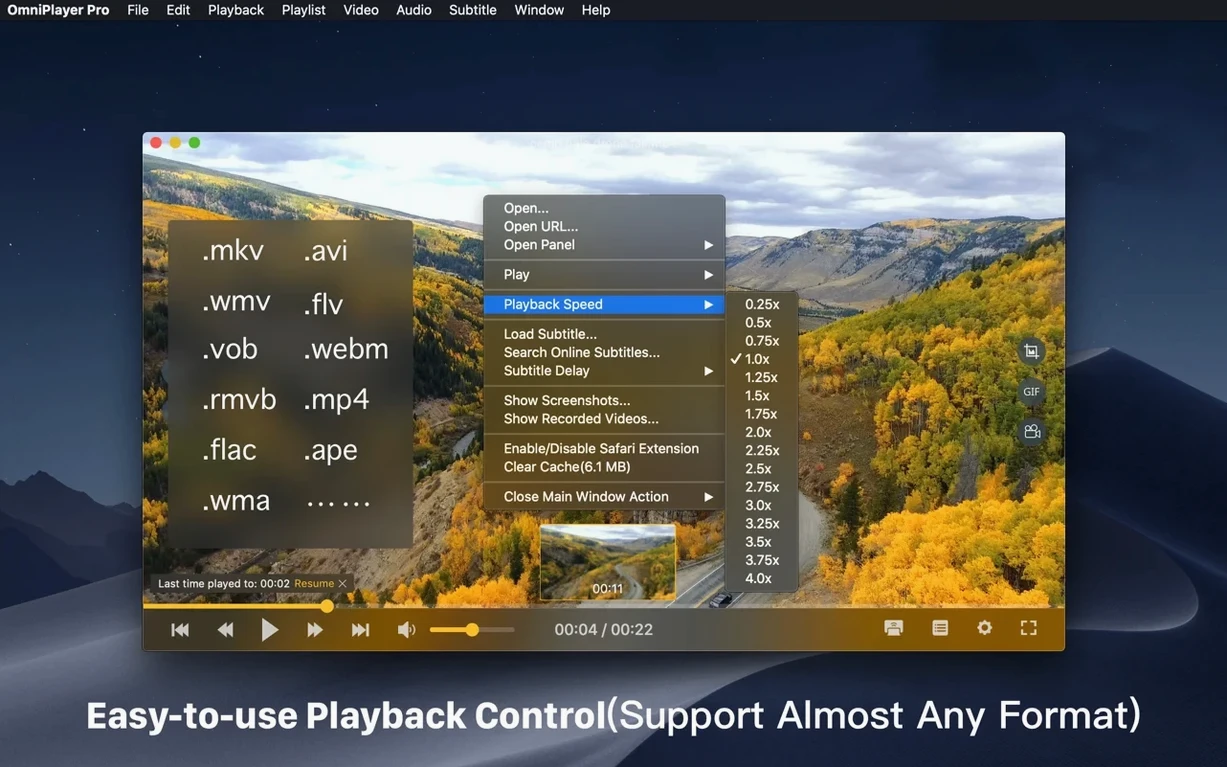
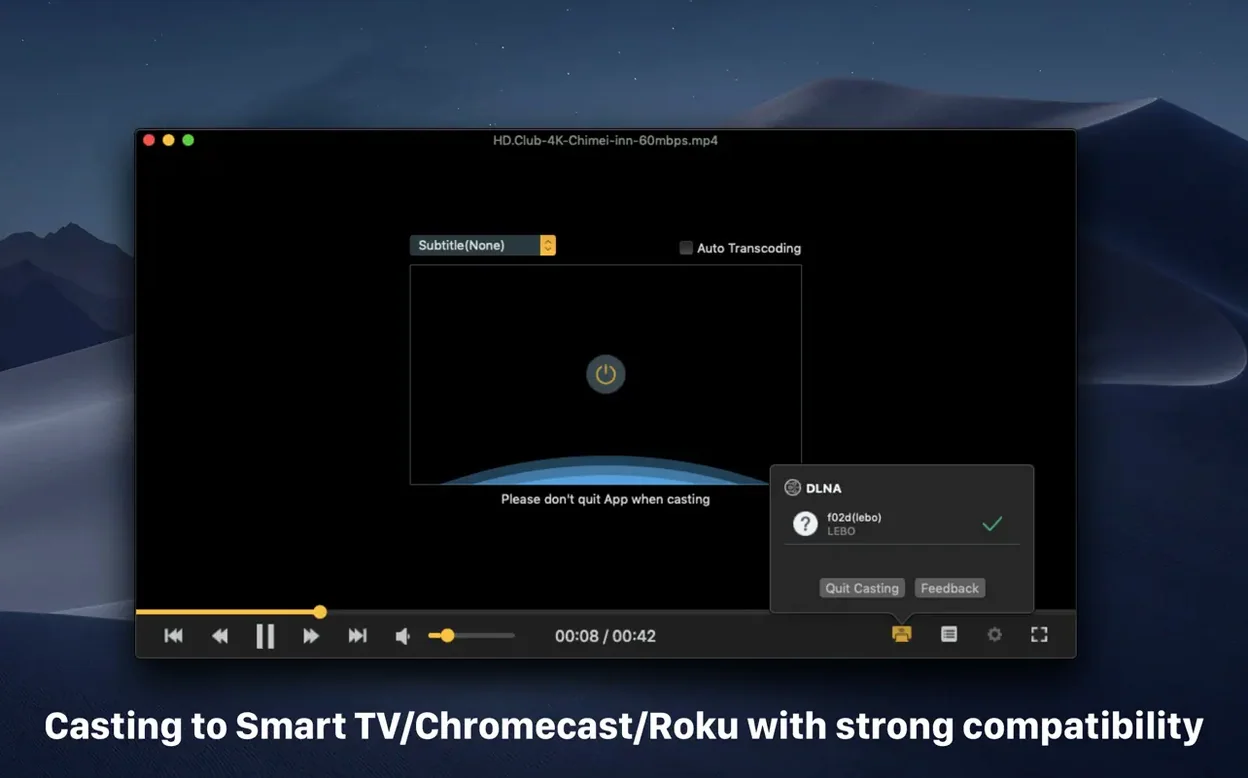
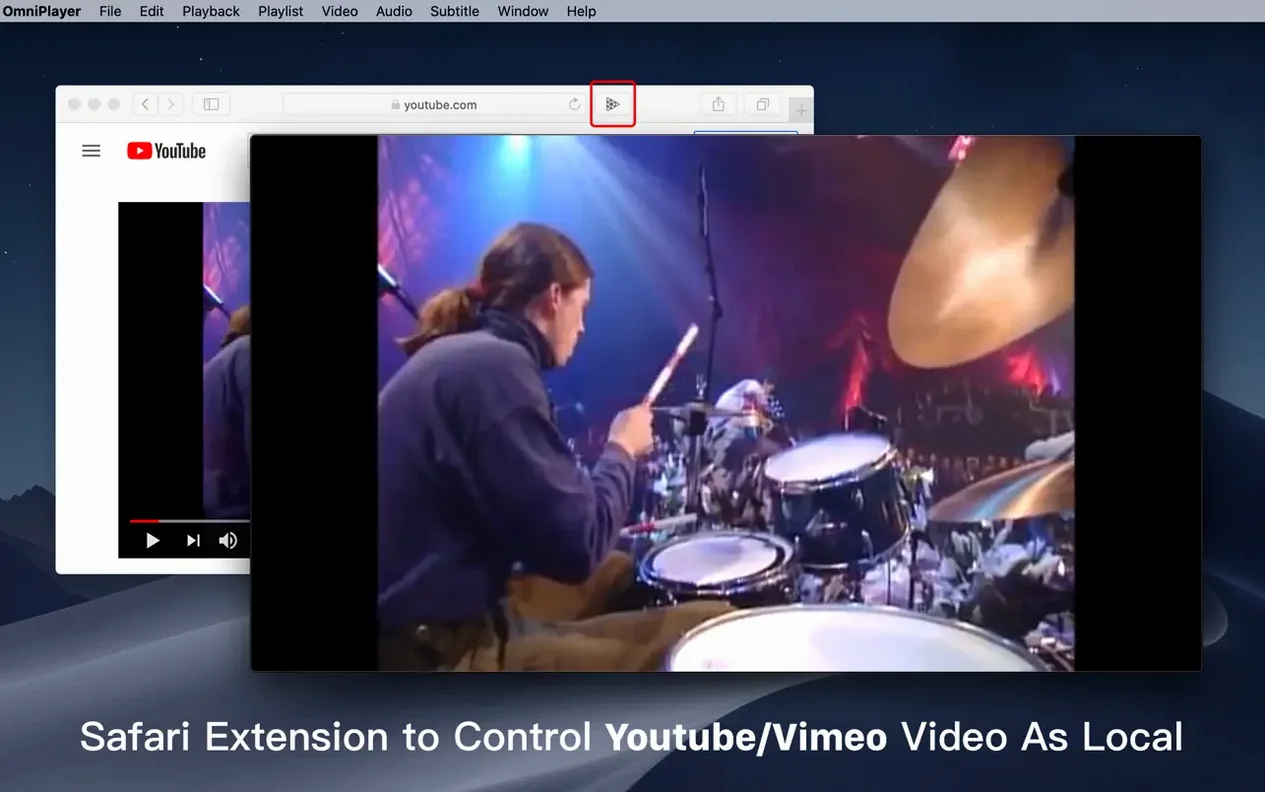
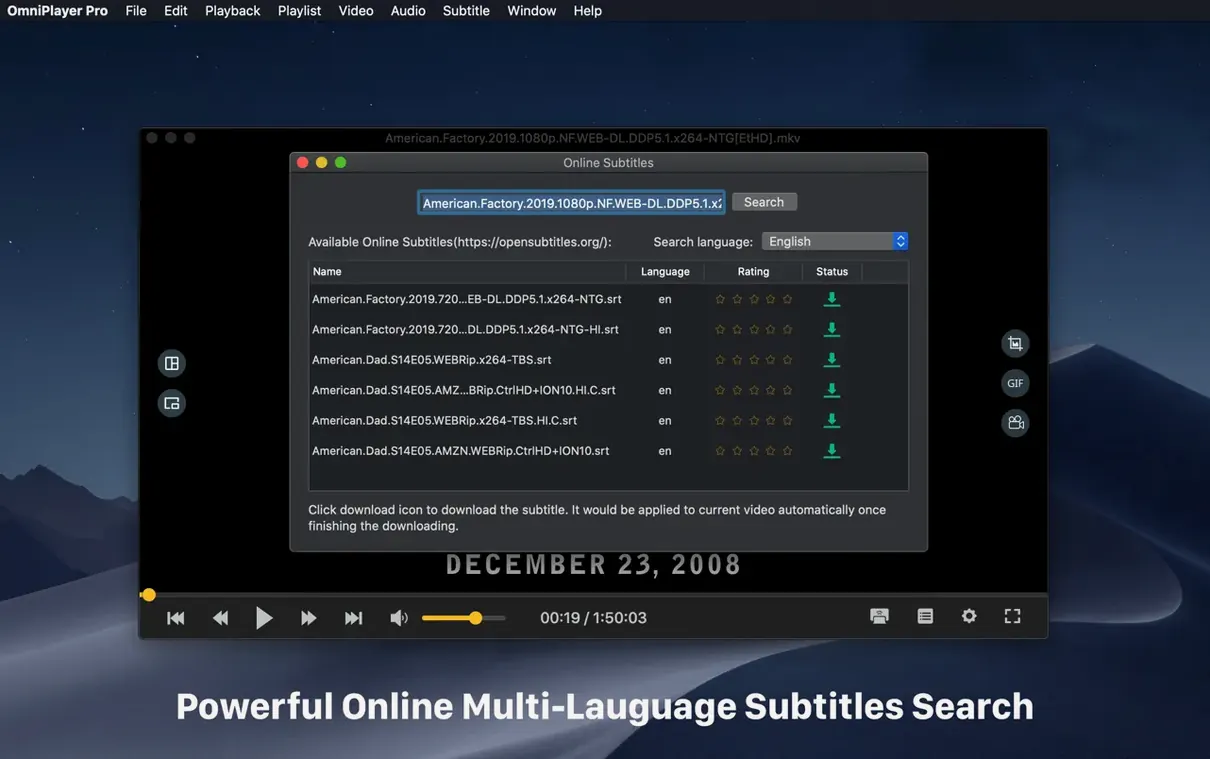
When you need a Mac video player that handles omniplayer mkv mac torrent files without fuss, OmniPlayer is a tool that does the job. It plays video and audio in most common formats, including large files—the latest version fixed a bug when loading a 30 GB MKV. For a project manager who keeps reference videos on the drive, that reliability matters.
| Detail | Spec |
|---|---|
| Version | 2.1.22 |
| macOS | 11 and later |
| Architecture | Intel |
| Languages | English, German, Italian, Chinese, French, Japanese |
The player handles the basics well: you can adjust playback speed from 0.25x to 4x, rotate video in any direction, and load subtitles from local files on the fly. It also supports selecting different audio tracks and changing audio delay to sync lagging dialogue. Beyond local files, you can paste a YouTube or Vimeo URL and play it directly. Screenshots export in several formats, and playlists automatically clear when you quit. If you run an office Mac that needs to review video deliverables, OmniPlayer is a straightforward choice.
For Project Managers and Editors Receiving omniplayer mkv mac torrent Files
If you manage a Mac-based office where video files cross desks regularly, OmniPlayer fits naturally. Project managers reviewing construction site walkthroughs or supplier demo reels in omniplayer mkv mac torrent format can open files without conversion. Editors and designers who receive client footage in mixed containers benefit from the format flexibility. Anyone who maintains a reference library of training videos, meeting recordings, or archived presentations will find the auto-playlist and resume-position features useful when revisiting content days later.
The casting and remote playback options point toward another group: people who present from a Mac to a larger screen. If your meeting room has a Chromecast or a Roku, you can send video wirelessly without plugging in a cable. And if you store media on a network drive or an FTP server, OmniPlayer opens those files without a separate download step. For a portable workflow, that means one less pause before a client review.
Subtitle-heavy environments also get value. Anyone working with foreign-language dailies or international press kits can search and download subtitles by title or file hash, then adjust encoding, color, or size in real time. That saves a trip to a subtitle website or a second editing app.
Quick-Start Checklist with Multi-Track omniplayer mkv mac torrent
After you install OmniPlayer, open a few common file types first to confirm your format coverage. Try one small .mp4, one omniplayer mkv mac torrent of moderate size, and one with multiple audio tracks. This quick check familiarizes you with the track-switching controls and the preview thumbnails on the progress bar — helpful when you scan a long recording for a specific moment.
Set the auto-hide controls option early. It clears onscreen clutter and makes full-screen playback feel closer to a dedicated media app. If you often watch at accelerated speed, test the speed slider between 1.25x and 2x so you know how voice pitch changes in your usual files. For subtitle work, load a file with hardcoded subs first, then load an external .srt to compare how the local-file loading and online search behave side by side.
If you plan to cast to a TV, test the connection once when both devices are on the same network. OmniPlayer supports DLNA, Chromecast, and Roku, but network topology varies. A quick test before a real meeting saves frustration.
Drag-and-Drop from Finder and Screenshot to Folder
OmniPlayer lives beside your existing workflow rather than replacing it. Drag a video file straight from Finder or from a folder window onto the player window — no import step. Screenshots and GIFs you create go into a folder you choose, so they land where your project files already are, not in a hidden app directory.
The player respects macOS window management. You can snap it to one side of the screen while keeping a browser or a spreadsheet open on the other. For a project manager reviewing a video against a task list in another app, that split-view setup works well. The playback position saves automatically when the player stops, so switching between windows does not mean losing your place.
For network file access, OmniPlayer talks to SAMBA shares and FTP servers without extra mounting. If your office stores deliverables on a NAS, you can open files directly from the server address bar in the app. That keeps your local storage clear and your workflow consistent across machines. The same applies to YouTube and Vimeo URLs — paste a link instead of downloading a file, and the player handles the rest.
In an office where media moves between Macs, OmniPlayer fills the gap between a basic system player and a full production suite. It plays what you throw at it, remembers where you stopped, and sends video to a bigger screen when you need to present.
| macOS | macOS 11 or later |
|---|---|
| Processor | Intel 64-bit |
| Download | 78 MB |
- macOS 11 or later
- Intel processor
Questions about OmniPlayer: MKV Video Player Pro
Can OmniPlayer play YouTube and Vimeo videos?
Yes, you can copy a web page URL from YouTube or Vimeo and play it directly in OmniPlayer.
How to install, in order
1. Mount the disk image and run Open Gatekeeper friendly. 2. Press Enter in Terminal to bypass Gatekeeper. 3. Drag the app into the Applications folder. 4. Launch the app.Comments and corrections 0
Sign in or open a free account to leave a comment.
No comments or corrections yet.