Arturia Jup-8 V 4.6.2 — download for Mac
VST Plugins Updated
Produces thick analog pads and resonant sweeps from a Roland model.
Screenshot
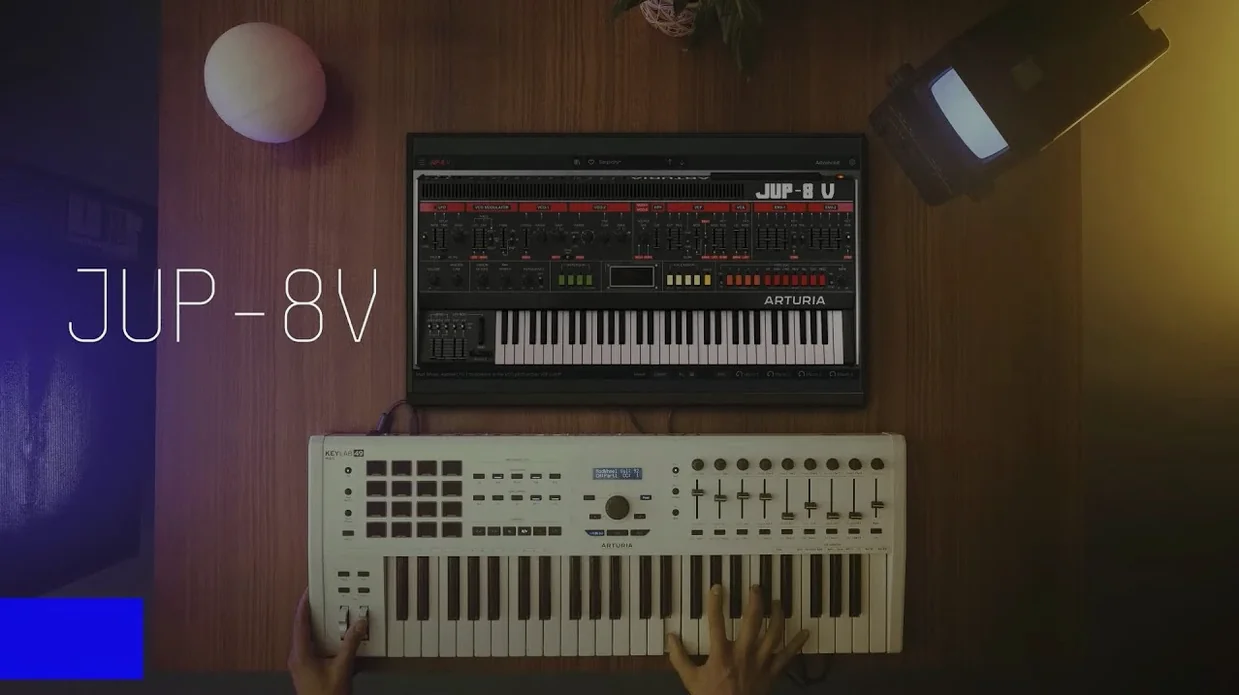
Sound designers and keyboard players who need thick analog pads, resonant sweeps and punchy basses reach for the Jup-8 V. Arturia modeled the signal path of the Roland Jupiter-8 and packed it into a plug-in that runs on macOS 11 and later. The workflow below walks through the voice architecture in the order it fires.
1. Set the two oscillators
Each voice runs a pair of oscillators. The second one can generate noise instead of a square wave, which is useful for breathy textures and percussion layers. Oscillator sync locks the second VCO to the first, tightening leads and cutting through a dense arrangement.
2. Shape the pulse width
Pulse-width modulation is supported on the square wave. Modulating it with an LFO or envelope broadens a static tone into a shifting stereo field, a go-to move for string machine emulations.
3. Route through the dual filters
A resonant low-pass filter sits alongside a high-pass filter. The low-pass slope switches between 12 dB/oct and 24 dB/oct, so you can trade smooth roll-off for steeper isolation with one click.
The plug-in ships in English and fits into any AU or VST host on Apple Silicon or Intel Macs. Project studios that track a lot of synth parts will lean on the filter switching and oscillator sync to cover ground that sampled libraries cannot.
Scenario: A post‑punk keyboard player layering for a live recording
I work with a keyboard player who spends most of his time in a Logic session building split‑layer sounds for a film score. He keeps the Jup‑8 V open on a dedicated track and sets the two oscillators to slightly detuned saw waves, then engages oscillator sync to keep the second VCO locked. The portamento mode lets him glide between chord stabs without programming a separate pitch bend. For the bridge section, he flips the second oscillator to noise, drops the low‑pass filter to 12 dB/oct and opens the high‑pass filter to clear out mud. The arpeggiator runs the sequence once and prints it to audio — no need to keep the plug‑in open for the rest of the arrangement.
Loads into any DAW or runs standalone
Arturia’s plug‑in loads directly into any DAW that supports AU or VST — Logic Pro, Ableton Live, Cubase, Reaper, Digital Performer. It also runs standalone, which is useful when you only need the synth without a host. On macOS, you can assign keyboard shortcuts to the arpeggiator and portamento toggles using the system’s key‑command settings, then trigger them from a MIDI controller. The standalone mode works with Apple Silicon and Intel Macs, so a producer moving between an M‑series MacBook and a desktop Hackintosh can keep the same workflow without swapping configurations.
Cross-modulation and PWM for sound designers
Three types of Mac users find a home in the Jup‑8 V:
- Sound designers who need cross‑modulation and pulse‑width modulation to warp basic shapes into evolving textures. The two LFOs and dual envelope generators give enough modulation sources to keep one patch changing for a full cue.
- Keyboard players who want the original Jupiter‑8’s split and layer features without hauling a vintage rack. The unison mode thickens a single note into a stacked sound, and the portamento mode handles expressive glides that sampled libraries cannot reproduce.
- Project‑studio engineers who record a lot of synth parts and need the resonant low‑pass filter at both slopes. Switching between 12 dB/oct and 24 dB/oct is a quick way to match the filter behavior to different mix contexts without opening a separate EQ.
If you already own Arturia’s Analog Lab or the CS‑80 V, the Jup‑8 V fits the same signal‑path philosophy: start with the oscillators, shape with the filters, modulate with the arpeggiator. It does not need an elaborate patch memory — the controls are laid out in the order you touch them.
Package v4.6.2 on macOS 11+, Apple Silicon and Intel
The package version is 4.6.2 (5305). It runs on macOS 11 and later, both on Apple Silicon and Intel 64‑bit architectures. The installer follows Arturia’s standard setup: run the included activation instructions, then point your DAW’s plug‑in folder to the installed component. The interface is English only. No additional runtime or license manager is required beyond what is in the package. The Arturia Jup‑8 V faithfully emulates the Jupiter‑8 synthesizer, ideal for producers seeking vintage analog warmth.
- Package updated to 4.6.2 (5305).
| macOS | macOS 11 or later |
|---|---|
| Processor | Apple Silicon, Intel 64-bit |
| Download | 400 MB |
- macOS 11 or later
- Apple Silicon or Intel processor
How to install, in order
- Open the downloaded disk image and locate the installation guide.
- Run the installer and follow the on-screen steps.
- Use the included activation instructions to authorize the plug-in on your Mac.
Comments and corrections 0
Sign in or open a free account to leave a comment.
No comments or corrections yet.