Ample Sound Ample Guitar LP III 4.0.1 — download for Mac
VST Plugins Updated
Delivers a convincing Les Paul guitar tone directly on an instrument track without miking an amp.
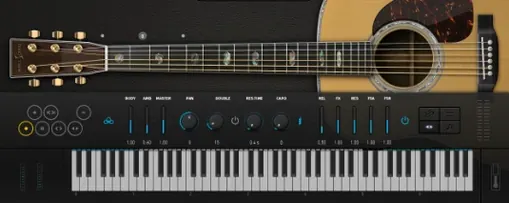
Screenshot
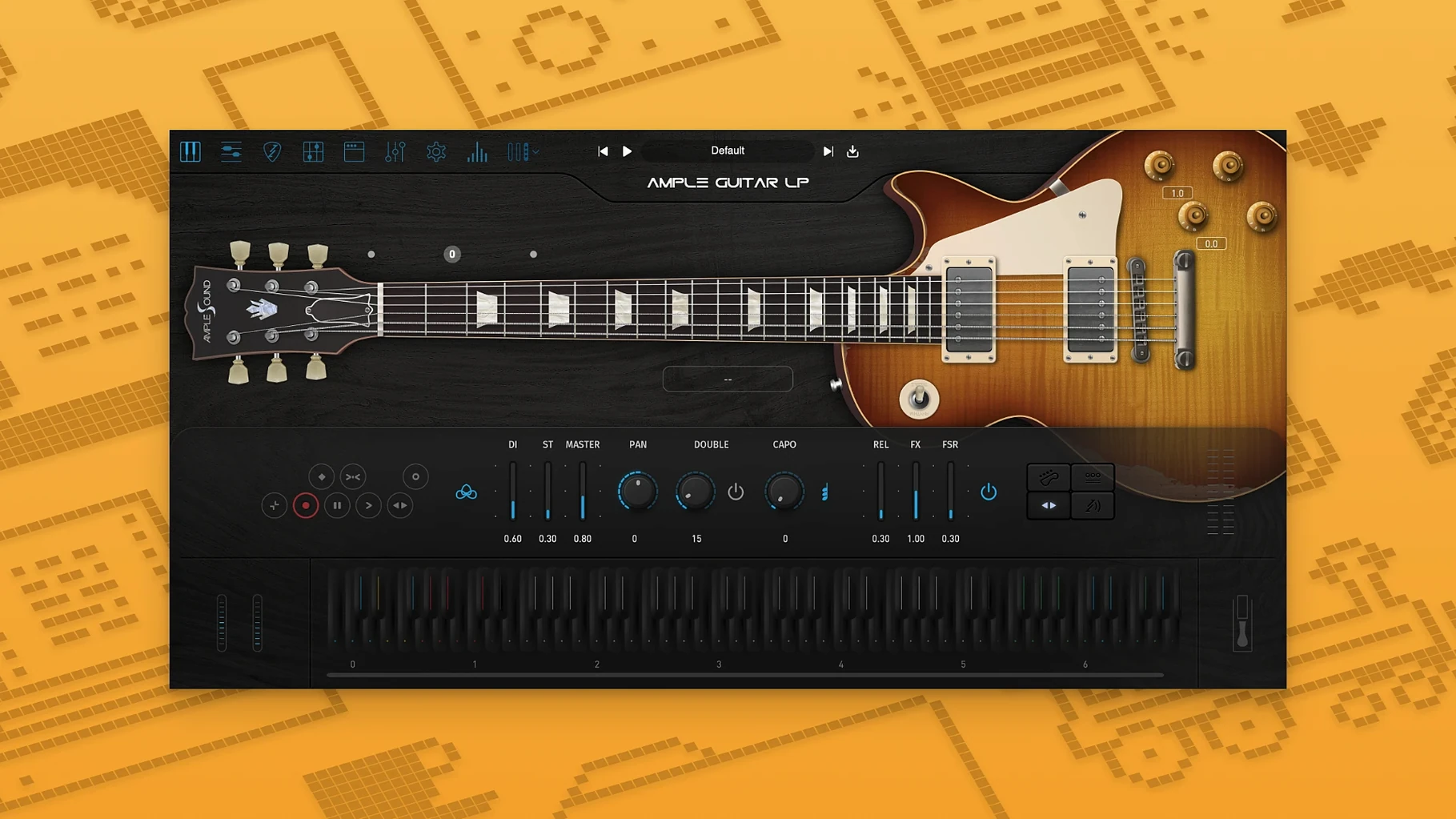
Guitarists laying down parts in a DAW session who need a convincing Les Paul sound without miking an amp. The Ample Guitar LP III delivers that thick, familiar tone as a plugin, sitting directly on an instrument track.
1. Load the plugin on an instrument track
Insert it like any virtual instrument. The library recalls a 1958 Gibson Les Paul, with a fingerstyle option from a 1959 Reissue added in version 4.
2. Dial in the sound
Use the built-in amplifier and effects to shape the tone before it ever hits a bus. Rock crunch, bluesy warmth, or a clean jazz setting—it handles all three without external processing.
3. Route to a bus for final treatment
Send the track to a reverb or delay bus as needed. The core character is already set, so the bus work stays light—just space and glue.
What the Mac Installer Expects
The plugin package is built for macOS 10.13 or later, and it covers both Intel and Apple Silicon machines — no separate version to track down. The installer is the same .pkg or .dmg file either way. For offline activation, the Challenge Code and User ID workflow works without an internet connection on that machine.
Articulation Switching Without Stopping
- Articulation switching. Fingerstyle, picking, and string effects are each mapped to separate keyswitches or velocity layers — you can jump from a clean picked phrase into a muted scratch without stopping playback.
- Built-in processing. The amplifier and effects are part of the plugin, not a separate rack. One insert gives you both the instrument and its tone stack, which keeps the mixer view cleaner on a dense session.
- Version 4 fingerstyle library. The 1959 Reissue recordings add a rounder attack for parts where a picked sound is too aggressive. Both libraries coexist in the same plugin, so swapping between them is a preset change.
Loading Samples in Your DAW
I open a new session in my DAW and create an instrument track. The plugin browser lists Ample Guitar LP III as a single entry; I drop it on the track and wait a few seconds while the samples load. The default patch is a picked Les Paul with the amp on a mild breakup setting — usable as-is for a blues rhythm part.
I record a basic chord progression in C. The velocity response is wide enough that harder keystrokes push the amp into natural saturation, while softer hits stay clean. For the bridge, I switch to the fingerstyle library and lower the attack velocity. The part sits behind the vocal without clashing.
Later I add a solo section. I map a keyswitch to change articulation mid-line: picked verses, then a bend with a string effect on the chorus. No second track needed. The built-in reverb is off; I send the whole track to my usual hall bus so the guitar sits in the same space as the piano and strings.
The session exports as a stereo audio stem. The amp and effects are already printed, so the mixer gets a finished guitar track with no additional processing. For a rock or blues arrangement, that saves an hour of reamping later.
This plugin keeps guitar tracking in the box, saving a studio engineer the setup time that a physical amp demands.
No release notes filed for 4.0.1. They are added here when a build changes how the program behaves.
| macOS | macOS 10.13 or later |
|---|---|
| Processor | Apple Silicon, Intel 64-bit |
| Download | 9.2 GB |
- macOS 10.13 or later
- Apple Silicon and Intel support
Questions about Ample Sound Ample Guitar LP III
What styles of music does it suit?
The plugin works well for rock, blues, and jazz parts, covering the core palette of a 1958 Les Paul.
Does it require an external amplifier plugin?
No, a built-in amplifier and effects are included, so the signal is ready to use on the track.
How to install, in order
- Install the Mac plugin package.
- Follow the included instructions to complete installation and activation.
Comments and corrections 0
Sign in or open a free account to leave a comment.
No comments or corrections yet.