Audio Damage Ascent 1.0.0 — download for Mac
VST Plugins Updated
Combines hall reverb with a pitch-shifting particle engine for evolving soundscapes.
Screenshot
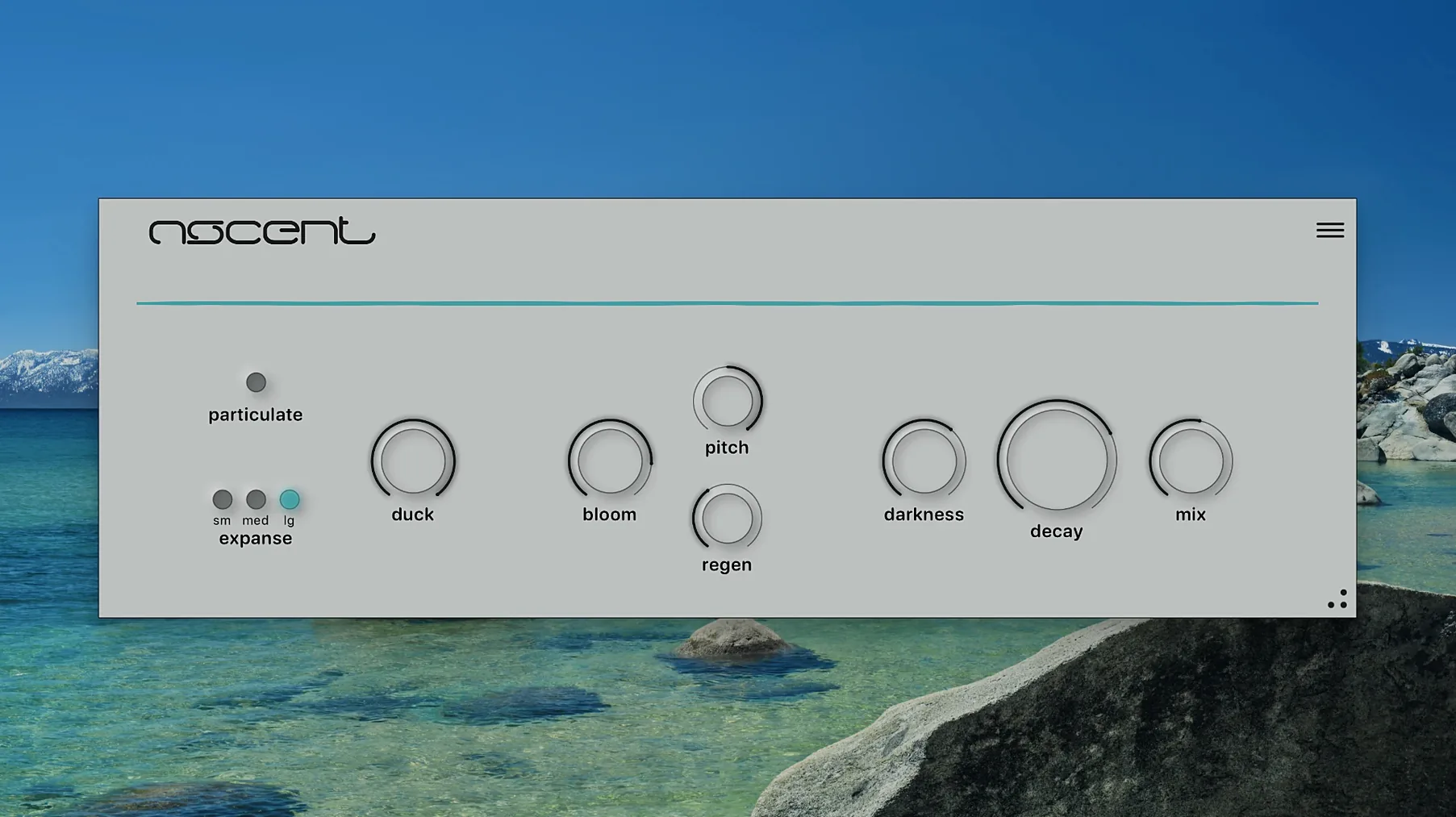
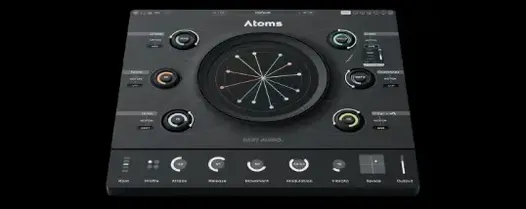
Ascent combines two engines inside a single 64-bit plugin: a hall reverb algorithm and a pitch-shifting particle engine. The architecture means it does more than standard reverb — it shifts pitch over a definable rise duration, from a short burst to a slow, minute-long build.
On sustained tracks or aux bus
On individual tracks, Ascent works on sustained material — synth pads, held guitar notes, vocal lines with long tails. The pitch-shifted particles add a moving harmonic layer above the source, not just a wash. On an aux bus, feeding it from multiple channels creates a shared, rising texture that glues disparate elements during transitions. The built-in modes change character quickly; switching modes alters how the particle engine reacts to the input, so you can move from a tight, focused shimmer to a diffuse, cloud-like spread without touching other settings.
Building tension and smoothing transitions
Ascent handles three tasks well: building tension in intros, smoothing abrupt section changes, and adding controlled movement to static tracks. Setting a long rise on a bus lets a verse-to-chorus transition feel like a single, continuous event. A short burst on a snare or percussive hit adds a metallic overtone that decays naturally. The combination of the hall algorithm and the particle engine means the reverb body stays grounded while the pitch element moves — useful when you need atmosphere that doesn't float away from the mix.
Building a transition from scratch
Here is one way to use Ascent for a section change, start to finish. Drop the plugin on a stereo aux bus. Send the last four bars of your verse to that bus. Start with the rise duration set to a medium value — around four seconds. Choose a mode that gives a wide, diffuse spread. Bring the mix control to 100 percent so you hear only the effect. Play the section. As the verse ends, the pitch-shifted particles begin climbing. Adjust the tone vibration control to add a slow tremolo pulse to the rise. The real-time display shows the pitch shifting in a smooth curve. When the chorus hits, automate the mix down to zero over one bar. The tail from Ascent blends into the dry chorus. The transition feels like a single, rising motion rather than a hard cut.
Auditioning modes on a synth pad
I start a session by loading Ascent onto a dedicated aux track. The stereo input captures whatever I route to it. First, I audition each of the built-in modes against a sustained synth pad. One mode may add a metallic edge; another creates a soft, airy bloom. I pick the mode that fits the track's mood, then set the rise duration to a long build — roughly thirty seconds. The shimmer becomes a slow, evolving texture behind the verse. During the chorus, I automate the effect to fade in gradually, so the pitch shift arrives at the peak of the arrangement. The tone vibration adds a subtle wobble that keeps the effect from feeling static. As the section ends, I let the reverb tail ring out. The entire process takes a few minutes of listening and adjusting the rise duration and mix level. No deep menu diving — the interface shows everything at once.
Later, I use Ascent on a single guitar track. I dial the effect back to a short rise, about one second, and choose a mode that gives a tight, focused shimmer. The pitch-shifted particles sit just above the guitar's natural harmonics, adding a faint overtone. The real-time display confirms the pitch shift is tracking the input. I print the output to a new audio track so I can edit the effect's start point. The result is a controlled, repeatable texture that doesn't drift.
Rise duration from burst to long
When you first load Ascent, the default settings give a general shimmer effect. For most work, I change these:
- Rise duration — Start short for percussive hits, long for pads and transitions. The control spans from a burst to a slow, minute-long climb.
- Built-in mode — Cycle through the modes with the source material playing. Each mode changes how the particle engine responds to dynamics and pitch. One mode may feel aggressive on a vocal; another sits underneath it.
- Mix level — Begin at 100 percent wet to hear only the effect, then dial back to blend. The hall algorithm keeps the body grounded even at lower mix levels.
- Tone vibration — A slow rate adds movement to the pitch-shifted tail without turning it into a tremolo effect. A faster rate works for rhythmic transitions.
These four controls give access to most of Ascent's range. The rest of the interface adjusts the fine details after the basic character is set.
- Initial release of the dual-engine shimmer reverb with hall algorithm, pitch-shifting particle engine, and built-in character modes.
| macOS | macOS 10.15 or later |
|---|---|
| Processor | Apple Silicon, Intel 64-bit |
| Download | 271 MB |
- macOS 10.15 or later
- Intel or Apple Silicon Mac
- 64-bit plugin host (VST or AU)
Questions about Audio Damage Ascent
Does Ascent work on iPhone and iPad?
Yes. An iOS version is available alongside the macOS, Windows, and Linux releases.
How to install, in order
- Open the downloaded package and locate the installer.
- Run the installer and follow the on-screen steps to place the plugin in your system's VST or AU folder.
- Refer to the included instructions for activation details.
Comments and corrections 0
Sign in or open a free account to leave a comment.
No comments or corrections yet.