Neural DSP Archetype Tim Henson X 1.0.1 — download for Mac
VST Plugins Updated
Tracks a second voice in real time to harmonize single guitar lines.
Screenshot
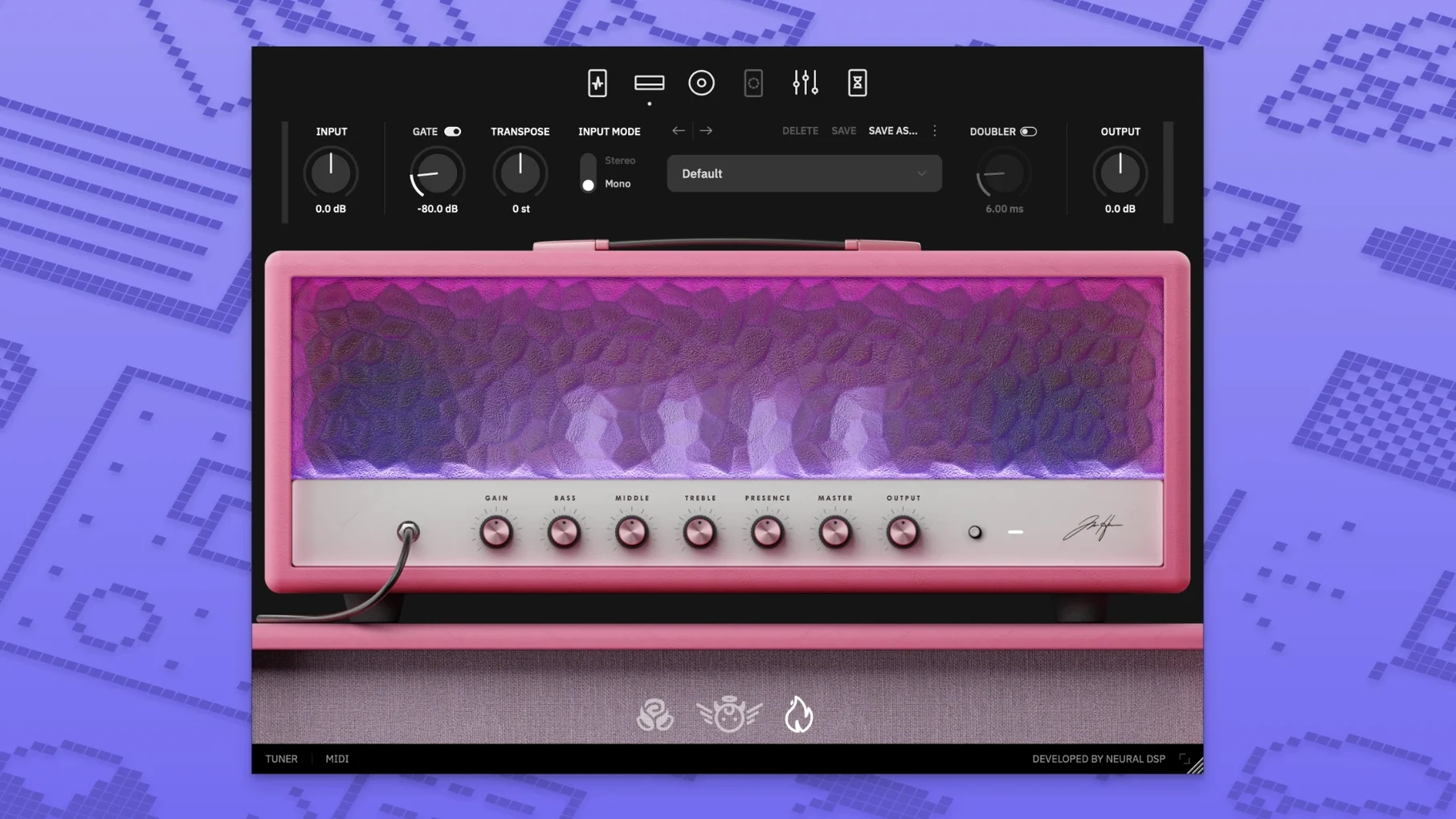
The first thing you notice with Neural DSP Archetype Tim Henson X v1.0.1 is the dual-voice harmony engine. You play a note, and a second voice tracks the pitch in real time, automatically matching the key and scale you set. It turns a single line into a layered progression without any comping or overdubbing.
Clean Articulate Harmonic Layers
- Clean, articulate tones where each harmonic layer stays distinct.
- Songwriters sketching chord progressions with built-in key, scale, and chord type selection.
- Players who want to blend MIDI control with guitar — plug in a keyboard and the plugin follows incoming MIDI notes, shifting the guitar sound in real time.
- Studio work where the compressor evens out dynamics and sustains notes, with adjustable strength and response speed.
64-Bit Only and Silicon Ready
- Version 1.0.1 is 64-bit only and runs as VST2, VST3, AU, AAX, or standalone. macOS 10.13 minimum, supports both Intel and Apple Silicon.
- The 1.1.0 update (not yet on this page) fixed a phase issue between Boost and Blend — if you use those controls, watch for the later release.
- Compatible with Quad Cortex and Quad Cortex Mini for transferring presets.
- Interface was fully redesigned for the X update; two new scale variants are included.
MIDI Keyboard Not Responding Fix
A few issues turn up regularly with this plugin. Knowing them ahead of time saves a session.
- MIDI keyboard not responding. The plugin listens for MIDI on the same channel as your DAW sends. If notes don’t trigger, check that your keyboard is sending on channel 1, or set the plugin’s receive channel in the DAW’s track routing. Some users forget to arm the track for MIDI input — that’s usually the fix.
- Multivoicer outputs silence or wrong pitches. This happens when the key and scale aren’t set. The plugin has no default key, so it won’t add voices until you pick one. Open the harmony panel and select both a root key and scale type. The arpeggio effect also needs a chord type selected to work.
- Boost or Blend sounds thin. If you used an earlier version, the phase problem between Boost and Blend was present in 1.0.1. Force a reset of both controls (pull them to zero and back to your preferred setting) to realign the phase until you update to 1.1.0.
- Standalone version doesn’t produce sound. Go to the audio device settings inside the standalone app and pick your interface. The plugin defaults to the system’s built-in output, which may not route to your monitors or headphones if you use an external sound card.
How It Handles Mac Plugin Rivals
Neural DSP Archetype Tim Henson X vs. Poly Beebo
Beebo is a modular multi-effects pedal that can do layered harmonies, but it’s a DSP hardware unit, not a plugin. You route audio through it and program modules on a touchscreen. Archetype Tim Henson X keeps everything inside the DAW and handles pitch and harmony as a single algorithm with no module patching. Beebo is more flexible if you want to build custom signal chains; the Archetype is faster if you want a prepared harmonic effect without patching.
Neural DSP Archetype Tim Henson X vs. Soundtoys Little AlterBoy
AlterBoy is a pitch and formant shifter aimed at vocals. It can transpose a guitar signal up or down, but it doesn’t track scales, keys, or chords. You get one shifted voice per instance. Archetype Tim Henson X gives you up to four harmony voices that follow a musical scale, plus an arpeggio mode — all inside one plugin. AlterBoy is simpler for a single shifted layer; the Archetype is better for composed, scale-accurate layering.
Neural DSP Archetype Tim Henson X vs. Line 6 Helix Native
Helix Native includes polyphonic pitch shifting in its synth and harmony blocks, but it’s a full amp-and-effects suite. You pay for hundreds of models you might not need. Archetype Tim Henson X focuses on clean, layered tones with no amp modeling or effects beyond the core compressor, overdrive, and boost. If your project is strictly about clean harmonic layering, the Archetype is leaner and more direct. Helix Native wins if you also need distortion chains, cab simulation, or extensive routing.
- Interface fully redesigned.
- Two new scale variants added.
| macOS | macOS 10.13 or later |
|---|---|
| Processor | Apple Silicon, Intel 64-bit |
| Download | 575 MB |
- macOS 10.13 or later
- 64-bit system
- Intel or Apple Silicon processor
Questions about Neural DSP Archetype Tim Henson X
Can I use a MIDI keyboard with this plugin?
Yes, the plugin has a MIDI mode that receives notes or chords from a MIDI keyboard, and the guitar sound follows those incoming notes in real time.
What macOS version does it require?
It requires macOS 10.13 or later and works on both Intel and Apple Silicon Macs.
What formats does the plugin come in?
It’s available in 64-bit VST2, VST3, AU, AAX, and standalone formats.
How to install, in order
- Open the downloaded disk image.
- Run the standard installation procedure.
Comments and corrections 0
Sign in or open a free account to leave a comment.
No comments or corrections yet.