
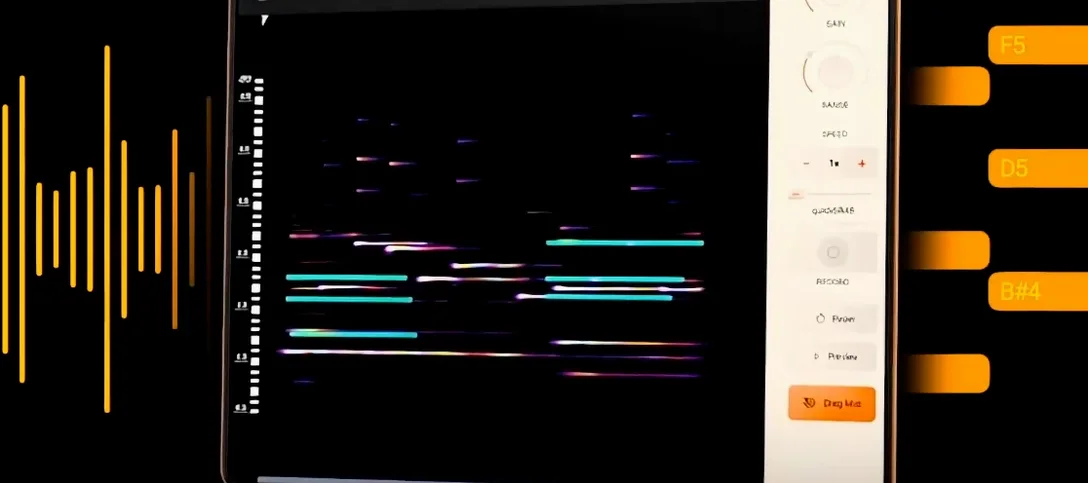
noteGRABBER 2.0.0 — download for Mac
VST Plugins Updated
Analyzes sampled audio and converts it to MIDI notes inside a DAW.
Screenshot
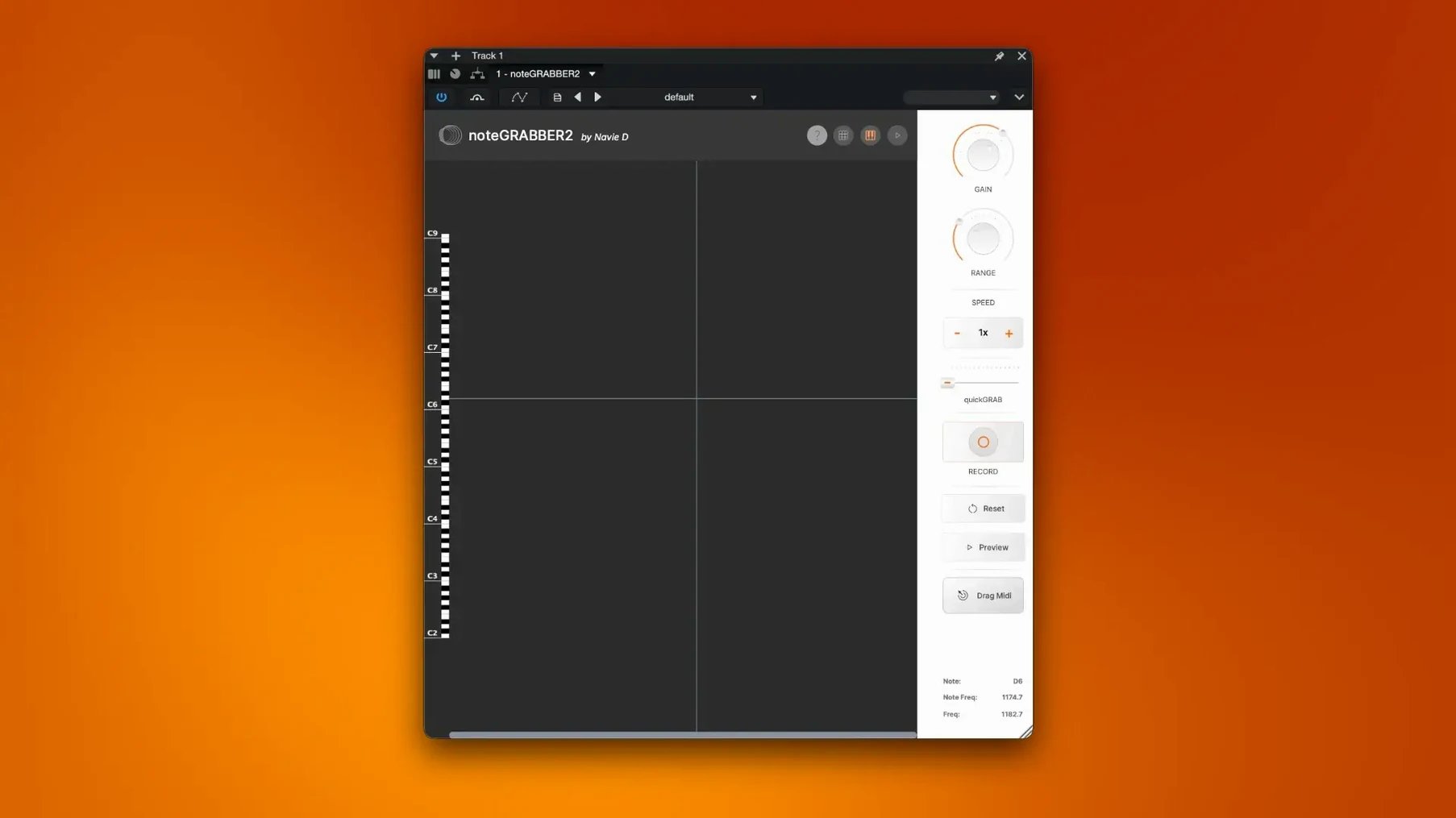
noteGRABBER 2.0.0 runs on Macs with macOS 10.12 or later, supports both Intel 64-bit and Apple Silicon. It’s a plugin, not a standalone app — you load it inside your DAW on a track or bus.
Placed on a track with sampled audio
Put noteGRABBER on a track that contains sampled audio. It analyzes the notes in that audio and outputs MIDI data. You can then route that MIDI to a soft synth or sampler on another track, or use it to rewrite the original melody.
Is it for single notes or full chords?
It works on monophonic sources best — single-note lines, bass riffs, vocal phrases. Polyphonic material may produce mixed results. The developer built it to make sample-based beat creation faster, not to replace manual transcription.
A studio tool for post-recording MIDI capture
It’s a studio tool. You place it on a track, let it analyze a region, then capture the MIDI output. That MIDI becomes the foundation for adding new instruments over the sample or developing new musical ideas.
Structured note interpretation in version 2.0.0
The jump to version 2.0.0 is a clear rewrite. Earlier builds handled basic audio-to-MIDI conversion with minimal control over what came out the other side. The current version introduces a more structured approach to how the plugin reads and interprets sampled audio.
In practice, that means you spend less time cleaning up stray MIDI notes. The conversion logic now handles note separation better, so a sustained bass note in a sample doesn't bleed into an unintended chord trigger. For beat makers working with short percussive samples, the output lands closer to the original timing without manual quantizing.
The plugin itself remains a single-window interface — no multi-tab dashboards to learn. Loading a sample into a track, placing noteGRABBER on that channel, and capturing the MIDI data still follows the same three-step workflow. What changed is the quality of that data on the first try.
Feeding a full mix into monophonic-only noteGRABBER
Most common error: feeding a full mix into the plugin and expecting usable MIDI. noteGRABBER works on monophonic material. Dropping a stereo drum loop or a dense orchestral sample into the track will produce a mess of overlapping, unplayable notes. The plugin has no source separation — it transcribes what it hears, not what you want it to hear.
Second mistake: leaving the sample region unedited before analysis. A bass sample that trails off into room noise or a vocal snippet with a breath tail will trigger false notes. Trim the region so only the tonal part of the audio is analyzed. The MIDI output improves noticeably when the input is clean.
Third mistake: expecting perfect transcription on chord-based material. noteGRABBER is not a chord identifier. It works best on single-note lines — bass parts, lead melodies, monophonic synth riffs. If you feed it a guitar chord, it may register only the loudest partial and ignore the rest. Plan your sessions around that limitation.
Fourth mistake: skipping the routing step. New users often run the plugin, see MIDI data appear, and wonder why no sound comes out. noteGRABBER outputs MIDI data, not audio. You must route that MIDI to an instrument track or a soft synth to hear anything. The conversion is only half the process.
Direct-to-track workflow without audio extraction
noteGRABBER does not require audio extraction or file conversion before use. Drop the sample into your DAW, place the plugin on the same track, and go. That direct-to-track workflow saves time compared to tools that demand a separate export step.
The plugin outputs standard MIDI data that any DAW or sampler can read. There is no proprietary format or export dialog. The MIDI clip appears in your arrangement view exactly like one you played in manually, which means you can edit notes, quantize, or transpose it immediately.
Installation is straightforward. Copy the plugin package from the download to your system’s VST or AU folder, then follow the included activation instructions. No background services, no cloud sync, no account creation. The plugin is self-contained once placed.
For producers who work with one-shot samples or short loops, noteGRABBER fits into a tight editing workflow. Analyze a single hit, grab the MIDI data, and map it across a keyboard or drum rack. The conversion is fast enough that you can audition several samples in sequence without waiting on long processing times.
Note the language — the developer distributes noteGRABBER in English only. No localization options exist. For English-speaking producers this is irrelevant, but if your studio workflow relies on a localized plugin interface, factor that in.
Runs inside your DAW without leaving the session
noteGRABBER sits in a specific spot: a plugin that runs inside your DAW, on your track, without leaving the session. That matters when you compare it to other tools on macOS.
One alternative is Ableton Live’s built-in audio-to-MIDI conversion, which lives inside the Live workflow and works on audio clips directly. It handles polyphonic material better than noteGRABBER and includes harmonic analysis. But it requires owning Live Suite — not everyone runs that DAW — and it processes audio through Live’s own engine, which can be heavier on CPU with larger sessions.
Another option is a dedicated standalone app that exports MIDI files. These tools often offer more control over detection parameters and support batch processing of multiple files. But they break the session flow. You export audio, run the app, import the MIDI back into the DAW, and align it manually. noteGRABBER skips those steps. The trade-off is that standalone apps sometimes produce cleaner polyphonic results because they have more processing time and dedicated algorithms.
There is also the route of manual transcription with pitch-detection plugins like a tuner or spectrum analyzer. That works for short phrases but scales poorly. For a producer building a beat from a sample library, the time saved by a dedicated audio-to-MIDI plugin like noteGRABBER becomes clear after a few sessions.
noteGRABBER does not aim to replace any of these approaches entirely. It is a tool for a specific use case: fast, monophonic sample transcription inside your existing DAW session, without extra file handling or software switching.
No release notes filed for 2.0.0. They are added here when a build changes how the program behaves.
| macOS | macOS 10.12 or later |
|---|---|
| Processor | Apple Silicon, Intel 64-bit |
| Download | 35 MB |
- macOS 10.12 or later
- Intel 64-bit or Apple Silicon
Questions about noteGRABBER
Does noteGRABBER work on polyphonic audio?
It is designed primarily for monophonic sources. Polyphonic audio may produce less accurate MIDI output.
What DAWs is noteGRABBER compatible with?
Since it is a standard macOS plugin, it works in any DAW that supports Audio Unit or VST plugins on Mac.
Can I use noteGRABBER to create new melodies from a sample?
Yes. It analyzes the notes in the sample and outputs MIDI that you can edit, rearrange, or use to trigger other instruments.
How to install, in order
- Install the plugin package included with the download.
- Follow the included instructions for installation and activation.
Comments and corrections 0
Sign in or open a free account to leave a comment.
No comments or corrections yet.
More picks from VST Plugins
Complete VST Plugins catalog Neural DSP Soldano SLO-100 X
1.0.0
340 MB
 Neural DSP Parallax X
1.0.0
179 MB
 Neural DSP Archetype Tim Henson X
1.0.1
575 MB
 Neural DSP Archetype Rabea X
1.0.1
742 MB
 Neural DSP Archetype Petrucci
1.0.0
745 MB
 Output Portal
1.2.1
319 MB
 Native Instruments Massive X
1.7.2
1.6 GB
 Minuit Solstice
1.2.0
117 MB