Neural DSP Soldano SLO-100 X 1.0.0 — download for Mac
VST Plugins Updated
Delivers a guitar amp sound from a single plugin in any DAW.
Screenshot
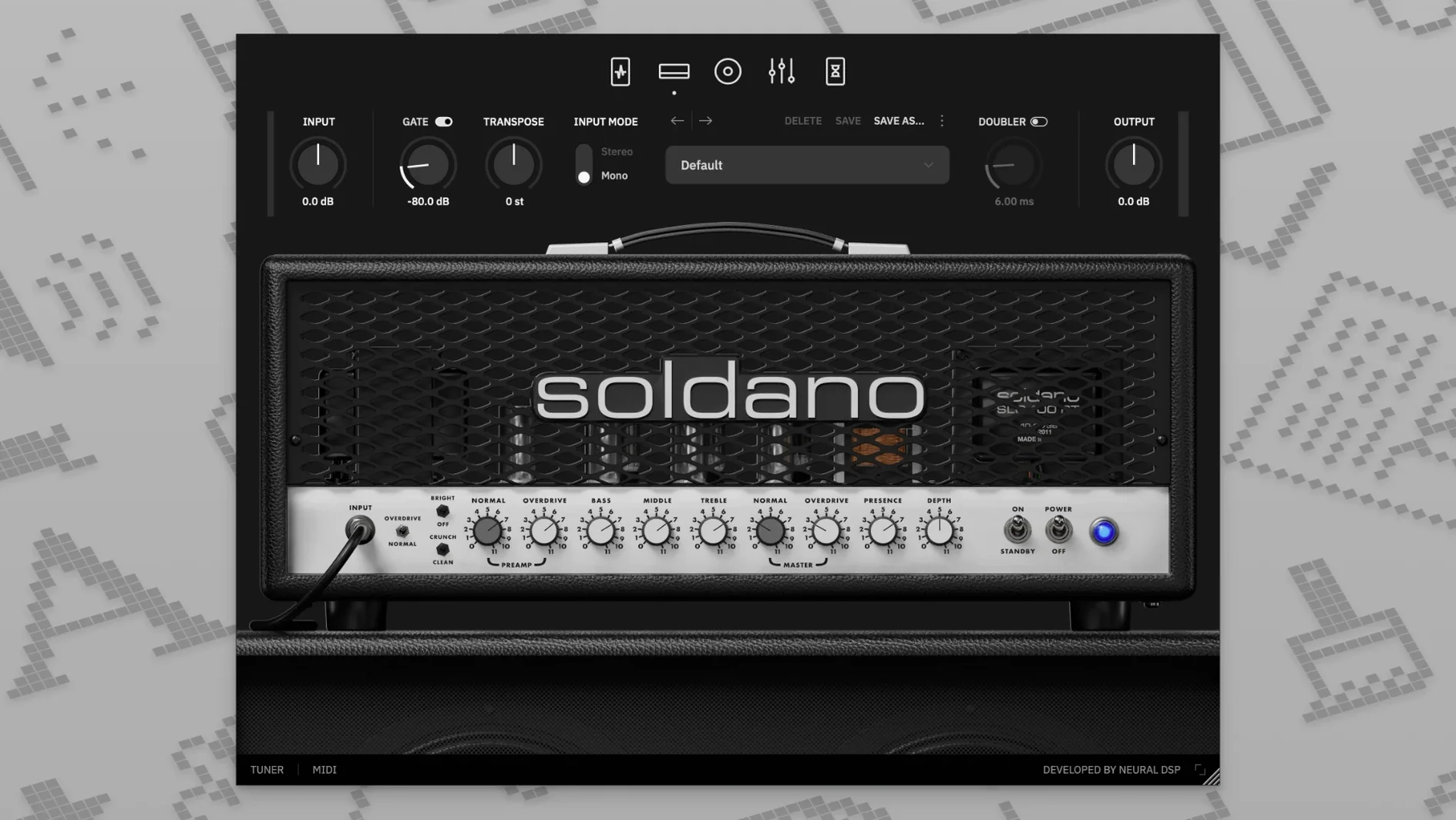
The Soldano SLO-100 X plugin from Neural DSP runs on any Mac with macOS 10.15 or later, and it works on both Intel and Apple Silicon machines. It comes in 64-bit VST2, VST3, AU, AAX, and standalone formats, so it fits into Logic Pro X 10.5 or higher, Pro Tools, Cubase, and most other hosts. Just make sure your host is 64-bit, as the user guide states that requirement clearly.
SLO-100 Amp Tone Without the Amp
- Guitarists who want the SLO-100 sound without hauling an amp head.
- Tracking sessions where you need Clean, Bright, Crunch, or Overdrive modes at the click of a switch.
- Mixing engineers who rely on the nine-band EQ with high-pass and low-pass filters to carve tone quickly.
- Players who want cab variety: the built-in cabinet simulation offers hundreds of presets.
English-Only Interface and 2024 X Update
- The interface is English only.
- It is the X update of the original Soldano SLO-100 plugin, revised in 2024 with updated modeling technology.
- A doubling effect is included for thicker, wider guitar parts.
Selecting a Cab from Hundreds of Presets in Logic
I open a new Logic project, throw down a click, and grab my guitar. The plugin loads as an AU instance on a mono track. First thing: I pick a cab. The built-in cabinet simulation has hundreds of presets, so I scroll through maybe ten before landing on a V30-style 4x12 that fits the riff I have in mind. No file browsing, no extra windows. It is one click, and the sound changes immediately.
I set the amp to Crunch mode, dial the gain to about two o'clock, and play the verse part. It sounds close, but I want a little more presence. The nine-band EQ sits right below the amp section, so I nudge the 2.5 kHz band up a couple dB and add a high-pass at 80 Hz to keep the low end tight. That takes maybe fifteen seconds. No menu diving.
Next, I record a double track. Instead of recording the same part twice, I use the doubling effect built into the plugin. I switch it on, pan the original hard left and the doubled signal hard right, and the riff gets wider instantly. It saves me a pass and keeps the timing exactly the same.
For the solo, I switch to Overdrive mode and add a little delay and reverb from the plugin's own post-amp section. I dial the delay to a dotted-eighth pattern, set the reverb to a medium hall, and play the part. Everything stays inside one plugin instance, and I never leave the track. That is what makes it useful for a quick session: you can build a full guitar sound without routing to a dozen auxiliary sends.
After tracking, I export the part to audio, and I am done. From opening the plugin to having a finished guitar track, it takes less time than dialing in a real amp and mic setup.
More Realistic Pick Attack and Volume Rolloff
The X update, released in 2024, updated the modeling technology under the hood. For daily use, that means the amp responds more like the real SLO-100 when you roll back your guitar's volume knob or dig in harder with your pick. It is subtle, but it affects how you play. The original plugin was already good; the X version makes it feel less like a plugin and more like an amp in the room.
Existing owners got the update as a free download, so if you already had the original Soldano SLO-100 plugin, you simply installed the new version and kept working. The installation steps stayed the same: open the disk image, run the standard installer. If you are new to the plugin, you start directly with version 1.0.0 and get the updated modeling from the beginning.
Interface Compatibility and Standalone Mode
Does it work with my interface?
The plugin runs as a 64-bit VST2, VST3, AU, or AAX instance, and it also works as a standalone app. If your interface is recognized by macOS, it will work in standalone mode. For plugin use, your host software must be 64-bit. Logic Pro X 10.5 or higher, Pro Tools 12 through 2020, and most modern DAWs meet that requirement.
Do I need an iLok or internet connection?
The version described on this site is already activated. You install it, and it runs. No dongle, no online check. That is the practical advantage of the version you find here.
Can I load my own cabinet impulses?
Yes. The plugin includes hundreds of built-in cabinet presets, and it also allows you to load your own cabinet files. If you have a collection of third-party IRs, you can use them inside the plugin without leaving the interface.
Will it run on my Apple Silicon Mac?
Yes. The plugin supports both ARM and x86 64-bit Macs. It runs natively on Apple Silicon, so you do not need Rosetta or any compatibility layer. Same on Intel Macs.
Can I change tuning without retuning my guitar?
Yes. The plugin includes a transposition effect. You can shift the pitch up or down without physically retuning. That is useful for covering songs in alternate tunings or for trying a riff in a lower key without stopping to tune down.
Preamp Section Edge Over IK Amplitube Version
Neural DSP Soldano SLO-100 X versus IK Multimedia Amplitube Soldano SLO-100
Both are a virtual version of the same amplifier. The Neural DSP version includes a full preamp section with compressor, boost, overdrive, and vintage chorus before the amp, plus delay and reverb after it. The Amplitube version sticks closer to the hardware layout, with fewer extra effects. If you want a complete signal chain in one window, the Neural DSP version saves you from adding separate effect plugins. If you prefer to use your own effects chain, the Amplitube version is more straightforward.
Neural DSP Soldano SLO-100 X versus Line 6 Helix Native
Helix Native is a full ecosystem with dozens of amps, cabs, and effects. The Soldano SLO-100 X is a single amp plugin focused on one sound. For a mixing engineer who needs a quick high-gain tone on one track, the Soldano plugin loads faster and takes less time to dial in. For someone who wants to build a complete rig from scratch, Helix Native offers more flexibility. The Soldano plugin wins on simplicity and speed.
Neural DSP Soldano SLO-100 X versus STL Tones Howard Benson
The Howard Benson plugin is a channel strip approach with a fixed signal path. The Soldano plugin gives you more control over the cabinet and EQ section. If you prefer to shape the tone yourself, the Neural DSP plugin is the better fit. If you want a curated tone that a producer already dialed in, the STL plugin works well.
- Updated modeling technology in the X version.
- Revision of the original Soldano SLO-100 plugin, released in 2024.
| macOS | macOS 10.15 or later |
|---|---|
| Processor | Apple Silicon, Intel 64-bit |
| Download | 340 MB |
- macOS 10.15 or later
- Intel or Apple Silicon
- 64-bit host software for plugin use
Questions about Neural DSP Soldano SLO-100 X
Which Macs can run Soldano SLO-100 X?
It requires macOS 10.15 or later and supports both Intel and Apple Silicon Macs. You also need a 64-bit host for plugin use.
What plugin formats are included?
The plugin is available in 64-bit VST2, VST3, AU, and AAX formats, plus a standalone version.
How to install, in order
- Open the downloaded disk image.
- Run the standard installation procedure.
Comments and corrections 0
Sign in or open a free account to leave a comment.
No comments or corrections yet.